Assassin’s Creed Black Flag Resynced VRAM Leak: How to Fix Heavy Naval Battle Crashes
The return of Assassin’s Creed Black Flag Resynced is exactly what I hoped it would be. Sailing across the Caribbean still feels incredible, the updated lighting makes every sunset look cinematic, and naval combat remains one of the best gameplay systems Ubisoft has ever created.
Unfortunately, after spending several hours with the PC version, I started running into a problem that completely ruined some of the biggest battles.
Everything would be perfectly smooth at first. Then I’d attack a convoy or engage two or three large enemy ships during a storm. Frame rates would begin to dip, textures would briefly disappear, stutters became more frequent, and eventually the game would crash with a DirectX error.
After testing different settings, reading discussions from other PC players, and experimenting with multiple hardware configurations, I found that most of the instability seems connected to VRAM usage growing far beyond what it should during long naval encounters.
If you’re experiencing similar crashes, these are the fixes that made the biggest difference for me.
Why Naval Battles Cause So Many Problems
Open-world exploration is surprisingly stable most of the time.
The real issues begin once the ocean becomes chaotic.
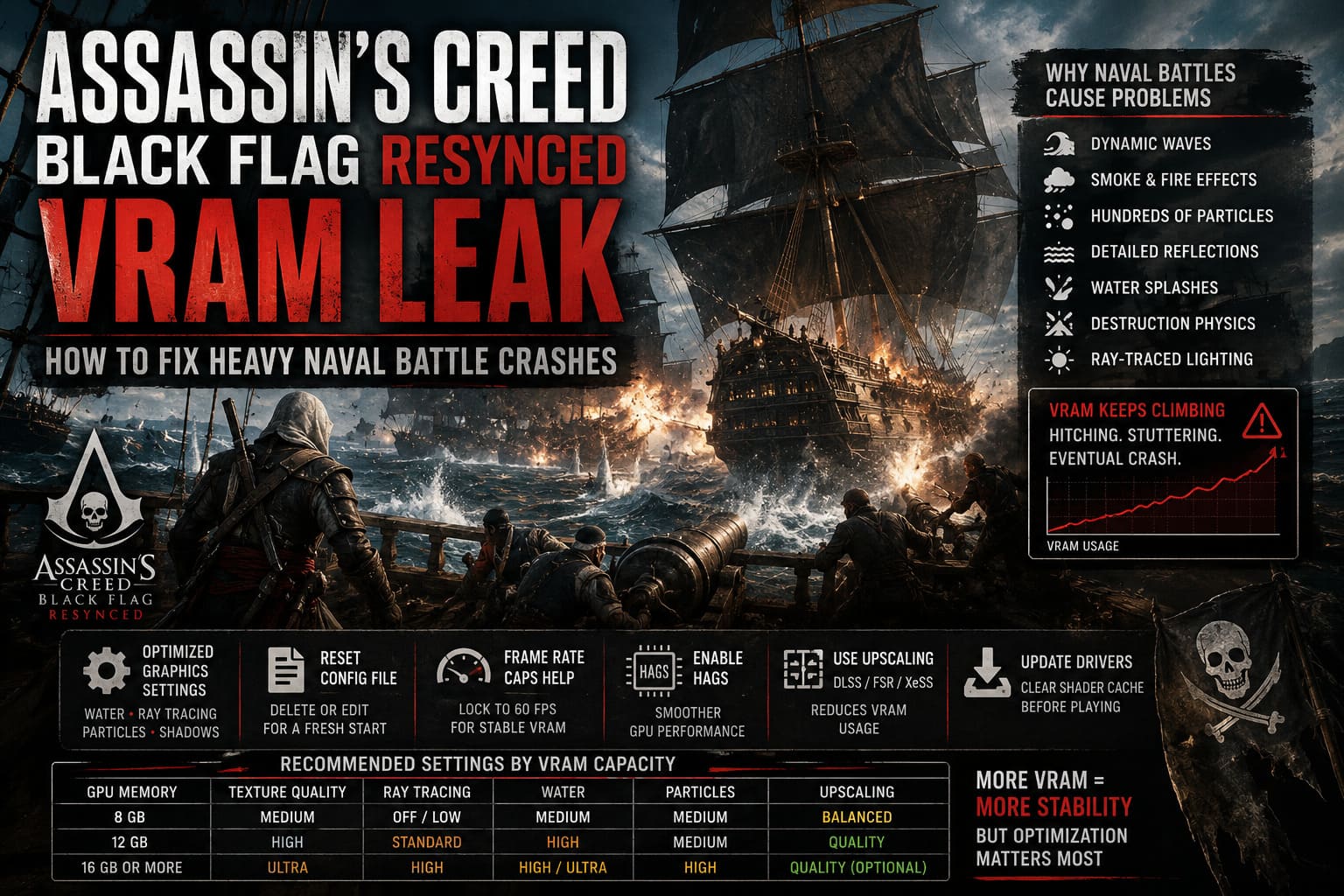
When several ships fire broadsides simultaneously, the game has to render:
- Dynamic waves
- Smoke and fire effects
- Hundreds of debris particles
- Detailed ship reflections
- Water splashes
- Destruction physics
- Ray-traced lighting (if enabled)
That’s an enormous amount of data for the GPU to manage all at once.
From what I observed while monitoring GPU memory, the game doesn’t always release older assets quickly enough. VRAM usage keeps climbing until the graphics card is nearly full. Once that happens, Windows starts moving resources into regular system memory, which is dramatically slower.
That’s usually when the hitching begins.
If the battle continues, a crash often follows.
The First Settings I Changed
Instead of lowering every graphics option, I focused only on the settings that appeared to have the biggest impact on memory usage.
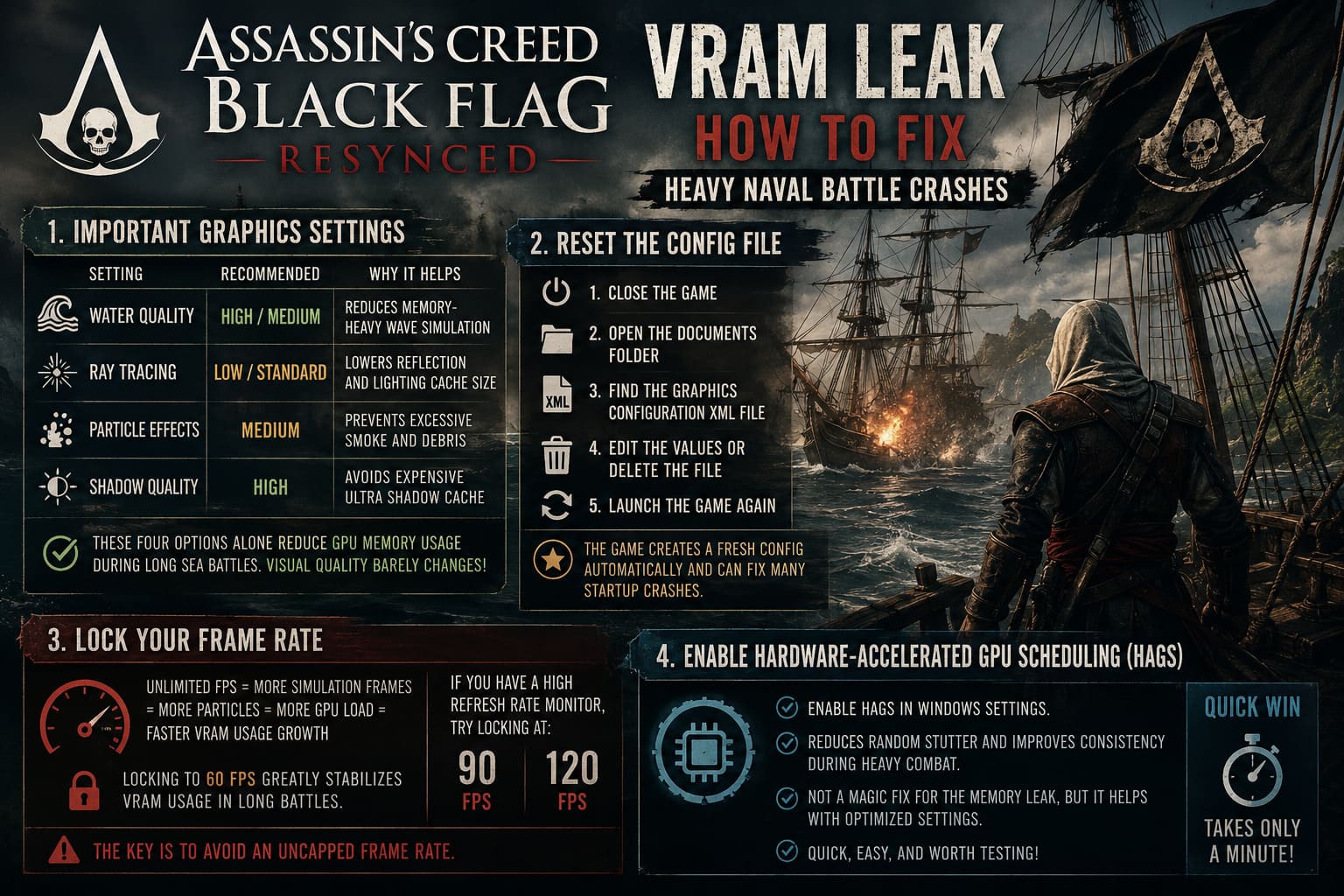
| Setting | Recommended Value | Why It Helps |
|---|---|---|
| Water Quality | High or Medium | Reduces memory-heavy wave simulation. |
| Ray Tracing | Low or Standard | Lowers reflection and lighting cache size. |
| Particle Effects | Medium | Prevents excessive smoke and debris accumulation. |
| Shadow Quality | High | Avoids the expensive Ultra shadow cache. |
These four options alone noticeably reduced GPU memory usage during long sea battles.
Interestingly, visual quality barely changed during actual gameplay.
Don’t Ignore the Configuration File
One trick that saved me after repeated crashes was resetting the graphics configuration.
If the game keeps crashing before you can even reach the settings menu, the configuration file may be storing problematic values.
Here’s what I recommend:
- Close the game.
- Open the game’s Documents folder.
- Find the graphics configuration XML file.
- Either edit the graphics values manually or simply delete the file.
- Launch the game again.
The game creates a fresh configuration automatically, and in my case that eliminated several startup crashes after changing graphics presets too aggressively.
Frame Rate Caps Help More Than I Expected
Normally I avoid locking my FPS if I don’t have to.
For this game, though, limiting the frame rate actually produced a much smoother experience.
Running with unlimited FPS forces the engine to render additional simulation frames, which also means generating more effects, more particles, and more GPU workload.
After locking the game to 60 FPS, VRAM usage increased much more slowly during extended battles.
Players with high refresh rate monitors can also experiment with:
- 90 FPS
- 120 FPS
The important part is avoiding an uncapped frame rate.
Hardware-Accelerated GPU Scheduling Is Worth Trying
This Windows feature has existed for a while, but I rarely notice dramatic improvements.
With Black Flag Resynced, enabling Hardware-Accelerated GPU Scheduling (HAGS) actually reduced several of the random stutters I had been seeing.
It won’t magically solve the memory leak by itself, but together with optimized graphics settings it seemed to improve consistency during heavy combat.
It’s a quick change that only takes a minute, so it’s definitely worth testing.
Upscaling Isn’t Just for Better Performance
Many people think DLSS, FSR, and XeSS exist purely to increase FPS.
In reality, they also reduce the internal rendering resolution, meaning the GPU has fewer pixels to process and store.
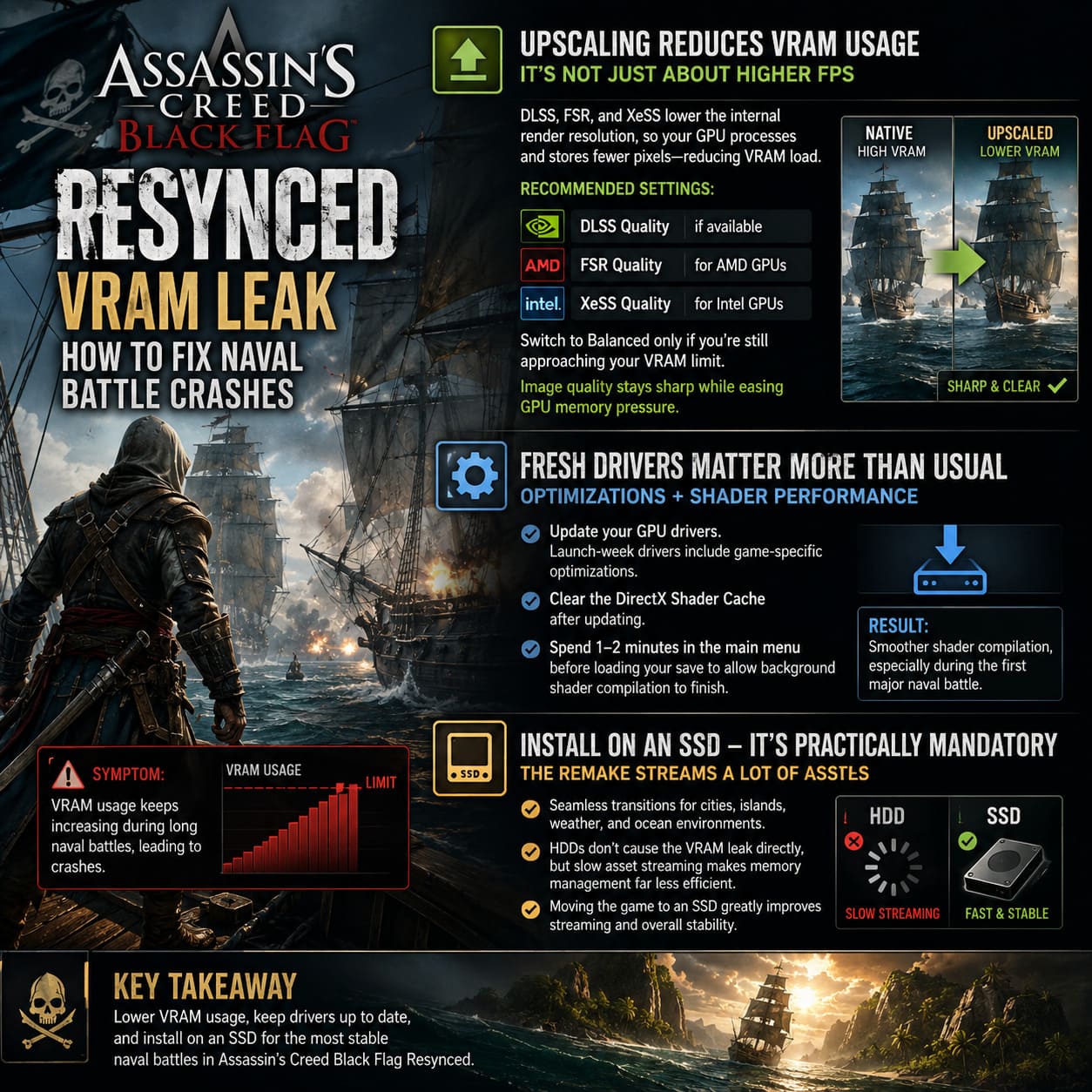
That directly lowers VRAM usage.
My recommendations are simple:
- DLSS Quality if available.
- FSR Quality for AMD cards.
- XeSS Quality for Intel GPUs.
- Switch to Balanced only if you’re still approaching your VRAM limit.
The image quality remains surprisingly sharp while reducing GPU memory pressure.
Fresh Drivers Matter More Than Usual
Launch-week drivers often include game-specific optimizations.
If you’re using drivers from several months ago, updating them should be one of the first troubleshooting steps.
I also recommend clearing the DirectX Shader Cache before launching the game again.
After updating drivers and rebuilding the shader cache, shader compilation became noticeably smoother, especially during the first large naval encounter.
One extra tip:
Don’t immediately load into your save after launching the game.
Spend a minute or two in the main menu first so background shader compilation has time to finish.
SSD Installation Is Practically Mandatory
The remake streams far more assets than the original Black Flag ever did.
Cities, islands, weather systems, and ocean environments all transition almost seamlessly.
That constant streaming works much better from an SSD.
Installing the game on an older HDD doesn’t directly cause the VRAM leak, but slower asset loading appears to make memory management even less efficient.
If you’re still running the game from mechanical storage, moving it to an SSD should be high on your priority list.
How to Fix Assassin’s Creed Black Flag Resynced Shader Compilation Stuttering on PC
Recommended Graphics Settings by VRAM Capacity
These settings offered the best balance between visuals and stability during my testing.
| GPU Memory | Texture Quality | Ray Tracing | Water | Particles | Upscaling |
|---|---|---|---|---|---|
| 8 GB | Medium | Off / Low | Medium | Medium | Balanced |
| 12 GB | High | Standard | High | Medium | Quality |
| 16 GB or More | Ultra | High | High or Ultra | High | Quality (Optional) |
Even high-end GPUs can encounter the memory leak, but having additional VRAM delays the problem significantly.
How to Fix Assassin’s Creed Black Flag Resynced Crash to Desktop After Prologue
My Biggest Takeaway
After trying dozens of different combinations, I don’t think this is simply a case of hardware being too weak.
I’ve seen reports from players using both mid-range and flagship graphics cards encountering nearly identical crashes during lengthy naval fights.
That strongly suggests the issue is related to how the game currently handles GPU memory under sustained heavy load.
Thankfully, you don’t have to sacrifice visual quality across the board.
Targeting only the most VRAM-intensive settings, capping your frame rate, using an upscaler, updating graphics drivers, and resetting corrupted graphics configurations can dramatically improve stability without making the game look noticeably worse.
Hopefully Ubisoft addresses the underlying memory management in a future update, because the naval combat deserves to be enjoyed without worrying whether the next broadside is going to sink your PC instead of the enemy ship.
Until then, these adjustments have made my own adventures aboard the Jackdaw far smoother, letting me focus on what Black Flag has always done best—epic pirate battles across the Caribbean instead of troubleshooting crashes every hour.