How to Host a 12-Player Server in Big Walk: 2026 Multiplayer Guide
When I first heard that House House, the studio behind Untitled Goose Game, was making a cooperative exploration game instead of another sandbox full of hilarious chaos, I honestly didn’t know what to expect. After spending hours exploring the Australian-inspired wilderness with friends, I realized something pretty quickly: Big Walk isn’t difficult because of enemies or survival mechanics—it’s difficult because communication is everything.
With support for up to 12 players, Big Walk becomes one of the most entertaining social multiplayer experiences released in 2026. But there’s one catch that catches many groups off guard. A full lobby puts enormous pressure on whoever is hosting the session. If the host isn’t prepared, you’ll see lag, delayed voice chat, rubber-banding, and random disconnects long before reaching the game’s biggest puzzles.
After hosting multiple large sessions, testing different hardware configurations, and tweaking my network, I’ve found what actually works. This guide covers everything you need to know about creating a stable 12-player Big Walk lobby, improving performance, and making sure your group spends time solving puzzles instead of troubleshooting connection issues.
Why Hosting Matters More Than You Think
Unlike games that rely on dedicated rented servers, Big Walk uses a host-based multiplayer system. The player creating the lobby effectively becomes the server.
That means your PC or console isn’t only rendering your own game. It’s also responsible for:
- synchronizing every player position
- tracking puzzle progress
- processing physics interactions
- managing environmental changes
- handling the game’s advanced proximity voice chat
With only four players, this usually isn’t noticeable.
With twelve players, your machine suddenly has to coordinate eleven separate clients while constantly transmitting world updates in real time. Every slowdown on the host affects everyone else.
How Big Walk’s Multiplayer Actually Works
One thing I genuinely appreciate is that House House avoided unnecessary complexity.
You don’t need to rent servers.
You don’t have to configure external hosting software.
You simply create a lobby, invite friends, and start walking.
The downside is obvious: the quality of the experience depends almost entirely on the person hosting.
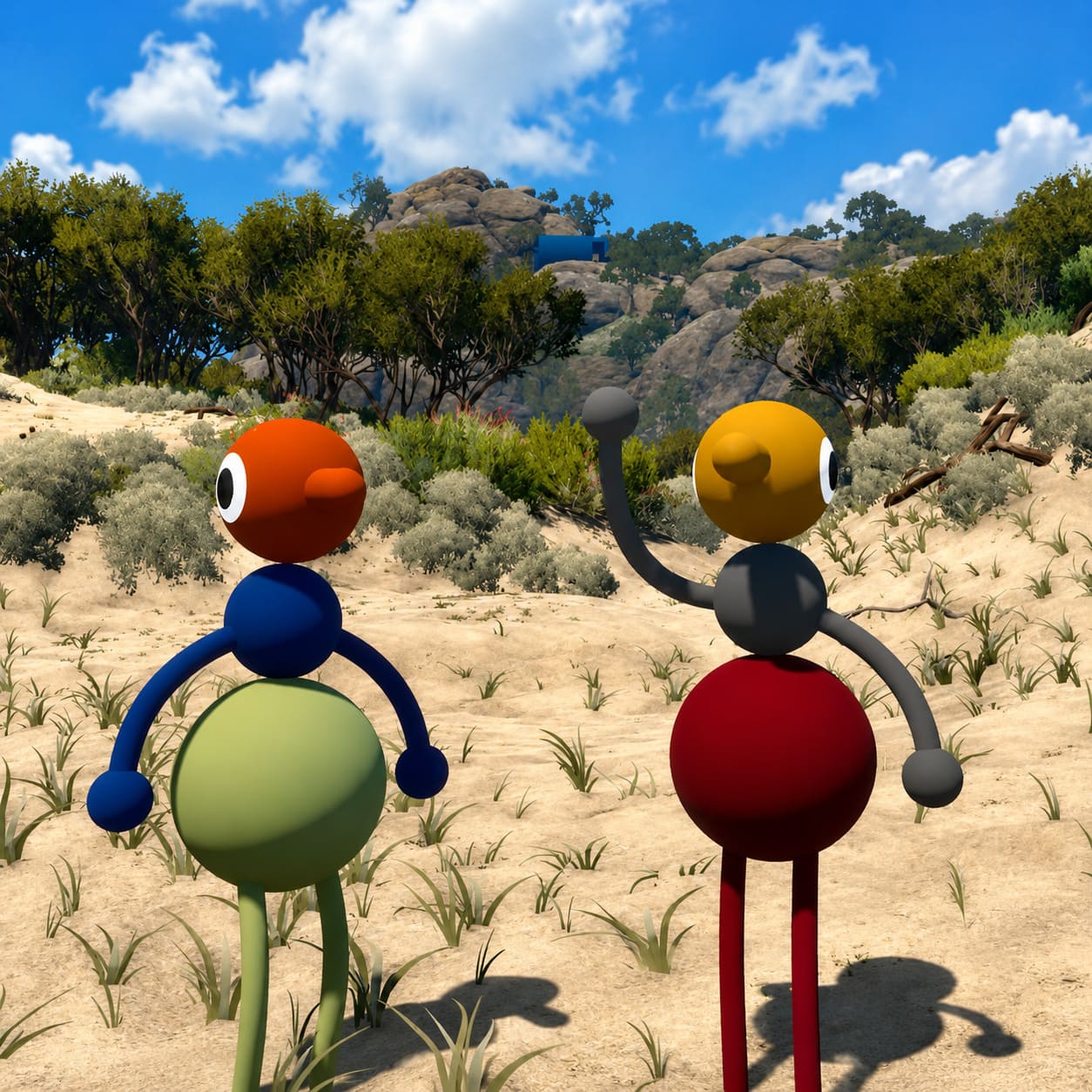
The game’s voice system is surprisingly advanced. Voices become quieter over distance, echo inside caves, become muffled behind terrain, and can switch between natural communication and radio conversations through walkie-talkies.
Those effects aren’t just cosmetic—they’re constantly being calculated alongside puzzle synchronization and player movement.
That’s why weaker systems can struggle once the lobby reaches maximum capacity.
Recommended Host Hardware
Running the game and hosting twelve players are two very different things.
Here’s what I’d comfortably recommend if you’re planning to host large groups.

| Component | Recommended for 12-Player Host |
|---|---|
| CPU | Intel Core i7-12700K or AMD Ryzen 7 5800X (or better) |
| Memory | 32 GB DDR4/DDR5 |
| Storage | NVMe SSD |
| Graphics Card | NVIDIA RTX 3070 or Radeon RX 6700 XT |
| Operating System | Updated Windows or macOS |
While Big Walk’s art direction looks clean and stylized, hosting requires significantly more CPU resources than many players expect.
Memory usage also increases because the host keeps track of every player’s inventory, puzzle interactions, object positions, and synchronization data simultaneously.
Internet Requirements for Smooth Multiplayer
From my testing, internet quality matters even more than raw hardware.
A fast gaming PC won’t save the session if the upload speed constantly fluctuates.
Here’s what I’d recommend before inviting eleven friends.
| Network Setting | Recommendation |
|---|---|
| Connection | Wired Ethernet (Cat6 or Cat7) |
| Upload Speed | 25–30 Mbps minimum |
| Download Speed | 50 Mbps or higher |
| Router Feature | Enable QoS |
| Wi-Fi | Avoid for hosting |
One mistake I still see people making is hosting through Wi-Fi simply because they have “fast internet.”
Speed tests don’t show packet stability.
Even a small amount of packet loss can completely ruin proximity voice chat, causing conversations to cut out or player positions to jump around.
A wired connection makes an enormous difference.
Setting Up a Full 12-Player Lobby
Getting everyone together is surprisingly straightforward if you organize the group before launching the game.
1. Prepare Your Friend List
Big Walk supports cross-platform multiplayer, so make sure everyone exchanges their platform IDs or in-game friend codes beforehand.
Trying to collect usernames after the lobby is already open wastes time.
2. Close Background Programs
Before launching the game, I usually shut down anything unnecessary:
- Chrome
- streaming software
- download managers
- torrent clients
- extra launchers
- Discord voice (if everyone plans to use in-game chat)
Those programs compete for CPU time and upload bandwidth.
Since Big Walk’s built-in communication system is one of its strongest features, it’s worth letting the game handle voice on its own whenever possible.
3. Create the Lobby
Inside the main menu:
- Select Host Adventure.
- Create a new world or continue an existing save.
- Increase the maximum player count to 12.
- Set privacy to Friends Only or Invite Only.
Leaving a public lobby open almost guarantees random players will occupy reserved slots before your group joins.
4. Invite Players Gradually
Here’s something that noticeably reduced loading problems during my own sessions.
Don’t invite all eleven players simultaneously.
Instead:
- invite three players
- wait until everyone loads
- invite another group
- repeat until all twelve players are connected
The host has less synchronization work during the joining process, reducing the chance of failed connections.
Crossplay Tips
Crossplay works surprisingly well between:
- PC
- Mac
- PlayStation 5
- Nintendo Switch 2
Still, every platform has its own quirks.
Nintendo Switch 2
Switch 2 players generally have no issues exploring the world or solving puzzles.
Voice communication can occasionally depend on headset configuration or platform settings, so it’s worth checking microphones before the adventure begins.
If several Switch users are joining, assigning visual signals or gestures as backup communication can save plenty of confusion.
PlayStation 5
Because Big Walk launched through PlayStation Plus Essential, there are lots of PS5 players online.
Hosts should verify that cross-network communication permissions are enabled.
Otherwise, invitations from PC players may silently fail.
Best Strategy for Twelve Players
The biggest mistake I’ve seen isn’t technical.
It’s organizational.
When twelve people start wandering in different directions, communication falls apart almost immediately.
The game is at its best when the group intentionally divides responsibilities.
For example:
- Scouts carry binoculars.
- Navigators keep the compass.
- Communication specialists handle walkie-talkies.
- Support players bring flares or signaling tools.
Instead of roaming as one massive crowd, split into three squads of four players.
Every squad should have at least one communication tool.
That simple strategy makes larger puzzles dramatically easier while keeping exploration exciting.
Save Progress Properly
Big Walk isn’t a short experience.
A complete playthrough can easily stretch between 10 and 15 hours, especially when exploring optional areas.
Thankfully, the game saves world progression through the host’s save file.
Before ending the session:
- regroup everyone
- wait for autosave
- exit normally
- avoid force-closing the game
The next session will resume with puzzle progress and inventories preserved, allowing your group to continue where it left off.
Is Big Walk on Xbox Series X? Launch Platforms and Release Details Explained
Fixing Common Multiplayer Problems
Even well-prepared groups occasionally run into technical issues.
Here are the most common ones.
Rubber-Banding
If multiple players start teleporting or movement becomes inconsistent, the host is usually hitting an upload bandwidth limit.
Possible fixes include:
- disconnect unused devices
- stop background downloads
- reduce graphics load
- lock the game to 60 FPS
Freeing CPU resources often helps networking remain stable.
Voice Chat Problems
Echoes or distorted voices typically appear after extended sessions.
Try:
- restarting voice chat in settings
- reconnecting affected players
- refreshing lobby audio options
Most voice issues disappear after the audio system reinitializes.
Players Can’t Join
This often points toward NAT configuration.
If someone repeatedly fails to connect:
- verify NAT settings
- enable UPnP if available
- configure port forwarding when necessary
- confirm platform privacy settings allow crossplay
Most stubborn connection issues are network-related rather than game-related.
Big Walk Launch Day Patch Notes: Version 1.0 Release Update and Gameplay Guide
My Personal Hosting Advice
After spending dozens of hours experimenting with large multiplayer sessions, I’ve found that the best host isn’t necessarily the person with the strongest graphics card.
It’s the player with:
- the fastest upload speed
- the most stable wired connection
- a modern multi-core CPU
- enough RAM to handle synchronization overhead
- the willingness to leave background applications closed
Big Walk isn’t trying to overwhelm players with combat or survival mechanics. Its greatest challenge is getting twelve people to communicate effectively while exploring an enormous handcrafted world filled with clever puzzles. When the host provides a stable session, that experience feels wonderfully organic, turning every hike into a memorable adventure full of laughter, confusion, and those unforgettable moments where everyone suddenly realizes the solution at the same time.
If you’re planning a weekend expedition with a full lobby, spend a few minutes preparing your hardware and network first. Those small optimizations make a huge difference once all twelve players step into the wilderness, and they’ll help ensure your group remembers the adventure—not the lag.