Dungeon Lurker Steam Deck Compatibility: Performance Guide & Best Settings
After spending countless hours with roguelikes, dungeon crawlers, and indie action games on handheld devices, I have learned one important thing: a game can look perfect for portable gaming on paper, but the real test begins when you hold the device in your hands. Small text, awkward controls, unstable performance, or poor optimization can completely change the experience.
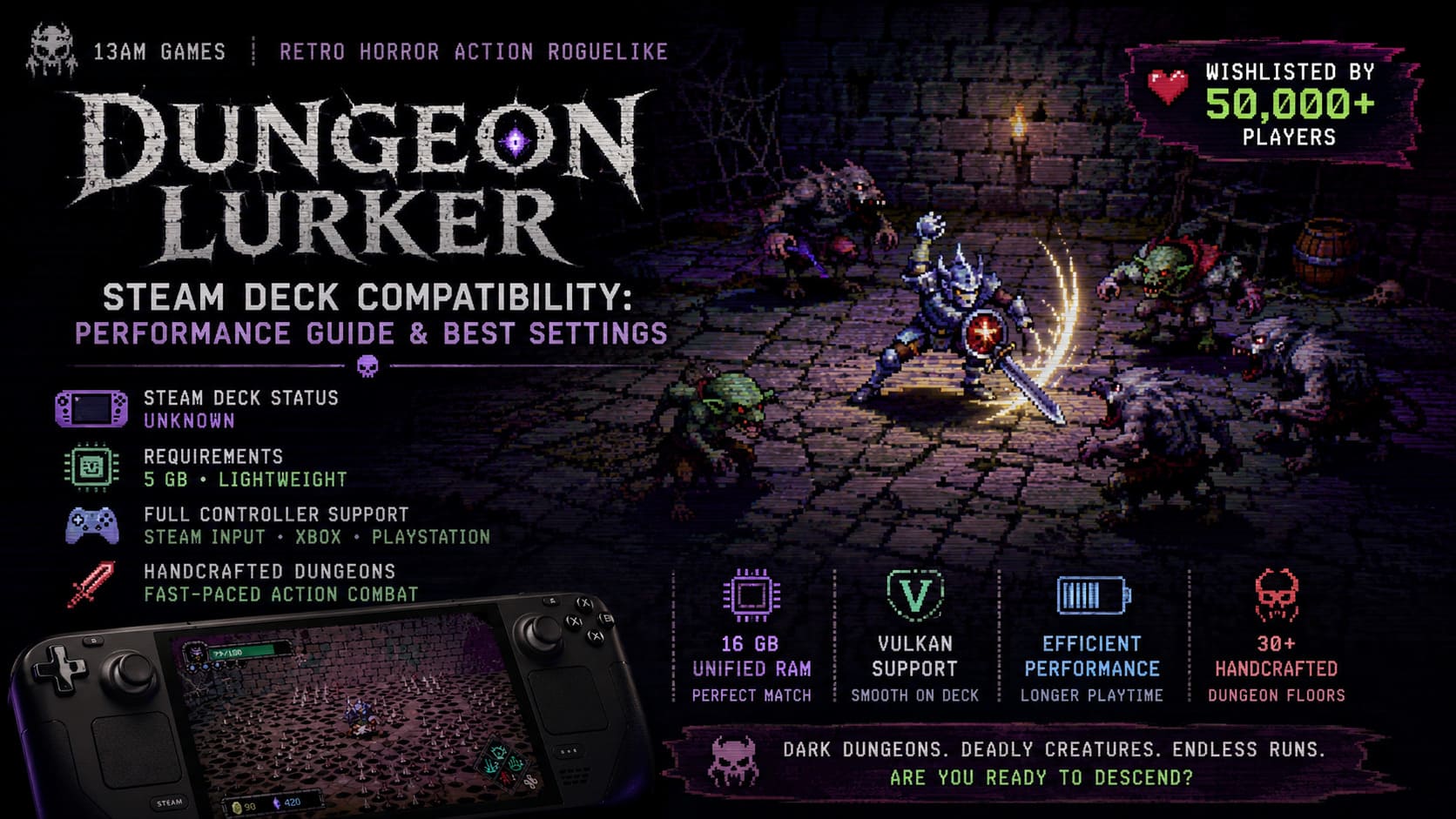
That is why Dungeon Lurker Steam Deck compatibility has become one of the biggest questions among fans since the game was revealed by indie developer 13AM Games. The upcoming retro-inspired action roguelike immediately caught attention during events such as The MIX Summer Game Showcase, quickly building a strong following and collecting more than 50,000 Steam wishlists.
From what has been shown so far, Dungeon Lurker looks like exactly the type of game that should feel natural on a handheld. The combination of dark fantasy horror, fast real-time combat, handcrafted dungeon exploration, and a unique 3D pixel art style inspired by old CRT displays creates an experience that feels like a forgotten classic brought into the modern era.
As someone who has played many roguelikes on both desktop and portable hardware, I believe Dungeon Lurker has all the ingredients needed to become one of the better Steam Deck-friendly indie releases. However, there are still several technical details worth analyzing before launch.
Dungeon Lurker Instruction Manual Secrets: Complete Guide to the ARG and Hidden Codes
Current Steam Deck Verification Status
At the moment, Dungeon Lurker does not have an official Steam Deck Verified or Playable rating from Valve. The compatibility indicator currently remains marked as Unknown, which is completely normal for an upcoming game that has not reached its final release stage.
Many players misunderstand the Unknown label and assume it means a game will have problems on Steam Deck. In reality, it simply means Valve has not completed its testing process yet. Plenty of indie games receive verification only shortly before launch or even after release.
Looking at the available technical information, there are several reasons to believe Dungeon Lurker should work well on Valve’s handheld. The game’s requirements are surprisingly modest, and the overall design philosophy appears much closer to lightweight indie titles that usually perform extremely well through SteamOS and Proton.
The biggest positive sign is that the developers are not creating a massive open-world experience with demanding graphics technology. Instead, Dungeon Lurker focuses on stylish visuals, responsive combat, and carefully designed environments. This type of game is usually where the Steam Deck shines.
Dungeon Lurker PC Requirements vs Steam Deck Hardware
One of the easiest ways to predict Steam Deck performance is comparing the game’s minimum requirements with Valve’s handheld specifications.
| Component | Dungeon Lurker Minimum Requirement | Steam Deck Hardware |
|---|---|---|
| Operating System | Windows 10 21H1 or newer | SteamOS (Linux-based) with Proton |
| Processor | x86/x64 with SSE2 support or Arm64 | AMD Zen 2 APU |
| Memory | 8 GB RAM | 16 GB LPDDR5 Unified RAM |
| Graphics | DX10, DX11, DX12, or Vulkan GPU | AMD RDNA 2 GPU |
| Storage | 5 GB available space | More than enough capacity |
The Steam Deck comfortably exceeds the recommended baseline in several areas. The handheld includes 16 GB of unified LPDDR5 memory, which is double the game’s listed RAM requirement.
Another major advantage is Vulkan compatibility. Since SteamOS relies on Proton to run Windows games, titles that already support modern graphics APIs often translate better to handheld performance. Vulkan support usually means less unnecessary overhead and smoother frame pacing.
The tiny storage requirement is also a good sign. At only around 5 GB, Dungeon Lurker is an extremely compact game compared to many modern releases that require 100 GB or more. This makes it ideal for players who use smaller Steam Deck SSD models or microSD storage.
Controller Support Makes Dungeon Lurker Perfect for Handheld Gaming
For me, controller support is one of the most important factors when judging whether a PC game belongs on a handheld. A title can have amazing visuals and optimization, but if it feels designed exclusively for keyboard and mouse, the portable experience suffers.
Thankfully, Dungeon Lurker appears to avoid this problem completely.
The developers have designed the game with controller play in mind from the beginning. The Steam database information confirms support for:
- Full Controller Support
- Steam Input compatibility
- Xbox controller integration
- PlayStation DualShock and DualSense support
This is a huge advantage for Steam Deck players because the built-in controls already work through Steam Input. In most cases, players should be able to launch the game, pick up the device, and start playing without spending time creating custom layouts.
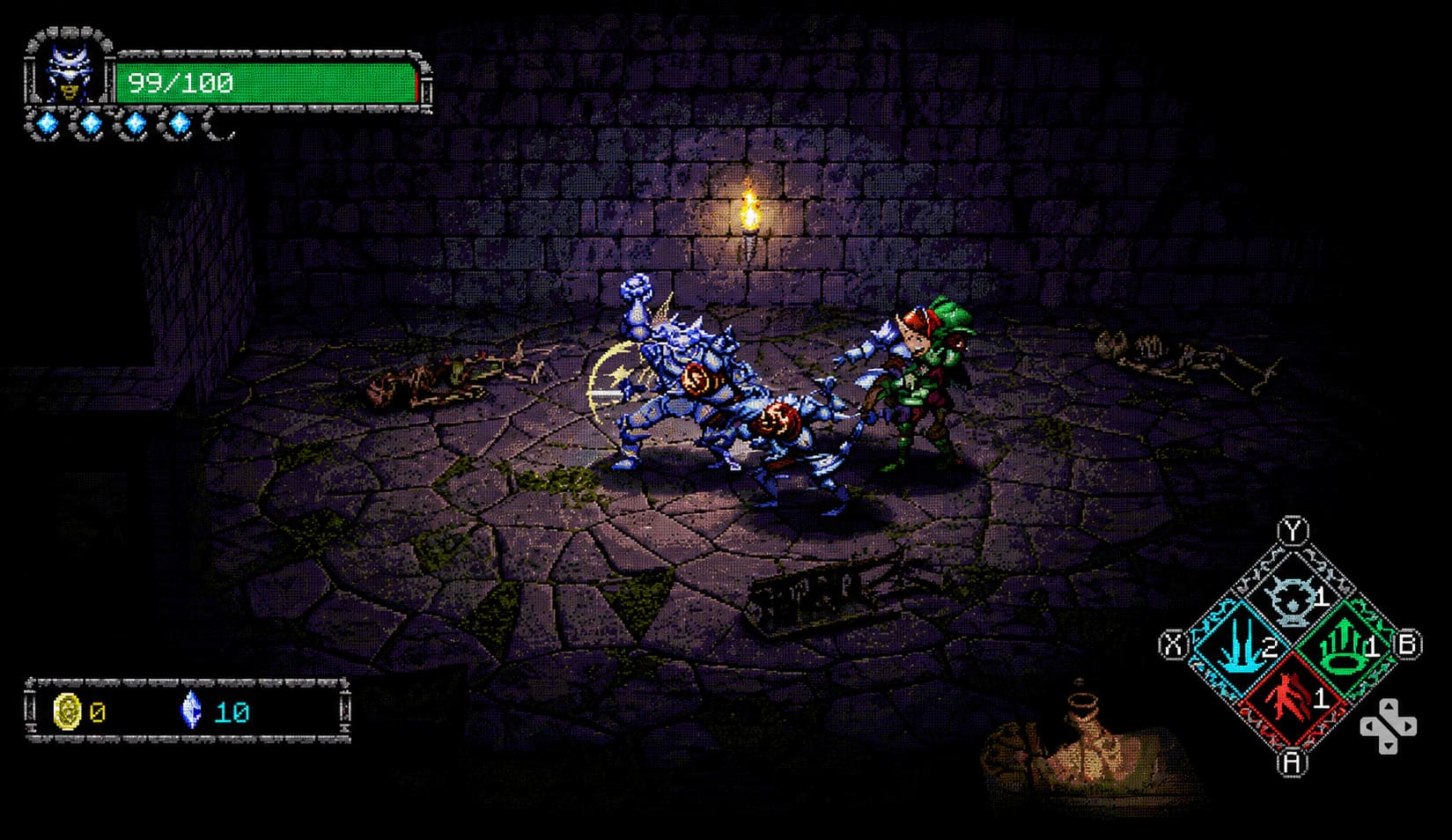
The developers even recommend using a controller for the best experience, which tells me that the combat system was designed around gamepad controls rather than adapted later.
For an action roguelike featuring dodging, blocking, and fast attacks, this is exactly the right approach.
Gameplay Performance Expectations on Steam Deck
Dungeon Lurker takes a different approach from many modern roguelikes. Instead of relying entirely on random procedural generation, the game features more than 30 handcrafted dungeon floors.
This design choice immediately caught my attention because handcrafted levels often create stronger pacing. Every room can have intentional enemy placement, hidden secrets, and carefully balanced encounters.
The combat focuses on real-time action against creatures such as ghouls, goblins, and werewolves. Games like this need responsive controls and stable frame rates more than ultra-high graphical settings.
Based on the current information, I expect Dungeon Lurker to perform very comfortably on Steam Deck.
| Steam Deck Model | Expected Performance |
|---|---|
| Steam Deck LCD | Stable 60 FPS experience |
| Steam Deck OLED | Stable 60 FPS with additional headroom |
The game’s retro-inspired graphics should allow the hardware to maintain smooth performance without pushing battery consumption too aggressively.
Of course, final results will depend on optimization after launch, but everything currently points toward a very efficient handheld experience.
Possible Steam Deck Issues: Text Size and CRT Visual Effects
While the technical side looks promising, there is one area where I think developers should pay attention: readability.
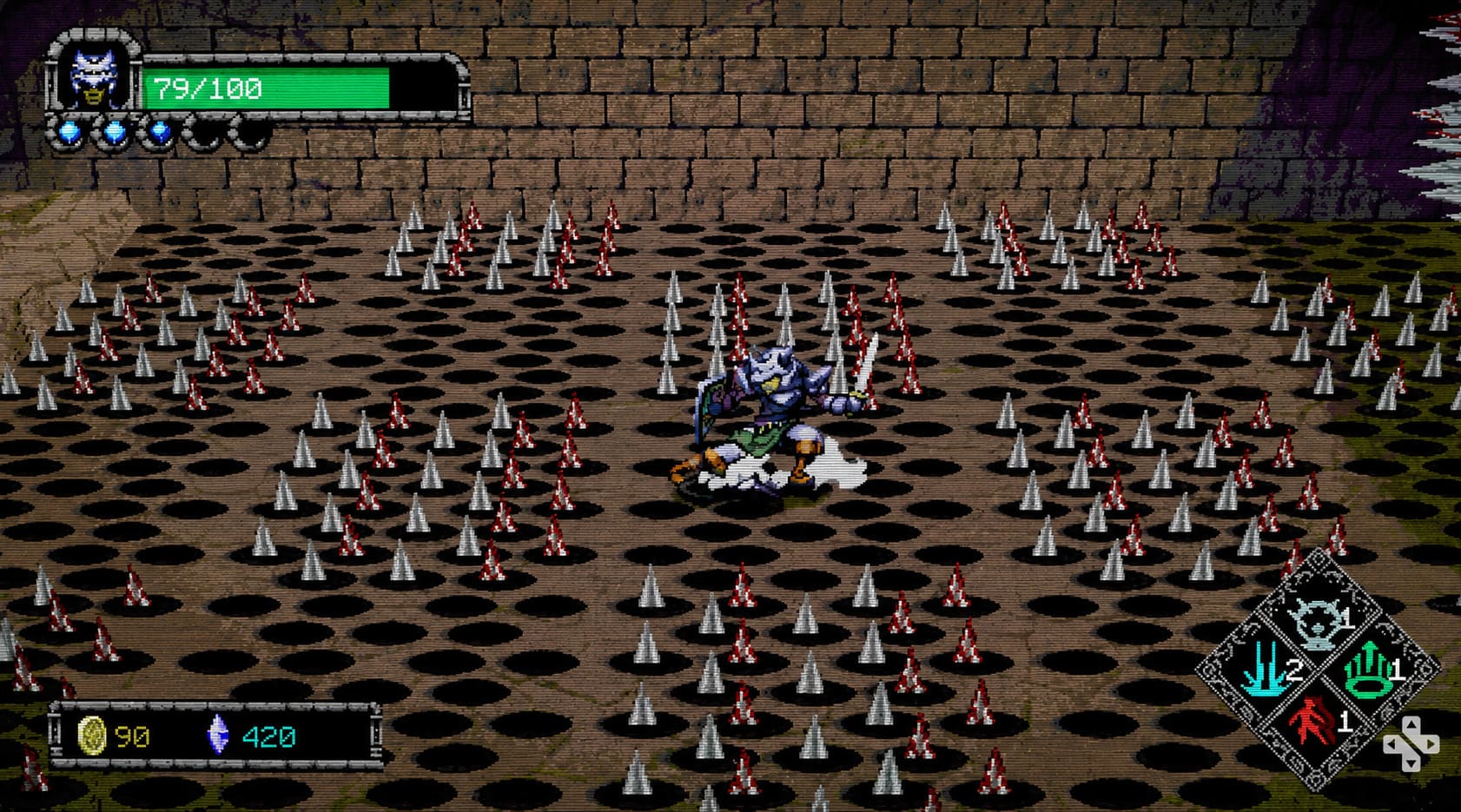
The CRT-inspired visual style is one of Dungeon Lurker’s biggest artistic strengths. The old-school monitor effect, pixel shading, and dark atmosphere create a unique identity. However, handheld screens introduce a different challenge.
The Steam Deck display is much smaller than a traditional gaming monitor. If inventory descriptions, item statistics, or menus use extremely small fonts, players may struggle to read important information.
This has happened with other retro-inspired games where beautiful visuals were prioritized over interface scaling.
Hopefully, 13AM Games includes options such as:
- Adjustable UI scaling
- Larger text mode
- Reduced CRT effects
- Clear inventory menus
These small improvements can make a huge difference for portable players.
Proton Compatibility and Possible Launch Fixes
Because Dungeon Lurker does not yet have a public demo or final build, there are no official Steam Deck benchmarks available.
However, based on similar indie releases, players should have several options if minor compatibility problems appear at launch.
If the game experiences crashes, video playback issues, or startup problems, Steam Deck users often solve these problems by switching Proton versions. Tools like GE-Proton through ProtonUp-Qt have become popular solutions for fixing compatibility issues with smaller PC releases.
This does not necessarily mean Dungeon Lurker will need extra configuration. In fact, I expect the game to work immediately for most players. But the flexibility of SteamOS gives users plenty of backup options.
Final Thoughts: Is Dungeon Lurker Worth Playing on Steam Deck?
Even without official Steam Deck verification, Dungeon Lurker looks like one of the most promising handheld-friendly indie games currently in development.
The lightweight requirements, Vulkan support, controller-first design, compact installation size, and fast-paced roguelike gameplay all match what makes portable gaming special.
After playing many dungeon crawlers and roguelikes on handheld systems, I think Dungeon Lurker has the potential to become the kind of game people keep installed permanently. It looks like a perfect title for short evening sessions, long trips, or those moments when you want a challenging run without committing to a massive RPG.
The final verdict will depend on launch optimization, but the early signs are extremely positive. If 13AM Games continues polishing performance and accessibility options, Dungeon Lurker could easily become one of those indie games that feels like it was designed specifically for Steam Deck.
For handheld owners who enjoy dark fantasy, retro visuals, and intense action combat, this is definitely a title worth adding to your Steam wishlist.