How to Fix Naraka Bladepoint Crash on Launch After 2026 Update
The latest 2026 Naraka Bladepoint update delivered plenty of exciting content, but for many PC players it also introduced one of the most annoying problems imaginable: the game simply refuses to launch.
Some people never get past the 24 Entertainment logo. Others watch a black screen for a few seconds before the game suddenly disappears without an error message. I’ve also seen players get kicked out immediately after the anti-cheat starts loading.
After spending hours reading Reddit discussions, Steam forums, community Discord servers, and testing solutions on different systems, I noticed something interesting—there isn’t one universal cause. Instead, several small Windows issues combine into one big headache after a major update.
The good news is that nearly every crash I’ve seen has been solved without reinstalling Windows or replacing hardware.
Below are the fixes I recommend trying first, starting with the ones that solved the problem most often.
Why the 2026 Update Is Causing Launch Problems
Every large live-service update changes far more than maps or balance numbers.
Behind the scenes, developers replace shader caches, update anti-cheat modules, modify graphics pipelines, and introduce new game assets. If even one component doesn’t cooperate with your existing Windows installation, the game may terminate before reaching the main menu.
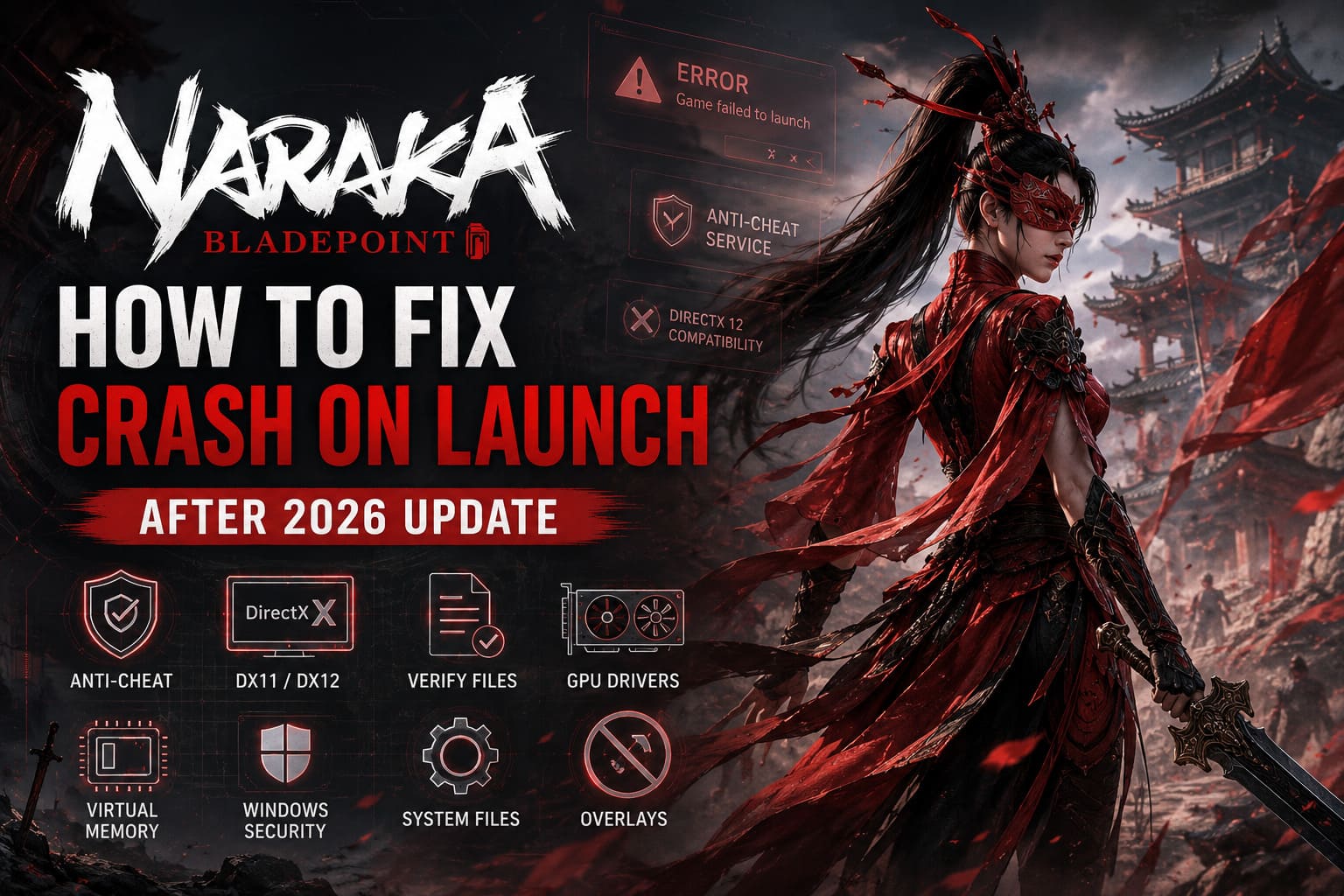
Some of the most common reasons include:
- Damaged anti-cheat files
- DirectX 12 compatibility issues
- Corrupted game files after patching
- Outdated GPU drivers
- Windows virtual memory limitations
- Overlay software conflicts
- Antivirus blocking new executable files
Because several of these problems produce exactly the same symptoms, it’s worth working through each fix instead of assuming the first one applies to your PC.
1. Repair the Anti-Cheat Before Anything Else
If Naraka closes immediately after pressing Play, the anti-cheat service is one of the first things I would investigate.
Major updates sometimes replace executable files, and Windows doesn’t always restore the permissions correctly.
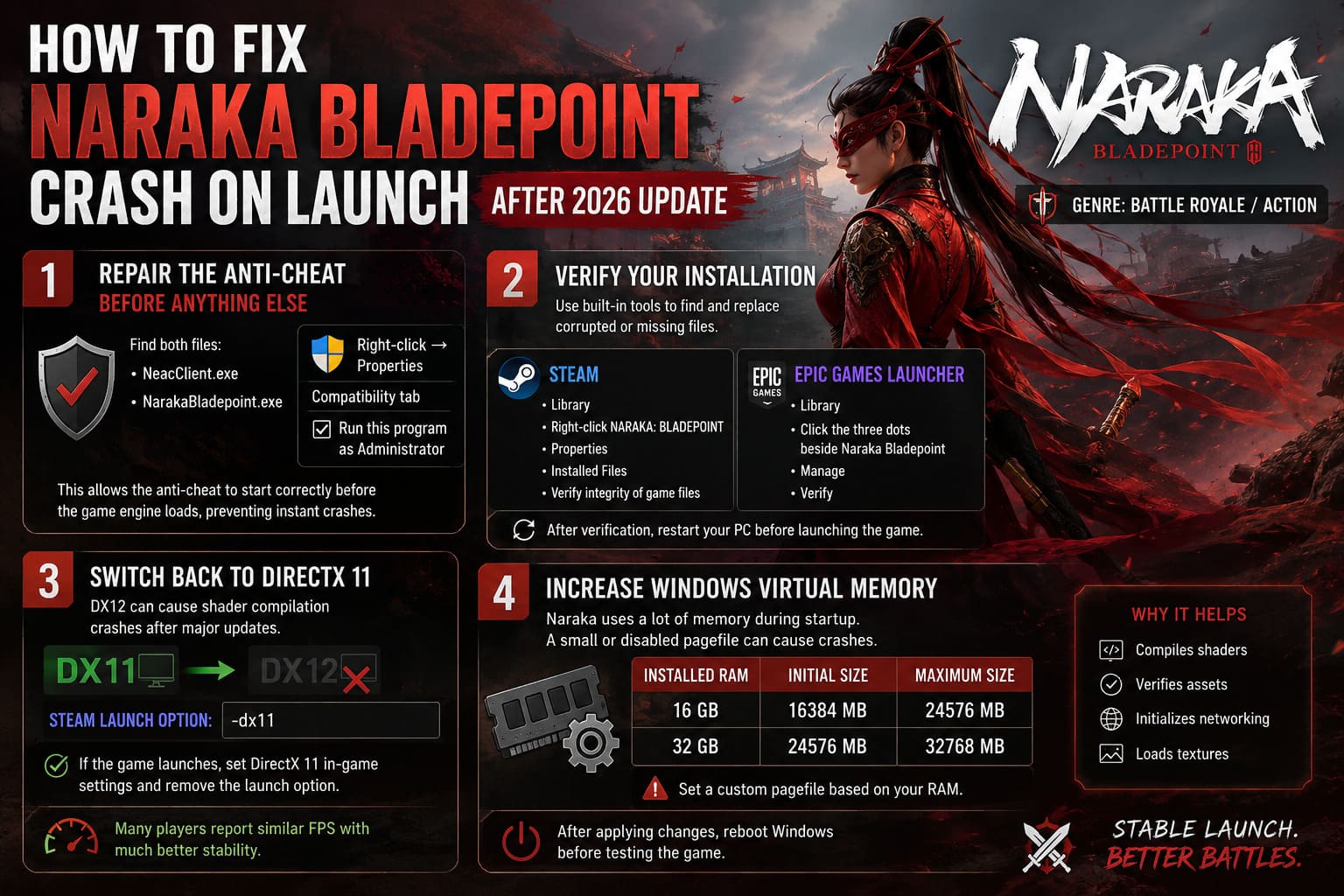
Locate both:
- NeacClient.exe
- NarakaBladepoint.exe
Open their Properties, switch to the Compatibility tab, and enable Run this program as Administrator.
This simple permission change has solved startup crashes for a surprising number of players because it allows the anti-cheat service to initialize correctly before the game engine loads.
2. Verify Your Installation
One interrupted download is enough to corrupt a texture archive or game library.
Fortunately, both Steam and Epic Games Launcher include built-in verification tools.
Steam:
- Open your Library.
- Right-click NARAKA: BLADEPOINT.
- Select Properties.
- Open the Installed Files tab.
- Click Verify integrity of game files.
Epic Games Launcher:
- Open your Library.
- Click the three dots beside Naraka Bladepoint.
- Select Manage.
- Click Verify.
Even if verification only replaces one or two files, those missing assets may have been responsible for every startup crash.
After verification finishes, restart your PC before launching the game again.
3. Switch Back to DirectX 11
This was actually the biggest surprise for me.
DirectX 12 usually delivers excellent performance once everything is stable, but immediately after major updates it often becomes the source of shader compilation crashes.
If Naraka won’t even open its settings menu, force DirectX 11 manually.
For Steam users, open the game’s Launch Options and enter:
-dx11If the game finally loads successfully, switch the graphics API inside the game’s settings and remove the launch command afterward.
Many players report nearly identical frame rates while enjoying significantly better stability.
4. Increase Windows Virtual Memory
Naraka Bladepoint can consume a huge amount of memory during startup.
The loading process compiles shaders, verifies assets, initializes networking, and loads textures all at once.
If your pagefile is disabled—or simply too small—the game may crash before reaching the main menu.
I generally recommend configuring a custom pagefile based on the amount of RAM installed in your system.
| Installed RAM | Initial Size | Maximum Size |
|---|---|---|
| 16 GB | 16384 MB | 24576 MB |
| 32 GB | 24576 MB | 32768 MB |
After changing the settings, reboot Windows before testing the game again.
It’s one of those fixes that doesn’t sound exciting, but it has solved countless startup crashes for memory-hungry games.
5. Install Fresh Graphics Drivers
Updating your GPU driver through Windows Device Manager isn’t enough if the existing installation has become corrupted.
Whenever a major update introduces rendering changes, I always recommend performing a completely clean graphics driver installation.
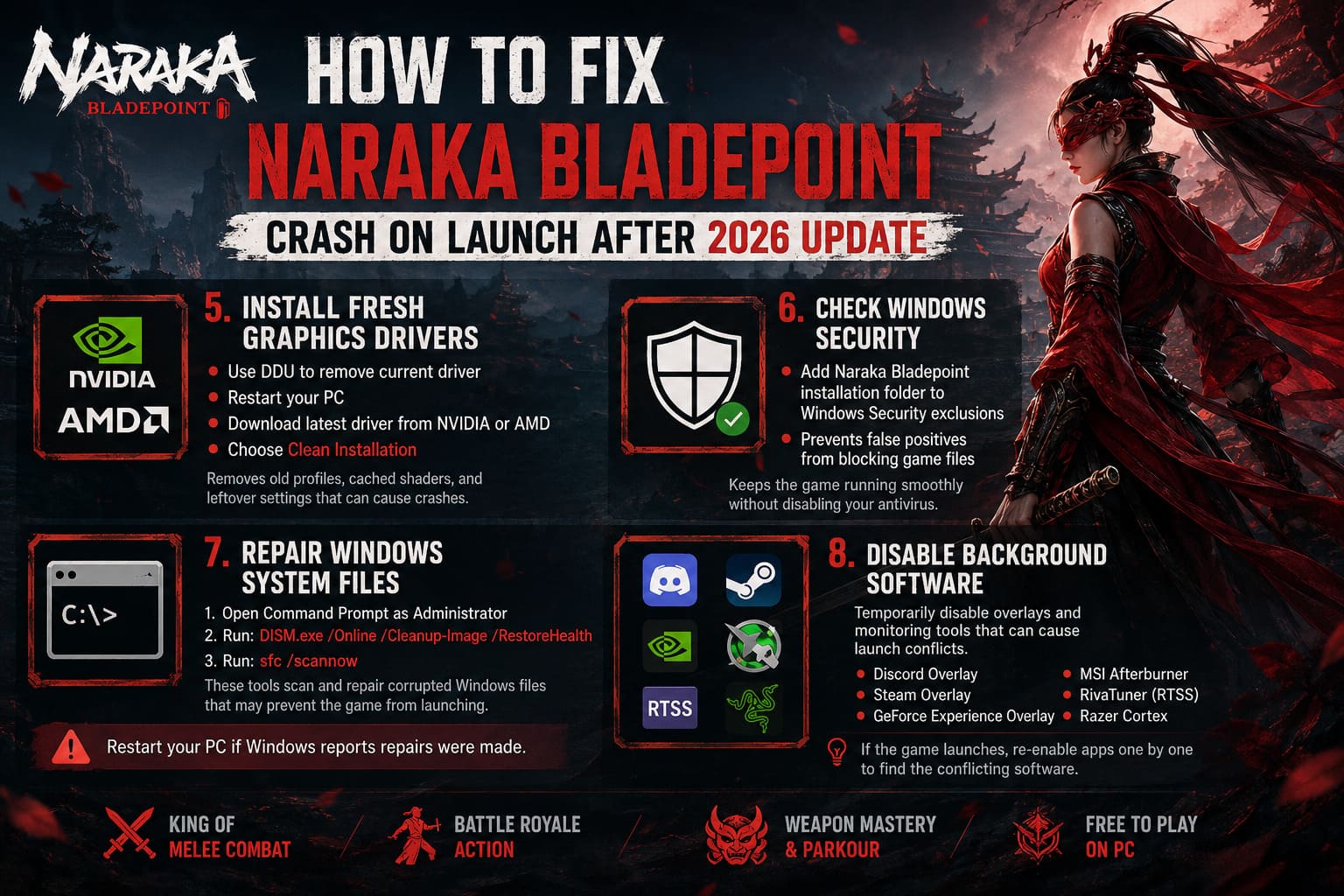
- Remove the current graphics driver using Display Driver Uninstaller (DDU).
- Restart your computer.
- Download the latest driver directly from NVIDIA or AMD.
- Select the Clean Installation option whenever it’s available.
This removes old driver profiles, cached shader data, and leftover settings that can interfere with the updated version of the game.
6. Check Windows Security
Windows Defender has improved dramatically over the years, but newly updated game files can occasionally trigger false positives.
Instead of disabling your antivirus completely, simply add the Naraka Bladepoint installation folder to the Windows Security exclusions list.
This allows the game to access its files normally during startup without being interrupted by real-time scanning.
It only takes a minute and removes another possible source of launch problems.
7. Repair Windows System Files
Sometimes the problem isn’t Naraka Bladepoint at all.
Corrupted Windows components can prevent games from loading required runtime libraries correctly.
Open Command Prompt as Administrator and run the following command:
DISM.exe /Online /Cleanup-Image /RestoreHealthOnce it finishes, execute the next command:
sfc /scannowThese built-in Windows tools scan for damaged operating system files and automatically repair them whenever possible.
If Windows reports that repairs were made, restart your computer before testing Naraka Bladepoint again.
8. Disable Background Software
Gaming overlays and hardware monitoring utilities remain some of the most common causes of launch instability.
Whenever I’m troubleshooting a stubborn crash, I temporarily disable every unnecessary background application.
Pay particular attention to:
- Discord Overlay
- Steam Overlay
- GeForce Experience Overlay
- MSI Afterburner
- RivaTuner Statistics Server (RTSS)
- Razer Cortex
Many of these applications inject themselves into DirectX, which can occasionally conflict with newly updated games.
If Naraka launches successfully afterward, simply re-enable each application one at a time until you identify the software causing the conflict.
Quick Troubleshooting Reference
| Problem | Recommended Fix |
|---|---|
| Black screen on startup | Force DirectX 11 |
| Crash after the logo | Repair anti-cheat |
| Instant desktop crash | Verify game files |
| Crash during loading | Increase Windows pagefile |
| Anti-cheat error | Run executables as Administrator |
| Random launch failures | Disable overlays |
Don’t Ignore Your Storage Drive
One detail that gets overlooked surprisingly often is the installation drive.
While Naraka Bladepoint can technically run from a traditional hard drive, modern updates continue increasing texture quality and asset streaming requirements.
Installing the game on an SSD dramatically improves loading consistency and reduces timeout-related crashes during startup.
If you’re still using an older mechanical HDD, moving the installation to an SSD is well worth considering.
A Few Things Worth Checking
Before assuming the update itself is broken, make sure you’ve covered the basics:
- Windows is fully updated.
- Your graphics driver is up to date.
- Your motherboard chipset drivers are current.
- Your BIOS isn’t severely outdated.
- No unstable CPU or GPU overclock is active.
- Your game launcher is running with administrator privileges.
These checks aren’t glamorous, but they eliminate many hidden compatibility issues that can cause random crashes.
How to Fix High Ping Lag in Naraka Bladepoint US Servers (2026 Guide)
Final Thoughts
I’ve seen plenty of rough PC game launches over the years, and honestly, Naraka Bladepoint’s 2026 update isn’t the worst one. Most startup crashes aren’t caused by a permanently broken game—they’re usually the result of Windows, graphics drivers, anti-cheat software, and system settings falling out of sync after a major patch.
If I had to prioritize the fixes, I’d begin with repairing the anti-cheat, verifying the game files, forcing DirectX 11, and performing a clean graphics driver installation. Those four solutions appear to resolve the majority of launch issues reported by the community.
The remaining steps are still worth trying if the problem continues, especially increasing Windows virtual memory and disabling overlay software. Neither takes very long, and both have rescued more than one installation that initially seemed beyond repair.
Hopefully, future updates improve overall stability, but until then these troubleshooting methods should help most players get back into Naraka Bladepoint instead of staring at another crash window.