The Witcher 3 Remastered: FSR 2 vs. DLSS Quality and Performance Comparison (2026 Guide)
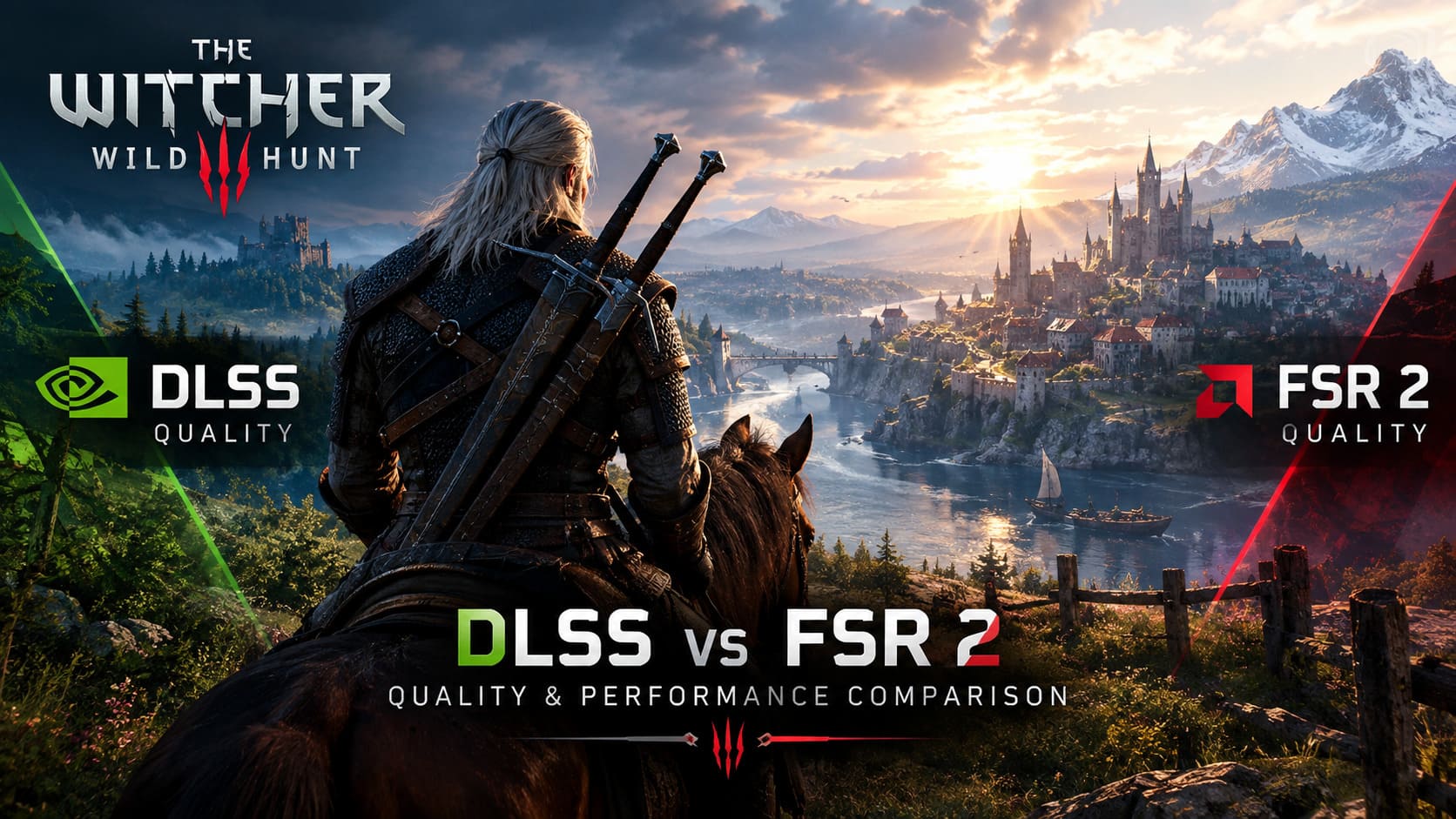
The Witcher 3: Wild Hunt has never been an easy game to run at maximum settings. The Next-Gen update pushed the already gorgeous RPG into much heavier territory with improved textures, denser environmental detail, advanced lighting, ray-traced effects, and a revamped rendering pipeline. Turn on the expensive settings and even a powerful gaming PC can start sweating.
That is where DLSS and FSR 2 become extremely important.
After hundreds of hours wandering through Velen, Novigrad, Skellige, and Toussaint, I can say that upscaling makes a much bigger difference in The Witcher 3 than simply chasing another few graphics settings. The right solution can make the game feel smooth and clean while the wrong one can leave foliage crawling across the screen, Geralt surrounded by ghost trails, and distant objects looking like they’re made from sharpened pixels.
For 2026, the comparison is especially interesting because both technologies have matured considerably. But they don’t produce the same image, even when they are technically rendering from the same internal resolution.
So, DLSS Quality vs FSR 2 Quality in The Witcher 3 Remastered — what actually looks better, what performs better, and which one should you use?
DLSS vs FSR 2 in The Witcher 3: Quick Comparison
| Feature | DLSS Quality | FSR 2 Quality |
|---|---|---|
| Image Sharpness | Excellent | Good |
| Foliage Stability | Excellent | Moderate |
| Fine Detail | Very Strong | Good |
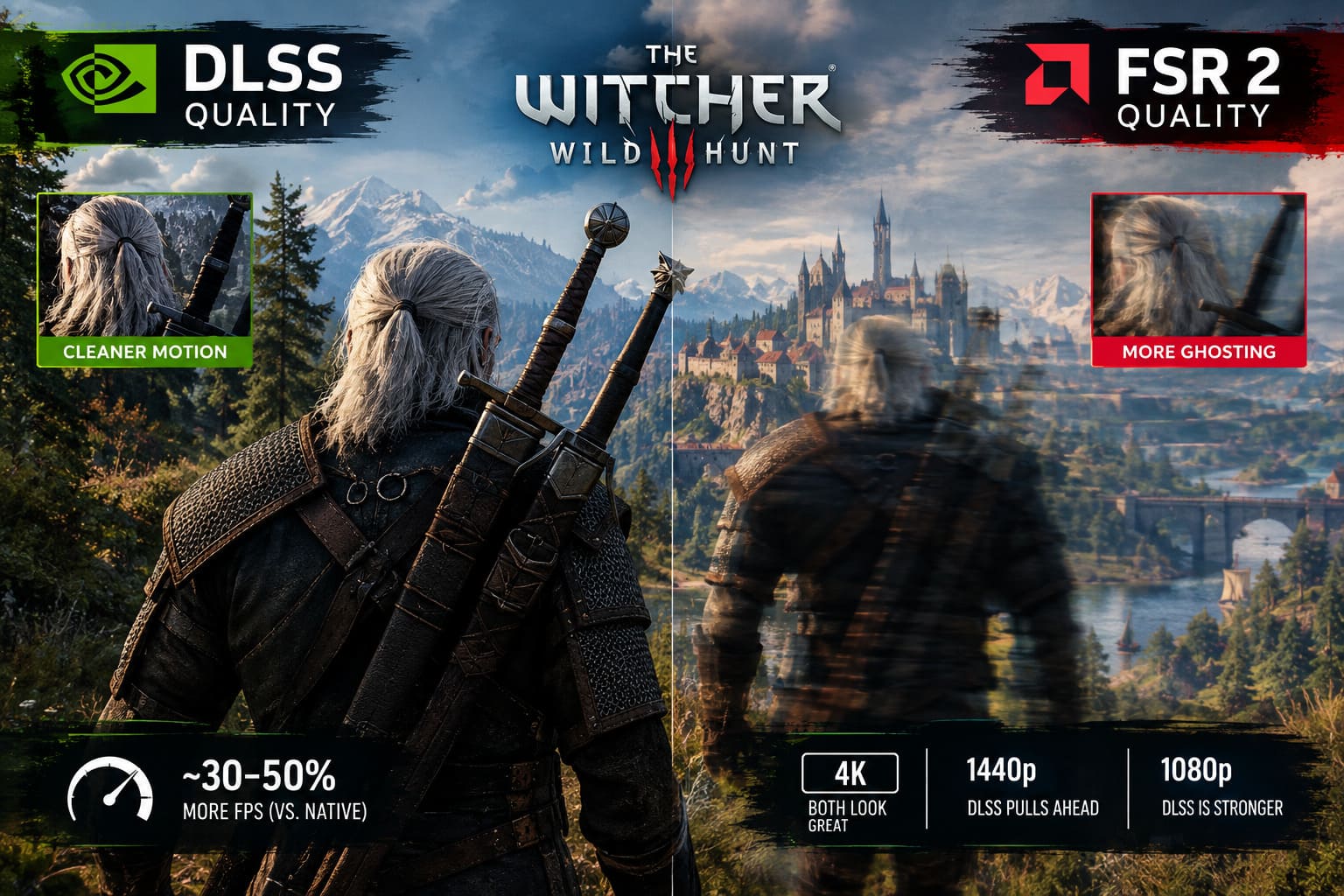
| Ghosting | Low | More noticeable |
| Shimmering | Minimal | More frequent |
| Performance | Excellent | Excellent |
| Hardware Support | RTX GPUs | AMD, NVIDIA, Intel |
| Best Resolution | 1440p / 4K | 4K, especially on non-RTX GPUs |
Both are useful. But after spending a ridiculous amount of time staring at trees, armor, fences, grass, and distant rooftops, the differences become difficult to ignore.
How DLSS and FSR 2 Actually Work
NVIDIA DLSS Super Resolution uses the Tensor Cores found on GeForce RTX graphics cards. Instead of simply stretching a lower-resolution image, DLSS reconstructs the final image using information from previous frames, motion vectors, and its neural network.
The practical result is important: the game can render fewer pixels while still producing an image that looks surprisingly close to native resolution.
DLSS is particularly good at reconstructing small details. Thin branches, wires, armor decorations, distant signs, and other difficult geometric elements tend to remain stable instead of breaking apart during movement.
AMD FSR 2 takes a different approach. It is an open-source temporal upscaler and doesn’t require dedicated AI hardware. That makes it much more flexible because it can be used on AMD, NVIDIA, and Intel GPUs.
FSR 2 also analyzes previous frames and motion information, but its reconstruction is based on algorithmic techniques rather than the neural-network approach used by DLSS.
This distinction doesn’t mean FSR 2 is bad. Far from it. In fact, FSR 2 can be the difference between an unplayable Witcher 3 experience and a perfectly enjoyable one on hardware that can’t use DLSS.
The difference becomes more obvious when you start comparing difficult scenes.
DLSS Quality Has the Cleaner Image
At a glance, both DLSS Quality and FSR 2 Quality can look dramatically better than older temporal anti-aliasing solutions. The days of the entire game looking like someone smeared Vaseline over the camera are mostly gone.
Still, put the two solutions next to each other and DLSS usually pulls ahead.
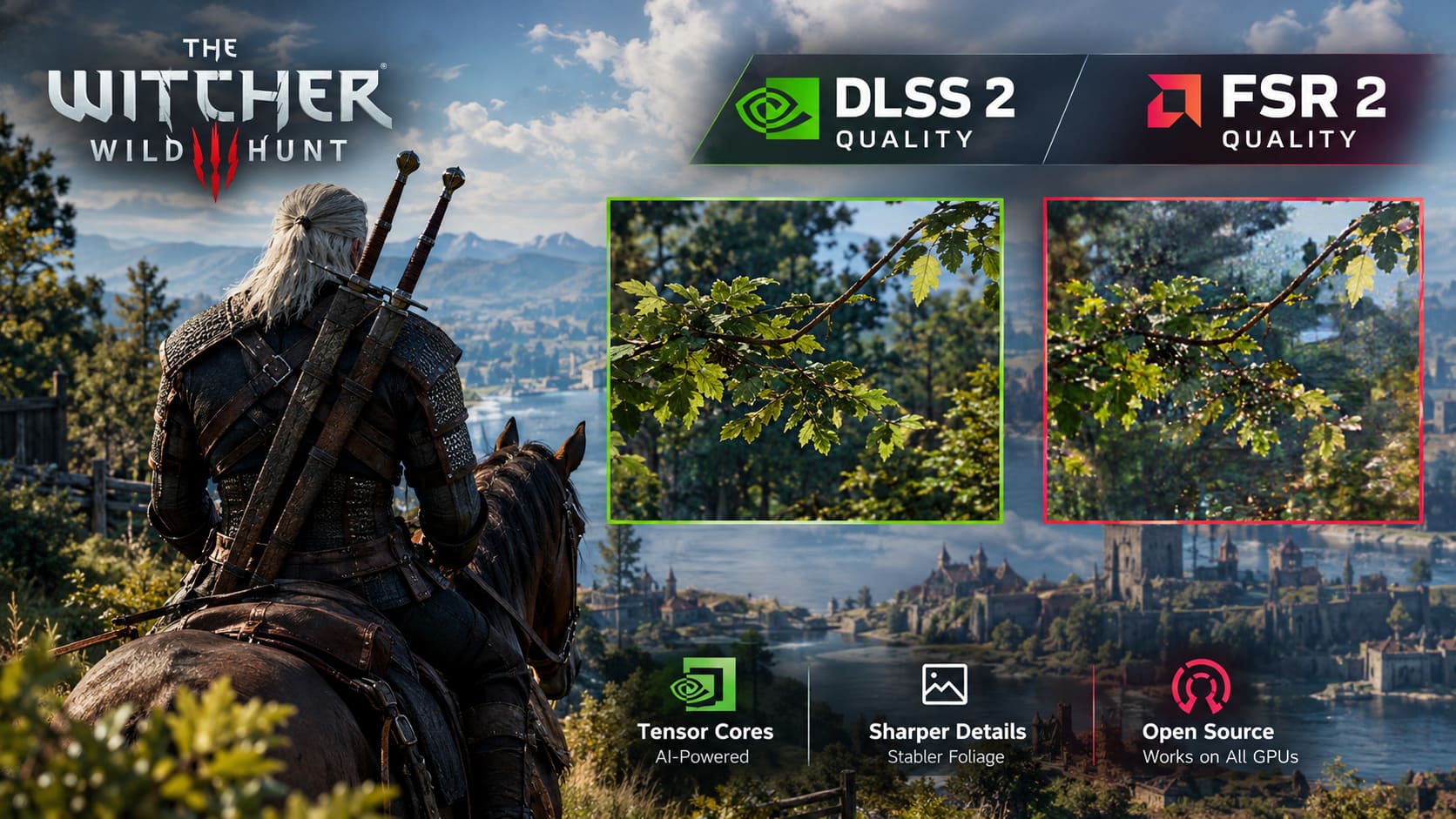
DLSS Quality produces a particularly clean image in The Witcher 3. Fine edges remain controlled, textures don’t fall apart as easily, and small details maintain their shape during camera movement. Armor decorations, wooden structures, distant architecture, and thin environmental objects benefit heavily from this stability.
The image also tends to feel naturally sharp rather than artificially sharpened.
FSR 2 Quality can look excellent when you’re standing still. In fact, at 4K, the difference can become surprisingly small. The problem starts once the scene moves.
The Witcher 3’s aggressive vegetation and complex environments expose FSR 2’s weaknesses. The sharpening pass can make grass and foliage look punchy, but too much sharpening can introduce a crunchy appearance around fine details.
If you have ever looked across a forest in Velen and thought, “Why are those trees vibrating?”, you already know exactly what I’m talking about.
Foliage Is Where the Difference Becomes Obvious
This is probably the biggest visual difference between the two options.
The Witcher 3 is brutal on temporal upscalers.
There is grass everywhere. Trees move constantly. Bushes sway in the wind. Branches overlap each other. Leaves occupy tiny portions of the screen. Riding Roach through a forest creates a constant stream of motion and sub-pixel detail.
DLSS handles this exceptionally well.
Leaves tend to remain connected and stable instead of rapidly changing from frame to frame. Distant forests maintain a more solid appearance, and the amount of shimmering is generally low.
FSR 2 has a harder time.
When you move the camera across dense foliage, you can encounter shimmering, pixel crawling, and fizzling. The effect is especially noticeable at lower output resolutions, where there simply isn’t enough source information available for reconstruction to work with.
At 4K, FSR 2 gets considerably better. The higher-resolution output gives the algorithm more information, and some of the distracting artifacts become much less obvious.
But if you’re the sort of player who notices every little visual artifact — and I absolutely am — DLSS remains the cleaner choice.
Ghosting and Temporal Stability
Image quality isn’t only about how a screenshot looks.
Games are moving pictures.
A beautiful static screenshot doesn’t mean much if the image falls apart every time Geralt starts sprinting.
Temporal stability measures how well an upscaler maintains image consistency between frames. Poor temporal reconstruction can create ghosting, where objects leave faint trails behind themselves.
DLSS performs very well here in the modern version of The Witcher 3.
Earlier versions of the Next-Gen update had some noticeable temporal artifacts, including occasional trails behind fast-moving objects. Modern updates and newer DLSS implementations have reduced many of those problems.
Geralt’s silhouette generally remains clean when rolling, sprinting, or swinging a sword.
FSR 2 can produce more visible ghosting.
Geralt moving against a contrasting background may occasionally develop a subtle smear around his body. Fast-moving enemies can also leave short-lived trails, particularly in darker environments.
It’s not something that makes FSR 2 unusable. But once you’ve played with DLSS for a while, switching back makes these artifacts easier to notice.
Performance: Is DLSS Actually Faster?
Here’s where things get more complicated.
At the same Quality preset and output resolution, DLSS and FSR 2 can provide broadly similar performance gains. Depending on hardware, resolution, graphics settings, and whether ray tracing is enabled, either solution can deliver a substantial improvement over native rendering.
A rough real-world expectation is around 30–50% more FPS compared with native rendering, although your actual results can vary significantly.
The Witcher 3 is also heavily CPU-dependent in certain situations.
The DX12 version can generate substantial CPU workload, particularly in crowded areas and scenes with heavy draw-call demands. If you’re CPU-limited, switching between upscalers won’t magically solve the bottleneck.
This is an important point that gets overlooked in a lot of graphics-setting discussions.
If your GPU is sitting at 70% usage while your CPU is getting hammered, lowering the internal resolution may produce a disappointing FPS improvement. The GPU simply isn’t the component holding you back.
DLSS does have an architectural advantage on RTX hardware because its reconstruction workload can utilize Tensor Cores. FSR 2 instead runs through the GPU’s conventional compute resources.
The difference isn’t always dramatic, but on systems already under heavy GPU workload, every little bit can matter.
4K: The Sweet Spot for Both Upscalers
At 4K output, both technologies have enough source information to produce convincing results.
Quality mode renders from a 1440p internal resolution before reconstructing the final 3840×2160 image.
That is a very respectable amount of information for a temporal upscaler to work with.
DLSS Quality can look remarkably close to native 4K in many scenes. Fine details remain sharp, foliage stays relatively stable, and movement doesn’t cause the image to collapse.
FSR 2 also performs well at this resolution. Some of its weaknesses are still visible, but they are much less distracting than they are at lower resolutions.
For an AMD Radeon user playing at 4K, FSR 2 Quality remains a very practical choice.
And honestly, this is where I think FSR 2 deserves more credit. It may not beat DLSS in reconstruction quality, but getting this kind of image quality without requiring dedicated AI hardware is still impressive.
1440p: DLSS Starts Pulling Away
At 1440p, Quality mode drops the internal resolution to roughly 960p.
That’s a significant reduction in source information compared with 4K Quality.
DLSS remains surprisingly convincing. Fine details hold together, and the image retains a good level of clarity while moving through the world.
FSR 2 begins showing more of its weaknesses.
Foliage can become unstable, distant geometry can look softer, and sharpening becomes more noticeable. The image isn’t necessarily ugly, but the difference between the two solutions is much easier to spot.
For a 1440p RTX system, DLSS Quality is the setting I’d reach for first without hesitation.
1080p: The Hardest Test
At 1080p, Quality mode reconstructs from approximately 720p.
That’s a tough job for any temporal upscaler.
DLSS still manages to produce a reasonably usable image, although some softness becomes unavoidable. FSR 2, however, has a much harder time maintaining fine detail at this resolution.
Expect more visible aliasing, shimmering, ghosting, and general softness.
This is one of those situations where I would seriously consider native rendering if your hardware can maintain an acceptable frame rate. A stable native 1080p image can sometimes look better than squeezing every last frame out of an aggressive reconstruction solution.
If you absolutely need the additional performance, though, DLSS Quality remains the stronger option on supported RTX hardware.
What Should AMD and GTX Players Use?
This is where the conversation needs some context.
If you have an RTX GPU, DLSS is the obvious technology to test first because you get access to its dedicated reconstruction hardware.
But if you’re using AMD Radeon or older NVIDIA GTX hardware, FSR 2 becomes extremely valuable.
You don’t get the same reconstruction quality, particularly in foliage-heavy scenes, but you gain a powerful performance option without needing Tensor Cores.
For these systems, I recommend experimenting with the game’s sharpening slider rather than immediately cranking it to maximum.
Low or medium sharpening usually produces a more natural result. Excessive sharpening can make FSR 2’s existing edge artifacts more obvious.
The Witcher 3 Remastered: Best Combat Tree Skills to Unlock First (Next-Gen Guide)
My Recommended Settings
If I were setting up The Witcher 3 Remastered on a gaming PC today, this would be my starting point:
- RTX GPU + 4K: DLSS Quality
- RTX GPU + 1440p: DLSS Quality
- RTX GPU + 1080p: DLSS Quality, or native if performance allows
- AMD Radeon + 4K: FSR 2 Quality
- AMD Radeon + 1440p: FSR 2 Quality with moderate sharpening
- Older GPU: FSR 2 Quality if native rendering cannot maintain your target FPS
- CPU-limited system: Don’t expect upscaling alone to solve the bottleneck
The important thing is to judge the game while moving, not while standing in Geralt’s inventory screen admiring the armor.
Witcher 3 Next-Gen Gem Farming: How to Farm Flawless Rubies and Runestones Fast
Final Verdict: DLSS vs FSR 2 in The Witcher 3 Remastered
After looking at image quality, foliage, temporal stability, ghosting, resolution scaling, and performance, DLSS Quality delivers the more consistent visual result on supported RTX hardware.
The biggest advantage isn’t simply sharpness. It’s stability.
The Continent is packed with exactly the kind of detail that makes temporal reconstruction difficult: grass, leaves, thin branches, fences, hair, wires, particles, and distant geometry. DLSS generally keeps those elements together better during movement.
FSR 2 isn’t a failure, though. Calling it that would completely miss the point.
For AMD and GTX users, FSR 2 provides a substantial performance boost while maintaining a respectable image, particularly at 4K. At that resolution, its weaknesses are far easier to tolerate.
The choice ultimately comes down to hardware and target resolution. RTX owners have a strong reason to use DLSS Quality, while Radeon and GTX players can get a lot of mileage from FSR 2 Quality.
And if you’re chasing the best-looking Witcher 3 experience possible, don’t judge your upscaler from a screenshot. Ride Roach through Velen at night, turn the camera quickly through a forest, walk past dense vegetation, and watch distant geometry while sprinting.
That’s where the real difference shows up.