Is Onimusha: Way of the Sword Crossplay & Cross-Save Supported? PC to PS5 Transfer Guide
After waiting years for a proper new Onimusha game, finally getting Onimusha: Way of the Sword feels pretty special. Capcom has brought the series back with a much larger modern production, and the dark version of Edo-period Kyoto is exactly the sort of setting I wanted from a new entry.
But there is one boring question that becomes very important the moment you start playing: where should you buy it?
With the game available on PS5, Xbox Series X|S, PC, and Nintendo Switch 2, players who own more than one gaming platform naturally want to know whether their progress follows them around.
Unfortunately, this is one of those cases where I would strongly recommend thinking about your platform choice before putting dozens of hours into the campaign.
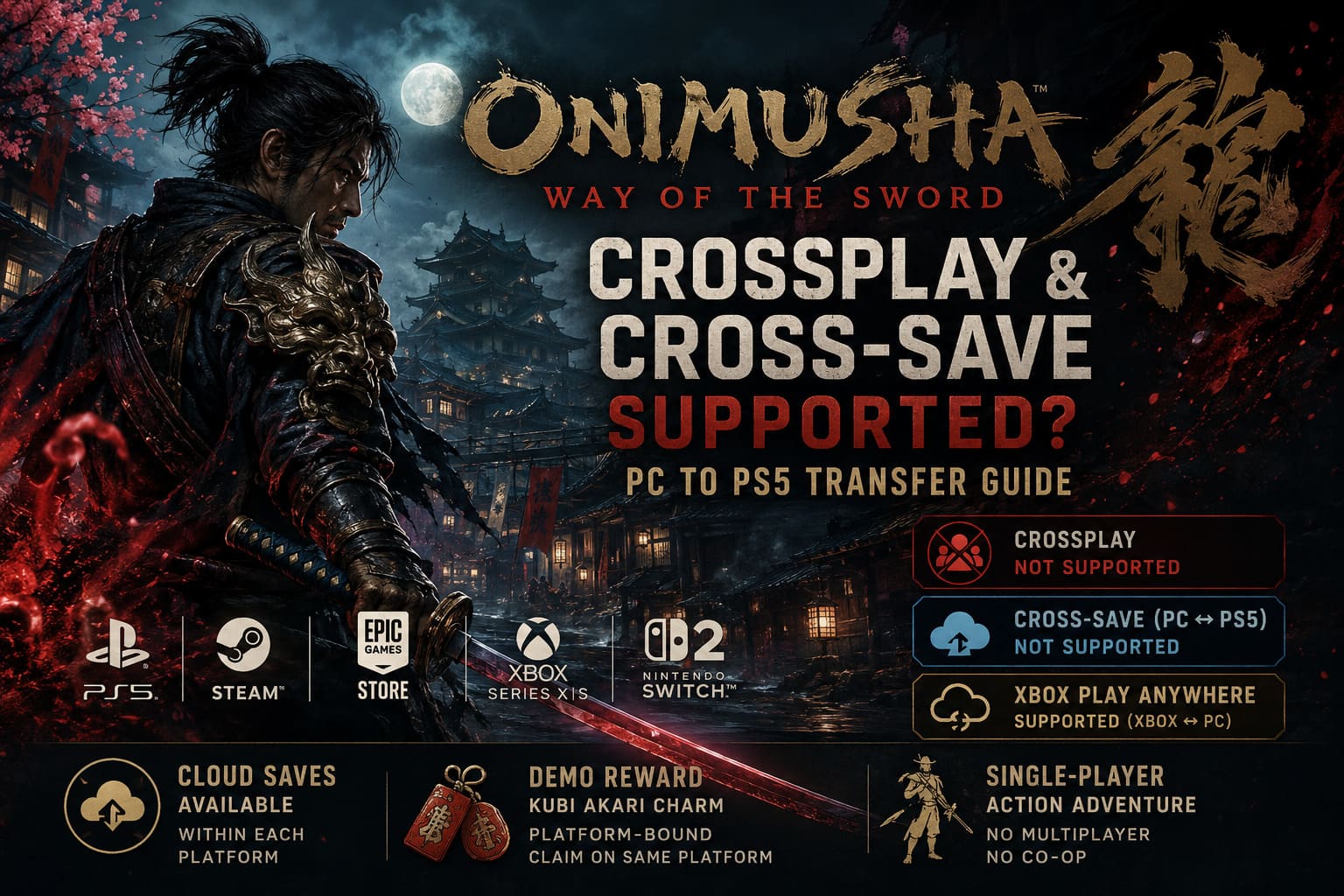
Onimusha: Way of the Sword does not offer crossplay or cross-save between PC and PS5.
That means your PlayStation progression stays on PlayStation, while your Steam or Epic Games progression remains on PC. There is no universal save system that lets you start Musashi’s journey on one platform and continue it on another.
And yes, that’s still a little disappointing in 2026.
Crossplay Isn’t Really Relevant Here
Let’s clear up the crossplay question first.
Normally, when somebody asks whether a game supports crossplay, they’re asking whether players on different platforms can play together. Think PlayStation joining a PC lobby, Xbox playing alongside Steam users, and so on.
That isn’t how Way of the Sword works.
The game is designed as a single-player action experience, with no traditional cooperative mode, PvP system, or shared online world. Musashi isn’t waiting for another player to join him in the middle of a Genma-infested Kyoto.
So there is effectively no crossplay functionality to enable.
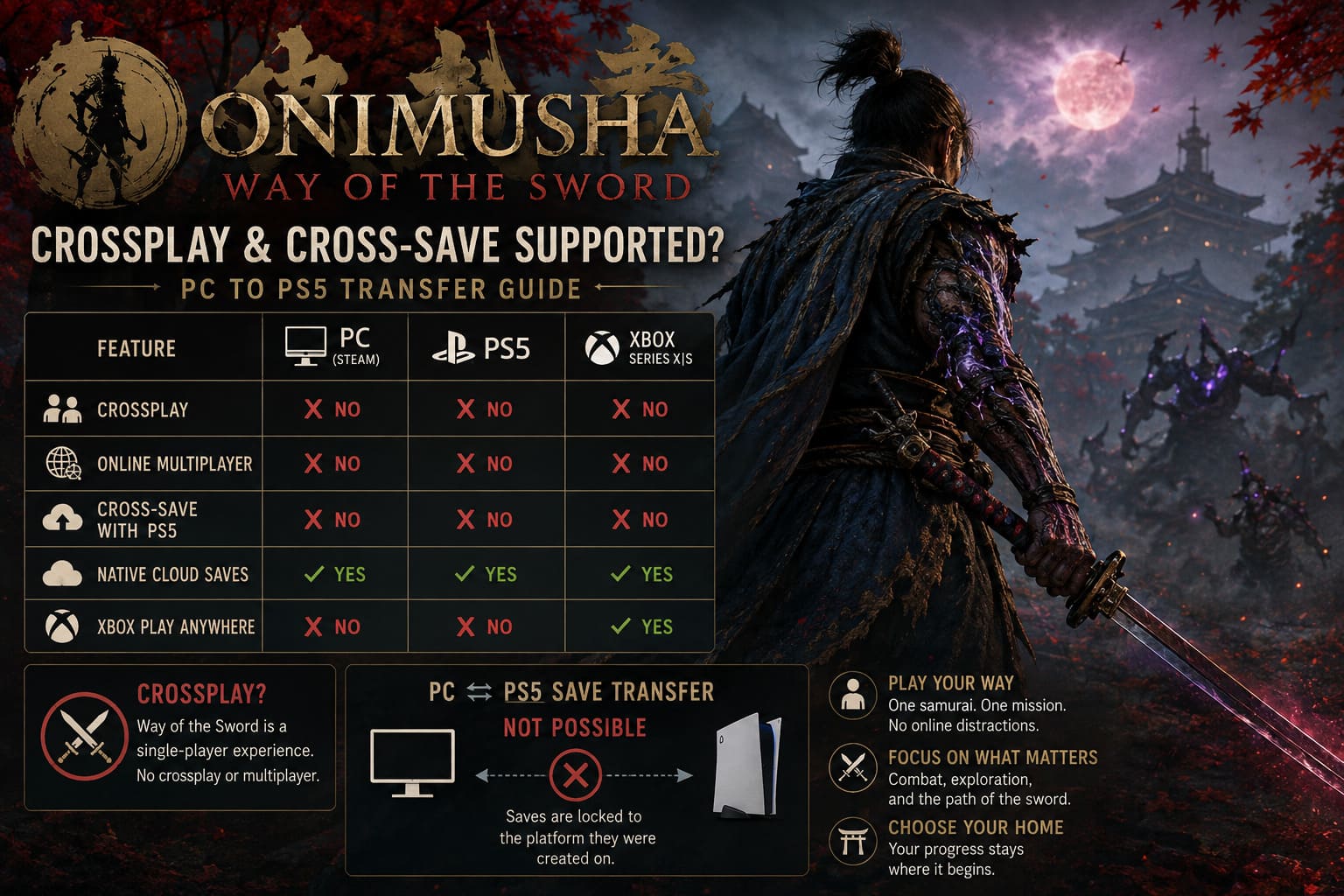
| Feature | PC | PS5 | Xbox Series X/S |
|---|---|---|---|
| Crossplay | No | No | No |
| Online Multiplayer | No | No | No |
| Cross-Save With PS5 | No | No | No |
| Native Cloud Saves | Yes | Yes | Yes |
| Xbox Play Anywhere | No | No | Yes |
Personally, I don’t consider the lack of crossplay a real problem. This is a single-player samurai adventure, not a multiplayer-focused game. I would much rather Capcom spend development time polishing combat, enemy design, exploration, and performance than building multiplayer features that don’t belong here.
The cross-save situation is different, though.
PC to PS5 Save Transfer: The Bad News
This is the part that matters if you switch between a gaming PC and PS5.
Let’s say you play for ten hours on Steam. You’ve unlocked abilities, upgraded your equipment, beaten several major encounters, and reached a point where you really don’t want to start over.
Then you buy the PS5 version.
Unfortunately, you cannot simply sign into the same account and download that PC save onto your PlayStation 5.
The same applies in reverse. A save created on PS5 cannot be transferred into the PC version through Steam or Epic Games Store.
That’s because the game doesn’t provide a universal cross-platform progression system connecting those ecosystems.
Your platform effectively becomes the home of your campaign.
And for a long single-player game, that’s something worth considering before buying.
What About a Capcom ID?
This is where I think some players may get confused.
Capcom uses account systems across several of its games and services, but simply having a Capcom account doesn’t mean that every game automatically supports universal cloud saves.
Onimusha: Way of the Sword does not use Capcom ID as a universal PC-to-PlayStation save bridge.
So don’t assume that connecting your Capcom account will magically synchronize your campaign between Steam and PS5.
It won’t.
Your PlayStation and PC saves remain separate.
Steam Cloud Still Works — Just Within the PC Ecosystem
There is an important distinction between cloud saving and cross-saving.
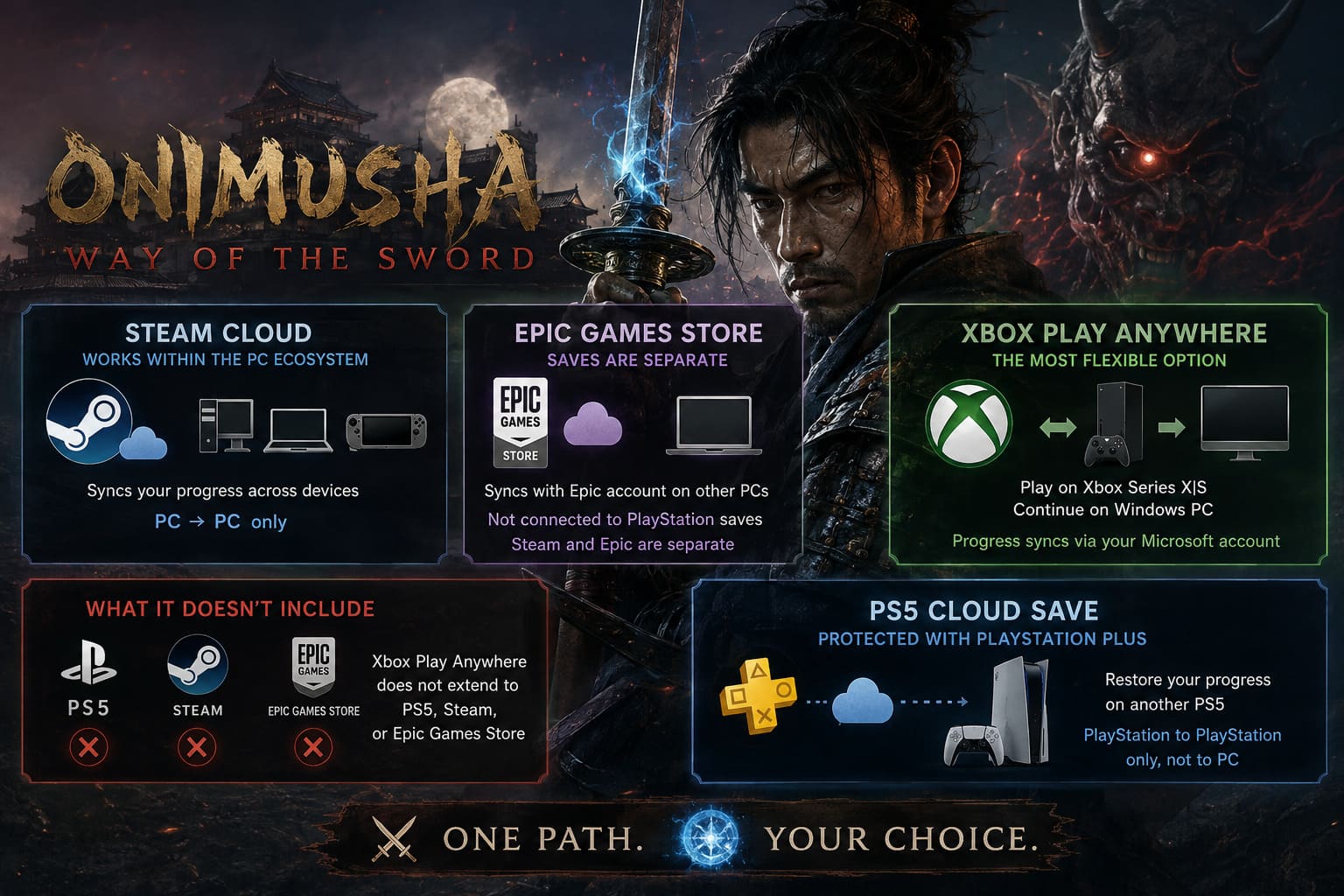
On Steam, Way of the Sword can use Steam Cloud to keep your progression synchronized between compatible devices logged into the same Steam account.
For example, this is useful if you have:
- A desktop gaming PC
- A gaming laptop
- A Steam Deck
- Another compatible Windows gaming device
You can move between those devices without manually copying save files every time, assuming the Steam Cloud data has synchronized correctly.
But Steam Cloud doesn’t suddenly turn into a bridge between Steam and PS5.
Think of it as PC-to-PC synchronization, not PC-to-console cross-progression.
That’s an important difference.
Epic Games Store Saves Are Separate Too
The same basic idea applies to the Epic Games Store version.
Your Epic account can synchronize supported save data through Epic’s cloud system, allowing you to continue your campaign on another compatible PC where you’re using the same account.
But the Epic version isn’t connected to your PlayStation save.
And there is another small complication here: Steam and Epic aren’t automatically one shared save ecosystem either.
If you own the game on both storefronts, don’t assume that purchasing it twice gives you a single universal campaign.
The safest approach is to treat Steam and Epic as separate PC environments unless the game specifically provides an official transfer mechanism.
Xbox Is the Interesting Exception
Now we get to the one part of the situation that I actually think is pretty cool.
Onimusha: Way of the Sword supports Xbox Play Anywhere for the applicable digital Xbox/Microsoft Store version.
This changes the equation for players who use both an Xbox Series console and a Windows PC.
With the supported digital purchase, you can access the game across the Xbox and Windows ecosystem without buying separate copies for each platform. More importantly, your progression can synchronize through your Microsoft account.
That means you can potentially play on an Xbox Series X or Series S, then continue the same campaign on a Windows PC through the Xbox app.
For people who regularly jump between a console and handheld Windows hardware, this is easily the most flexible setup.
Imagine playing on your Xbox in the evening, then picking up a Windows handheld the next day and continuing Musashi’s adventure.
That’s the kind of cross-device functionality I wish more single-player games offered.
However, there’s an important catch.
This Xbox functionality does not extend to:
- PS5
- Steam
- Epic Games Store
So buying the Steam version doesn’t give you access to the Xbox Play Anywhere save ecosystem.
What Happens to Your PS5 Cloud Save?
PS5 players aren’t completely left out when it comes to cloud storage.
Your PlayStation save can be protected using PlayStation Plus cloud storage, assuming you have the appropriate subscription and cloud-save functionality enabled.
This is useful when moving from one PS5 to another.
For example, if you upgrade your console or switch to another PS5, you can restore your campaign through your PlayStation account and cloud storage.
But again, this is PlayStation-to-PlayStation, not PlayStation-to-PC.
That distinction is easy to overlook.
Your cloud save is safe, but it’s still living inside Sony’s ecosystem.
Don’t Forget the Demo Reward
There’s another save-related feature that deserves attention because it can easily be confused with cross-save.
Players who tried the Onimusha: Way of the Sword demo can receive the Kubi Akari charm in the full game, provided the required demo save data is detected.
That’s a nice little reward for anyone who played the demo before launch.
However, the important part is that this isn’t a universal cross-platform transfer.
If you played the demo on PS5, you should continue with the PS5 version to receive the associated reward.
Played the demo on Steam? Then your safest option is to purchase and play the full game on Steam.
In other words, the demo bonus is platform-bound.
Don’t expect a PS5 retail copy to detect a Steam demo save.
Onimusha Way of the Sword Trophy Guide & Roadmap (PS5 / Series X)
My Advice: Pick Your Platform Before You Start
As someone who loves having the freedom to move between platforms, the lack of PC-to-PS5 cross-save is probably my biggest annoyance here.
I understand why the game doesn’t need crossplay. There is no multiplayer component, so there’s nothing to miss.
But cross-save would have been genuinely useful.
A modern single-player game doesn’t need multiplayer to benefit from cross-platform progression. If I own a game on PC and PS5, being able to continue my campaign wherever I happen to be is incredibly convenient.
For Onimusha: Way of the Sword, I would make the decision based on your hardware and long-term habits.
Choose PS5 if:
- You primarily play on PlayStation.
- You want the DualSense features.
- Your main gaming setup is a TV and console.
- You don’t expect to move your campaign to PC.
Choose PC if:
- You want higher frame-rate options.
- You prefer mouse and keyboard support.
- You use a gaming laptop or Windows handheld.
- You want the flexibility of PC graphics settings.
Consider Xbox/Microsoft Store if:
- You own an Xbox Series X|S.
- You also play on Windows PC.
- Cross-device progression is important to you.
- Xbox Play Anywhere fits your setup.
Onimusha Way of the Sword Endings Guide: How to Unlock the True Ending
Final Verdict
Onimusha: Way of the Sword is a game where your purchase platform matters more than you might expect.
There is no PC-to-PS5 cross-save system, and there is no crossplay because the game is fundamentally a single-player experience. Steam Cloud, Epic Cloud Saves, and PlayStation cloud storage can protect and synchronize your progress, but only within their respective ecosystems.
The Xbox version is the standout if you want genuine console-to-PC flexibility, thanks to the Play Anywhere setup.
For everyone else, my advice is simple: pick the platform you expect to use for the entire campaign.
I wouldn’t buy the PS5 version assuming you can later move your 15 or 20 hours of progress to Steam. You can’t. And if you’ve already spent a weekend mastering Musashi’s combat and unlocking his abilities, starting from scratch just because you changed platforms is the kind of surprise nobody wants.
For me, that’s the biggest thing to remember before starting Way of the Sword.
Choose your battlefield carefully — because Musashi’s save file isn’t coming with you.