NBA 2K27 Squad Invites Not Working in The City? Here is the Permanent Fix
There are few things more annoying in NBA 2K27 than getting your build ready, messaging your friends, jumping into The City, and then discovering that the one thing you actually need — the squad invite — simply refuses to work.
You send the invite. Nothing happens.
Your friend sends one back. Still nothing.
Then someone accepts an invitation and suddenly gets kicked out of the lobby.
Yeah, it gets old fast.
The good news is that the NBA 2K27 squad invite bug doesn’t always mean the servers are completely broken. In a lot of cases, the problem comes down to privacy settings, crossplay configuration, the 2K Friends system, or a badly synced City instance. I’ve also seen situations where everything looks correct but the social system still acts like your friends don’t exist.
So instead of endlessly spamming the invite button, here’s the order I’d actually try these fixes in.
The first thing I would check is the In-Game Invites setting. Open the Social Menu with L1 + R1 on PlayStation or LB + RB on Xbox, go into Options, and make sure invites are set to Open to All or Friends Only.
That sounds ridiculously simple, but it can make the difference between instantly forming a squad and staring at an empty notification screen for ten minutes.
The NBA 2K27 Squad Invite Problem Explained
The City is supposed to make playing with friends effortless. In practice, the social system can get surprisingly temperamental.
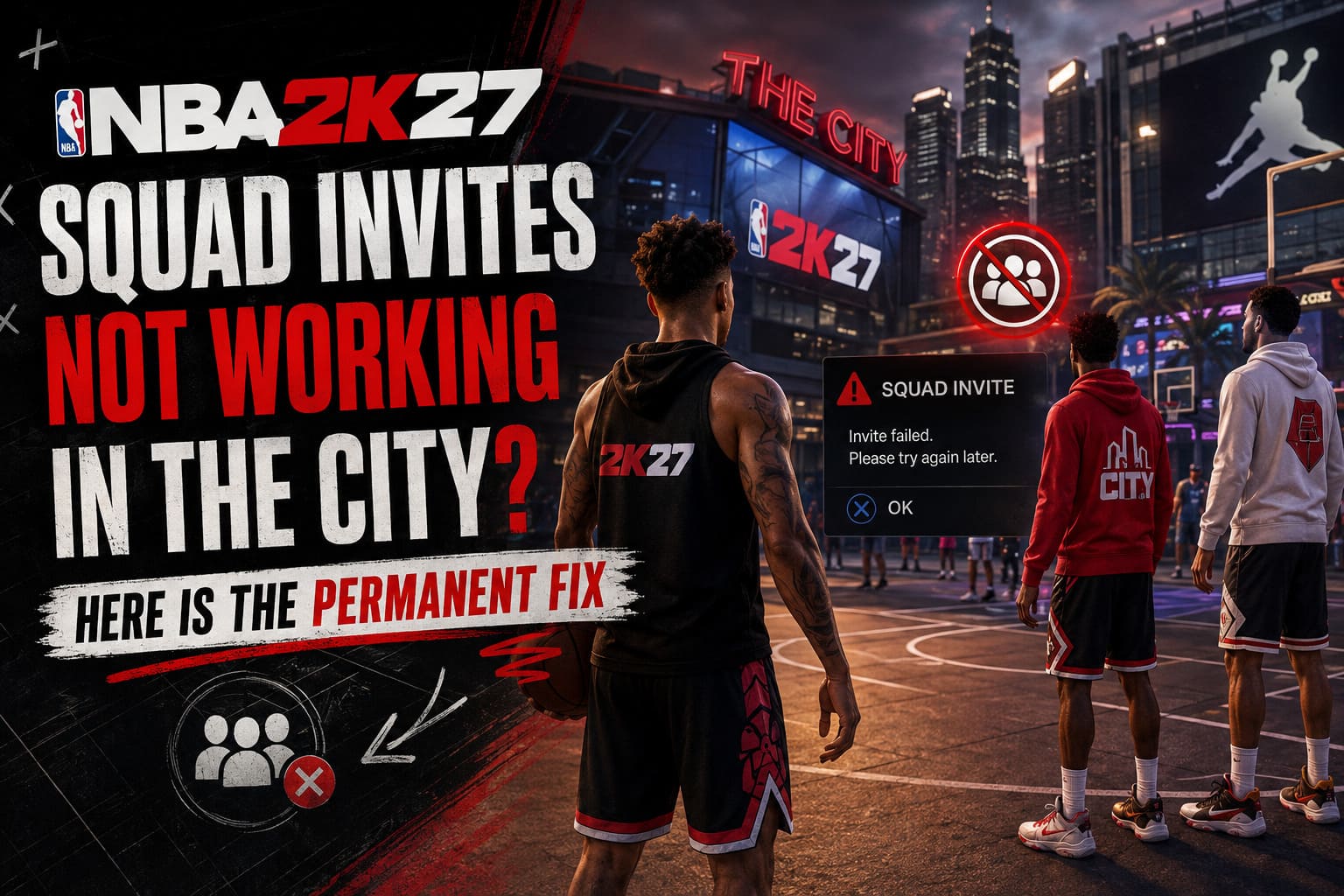
The usual symptoms are pretty easy to recognize:
| Problem | What You See | Likely Cause |
|---|---|---|
| Invite never arrives | No notification appears | Privacy or social settings |
| Accepting invite fails | Disconnect or lobby kick | Server synchronization |
| Invite option is unavailable | Button is greyed out | Friend/status mismatch |
| Friends can’t see each other | Different City instances | Crossplay or server issue |
| Invites suddenly stop working | New requests disappear | Pending invite backlog |
| Joining keeps failing | Endless loading or error | NAT/network problem |
The important part is not to treat every squad problem as the same bug. If the invite isn’t appearing at all, I’d start with privacy and friend settings. If the invitation appears but accepting it kicks you out, I’d look at the server instance and network connection instead.
Fix #1: Change Your In-Game Invite Privacy
This is the fix I’d try first because it’s fast and doesn’t require restarting your console, router, or entire career.
While you’re in The City, press L1 + R1 on PlayStation or LB + RB on Xbox to open the Social Menu.
Go across to Options and find In-Game Invites.
If it’s set to Closed, Restricted, or another limited option, change it to:
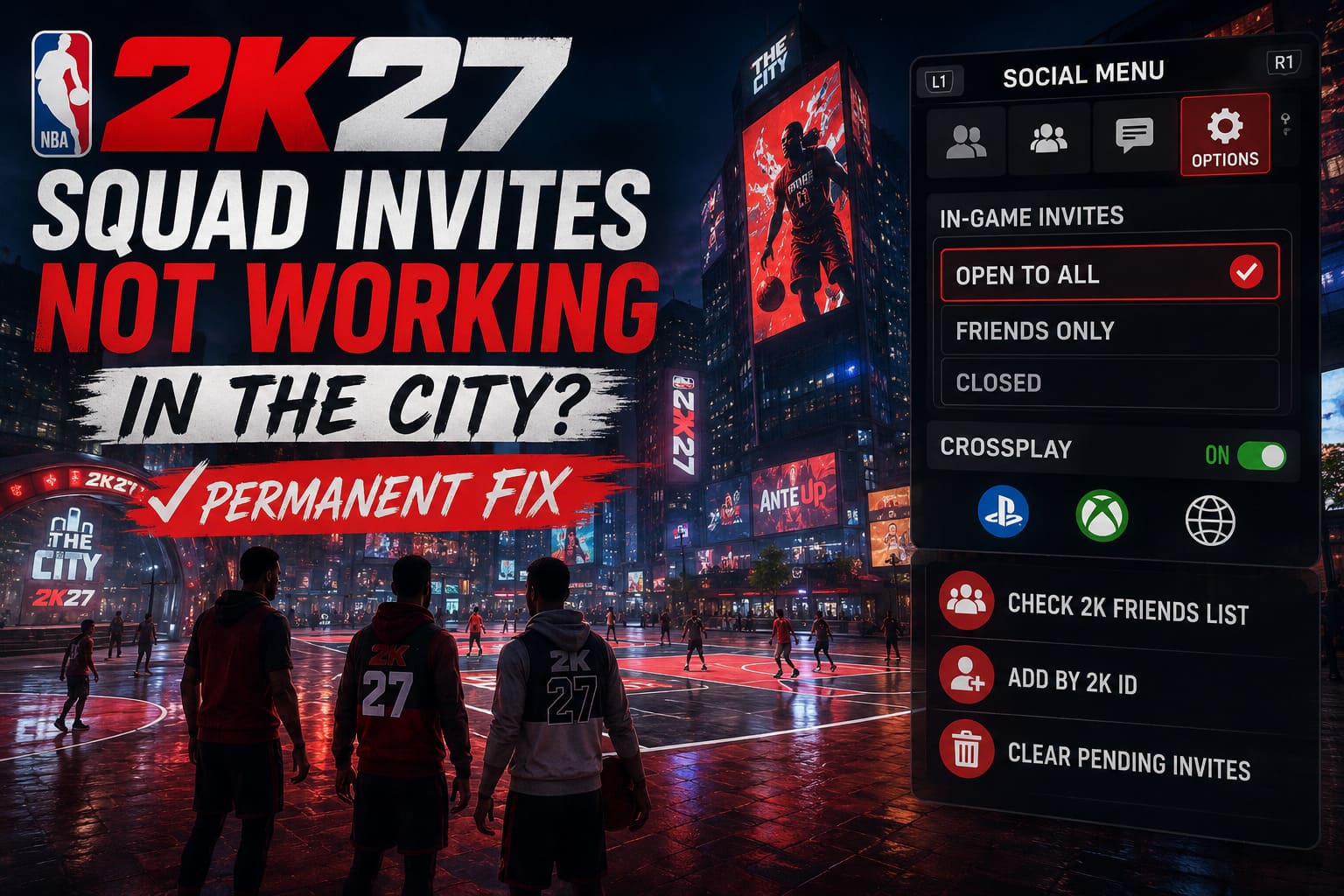
- Open to All
- Friends Only
I’d personally use Friends Only if you’re only playing with people you know. There’s no reason to open the floodgates unless you’re intentionally looking for random teammates.
The important bit is that both players should check this setting.
I’ve seen people spend ages troubleshooting one account when the actual problem was sitting on their friend’s side. If your settings allow invites but your friend’s account blocks them, the invitation process can still fail.
After changing the option, back out of the menu and try a completely new invitation.
Fix #2: Make Sure Crossplay Is Actually Enabled
This one matters if your group isn’t playing on the same platform.
NBA 2K27’s City experience relies heavily on cross-platform matchmaking and social connectivity. If you’re trying to play with someone on another supported platform, crossplay needs to be enabled.
And here’s the annoying part: don’t assume the setting is correct just because you’ve used crossplay before.
Return to the main NBA 2K27 homepage, rather than trying to change everything while you’re already inside The City.
Go into Settings, find the Crossplay option, and make sure it’s switched ON.
If it’s already enabled but squad invites are still acting weird, I’d actually try the old-fashioned reset:
- Turn Crossplay OFF.
- Save the setting.
- Restart or reload the game.
- Turn Crossplay ON again.
- Reload MyCAREER.
- Try the squad invite again.
It feels like a pointless ritual, but online games sometimes need exactly this kind of configuration refresh.
Fix #3: Check Your 2K Friends List
This is one of those things that sounds obvious until you realize how many different friend systems are involved.
Being friends through PlayStation Network or Xbox doesn’t necessarily mean the NBA 2K social system has everything synchronized correctly.
Open the Social Menu and check your 2K Friends list.
If your friend appears there normally, great. If they’re only visible as a platform-level friend, that’s where I’d start digging.
Try adding them through their 2K ID and make sure the request is accepted on the other side.
Once you’re properly connected through the game’s own friend system, close and reopen the Social Menu.
I’d also avoid repeatedly sending invitations while you’re fixing this. If the social backend is already confused, flooding it with ten more requests isn’t going to magically make it behave.
Sometimes fewer clicks are actually better.
Fix #4: Clean Up Your Pending Invitations
This is the fix that gets overlooked the most.
If you’ve been playing The City for a while and regularly sending invites, your pending requests can become a complete mess. Old invitations, declined requests, forgotten players and incoming requests can all pile up.
The result?
Your social menu starts behaving strangely, and new squad invitations may not process correctly.
Go into the Invitations or Pending Requests section and clear out the old stuff.
I’d clean up both incoming and outgoing requests rather than only deleting the invitations you recognize.
Then have your friend do exactly the same thing.
Once both accounts have a clean invitation list, send one fresh squad invite.
Don’t immediately send another if it doesn’t appear. Give the system a moment.
This isn’t the most glamorous fix, but if your social queue is stuck, cleaning it out is worth trying before messing around with router settings.
Fix #5: Stop Inviting and Join Their City Instead
Here’s one of my favorite workarounds when the normal invitation system decides to take the day off.
Instead of sending a squad invitation, join your friend’s City or lobby directly.
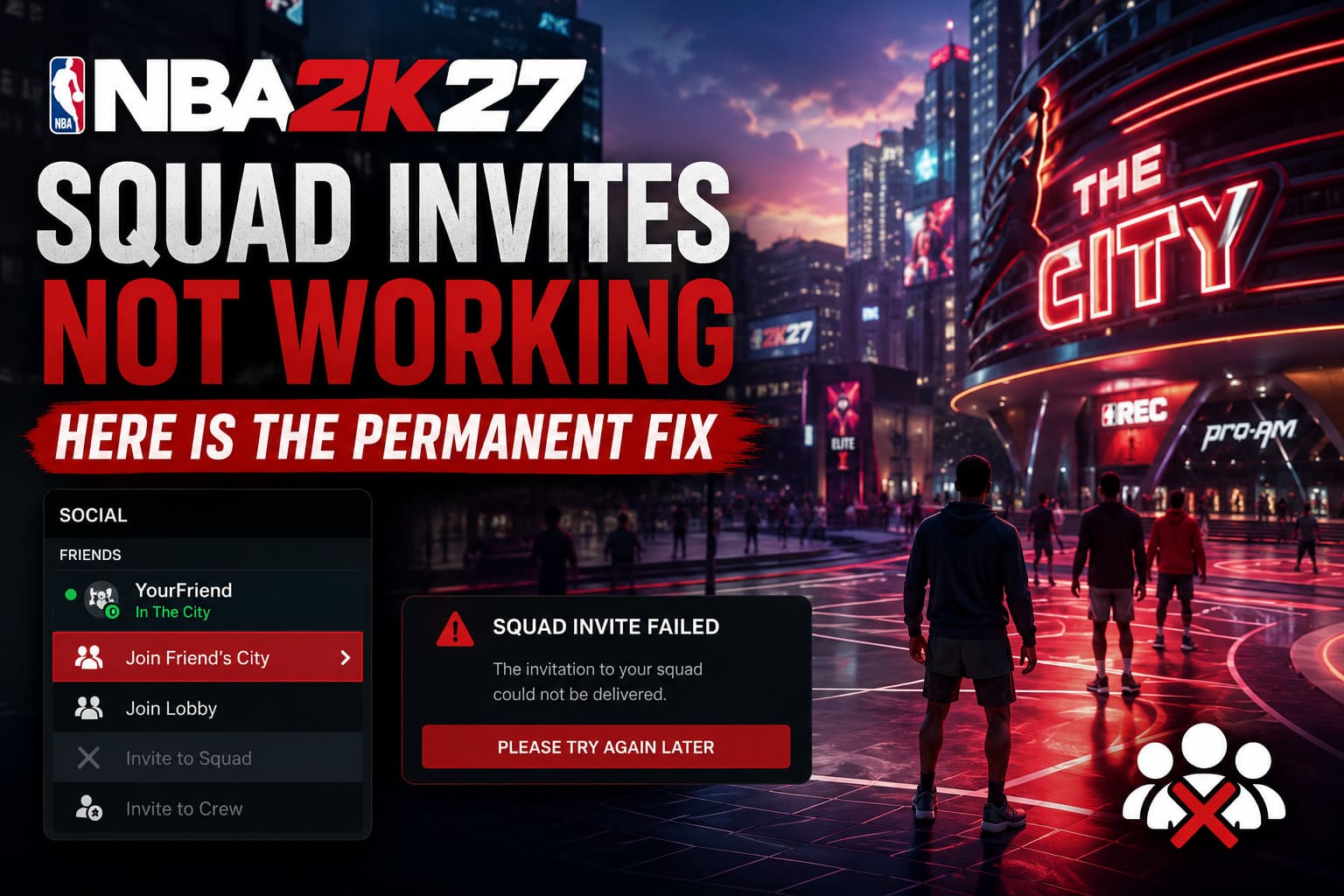
Open the Social Menu and look for your friend under the active friends list. If they’re already online and playing, use the option to Join Friend’s City or Join Lobby, depending on what the game currently displays.
The idea is simple: don’t make the invitation system find your friend.
Go to them first.
If the current City instance is full or clearly having problems, ask your friend to move somewhere else, such as another Rec lobby or activity area.
Once you’re both physically standing in the same City instance, walk up to your friend’s character.
Then use the contextual player interaction and choose Invite to Squad.
I prefer this method because you’re reducing the number of things the game has to figure out. Instead of asking the social menu to locate and connect two players across potentially different instances, you’re already standing next to each other.
Sometimes the dumbest solution is the one that works.
Fix #6: Use Squad Finder When Direct Invites Are Dead
If direct invitations are still broken, don’t forget that NBA 2K27 gives you other ways to group up.
The Squad Finder can be useful when the standard social system isn’t cooperating.
Choose the type of games you’re looking for and match the settings with your friend. For example, you might both select a preferred position and the same game mode, such as Park or Rec.
It’s not guaranteed to put you together every time, but it’s a useful emergency workaround.
The same goes for the Crew system.
If you’re regularly playing with the same group, setting up a Crew can make sense anyway. Having an established group gives you another route into the social side of the game rather than relying exclusively on individual squad invitations.
For a temporary problem, Squad Finder is probably the quicker option. For a permanent group, I’d seriously consider using the Crew system.
Fix #7: Check NAT Type and Your Network
If you’ve tried all the in-game fixes and invitations still refuse to work, I’d start looking outside NBA 2K27.
A Strict NAT type can cause problems with multiplayer connections, matchmaking and player-to-player communication.
On Xbox, check your network settings and look at the current NAT status. If it’s Strict, restart your router first and check whether UPnP is enabled.
On PlayStation 5, you can also restart the console and use Safe Mode options for cache-related troubleshooting if you’re experiencing broader connection problems.
I’d also restart your modem/router rather than simply disconnecting and reconnecting the console.
This won’t magically repair a broken 2K server, but it can clear up stale networking issues that make multiplayer games behave strangely.
One important distinction: if everything else online works perfectly and hundreds of NBA 2K27 players are reporting the same squad problem at the same time, don’t spend three hours rebuilding your network. The problem may simply be on 2K’s end.
How to Play The REC with Friends Cross Platform in NBA 2K27?
What I Would Try First
If my squad was sitting in The City right now and nobody could invite anyone, this would be my exact order:
- Check In-Game Invites and set them to Friends Only or Open to All.
- Make sure everyone is properly connected through the 2K Friends list.
- Verify Crossplay and toggle it off/on if necessary.
- Clear old pending invitations.
- Join your friend’s City directly instead of sending an invite.
- Meet in the same lobby and use the local Invite to Squad option.
- Try Squad Finder or Crew as a workaround.
- Only then start investigating NAT, router and cache issues.
That’s a much better approach than randomly changing ten settings at once.
NBA 2K27 Standard vs. Deluxe Edition: Which Version Is Worth Buying?
Don’t Forget the Servers
There is one uncomfortable possibility: sometimes the problem isn’t your setup at all.
NBA 2K launches can put enormous pressure on the online infrastructure, especially when everyone is trying to enter The City, Park, Rec and other multiplayer activities simultaneously.
If your squad invitations were working yesterday and suddenly stopped working for everyone today, check whether other players are reporting similar problems before changing your entire network configuration.
A server-side social outage can look almost identical to a local connection problem.
The biggest clue is usually the scale of the issue. If your entire friend group can’t send or accept invitations, while other multiplayer features are also acting strangely, I’d be suspicious of the servers.
Final Thoughts: Don’t Let the Invite System Ruin Your Night
The frustrating thing about the NBA 2K27 squad invite bug is that the actual solution can be ridiculously simple.
For most players, I’d start with In-Game Invites → Friends Only/Open to All, then check the 2K Friends connection and crossplay. Those settings are easy to overlook, and they can prevent the social handshake from working correctly.
If that doesn’t solve it, the Join Friend’s City → meet in the same instance → Invite to Squad method is the workaround I’d personally keep in my back pocket.
And if absolutely nothing works, don’t immediately blame your console or internet. Sometimes The City simply decides it doesn’t want to cooperate.
NBA 2K27 is at its best when you’re actually playing basketball with your friends, not staring at a social menu wondering why an invitation disappeared into the void. Hopefully these fixes get you back on the court without having to restart your MyCAREER, reinstall the game, or sacrifice your router to the basketball gods.