How to Play The REC with Friends Cross Platform in NBA 2K27?
If there is one thing that can instantly make an NBA 2K session go from “just one game” to a three-hour gaming marathon, it is The REC. Five players, one court, questionable shot selection from a random teammate, and that one friend who swears he was wide open even though three defenders were standing between him and the basket.
With NBA 2K27, The REC is once again one of the best places to actually test whether your MyPLAYER build works outside the safe bubble of casual City activities. And this year, getting a group together is even more interesting because PS5 and Xbox Series X|S players can play together through crossplay.
But there is a catch: NBA 2K27’s cross-platform setup isn’t quite as simple as firing up your console’s friend list and sending an invite.
I’ve spent enough time in 2K menus to know that half the battle is figuring out which menu you’re supposed to be in. So here’s the straightforward version of how NBA 2K27 REC crossplay works, what platforms are supported, and what to do when your squad invite mysteriously disappears into the void.
NBA 2K27 Crossplay: Which Platforms Can Actually Play Together?
Let’s clear up the biggest question first.
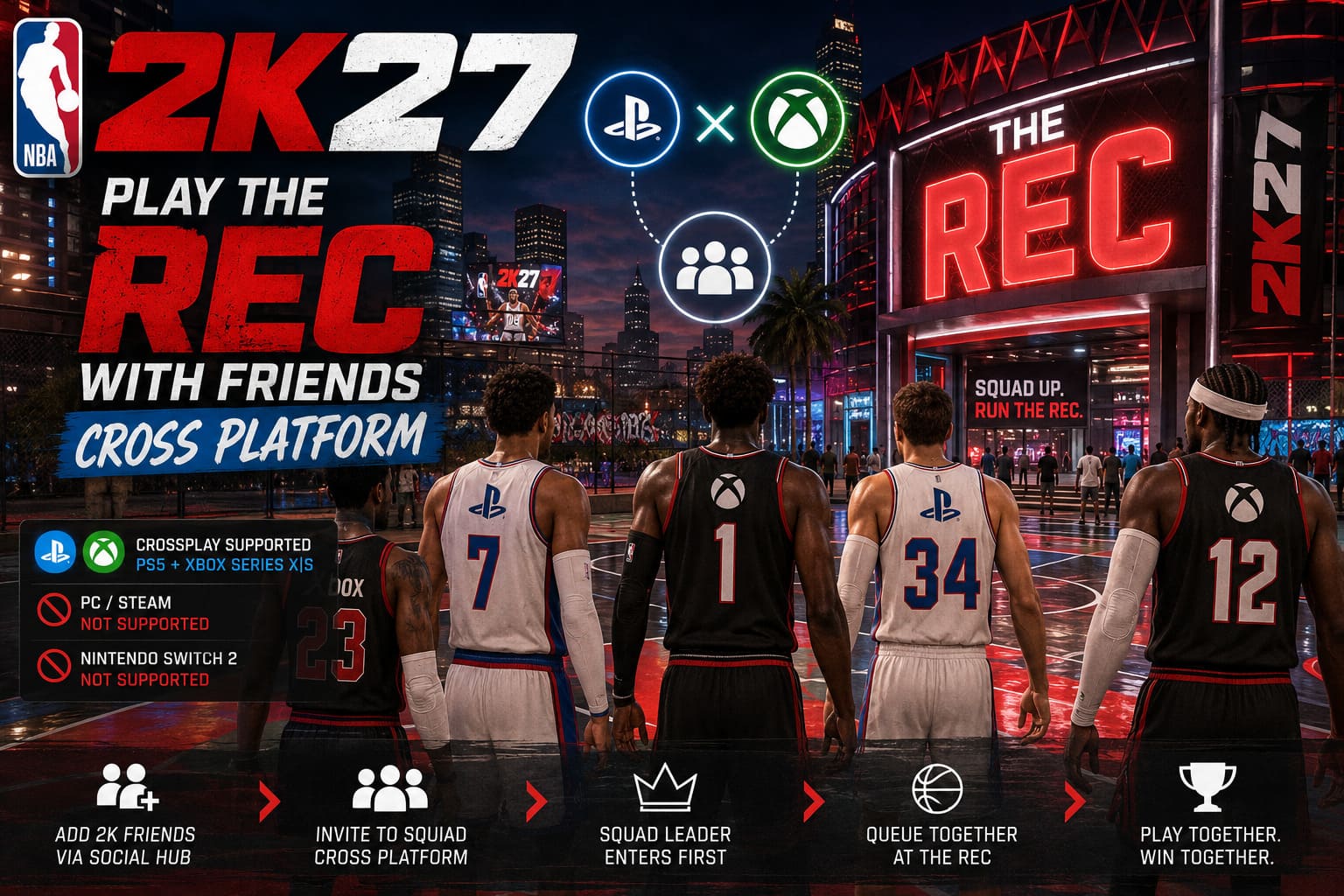
NBA 2K27 crossplay is available between PlayStation 5 and Xbox Series X|S. These are the platforms that share the cross-platform matchmaking and social environment for modes such as The REC.
PC players are a different story.
Even though the PC edition has moved further toward the current-generation feature set, PC/Steam players are not part of the PS5/Xbox crossplay pool. Nintendo Switch 2 is also outside the gameplay crossplay ecosystem.
| Platform | PS5/Xbox Crossplay | REC Crossplay |
|---|---|---|
| PlayStation 5 | Yes | Yes |
| Xbox Series X|S | Yes | Yes |
| PC / Steam | No | No |
| Nintendo Switch 2 | No | No |
That means your perfect REC squad can be something like three PS5 players and two Xbox Series X players, but you can’t throw a Steam player into the same five-man lineup.
And honestly, this is one of those situations where 2K could make the explanation much clearer inside the game. The technology behind crossplay has become fairly normal in multiplayer games, but 2K still makes players do a little detective work to figure out exactly how its social system operates.
First Thing to Do: Make Sure Crossplay Is Turned On
Before blaming your internet connection, your friend, your console, or the entire 2K infrastructure, check the obvious thing first.
Crossplay should normally be enabled, but it is worth checking manually.
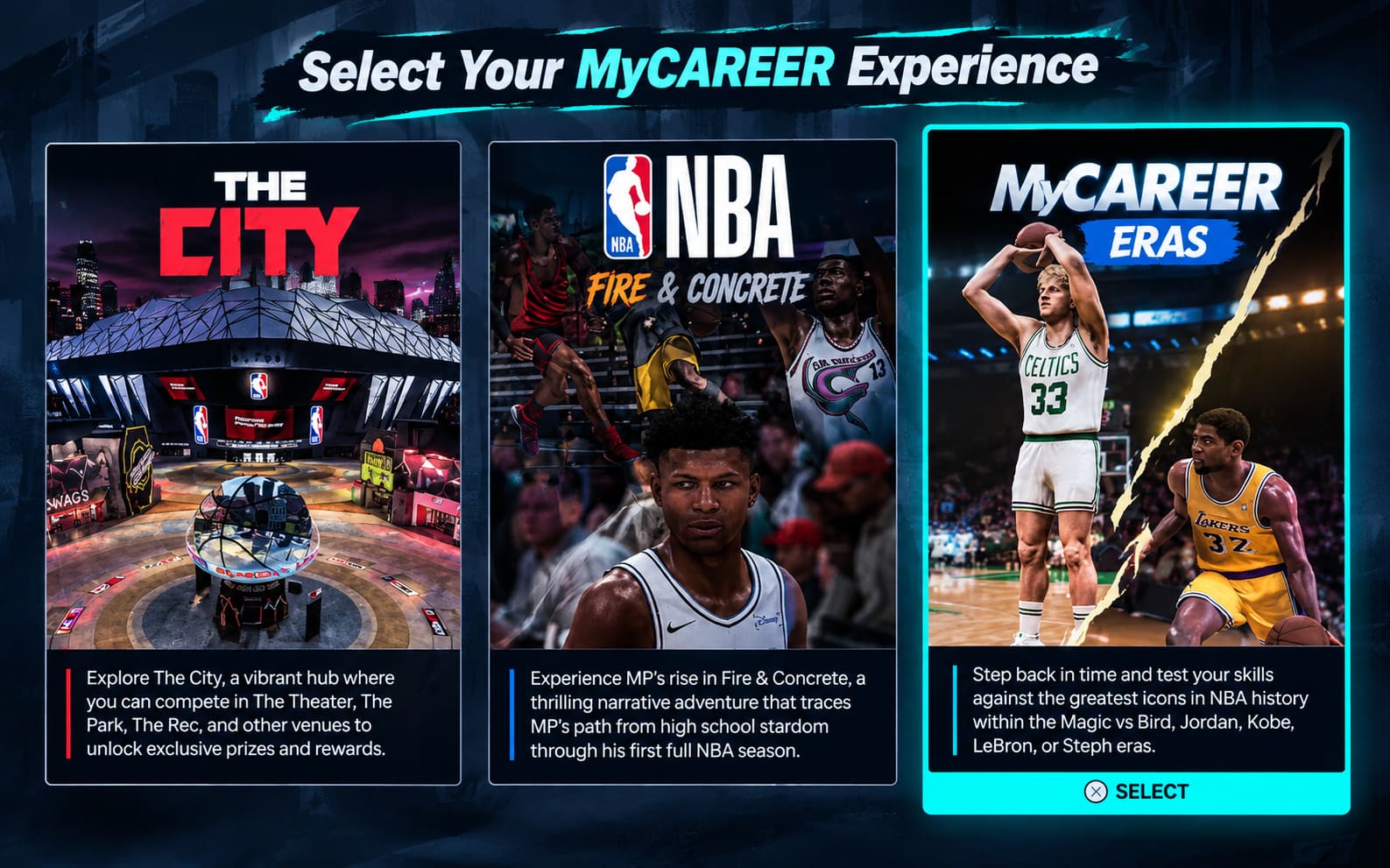
Go to:
Main Menu → Features → Settings → Crossplay
Make sure the option is set to ON.
If it isn’t, cross-platform matchmaking and invitations can fail even though everything else appears to be working.
Xbox Players Have One Extra Setting to Check
Xbox privacy settings can also get in the way.
If an Xbox Series X|S player can’t connect with someone on PlayStation, check:
Xbox Settings → Account → Privacy & Online Safety → Xbox Privacy → View Details & Customize → Communication & Multiplayer
Look for the option concerning joining cross-network play and make sure it allows cross-network multiplayer.
This is one of those settings you probably haven’t touched since buying the console. That’s exactly why it is so easy to forget about.
How to Add Cross-Platform Friends in NBA 2K27
This is where things become slightly different from normal console multiplayer.
You aren’t simply relying on your PlayStation or Xbox friends list. For cross-platform interaction, NBA 2K’s own social system is the important part.
From the main menu or while walking around The City, open the 2K Social Hub.
The default controller shortcuts are:
- PS5: L1 + R1
- Xbox Series X|S: LB + RB
Once the Social Hub is open, find the friend management section and select Add 2K Friend.
You’ll then need your friend’s 2K Account Name.
And here’s my advice: don’t try to guess it.
If your buddy has a complicated username, numbers, or an older 2K account name, make sure you have the exact identifier. A tiny spelling difference can be enough to make the search feel completely broken.
Enter the name, send the request, and wait for your friend to accept it.
Your Friend Doesn’t See the Request? Check the Social Hub
This is probably one of the most confusing parts for people who are new to NBA 2K27 crossplay.
A cross-platform friend request may not produce the kind of console notification you’re expecting.
So don’t sit there staring at the PS5 or Xbox notification panel wondering why nothing happened.
Tell your friend to open the 2K Social Hub manually using the appropriate bumper combination and check the Notifications section.
The pending friend request should appear there.
Once it is accepted, both players should be connected through the game’s own social network.
I strongly recommend doing this before trying to form the REC squad. Trying to troubleshoot squad invitations while the underlying friendship request hasn’t been accepted is just creating another problem for yourself.
Building Your Crossplay REC Squad
Once everyone has added each other through 2K’s Social Hub, you’re ready to build the squad.
Open the Social Hub again and find your friend’s profile in the Online list.
You should see an icon indicating whether that player is using PlayStation or Xbox.
Select their profile and choose:
Invite To Squad
The other player then needs to accept the invitation through their own Social Hub.
Once everyone is connected, the squad status should become visible around your MyPLAYER characters in The City.
At this point, one player becomes the Squad Leader, which matters when you’re actually entering The REC.
And yes, this is where I’d recommend taking thirty seconds to make sure everybody is actually in the squad before running toward the REC building. It sounds obvious, but there is nothing more annoying than discovering that one person somehow got left behind after you’ve already entered matchmaking.
How to Enter The REC With Your Entire Squad
Once your group is assembled, open the City map and locate The REC.
Set a waypoint if you need to, then have everybody meet outside the entrance.
Here’s the important part:
The Squad Leader should enter The REC first.
Have the other players stay close to the entrance rather than wandering around The City.
The idea is to make sure the squad is treated as one group when the leader enters the building.
If a non-leader runs inside independently, you can potentially end up with that player entering matchmaking separately. At that point, you’re looking at the classic gaming ritual of:
“Back out.”
“Where are you?”
“I’m in the REC.”
“Which REC?”
“…I don’t know.”
If that happens, return to The City and rebuild the squad state before trying again.
What Happens If You Don’t Have Five Players?
You don’t necessarily need a complete five-person party to play The REC.
The mode is built around five-player teams, so if your crossplay group only contains two, three, or four people, the matchmaking system can fill the remaining slots with other players.
That can actually be fun, but if you’re trying to run a serious coordinated lineup, five friends is obviously preferable.
Before queueing, take a look at your squad composition.
A team full of scoring-focused guards might look terrifying on paper, but somebody eventually has to:
- Defend the paint
- Grab rebounds
- Bring the ball up
- Create shots
- Rotate defensively
Build balance matters more in The REC than raw overall ratings.
My Advice: Don’t Build a Squad of Five Ball-Dominant Players
This is less of a technical requirement and more of a personal REC survival rule.
If everyone on your team wants the ball in their hands every possession, your offense will become a traffic jam.
A healthier squad usually has a mixture of:
| Role | What You Want |
|---|---|
| Point Guard | Ball Handling, Passing, Perimeter Creation |
| Shooting Guard | Shooting, Perimeter Defense |
| Small Forward | Versatility, Defense, Secondary Scoring |
| Power Forward | Rebounding, Interior Defense, Spacing |
| Center | Rebounding, Rim Protection, Interior Presence |
You don’t have to follow this structure religiously. NBA 2K27 gives players plenty of freedom with builds.
But five players who can all contribute in different ways are generally more useful than five people fighting over the same offensive role.
And if you’re playing with friends, communication is worth more than another few attribute points.
NBA 2K27 REC Crossplay Troubleshooting
So what happens when everything should work but doesn’t?
Welcome to online multiplayer.
Squad Invite Failed
If a squad invitation refuses to send, start with the boring solutions before assuming something is catastrophically wrong.
Both players should:
- Restart NBA 2K27.
- Restart the console if necessary.
- Check for game updates.
- Confirm crossplay is enabled.
- Verify their NAT/network status.
- Reconnect to the online servers.
- Try a wired connection if Wi-Fi is unstable.
NAT restrictions are particularly worth checking. A strict network configuration can interfere with multiplayer communication and invitations.
Also make sure everyone is running the same current version of NBA 2K27. A pending update on one console can turn a perfectly normal crossplay session into an invitation nightmare.
Getting Disconnected During REC Games
If your squad can successfully enter The REC but players are repeatedly getting kicked back to the menu, don’t immediately rebuild your characters or reinstall the game.
First determine whether the problem is actually on your end.
Check the official NBA 2K server status and community reports to see whether other players are experiencing outages or instability.
If the servers are operating normally, then investigate your own connection.
For recurring disconnects, I’d work through these in order:
- Restart the console and router.
- Use Ethernet instead of Wi-Fi where possible.
- Check NAT status.
- Stop downloads or streaming on the network.
- Make sure NBA 2K27 is fully updated.
- Reconnect everyone to the squad before entering The REC again.
If only one player repeatedly disconnects while everyone else stays connected, that is a pretty strong clue that the problem is localized to that player’s connection rather than the entire squad.
Don’t Forget Your Online Subscription
Crossplay doesn’t eliminate the normal console requirements for online multiplayer.
PS5 players need the appropriate PlayStation Plus online multiplayer access, while Xbox players need an eligible Game Pass Core or Ultimate subscription for online console multiplayer.
If someone suddenly can’t access The REC at all, check the subscription status before spending an hour changing network settings.
I’ve made that mistake in multiplayer games before. You start investigating ports, routers and DNS settings only to discover the subscription expired.
It’s humbling.
The REC Crossplay Checklist
If you want the quick version, bookmark this:
Before Playing:
- PS5 + Xbox Series X|S are the supported crossplay platforms.
- PC/Steam and Nintendo Switch 2 aren’t part of the gameplay crossplay pool.
- Turn Crossplay ON under Features → Settings.
- Add friends through the 2K Social Hub.
- Use the correct 2K Account Name.
- Accept requests through the in-game Notifications tab.
- Invite everyone into the same squad.
- Confirm everyone is actually grouped together.
- Meet outside The REC.
- Have the Squad Leader enter first.
Once you’ve done all of that, the process becomes surprisingly painless.
NBA 2K27 Standard vs. Deluxe Edition: Which Version Is Worth Buying?
Final Thoughts: Is NBA 2K27 REC Crossplay Worth Setting Up?
Absolutely.
For me, The REC is at its best when everyone on the court actually knows each other. Random matchmaking can produce some hilarious games, but playing with four friends completely changes the experience. You can call rotations, communicate switches, move the ball and actually build an offensive system instead of hoping three strangers remember that basketball involves passing.
The good news is that NBA 2K27 crossplay between PS5 and Xbox Series X|S makes that easier, provided everyone understands that the game’s 2K Social Hub is the center of the whole process.
The setup isn’t difficult once you know the sequence. Enable crossplay, add your friends through the 2K system, build the squad, meet outside The REC, and let the Squad Leader go in first.
After that, stop worrying about menus and play basketball.
And if your friend starts shooting contested threes with 18 seconds left on the shot clock?
Well, no crossplay guide can save you from that.