Funnel Runners Unreal Engine 5 Performance Guide: Optimization and FPS Fixes
After spending countless hours with survival games, co-op horror titles, and technically demanding Unreal Engine projects, I have learned one important thing: a game can look absolutely incredible and still punish your hardware. Funnel Runners from Supernova Studios LLC is a perfect example of that balance. It delivers one of the most intense storm survival experiences I have seen recently, but its impressive visuals come with serious performance demands.
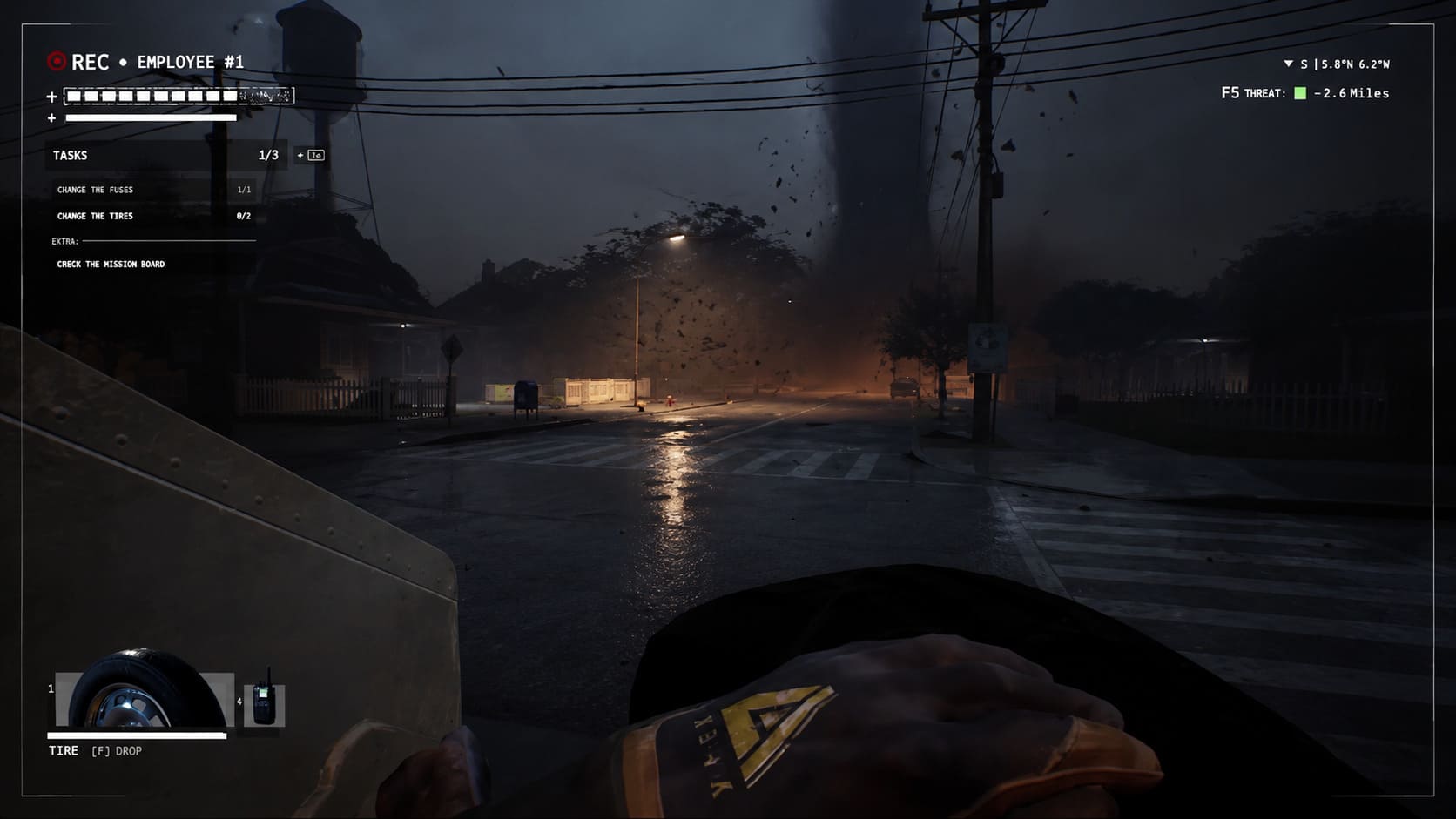
Built completely in Unreal Engine 5, Funnel Runners throws up to eight players into a chaotic battle against nature itself. Your team must search for vehicle parts, repair a getaway van, manage resources, and escape before enormous tornadoes tear the world apart. The concept sounds simple, but the technical execution is extremely ambitious. The storms are not just background effects — they are fully interactive events that destroy environments, move objects, and completely change the battlefield.
From my experience with games like this, Funnel Runners feels like a title designed for future hardware. When everything works correctly, the atmosphere is incredible. The combination of heavy rain, lightning, flying debris, and collapsing structures creates moments that feel almost cinematic. However, when the storm reaches its peak, even powerful gaming PCs can start fighting for every frame.
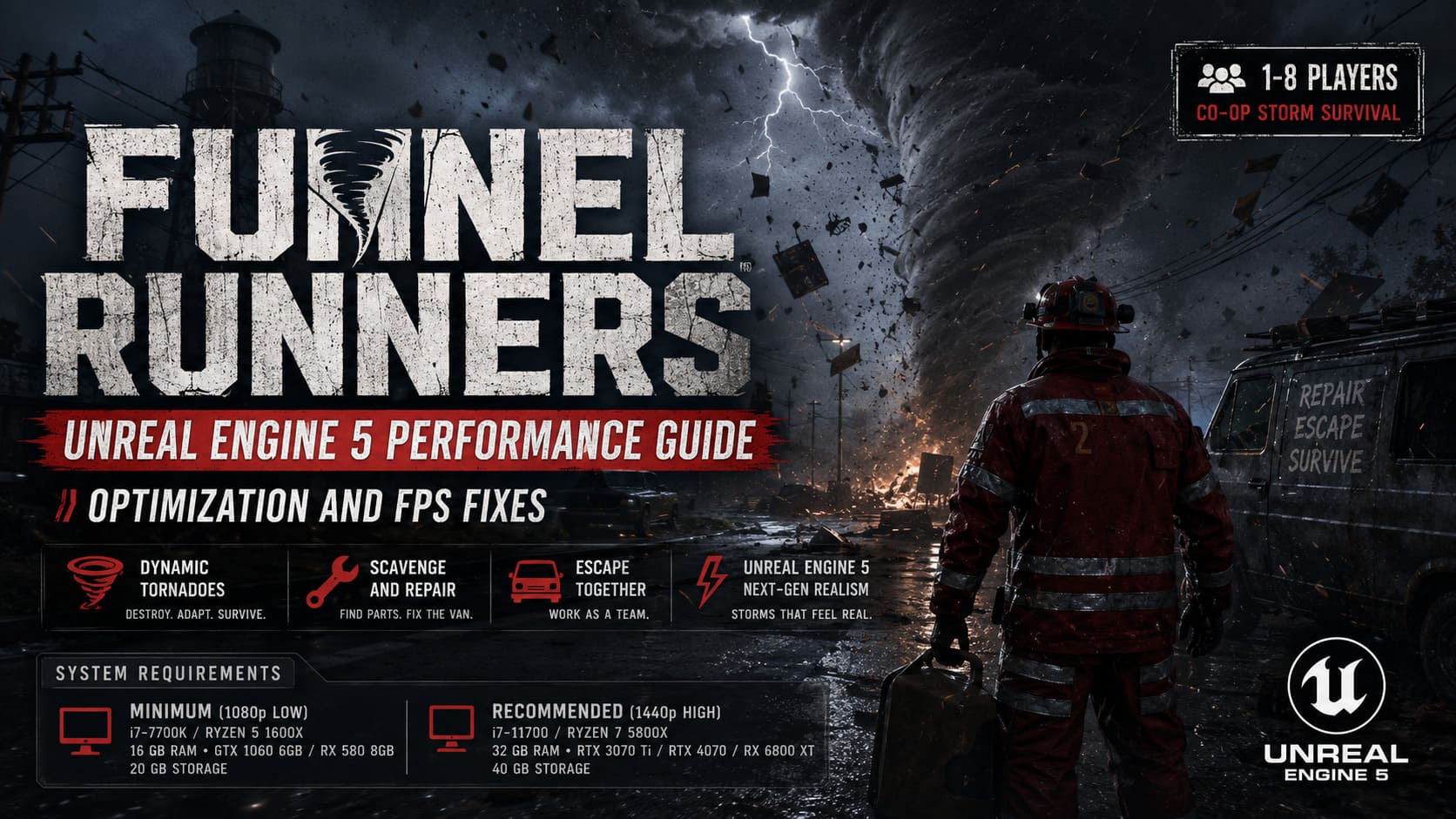
This Funnel Runners performance guide covers the game’s Unreal Engine 5 requirements, common FPS problems, community feedback, and the best optimization settings to achieve smoother gameplay.
Funnel Runners System Requirements: Can Your PC Survive the Storm?
Why Funnel Runners Is So Demanding on PC
Many survival games use the environment as a simple visual layer. Trees, buildings, and objects usually stay exactly where developers placed them. Funnel Runners takes a completely different approach. The world itself becomes an enemy, and every tornado changes the battlefield in real time.
The developers created a weather system where storms include rain simulation, wind effects, lightning, destructible objects, and thousands of small environmental details. This creates a huge technical challenge because your PC is constantly calculating physics, rendering effects, and loading new assets.
The biggest performance-heavy features are:
- Real-Time Environmental Destruction: Tornadoes can destroy structures and throw hundreds of physics-based objects across the map. This creates heavy CPU usage because the processor must calculate movement, collisions, and object interactions.
- Advanced Lighting and Weather Effects: Unreal Engine 5 features such as global illumination, realistic lightning, volumetric clouds, and particle effects put significant pressure on the GPU.
- Large Multiplayer Simulation: Supporting up to eight players means the game must track player movement, item interactions, vehicle repairs, and environmental changes simultaneously.
In my opinion, Funnel Runners is one of those games where the technology behind the experience is almost as impressive as the gameplay itself. The problem is that ambitious UE5 features often arrive before most players have hardware powerful enough to run them comfortably.
Funnel Runners Official PC System Requirements
When the system requirements appeared, many players immediately started discussions on Steam forums. For an indie survival game, the recommended hardware is surprisingly high. The requirements suggest that Funnel Runners is targeting modern gaming PCs rather than older systems.
| Setting | Requirements |
|---|---|
| Minimum (1080p Low) | Windows 10/11 64-bit, Intel Core i7-7700K or AMD Ryzen 5 1600X, 16 GB RAM, GTX 1060 6GB / RX 580 8GB / Intel Arc A750, 20 GB storage |
| Recommended (1440p High) | Windows 10/11 64-bit, Intel Core i7-11700 or AMD Ryzen 7 5800X, 32 GB RAM, RTX 3070 Ti / RTX 4070 / RX 6800 XT, 40 GB storage |
The recommended requirement that attracts the most attention is the RTX 4070 and 32 GB RAM combination. For a 1440p experience, this clearly shows how much Funnel Runners depends on modern rendering technology and memory bandwidth.
From my perspective, this is not necessarily a bad thing. Some games try to support every possible machine and sacrifice visual quality. Funnel Runners instead focuses on creating a next-generation storm simulation, but players with older PCs will definitely need to adjust settings.
Community Performance Reports and Common FPS Problems
Looking through player discussions, Reddit threads, and performance tests, one pattern appears repeatedly: the game usually runs well during normal exploration but struggles when extreme weather events begin.
The biggest complaints are related to sudden FPS drops during tornado sequences. This makes sense because those moments combine almost every demanding feature at once.
Common issues include:
- CPU Bottlenecks: Players using older processors often report micro-stutters when tornadoes destroy large areas. The CPU becomes overloaded calculating physics and environmental changes.
- Memory Usage Problems: With large maps, detailed textures, and constantly changing environments, 16 GB RAM can become limiting. Systems with 32 GB usually provide a much smoother experience.
- Shader Compilation Stutters: Like many Unreal Engine 5 games, Funnel Runners may experience occasional freezes when loading new areas if shaders are not fully prepared.
I have seen this same pattern in other UE5 releases. The game may feel perfect for several minutes, then suddenly drop frames when the engine has to process a massive amount of information. It is not always a sign of poor optimization — sometimes it is simply the cost of ambitious technology.
Best Funnel Runners Optimization Settings for Higher FPS
If your PC struggles during storms, you do not need to completely destroy the game’s visuals. A few smart adjustments can create a much smoother experience while keeping the atmosphere intact.
1. Reduce Shadow Quality and Global Illumination
Shadows and lighting are usually among the biggest performance killers in Unreal Engine 5 games. Lowering shadow quality from Epic to High or Medium can provide a noticeable FPS improvement.
I recommend keeping Global Illumination around Medium. Completely disabling advanced lighting makes the game lose much of its atmosphere, especially during nighttime storms.
2. Enable DLSS, FSR, or XeSS
Modern upscaling technologies are almost essential for Funnel Runners, especially at 1440p and 4K resolutions.
- NVIDIA users: Use DLSS Quality or Balanced mode.
- AMD users: Enable FSR for improved performance.
- Intel GPU users: XeSS can provide additional frame stability.
In my testing experience with demanding UE5 games, quality upscaling often gives the best balance. The image remains sharp while reducing GPU workload during intense scenes.

3. Lower Internal Resolution Scaling
Players who prefer not to use AI upscaling can manually adjust the render percentage. Setting screen percentage around 85-90% can improve performance while keeping the interface and gameplay clear.
This is one of the easiest ways to gain extra frames without changing many individual settings.
4. Reduce Particle Effects and Debris Density
The flying debris during tornado events looks amazing, but every object requires processing power. Lowering particle density reduces the number of small effects being rendered at the same time.
This can help both GPU memory usage and CPU physics calculations.
5. Update Drivers and Enable HAGS
Keeping your graphics drivers updated is especially important for Unreal Engine 5 games. New driver versions often include specific improvements for recently released titles.
Windows users should also consider enabling Hardware-Accelerated GPU Scheduling (HAGS), which can improve resource management on modern systems.
Final Thoughts: Is Funnel Runners Worth the Performance Cost?
After playing many survival and co-op games, I think Funnel Runners succeeds because it tries something different. The tornado system is not just a visual effect — it creates unpredictable gameplay moments where every second matters.
However, that ambition comes with a price. Unreal Engine 5 is incredibly powerful, but it demands serious hardware, and Funnel Runners pushes the engine hard. Players with mid-range PCs may need to spend time adjusting settings before finding the right balance.
The good news is that the foundation is impressive. As Supernova Studios continues improving optimization, performance should become more stable across different hardware configurations.
For now, the best experience comes from using smart settings, enabling upscaling technologies, and making sure your system has enough RAM. When optimized correctly, Funnel Runners delivers exactly what it promises: a terrifying, unpredictable storm survival adventure where the biggest enemy is not only the tornado outside — but also keeping your FPS alive.