How to Fix WARDOGS Server Connection Timeout and Error Codes 1147405308, 1628505085, 1147405309
There are few things more annoying in a multiplayer shooter than finally getting into the mood for a serious match, launching the game, and then getting kicked straight back to the menu because the servers apparently decided they have better things to do.
That is exactly the kind of experience some WARDOGS players are running into during the Closed Beta and playtest periods. The game promises large-scale tactical firefights with huge 100-player lobbies, so it is hardly surprising that the servers are being pushed hard. But from a player’s perspective, knowing that thousands of other people are trying to connect does not make a “Server Connection Timeout” any less frustrating.
I have always found network errors in multiplayer games particularly irritating because they are often vague. Your internet can be perfectly fine, Steam can be working normally, and every other game on your PC can connect without a problem. Then WARDOGS throws a long string of numbers at you and basically says, “Good luck.”
If you are seeing error codes 1147405308, 1628505085, or 1147405309, there are several things worth trying. Some solutions are quick and harmless, while others are more involved. And, importantly, not every WARDOGS connection problem is something you can actually fix on your PC.
First: Is WARDOGS Actually Down?
Before changing DNS settings, reinstalling anything, or blaming your router, check whether the problem is happening on the server side.
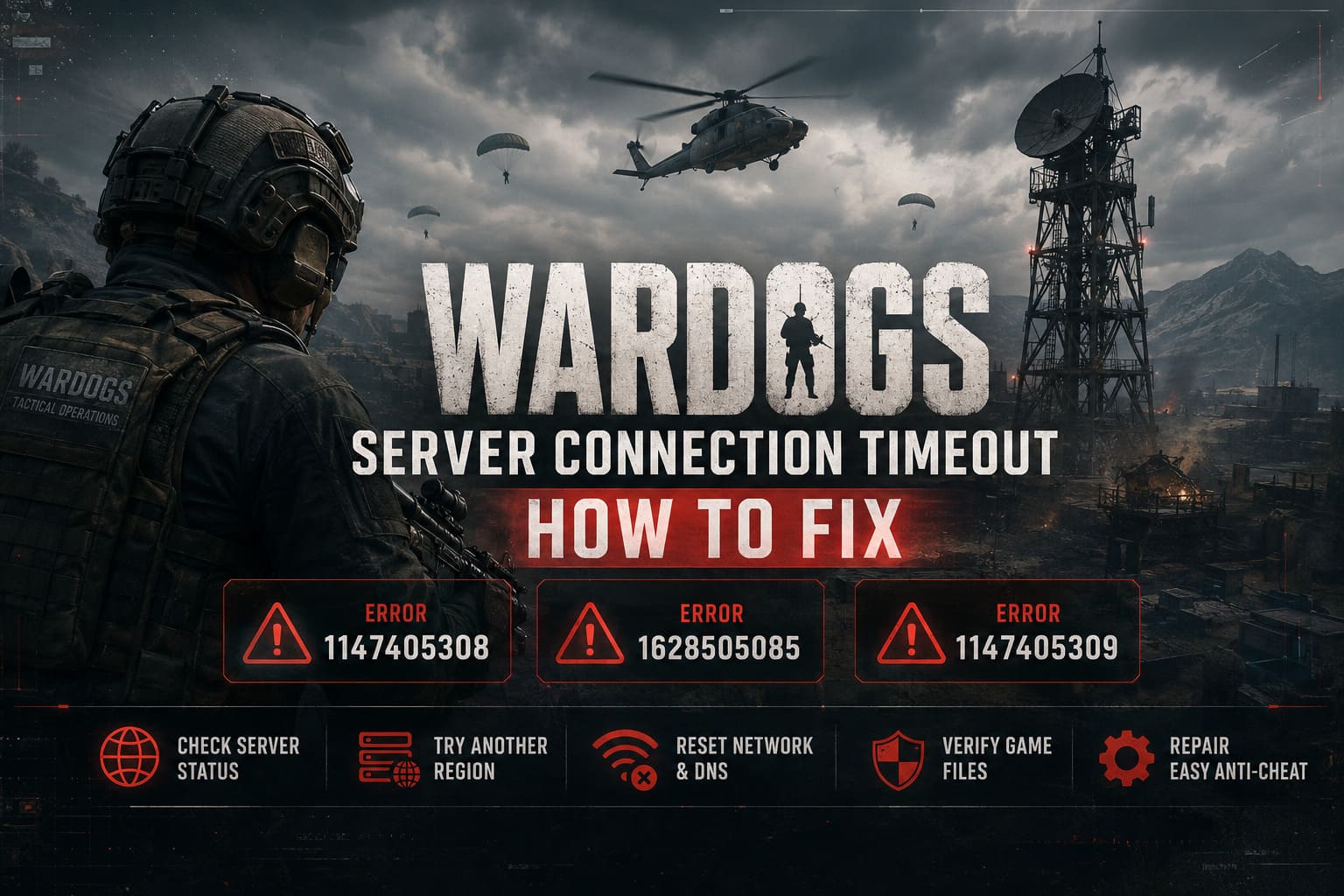
This is especially important during a Closed Beta, where matchmaking, authentication, and backend infrastructure can be considerably less stable than they will be after launch. If a large number of players suddenly report the same timeout or error code at roughly the same time, that is a pretty strong hint that the problem isn’t your gaming rig.
You can usually get a good idea by checking the game’s official social channels, Steam Community discussions, and community Discord announcements. If everyone is complaining about being stuck at “Logging In,” there probably isn’t much value in spending an hour rebuilding your network configuration.
My advice: give the servers a few minutes before you start changing things. I know that isn’t the exciting answer, but sometimes waiting for the developers to stabilize a stressed backend is the fastest fix.
What Causes the WARDOGS Server Connection Timeout?
A timeout essentially means that your client started communicating with the game’s online infrastructure but didn’t receive the expected response quickly enough.
That can happen for several reasons:
| Possible Cause | What It Can Look Like |
|---|---|
| Server Overload | Long queues, failed matchmaking, repeated timeouts |
| Regional Congestion | One region works while another constantly fails |
| DNS Problems | Login or server discovery takes unusually long |
| Firewall/Antivirus | Connection drops during authentication |
| Corrupted Game Files | Repeated failures after updates |
| Anti-Cheat Conflicts | Game closes or refuses to complete connection |
| Beta Authentication Issues | Access denied despite having legitimate beta access |
The important thing is not to assume that every error has the same cause. A server overload requires a completely different solution from a broken local installation.
Fix Error 1147405308 and 1628505085
These are among the error codes players may encounter around server access, queues, or matchmaking. If WARDOGS is struggling to assign you to a session, repeatedly sitting in a queue may not accomplish anything.
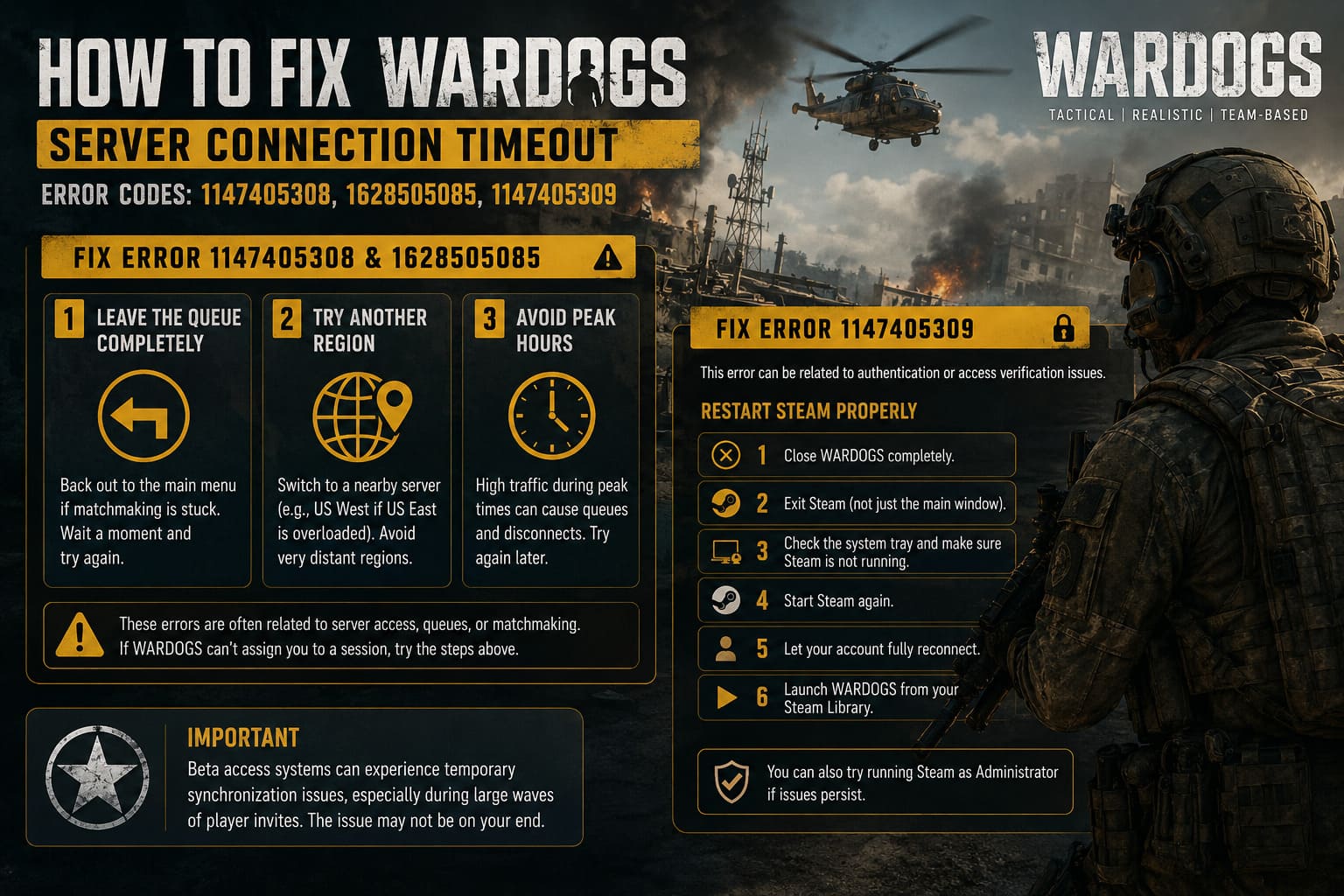
1. Leave the Queue Completely
If the game appears frozen in matchmaking, back out to the main menu rather than leaving it running indefinitely.
Wait a moment and try again.
It sounds almost too simple, but a stuck matchmaking request can sometimes remain in a bad state. Restarting the matchmaking process gives the client another opportunity to obtain a fresh session assignment.
2. Try Another Region
If WARDOGS allows you to select a server or region manually, experiment with another nearby location.
For example, if a US East server appears overloaded, US West may behave differently. You don’t necessarily want to select a server on the other side of the world just to get into a match, because latency matters in a tactical shooter. But testing another nearby region can help determine whether you’re dealing with a local routing problem or a broader account issue.
3. Avoid Peak Hours
This is particularly relevant during public tests.
Everyone wants to play immediately when a new test opens. That creates a predictable traffic spike. If you are repeatedly getting kicked during the busiest hours, try again later.
Honestly, this is one of those fixes nobody wants to hear, but it can work surprisingly well during a beta.
How to Fix WARDOGS Error 1147405309
Error 1147405309 can be associated with authentication or access verification problems. If you’ve received a beta invitation or access key but the game behaves as though you aren’t authorized, the first thing I would try is a complete Steam restart.
Restart Steam Properly
- Close WARDOGS completely.
- Exit Steam rather than simply closing the main window.
- Check the Windows system tray and make sure Steam is no longer running.
- Start Steam again.
- Let your account fully reconnect.
- Launch WARDOGS from your Steam Library.
If the problem is related to a stale authentication session, this can force Steam and the game to establish a fresh connection.
You can also try launching Steam with administrator privileges if you’re experiencing persistent permission-related problems.
However, don’t assume that this error automatically means your beta key is broken. Beta access systems can experience temporary synchronization issues, especially when large numbers of players are being added at once.
Flush DNS and Reset Windows Networking
If WARDOGS works for other players but refuses to connect reliably on your PC, resetting the Windows networking stack is a reasonable next step.
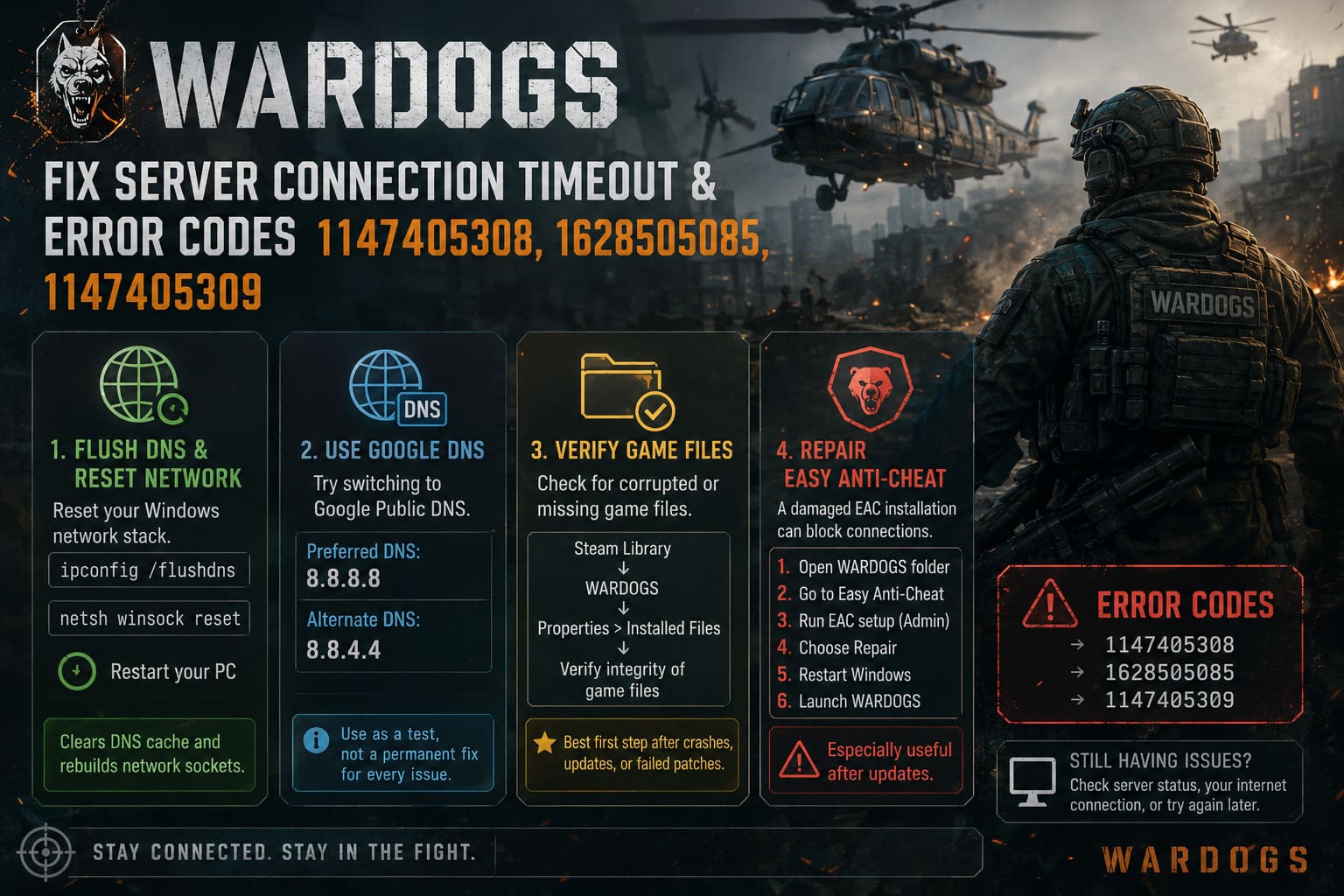
Open Command Prompt as Administrator and run:
ipconfig /flushdnsThen run:
netsh winsock resetRestart your PC afterward.
The DNS flush clears cached DNS information, while the Winsock reset rebuilds the Windows network socket configuration.
Neither command is a magical WARDOGS-specific fix, but both are useful troubleshooting steps when Windows networking starts behaving strangely.
Consider Google DNS
You can also test a different DNS provider.
Google Public DNS uses:
- Preferred DNS: 8.8.8.8
- Alternate DNS: 8.8.4.4
To change it, open your network adapter’s IPv4 properties and manually enter those addresses.
That said, I wouldn’t change DNS just because you saw one timeout. If everything else on your PC connects normally, DNS probably isn’t the villain. It’s better to use this as a troubleshooting test rather than blindly changing settings every time a multiplayer game has a bad day.
Verify WARDOGS Game Files
This is one of the easiest fixes and one I recommend doing before anything drastic.
Steam can check whether your local WARDOGS installation contains damaged or missing files.
Go to:
Steam Library → WARDOGS → Properties → Installed Files → Verify integrity of game files
Let Steam finish the scan.
If it finds corrupted files, Steam should automatically download replacements.
This is particularly useful if your problems started immediately after a game update, crash, interrupted download, or failed patch.
And yes, I would do this before reinstalling the entire game. Reinstalling a multiplayer game because of a handful of damaged files is usually unnecessary.
Repair Easy Anti-Cheat
Anti-cheat software sits directly in the middle of the game and its online environment, so a broken installation can potentially interfere with authentication or connectivity.
If WARDOGS includes an Easy Anti-Cheat installation in its game directory, locate the EAC setup utility and look for a Repair option.
The general process is:
- Open the WARDOGS installation folder.
- Find the Easy Anti-Cheat directory.
- Locate the EAC setup executable.
- Run it with administrator privileges.
- Select the repair option if available.
- Restart Windows.
- Launch WARDOGS again.
I would especially try this if the timeout appeared after an update or if the game behaves differently when launching than it did previously.
Disable Overlays Temporarily
Overlays are convenient, but when troubleshooting a multiplayer beta, I prefer eliminating as many variables as possible.
Temporarily disable:
- Steam Overlay
- Discord Overlay
- MSI Afterburner/RivaTuner overlays
- GPU recording or performance overlays
- Other third-party software that injects into games
You don’t have to uninstall anything. Just turn the overlays off and test WARDOGS again.
If the game suddenly connects normally, you have narrowed down the source of the conflict.
For competitive games using anti-cheat systems, keeping the background environment clean is often a good idea anyway.
Check Your Firewall and Antivirus
Windows Defender or third-party security software can occasionally interfere with multiplayer applications.
If WARDOGS consistently fails during the connection handshake, check that the game is allowed through Windows Firewall.
You should also look at your antivirus software if you are using anything beyond the standard Windows security tools.
I wouldn’t recommend permanently disabling your firewall or antivirus just to play a beta. Instead, create an appropriate exception for the game and test whether that changes anything.
If the problem disappears, you’ve found a useful clue.
Try Ethernet Instead of Wi-Fi
For a 100-player tactical shooter, a stable connection is much more important than simply having a high download speed.
A Wi-Fi connection can show excellent speed tests and still suffer from:
- Packet loss
- Interference
- Sudden latency spikes
- Router congestion
- Signal instability
If possible, connect your PC directly to the router with an Ethernet cable.
This isn’t specifically a WARDOGS trick. It’s simply one of the best ways to remove wireless instability from the equation.
If WARDOGS suddenly stops timing out over Ethernet, you know where to focus your troubleshooting.
What About the Windows 11 Update Theory?
There have been community reports linking certain Windows updates with game crashes, freezes, and unusual behavior. However, I would be careful about immediately uninstalling a Windows update based solely on a Reddit post or a single player’s experience.
If your WARDOGS problems started directly after a Windows update and you’re experiencing crashes, freezes, or similar problems in other games, then investigating recent updates makes sense.
But rolling back Windows updates should be considered a more advanced troubleshooting step, not the first thing you do after seeing a server timeout.
Before removing an update, make sure you know exactly which update is responsible and check whether Microsoft or the game’s developers have acknowledged the problem.
WARDOGS vs ARC Raiders: Two Tactical Shooters, Two Completely Different Ways to Wage War
My Recommended Order of Fixes
If I were troubleshooting WARDOGS on my own PC, I wouldn’t randomly try twenty fixes at once. That makes it impossible to know what actually worked.
I’d go in this order:
- Check WARDOGS server status and community reports.
- Restart WARDOGS and Steam completely.
- Try another nearby server region.
- Verify the game files through Steam.
- Restart the PC.
- Run
ipconfig /flushdns. - Run
netsh winsock reset. - Test an Ethernet connection if available.
- Disable Steam, Discord, and hardware monitoring overlays.
- Repair Easy Anti-Cheat.
- Check firewall permissions.
- Investigate recent Windows updates only if the symptoms point toward an OS-level problem.
This approach keeps the troubleshooting process sensible. Start with the easy stuff, then move toward more invasive changes.
WARDOGS Money Guide: How to Get Rich and Earn Cash Fast (2026 Meta)
Don’t Forget: Sometimes the Problem Is WARDOGS
This is probably the most important point.
If you’ve verified your files, restarted Steam, reset your network, tested another region, and everything else on your PC works normally, stop assuming your computer is broken.
A Closed Beta is essentially a giant real-world stress test. Developers are learning how their authentication systems, matchmaking servers, databases, and regional infrastructure behave when thousands of real players arrive at once.
If hundreds or thousands of players suddenly report the same WARDOGS Server Connection Timeout, error 1147405308, 1628505085, or 1147405309, there may simply be nothing meaningful you can do locally.
I’ve spent enough time troubleshooting multiplayer games to know that sometimes the best “fix” is waiting for the backend team to deploy a hotfix.
The good news is that widespread beta problems are usually valuable information for the developers. Every failed login, matchmaking error, and disconnect gives them another clue about where the infrastructure needs work.
Final Thoughts
WARDOGS has the kind of large-scale multiplayer design that naturally puts serious pressure on online infrastructure, especially during a Closed Beta. That makes connection problems frustrating, but it also makes them somewhat understandable.
If you’re getting 1147405308, 1628505085, or 1147405309, don’t immediately start reinstalling Windows or rebuilding your entire network. Check the servers first, restart Steam, verify your game files, try another region, and work through the networking fixes one at a time.
And if the entire WARDOGS community is stuck on the same timeout screen?
Grab a drink, check the official announcements, and give the servers a little time.
Sometimes the most effective troubleshooting step is realizing the problem isn’t actually on your end.