Forza Horizon 6 PC Tokyo Stuttering Fix: Optimization Guide
When Forza Horizon 6 finally launched with its massive Japan setting, I honestly thought Playground Games had reached a completely different level. The countryside looks incredible, mountain roads feel alive, and nighttime driving through Tokyo is easily one of the best-looking things I’ve seen in an arcade racer.
But after spending dozens of hours driving around Tokyo City Center on PC, one thing became painfully obvious: the optimization is a complete mess in dense urban areas.
I’m not talking about low FPS. I’m talking about those nasty micro-stutters that make the game feel broken even when the FPS counter says 120+. The kind where audio crackles for half a second, the frametime graph spikes into space, and suddenly your car teleports slightly forward while drifting through Shibuya traffic.
What’s even crazier is that this happens on monster PCs too. I’ve seen players with RTX 5090 cards and Ryzen X3D processors complaining about the exact same thing. Rural Japan runs flawlessly, but Tokyo? Total chaos.
After testing settings for days, digging through Reddit threads, Steam discussions, and trying advice from performance-focused YouTubers, I finally got the game running smoothly enough to actually enjoy night racing again.
This isn’t some generic “turn everything to low” guide. These are the fixes that genuinely made a difference for me and a lot of other PC players.
Why Tokyo Specifically Runs So Bad
The issue isn’t really raw GPU power. The problem is how Forza Horizon 6 handles streaming assets inside Tokyo.
The city is insanely dense. Neon signs, reflective surfaces, pedestrians, traffic AI, vertical geometry, dynamic shadows — the game constantly streams new data while you drive at ridiculous speeds.
That creates three major problems:
| Problem | What Happens |
|---|---|
| VRAM overflow | Sudden frametime spikes and hitching |
| CPU saturation | GPU usage drops randomly |
| Shader compilation | First-time traversal stutters |
The moment you blast through areas packed with lighting and geometry, the engine starts choking on asset management.
And unfortunately, the default “Extreme” preset makes everything worse.
The Biggest Fix: Stop Using the Extreme Preset
I know people hate lowering graphics settings after buying expensive hardware. I was the same way.
But honestly? The visual difference between Extreme and Ultra in FH6 is tiny compared to the performance improvement.
These are the settings that finally stabilized Tokyo for me:
| Setting | Recommended |
|---|---|
| Texture Quality | Ultra |
| Geometry Quality | High |
| Ray Tracing | Off or Medium |
| Particle Effects | Medium |
| Shadow Quality | High |
| Motion Blur | Off |
The biggest gain came from lowering Environment Geometry Quality. Tokyo streams absurd amounts of building data, and reducing the render distance immediately improved my 1% lows.
Ray tracing is another trap right now. It looks amazing during photo mode, but while driving at high speed through dense intersections, it absolutely destroys frametime consistency.
Disable In-Game V-Sync Immediately
This one sounds stupid, but it worked almost instantly.
The in-game V-Sync implementation in FH6 feels completely broken at launch. My GPU utilization kept fluctuating wildly whenever it was enabled.
What I did instead:
- Turned off V-Sync inside the game
- Set framerate to Unlocked
- Limited FPS externally through Nvidia Control Panel
For a 144Hz monitor, I capped the game at 141 FPS.
That single change made the game feel dramatically smoother, even before tweaking anything else.
Why External Frame Limiting Works Better
Driver-level frame caps seem to stabilize GPU power delivery much more effectively than the game’s internal limiter.
Once I switched to an external cap, those weird rhythmic stutters almost disappeared.
HAGS Was Secretly Destroying My Frametime Stability
This was probably the most surprising fix.
Windows Hardware-Accelerated GPU Scheduling (HAGS) usually helps modern games. In FH6 Tokyo, though, it caused constant traversal hitching for me.
Turning it OFF helped immediately.
How To Disable HAGS
- Open Windows Settings
- Go to System → Display
- Open Graphics Settings
- Disable Hardware-Accelerated GPU Scheduling
- Restart your PC
After rebooting, frametime spikes became noticeably smaller while driving through dense city districts.
One Important Exception
If you heavily rely on DLSS Frame Generation on RTX 40/50 series cards, HAGS may actually help more than hurt.
So this setting depends heavily on your setup.
Resizable BAR Was Causing Weird City Stutters
I didn’t expect this one either.
Resizable BAR normally boosts average FPS, but in Tokyo it seemed to introduce inconsistent frametime spikes every few seconds.
Disabling it inside BIOS made the game noticeably smoother for me.
Yes, I lost a small amount of peak FPS in open countryside areas.
But I’d rather lose 5 FPS than deal with constant hitching while drifting through downtown Tokyo.
Shader Cache Corruption Is a Real Problem
One thing I noticed: the longer I played, the worse the stutters became.
At first I thought it was overheating. Turns out the shader cache was likely getting corrupted over time.
Deleting the pipeline cache completely fixed several random freezes.
What I Did
- Closed the game
- Located the shader cache folder
- Deleted PipelineCache files
- Relaunched the game
The next startup took longer because shaders had to rebuild, but performance afterward felt significantly cleaner.
CPU Bottlenecks Are Worse Than Most People Think
Forza Horizon 6 absolutely hammers CPUs inside Tokyo.
Even powerful processors get slammed because the game constantly processes:
- Traffic AI
- Pedestrian systems
- Dynamic lighting
- Physics
- Streaming geometry
- Audio processing
Once CPU usage spikes too high, the GPU starts waiting around, which creates those ugly frametime jumps.
Background Programs Make It Worse
I disabled basically everything unnecessary:
- Discord overlay
- Nvidia overlay
- Xbox Game Bar
- Browser tabs
- RGB software
- Background launchers
And surprisingly, disabling the Windows GameInput Service helped too.
That service seems to randomly spike CPU interrupts during gameplay.
Audio Crackling Usually Means Your System Is Falling Behind
This was something I kept noticing during the worst stutters.
Whenever the game froze for half a second, the audio distorted too.
That’s usually a sign the entire system pipeline is choking temporarily — not just the GPU.
After fixing frametime stability, the audio issues disappeared almost completely.
So if you’re hearing crackling while entering Tokyo, don’t immediately blame your headset or sound drivers.
My Personal “Best Balance” Settings for FH6 Tokyo
After a ridiculous amount of testing, this is what finally gave me a smooth experience while keeping visuals impressive:
| Option | My Setting |
|---|---|
| Resolution | 1440p |
| DLSS | Quality |
| Frame Generation | On |
| V-Sync | Off |
| FPS Cap | 141 |
| Ray Tracing | Medium |
| Geometry | High |
| Textures | Ultra |
| HAGS | Off |
| ReBAR | Off |
The game still isn’t perfectly optimized, but it finally feels playable instead of frustrating.
Playground Games Needs to Patch This Fast
The annoying part is that FH6 is genuinely incredible underneath these issues.
Tokyo at night during rainstorms might be the most atmospheric location the series has ever created. The neon reflections, traffic density, and sense of speed are unreal when the game actually behaves properly.
But right now, the PC version clearly shipped with major optimization problems.
The good news is that Playground Games already acknowledged several performance-related bugs involving:
- VRAM allocation
- Audio stuttering
- AMD GPU frametime instability
- Shader compilation issues
So hopefully future patches will improve things significantly.
Best Fanatec Podium DD Settings for Forza Horizon 6 (DD1 & DD2 Guide)
Final Thoughts
If your FPS looks high but the game still feels awful inside Tokyo, you are definitely not alone.
This isn’t a “your PC is too weak” problem. Even extreme hardware struggles with FH6’s current streaming and frametime issues.
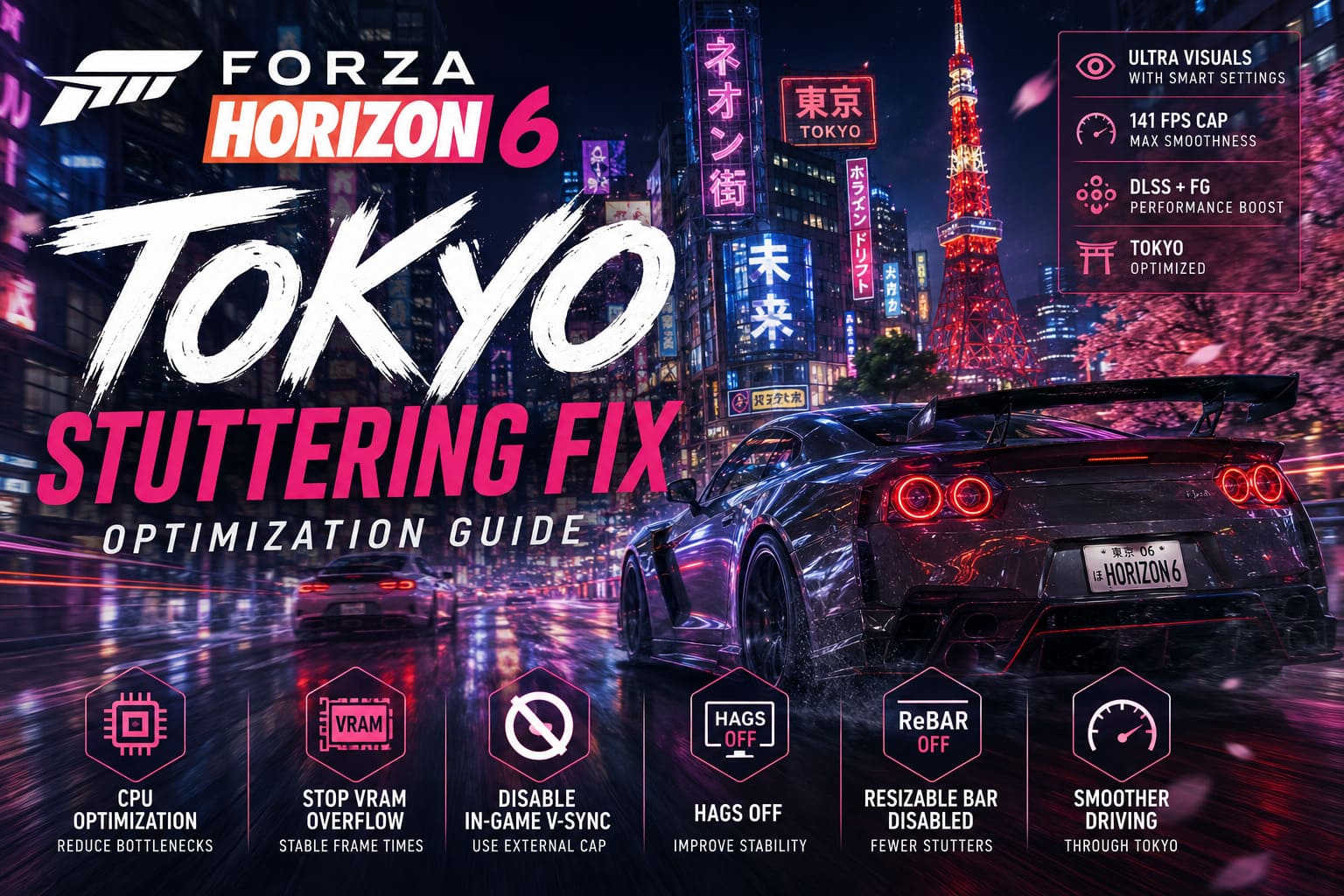
The biggest improvements for me came from:
- Disabling in-game V-Sync
- Using external FPS caps
- Lowering geometry quality
- Turning off HAGS
- Disabling ReBAR
- Rebuilding shader cache
After applying those changes, Tokyo finally became smooth enough to enjoy properly.
And honestly? Once the stuttering disappears, Forza Horizon 6 becomes dangerously addictive. Night drifting through neon-lit highways with synthwave blasting in the background is exactly the kind of arcade racing experience I wanted from this game.