Best Fanatec Podium DD Settings for Forza Horizon 6 (DD1 & DD2 Guide)
Forza Horizon 6 surprised me more than I expected. I went in thinking it would simply be another polished arcade racer with prettier graphics and a bigger map. Instead, after a few nights behind the wheel, I realized Playground Games had seriously upgraded the force feedback system. The problem is — if you own a Fanatec Podium DD1 or DD2, the default experience feels absolutely wrong.
The first time I launched the game on my DD2, the wheel felt like it wanted to rip itself off the desk on every straight. Then, five minutes later, the steering suddenly felt numb in corners. That weird mix of overly heavy force feedback and missing tire detail is exactly why many direct drive users instantly start tweaking settings.
After testing multiple combinations, reading community feedback, comparing setups from sim racing forums, and spending way too much time drifting mountain roads, I finally landed on a configuration that makes Forza Horizon 6 feel alive without killing the fun. This is not a sterile “laboratory” setup — this is the configuration I would actually use every evening after work.
Why Forza Horizon 6 Feels Strange on a DD1 or DD2
The truth is simple: Forza Horizon has always been designed primarily around controllers. Even though Horizon 6 massively improves force feedback compared to older entries, the game still applies hidden damping and steering assists that don’t always cooperate with high-end direct drive hardware.
A Fanatec Podium base delivers insane torque:
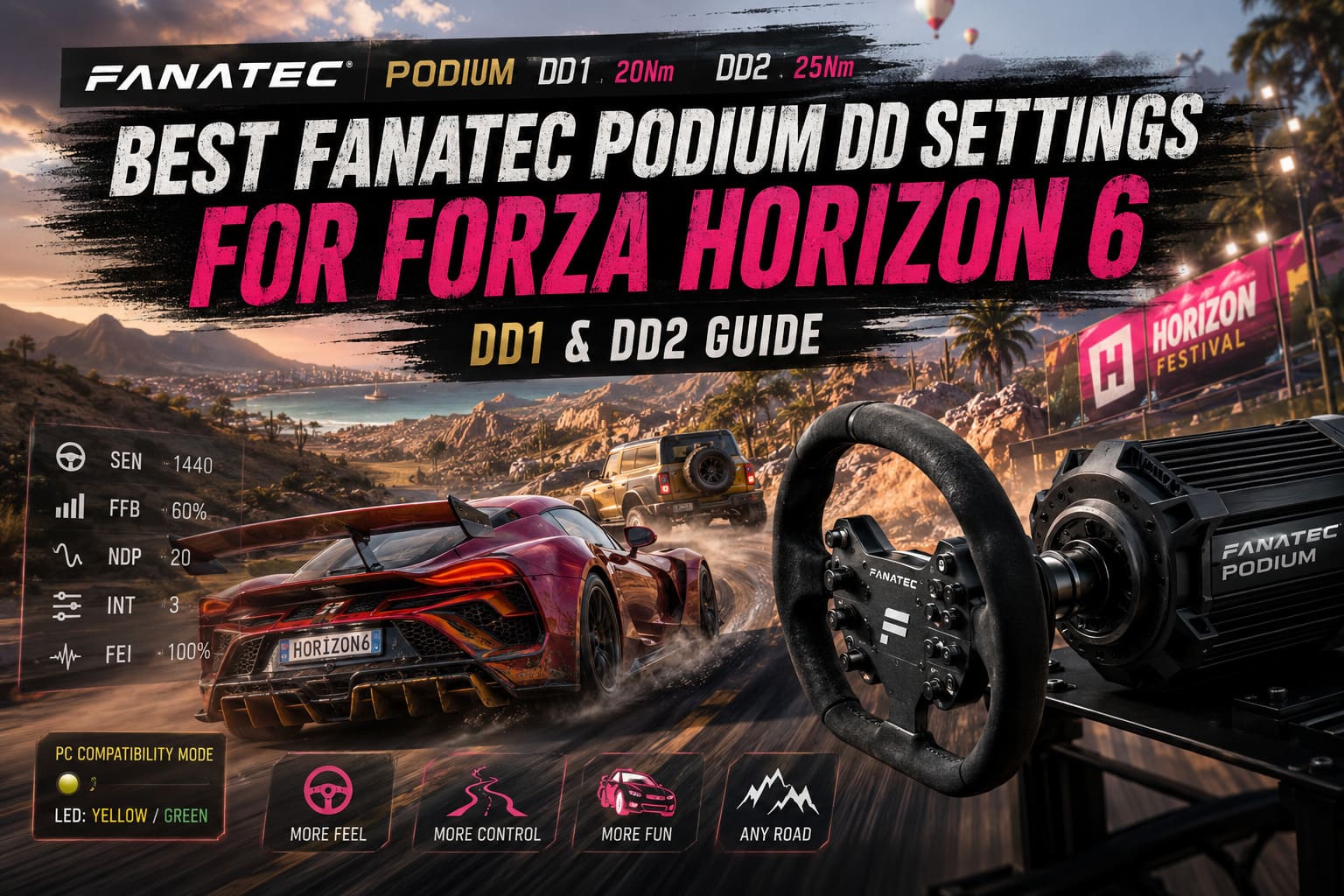
- DD1 → 20Nm
- DD2 → 25Nm
That amount of power exposes every weakness in the game’s FFB system. Tiny artificial vibrations become violent jolts. Small oscillations turn into steering shake. And if your settings are wrong, the wheel either feels dead or uncontrollably aggressive.
The good news? Once tuned properly, Horizon 6 becomes incredibly immersive with a Podium wheelbase.
The Important Compatibility Trick Most Players Miss
Before touching any settings, there’s one thing you absolutely need to do.
Forza Horizon 6 sometimes struggles to properly recognize Fanatec Podium bases when running in standard PC mode. I had missing button inputs and inconsistent FFB until switching modes.
Here’s what worked instantly:
- Turn on the DD1 or DD2
- Press the power button to cycle modes
- Switch to PC Compatibility Mode
- The LED should turn yellow or green depending on firmware
- Keep the Fanatec software running in the background
- Launch the game
After doing this, the wheel finally behaved correctly.
It sounds minor, but honestly, this fixes half the issues people complain about online.
My Recommended Fanatec Podium DD1/DD2 Settings for Forza Horizon 6
These are the settings that gave me the best balance between realism and Horizon-style fun.
| Setting | Value |
|---|---|
| SEN | 1440 |
| FFB | 60% |
| FFS | Peak |
| NDP | 20 |
| NFR | Off |
| NIN | Off |
| INT | 3 |
| FEI | 100 |
| FOR | 100 |
| SPR | 100 |
| DPR | 100 |
Why These Settings Actually Feel Good
FFB at 60%
Running maximum torque in Horizon 6 is honestly exhausting. The game throws too many artificial spikes into the force feedback system. At 60%, the wheel still feels powerful without becoming chaotic.
On my DD2, this sweet spot preserves detail while avoiding clipping during fast transitions.
Natural Damper at 20
This setting completely changed the experience for me.
Without damping, the wheel oscillates heavily on highways and high-speed straights. Too much damping, though, makes the steering feel sleepy. Around 20 feels perfect for Horizon 6 specifically.
Interpolation Filter at 3
The game’s FFB signal can feel rough and grainy on a direct drive wheel. INT 3 smooths out the harshness without killing detail.
FEI 100
I actually prefer full sharpness for road racing. You can feel curbs, weight transfer, and surface changes clearly.
That said, if you spend most of your time off-road, lowering FEI to 80–90 feels much better.
Best In-Game Forza Horizon 6 Wheel Settings
Now comes the important part.
Inside the game settings:
- Set Steering to Simulation
- Open Advanced Controls
Use these values:
| In-Game Setting | Value |
|---|---|
| Steering Deadzone Inside | 0 |
| Steering Deadzone Outside | 100 |
| Acceleration Deadzone Inside | 0 |
| Acceleration Deadzone Outside | 100 |
| Deceleration Deadzone Inside | 0 |
| Deceleration Deadzone Outside | 100 |
| Clutch Deadzone Inside | 0 |
| Clutch Deadzone Outside | 100 |
| Handbrake Deadzone Inside | 0 |
| Handbrake Deadzone Outside | 100 |
| Vibration Scale | 0.7 |
| Force Feedback Scale | 1.5 |
| Center Spring Scale | 0.1 |
| Wheel Damper Scale | 0.2 |
| Mechanical Trail Scale | 1.8 |
| Minimum Force | 0.8 |
| Load Sensitivity | 1.0 |
| Road Feel Scale | 0.6 |
| Off-Road Feel Scale | 0.5 |
| Steering Sensitivity | 0.5 |
The One Setting That Matters Most
Mechanical Trail Scale – 1.8
This setting finally gives the front tires proper communication. You can actually feel:
- understeer building
- grip loss
- front-end bite
- weight transfer
Without increasing this value, Horizon 6 still feels too “floaty” on a high-end wheel.
Once I pushed it higher, the cars suddenly became predictable.
Drifting Settings – My Favorite Alternative Setup
I spend a ridiculous amount of time drifting in Horizon games, and honestly, the standard setup feels slightly too slow for aggressive transitions.
For drifting:
- Lower SEN to 540
- Reduce NDP to 5–10
- Keep Wheel Damper low
This makes the wheel snap into counter-steer much faster.
The difference is massive during fast direction changes. You stop fighting the wheel and start flowing with it.
If you enjoy tandem drifting or mountain runs, this setup feels significantly more natural.
Off-Road and Rally Recommendations
Off-road racing in Horizon 6 can become brutal on a DD2.
The terrain detail is extremely aggressive, especially on:
- gravel roads
- rocky trails
- desert sections
After an hour of rally driving, my hands genuinely felt tired.
Here’s what helped:
- FEI → 85
- Wheel Damper Scale → 0.4
This softens violent impacts while still keeping terrain detail alive.
The wheel becomes smoother instead of constantly punching your wrists.
What Horizon 6 Still Gets Wrong With Direct Drive Wheels
Even though the force feedback system is better than previous Horizon games, there are still limitations.
Some issues remain:
- occasional center oscillation
- inconsistent curb behavior
- exaggerated suspension jolts
- weak self-aligning torque at low speed
This isn’t Assetto Corsa Competizione or iRacing — and it doesn’t need to be.
Forza Horizon 6 is about freedom, speed, exploration, and fun. Once you stop chasing pure sim realism and tune the wheel around the game’s personality, the experience becomes much more enjoyable.
Subnautica 2 Halfmoon Jerky Guide: How to Craft, Find Salt, and Master Early-Game Food Survival
My Honest Take After 30+ Hours
After many hours with both road racing and drifting, I genuinely think Horizon 6 is the best-feeling Horizon game ever released for direct drive users.
The improvements are noticeable:
- better tire communication
- more detailed surface feedback
- stronger weight transfer sensation
- improved steering precision
But the default settings absolutely do not showcase that.
With proper tuning, the DD1 and DD2 finally feel like premium hardware instead of overpowered machines fighting the game engine.
The biggest mistake people make is trying to force “hardcore sim” settings into Horizon. The game responds much better when you allow a little damping and smoothness into the setup.
Once everything clicks, driving through Horizon 6’s open roads at sunset with a properly tuned Podium wheel genuinely feels incredible.
And honestly? That’s the whole reason most of us bought direct drive wheels in the first place.