Iron Nest System Requirements: Minimum and Recommended PC Specs Explained
The upcoming release of Iron Nest: Heavy Turret Simulator has been generating a noticeable wave of interest among players who prefer something more grounded, mechanical, and methodical than the usual fast-paced shooters. Developed by Nick Nieuwoudt and Dominik Latos, this dieselpunk artillery simulator puts players inside a massive war machine where every action feels deliberate, weighty, and almost technical in nature.
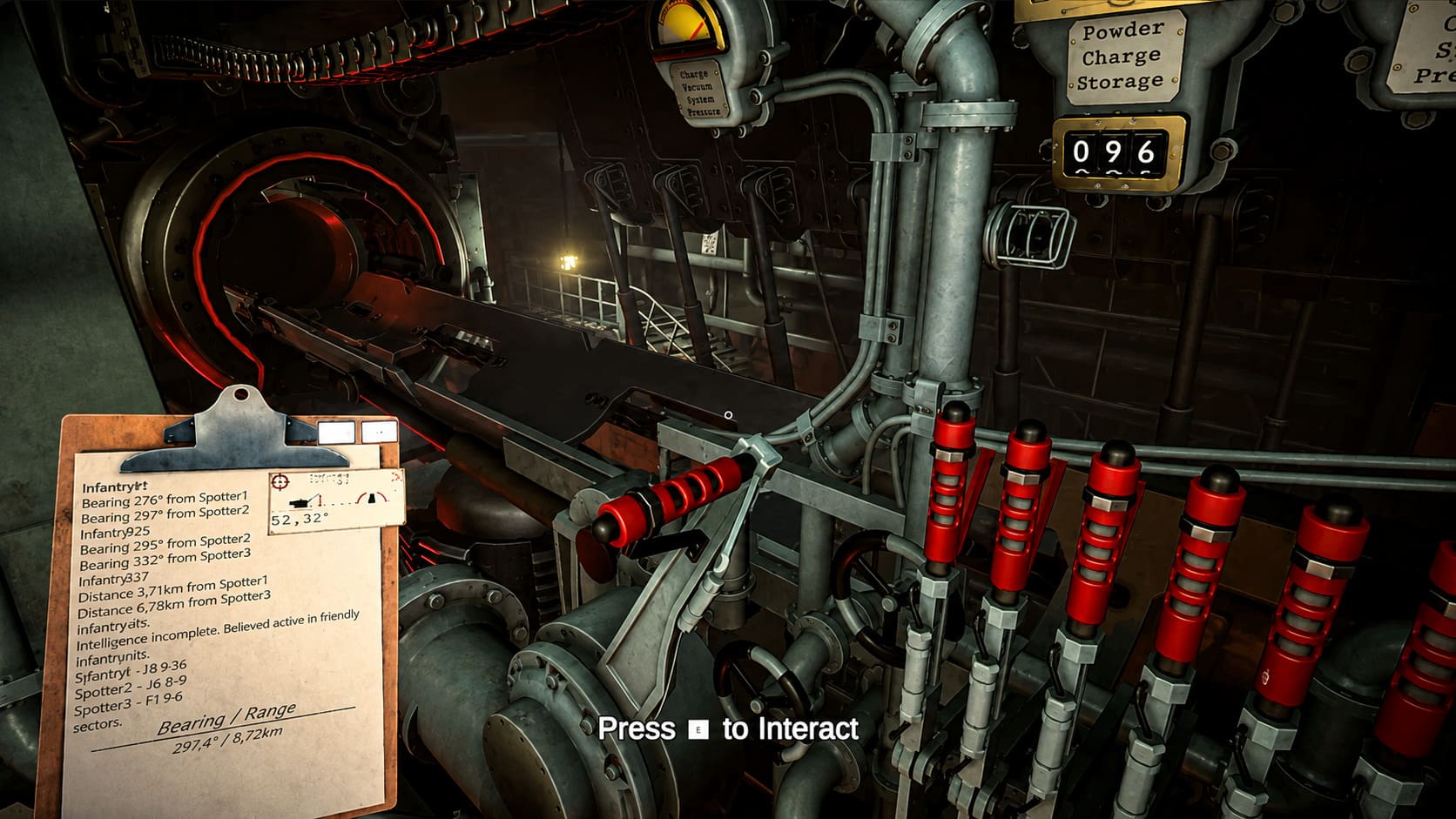
Unlike most action-heavy titles where reflexes dominate, Iron Nest leans into simulation depth. You are not just aiming and shooting; you are receiving orders from High Command, adjusting mechanical systems, calculating distances, loading charges, and fine-tuning artillery controls. The experience feels closer to operating a complex machine than playing a traditional shooter, which is exactly why system requirements matter so much for this game.
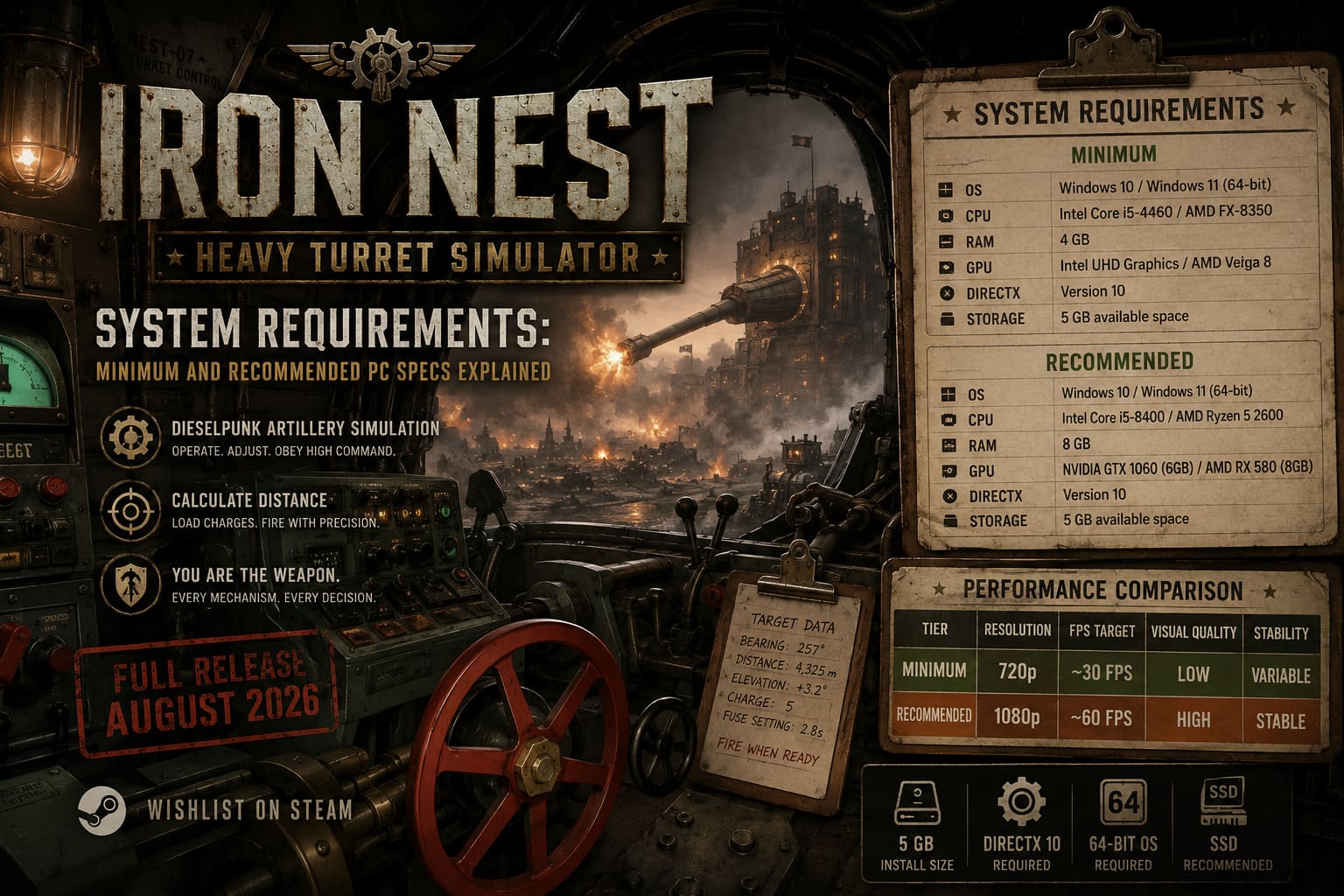
With the Steam demo already circulating and the full release planned for August 2026, many players are now asking a practical question: can their PC actually handle it smoothly? Below is a breakdown of both minimum and recommended system requirements, along with what kind of performance you can realistically expect in both scenarios.
Minimum System Requirements Overview
The minimum configuration for Iron Nest is surprisingly accessible, especially for a modern simulation game. The developers clearly aimed to make the experience available to a wide range of players, including those using older laptops or budget desktops.
Official Minimum Specifications
| Component | Requirement |
|---|---|
| Operating System | Windows 10 / Windows 11 (64-bit) |
| Processor (CPU) | Intel Core i5-4460 / AMD FX-8350 |
| Memory (RAM) | 4 GB |
| Graphics Card (GPU) | Intel UHD Graphics / AMD Vega 8 |
| DirectX | Version 10 |
| Storage | 5 GB available space |
At first glance, these requirements might seem extremely modest for a modern title, but Iron Nest is more focused on simulation logic than heavy open-world rendering. The small installation size and low RAM demand indicate a streamlined engine built for accessibility rather than graphical excess.
What the Minimum Specs Actually Mean in Practice
Meeting the minimum requirements allows the game to run, but not necessarily in a smooth or visually stable way. Early demo feedback suggests this configuration targets around 30 FPS at 720p resolution on low settings. While playable, this level of performance may feel limited in a simulation where timing and precision matter.
Integrated GPUs such as Intel UHD or AMD Vega 8 can technically handle the game, but performance dips are expected during intense moments. Explosions, particle effects, and large-scale calculations can cause noticeable frame drops. This is typical for physics-driven simulation games that rely on constant background processing.
Laptop users should also be aware of thermal constraints. Under sustained load, weaker systems may throttle performance, leading to inconsistent frame pacing. Keeping the device plugged in and well-cooled can improve stability, though it will not fully eliminate hardware limitations.
Recommended System Requirements Overview
For players who want a smoother and more immersive experience, the recommended configuration is where Iron Nest begins to shine. This setup unlocks higher visual fidelity, improved stability, and a consistent 60 FPS target at 1080p resolution.
Official Recommended Specifications
| Component | Requirement |
|---|---|
| Operating System | Windows 10 / Windows 11 (64-bit) |
| Processor (CPU) | Intel Core i5-8400 / AMD Ryzen 5 2600 |
| Memory (RAM) | 8 GB |
| Graphics Card (GPU) | NVIDIA GTX 1060 (6GB) / AMD RX 580 (8GB) |
| DirectX | Version 10 |
| Storage | 5 GB available space |
These specifications remain relatively modest even by modern standards. Many mid-range PCs from the past several years already exceed this level, making Iron Nest accessible to a broad audience without requiring expensive upgrades.
Why the Recommended Specs Matter More Than You Think
The difference between minimum and recommended hardware is not just about visuals—it is about consistency and responsiveness. Simulation-heavy games like Iron Nest rely on constant calculations for physics, trajectories, and environmental effects, which can strain weaker systems.
Upgrading to a dedicated GPU such as the GTX 1060 or RX 580 significantly improves stability during particle-heavy scenes. Explosions, smoke, and mechanical animations appear smoother, making the overall experience feel more cohesive and immersive.
Increasing RAM from 4 GB to 8 GB also plays a crucial role. It reduces stuttering by allowing the system to handle background processes, terrain data, and simulation logic more efficiently. This results in fewer interruptions during complex gameplay moments.
Performance Comparison
| Tier | Resolution | FPS Target | Visual Quality | Stability |
|---|---|---|---|---|
| Minimum | 720p | ~30 FPS | Low | Variable |
| Recommended | 1080p | ~60 FPS | High | Stable |
This comparison shows how scalability is a core strength of Iron Nest. The game can run on modest systems, but its full potential is unlocked with slightly stronger hardware.
Storage and System Considerations
One of the most surprising aspects of Iron Nest is its very small installation size of just 5 GB. This suggests efficient asset management and a focus on performance optimization rather than massive content bloat.
While the game does not require an SSD, installing it on one is highly recommended. Load times between missions and scenarios are noticeably faster, improving overall immersion. On a traditional HDD, transitions may feel slower and less responsive.
Additionally, the game requires a 64-bit operating system and will not run on older 32-bit systems. This is standard for modern games but still important for users with legacy setups.
Conclusion: Is Your PC Ready for Deployment?
Iron Nest: Heavy Turret Simulator is designed with broad accessibility in mind, allowing both low-end and mid-range systems to run the game effectively. While minimum specs ensure basic functionality, the recommended configuration delivers a far more stable and immersive experience.
If your system only meets minimum requirements, expect a playable but limited experience. If you meet or exceed the recommended specs, the game transforms into a smooth, visually rich simulation with consistent performance during complex artillery operations.
For uncertain players, the Steam demo remains the best way to test real-world performance before the full release in August 2026. In a simulation where precision and timing are essential, hardware stability plays a key role in overall enjoyment.