How to Fix The Binding of Isaac Repentance Online Co-Op EOS Crossplay Error
I’ve spent an unhealthy number of hours in roguelikes, and The Binding of Isaac: Repentance is one of those games that still manages to surprise me—even when it’s not trying to. The moment official online co-op dropped, it felt like a massive upgrade. No more awkward third-party workarounds, no more pretending split-screen emulation was “fine.” Just real online runs with friends.
But anyone who has actually tried it knows the reality is a bit messier. The EOS (Epic Online Services) layer that powers matchmaking can sometimes feel like it has a personality of its own… and not a friendly one. One day everything works smoothly, the next you’re staring at a greyed-out “Create Match” button or getting kicked right before a boss fight explodes in chaos.
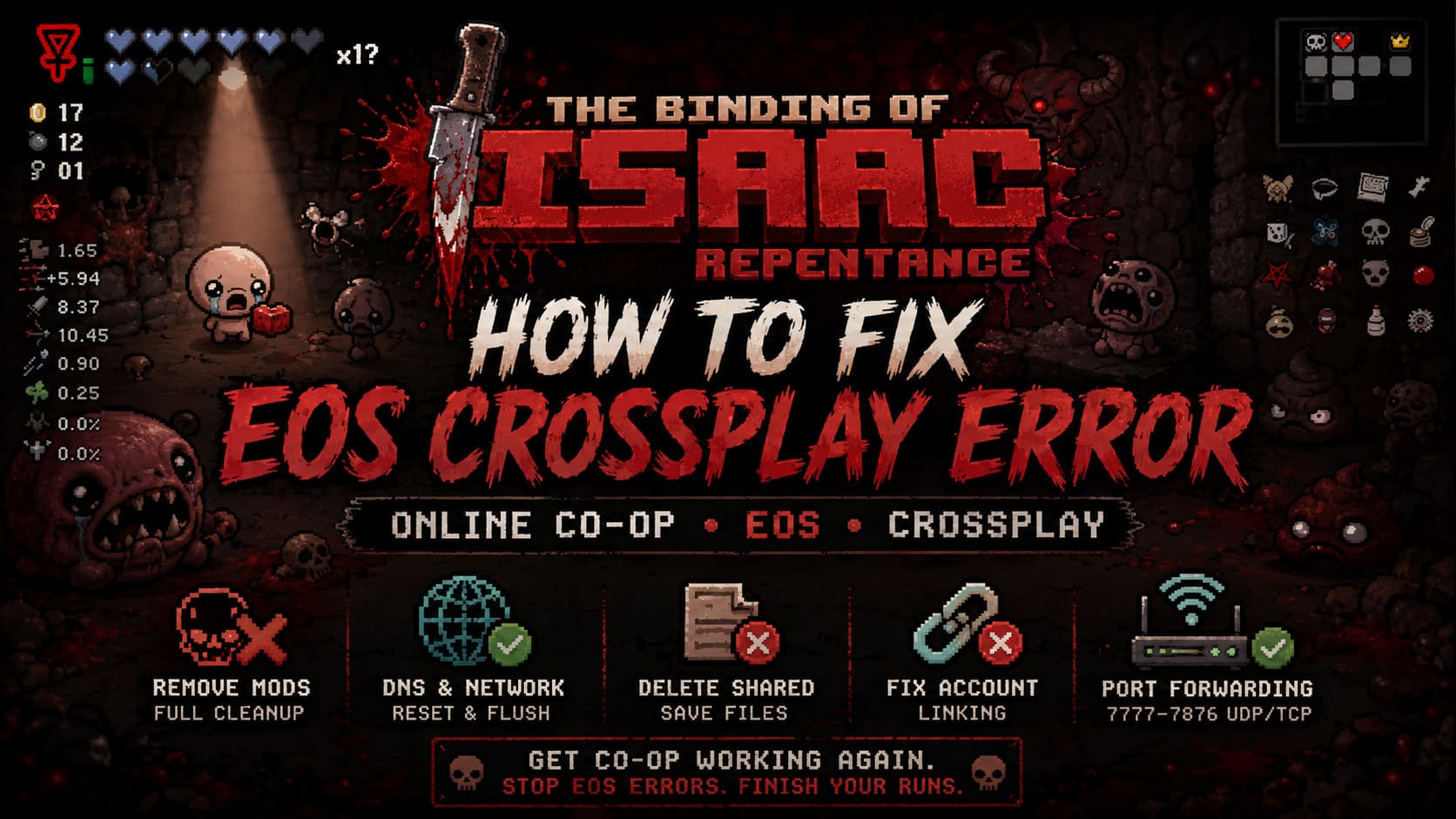
This guide is not theory. It’s a mix of community fixes, real player experience, and the stuff that actually works when the EOS crossplay error breaks your runs.
How to Unlock Tainted Characters in Binding of Isaac: Repentance (Full Guide)
What the EOS Crossplay Error Actually Means
When the game fails to connect, it’s usually not random. It’s a breakdown between three systems: your game client, Epic Online Services authentication, and your friend’s peer-to-peer session.
If any layer fails, you get issues like:
- Frozen or unclickable “Host / Join” buttons
- Instant disconnect after entering a lobby
- “Connection to Epic Online Services failed” messages
- Desync the moment enemies spawn
In simple terms, the game can’t confirm that everyone is running the same synchronized state.
Step 1: Mods Are Almost Always the Hidden Problem
Mods are one of the biggest reasons online co-op breaks. Even if everything looks disabled in-game, leftover files can still interfere with sync.
Full cleanup process:
- Unsubscribe from all Steam Workshop mods
- Remove leftover mod files manually
- Check configuration files for hidden settings
Go to Documents → My Games → The Binding of Isaac Repentance and open options.ini. Make sure:
EnableMods = 0
Even one outdated Lua script can silently break EOS matchmaking.
Step 2: DNS Reset and Network Fix
Sometimes the issue isn’t the game—it’s how your internet routes Epic Online Services traffic.
Switching DNS often fixes connectivity instantly.
Recommended DNS setup:
- Primary: 8.8.8.8
- Secondary: 8.8.4.4
After that, open Command Prompt (Admin) and run:
ipconfig /flushdns
This clears old routing data and forces a fresh connection path.
Step 3: Remove Shared Save and Cache Files
A known issue involves leftover session files that keep corrupting new lobbies.
Look for files like:
- sharedsave1.dat
- sharedsave2.dat
- sharedsave3.dat
These can cause crashes, desync loops, or inability to host games.
Delete them safely—they regenerate automatically when needed. After that, verify game files through Steam to restore clean data.
Step 4: Fix Account Linking Conflicts
Even though you launch through Steam, Epic Online Services still handles authentication in the background. If something is mismatched, multiplayer simply stops working.
Fix steps:
- Log into Epic Games account
- Go to account settings → Connections
- Find Steam integration
- Unlink it completely
Restart your PC afterward. When relaunching the game, let it reinitialize connections cleanly.
Step 5: Router Port Forwarding (Advanced Fix)
If you still experience disconnects, your router might be blocking peer-to-peer traffic used by EOS.
Open your router settings and forward the following ports:
UDP/TCP: 7777–7876
Also ensure Windows Firewall allows the game on both private and public networks.
Quick Fix Summary Table
| Problem | Cause | Fix |
|---|---|---|
| Cannot host lobby | Mods or firewall | Remove mods, open ports |
| Instant disconnect | DNS/network issue | Change DNS, flush cache |
| Frozen matchmaking | EOS sync failure | Verify files |
| Desync mid-run | Mod mismatch | Full mod cleanup |
| Login loop | Account conflict | Unlink Epic/Steam |
Important Reality Check: Crossplay Limitations
There is a lot of confusion around “crossplay” in this game. Even though EOS is involved, true cross-platform multiplayer is not supported.
Supported:
- PC (Steam) ↔ PC (Steam)
Not supported:
- PC ↔ PlayStation
- PC ↔ Xbox
- PC ↔ Nintendo Switch
If you try cross-platform connections, EOS errors are expected behavior, not a bug.
Final Thoughts
Online co-op in The Binding of Isaac: Repentance can be one of the most chaotic and fun multiplayer experiences in roguelike gaming—but only when EOS behaves.
From experience, most issues come down to a few core problems: mods, network routing, or account sync conflicts. Once those are cleaned up, the system becomes much more stable.
If everything fails, the safest order of fixes is:
- Remove mods completely
- Reset DNS and network cache
- Delete shared save files
- Fix account linking
- Open router ports
Most players only need one or two of these steps, not all of them. But when EOS breaks, it breaks in layers—and fixing it is usually about removing those layers one by one.