How to Fix Funnel Runners Black Screen on Startup: Full PC Guide (2026)
There are few things more disappointing than grabbing a brand-new co-op survival game, inviting your friends into voice chat, and then staring at a completely black screen instead of an EF5 tornado tearing across the map.
That was my first experience with Funnel Runners.
The game has a fantastic concept. Storm chasing, destructible environments, cooperative survival, and Unreal Engine 5 visuals sound like the perfect recipe for late-night gaming sessions. Unfortunately, launch week has also brought the usual collection of PC problems that seem to follow almost every ambitious UE5 title.
After spending several hours digging through Steam discussions, Reddit posts, community comments, and trying different solutions myself, I found that the black screen problem usually isn’t random. In most cases, it’s caused by a handful of common Windows or graphics issues.
If you’re currently launching Funnel Runners only to get an endless black display, these are the fixes worth trying before giving up.
Why Does Funnel Runners Launch to a Black Screen?
One thing I’ve noticed with Unreal Engine 5 games over the past couple of years is that they tend to stress nearly every part of a PC during startup. Before you even reach the main menu, the game is already compiling shaders, initializing DirectX 12, loading high-resolution textures, preparing physics systems, and detecting your display configuration.

When one small part of that startup process goes wrong, the entire game can freeze before anything actually appears on-screen.
The most common causes include:
- Display mode conflicts between Windows and the game.
- Old or unstable GPU drivers.
- Corrupted Steam files after installation.
- Overlay software hooking into the game.
- Windows compatibility settings causing launch issues.
- Damaged shader cache or Windows system files.
The good news is that most of these problems can be fixed in just a few minutes.
Quick Troubleshooting Overview
| Problem | Most Effective Fix | Difficulty |
|---|---|---|
| Black screen immediately after launch | Force Windowed Mode | Easy |
| Black screen with audio | Disable overlays | Easy |
| Crash before menu | Verify Steam files | Easy |
| Freeze after Unreal Engine logo | Update GPU driver | Medium |
| Random startup failures | Disable Fullscreen Optimizations | Easy |
| Game refuses to initialize | Clear Shader Cache | Medium |
Fix #1 — Launch the Game in Windowed Mode
This ended up being the solution that worked for me.
Instead of letting Funnel Runners switch directly into exclusive fullscreen, force Steam to launch it in a window first.
Open your Steam Library, right-click Funnel Runners, select Properties, then find the Launch Options box.
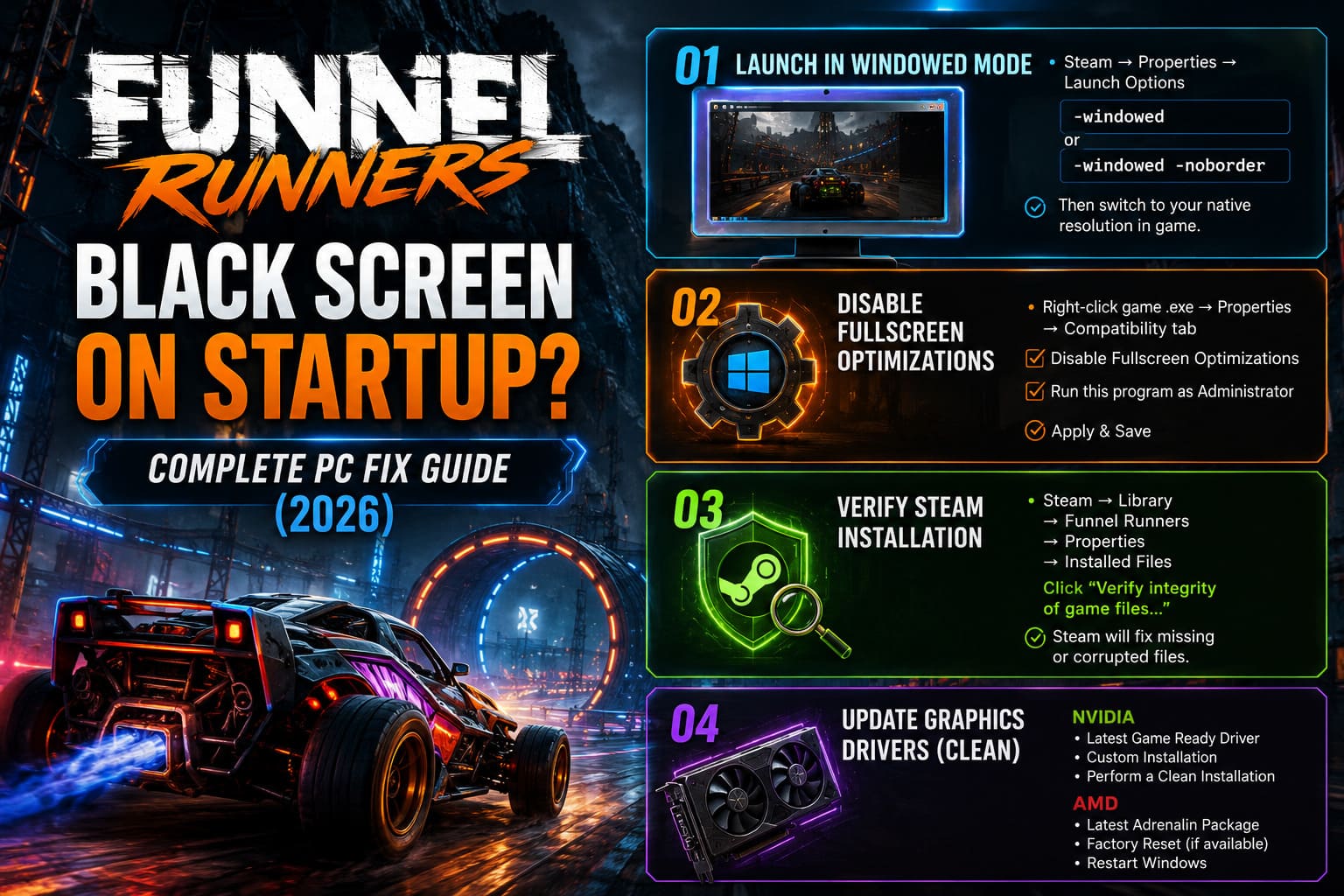
Try entering:
-windowedIf that still leaves you staring at a black screen, replace it with:
-windowed -noborderBorderless mode often avoids the display handshake that causes fullscreen launches to fail.
Once you finally reach the main menu, switch the graphics settings to your monitor’s native resolution before removing the launch option.
Fix #2 — Disable Fullscreen Optimizations
This Windows feature is supposed to improve gaming performance.
Ironically, I’ve lost count of how many games it has broken.
For Unreal Engine 5 games in particular, disabling Fullscreen Optimizations has become one of my first troubleshooting steps.
Simply:
- Open the Funnel Runners installation folder through Steam.
- Locate the main executable.
- Open Properties.
- Go to the Compatibility tab.
- Enable Disable Fullscreen Optimizations.
- Also enable Run this program as Administrator.
- Save the changes.
It takes less than a minute and has solved startup problems for plenty of indie titles.
Fix #3 — Verify the Steam Installation
Sometimes the issue isn’t your PC at all.
Steam downloads occasionally miss or corrupt files, especially during launch week when developers are constantly pushing small hotfixes.
Running Steam’s built-in verification tool is one of the safest things you can do.
The launcher compares every installed file against the official version and automatically replaces anything that’s missing or damaged.
I’ve had games magically start working after verification reported just one corrupted file.
It’s worth checking before trying more complicated solutions.
Fix #4 — Install a Fresh Graphics Driver
Funnel Runners leans heavily on Unreal Engine 5’s rendering features.
That means outdated graphics drivers can create all kinds of startup headaches.
If you’re running NVIDIA hardware:
- Download the newest Game Ready Driver.
- Choose Custom Installation.
- Select Perform a Clean Installation.
For AMD users:
- Install the newest Adrenalin package.
- Use the factory reset option if available.
- Restart Windows after installation.
A clean driver installation clears old shader profiles and configuration leftovers that standard updates sometimes leave behind.
Fix #5 — Turn Off Every Overlay You Can Find
This one surprised me years ago, but it keeps proving itself.
Overlay software injects itself into games while they’re launching.
Usually it works perfectly.
Sometimes it completely breaks initialization.
Before launching Funnel Runners, temporarily disable:
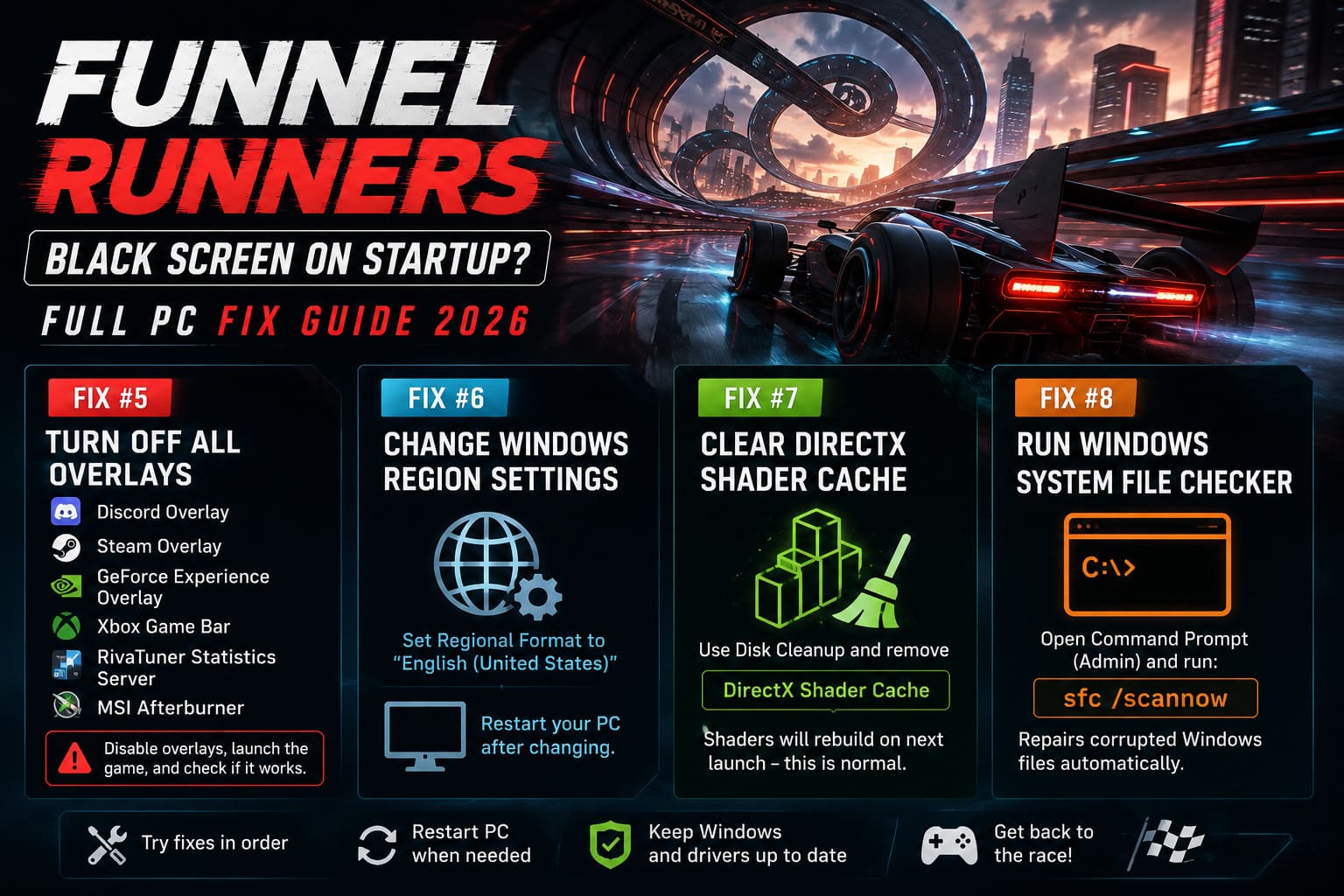
- Discord Overlay
- Steam Overlay
- GeForce Experience Overlay
- Xbox Game Bar
- RivaTuner Statistics Server
- MSI Afterburner
If the game suddenly starts working, you’ve already found the culprit.
You can always turn overlays back on later one by one to see which one causes the problem.
Fix #6 — Try Changing Windows Region Settings
I’ll admit this one sounds strange.
But every year there’s at least one PC game where changing Windows Regional Format unexpectedly fixes launch issues.
If you’re using a regional format other than English (United States), temporarily switch it under Windows Region Settings.
Restart your computer afterwards.
Is this a guaranteed fix?
No.
But enough players have reported success with similar Unreal Engine games that it’s worth spending two minutes testing.
Fix #7 — Clear the DirectX Shader Cache
Shader cache corruption is becoming increasingly common with modern graphics APIs.
Windows stores compiled shaders so games launch faster.
Unfortunately, corrupted cache files can sometimes prevent games from rendering anything at all.
Use Disk Cleanup, select your system drive, then remove only:
- DirectX Shader Cache
Leave everything else untouched if you prefer.
The next launch may take slightly longer because the shaders are being rebuilt, but that’s completely normal.
Fix #8 — Run Windows System File Checker
If none of the previous solutions help, it’s worth checking Windows itself.
Open an elevated Command Prompt and run:
sfc /scannowThe System File Checker scans protected Windows files and replaces corrupted components automatically.
It’s not specific to Funnel Runners, but I’ve seen damaged Windows files cause strange graphics initialization errors in several games over the years.
Extra Tips That Are Easy to Overlook
A few additional checks are worth making before assuming the game itself is broken.
- Restart your PC instead of repeatedly relaunching the game.
- Disconnect extra monitors temporarily.
- Close RGB software running in the background.
- Make sure Windows is fully updated.
- Avoid Alt-Tabbing while the game is loading shaders for the first time.
- If you’re using GPU overclocks, return everything to stock settings for testing.
None of these take long, and together they eliminate several variables that can interfere with Unreal Engine 5.
Funnel Runners Low FPS Fix: Best Optimization Settings to Stop Lag & Stutters
My Thoughts After Troubleshooting Funnel Runners
I genuinely think Funnel Runners has a lot of potential.
The atmosphere is excellent, chasing tornadoes with friends creates some incredibly tense moments, and the destruction effects are among the better ones I’ve seen in an indie survival game recently.
That said, the launch experience definitely needs polish.
The black screen issue feels very similar to what we’ve seen from several Unreal Engine 5 releases over the last few years. Most of the fixes aren’t actually repairing the game itself—they’re simply helping Windows and the engine communicate properly during startup.
Hopefully, future patches will remove the need for these workarounds altogether.
Until then, I’d start with Windowed Mode, Steam File Verification, and disabling overlays. Those three solutions seem to resolve the problem for the largest number of players and require almost no technical knowledge.
If those don’t work, move on to the graphics driver refresh and shader cache cleanup.
How to Fix Funnel Runners Crash on Launch: Steam Startup Guide (2026)
Final Verdict
Although a permanent black screen can make Funnel Runners seem completely broken, the problem is usually fixable without reinstalling Windows or replacing hardware. In my experience, this is another case where a few small compatibility tweaks are enough to get Unreal Engine 5 behaving normally.
Work through the fixes one by one instead of trying everything at once. That way you’ll know exactly what solved the issue, and you’ll avoid changing settings you never needed to touch in the first place.
Once you’re finally past that black screen, the real challenge begins—surviving the tornado.