The Division Resurgence: How to Link Mobile Account to Steam (Cross-Progression Guide)
The launch of The Division Resurgence on Steam feels like the moment many players have been waiting for since the mobile version first appeared. I enjoyed the game on my phone far more than I expected, especially during short sessions when I didn’t have enough time to sit down at my PC. But after spending dozens of hours farming gear, testing different builds, completing missions, and collecting seasonal rewards, starting from zero just because I wanted to switch platforms was never an option.
Thankfully, Ubisoft designed The Division Resurgence with cross-progression in mind. When everything is connected correctly, your agent, equipment, cosmetics, purchases, and seasonal progress can follow you between mobile devices and Steam. However, there are several important account rules that every player should understand before making the transition.
This guide explains exactly how to link your mobile account to Steam, how Ubisoft Connect manages your progress, and what mistakes can cause your character to disappear. Whether you are a long-time mobile player moving to PC or a new agent preparing for the Steam release, these steps will help protect your progress.
How to Fix The Division Resurgence Black Screen After Cinematic Bug
Why Cross-Progression Is Important in The Division Resurgence
Unlike many mobile games that lock players into one platform, The Division Resurgence allows you to continue your journey across different devices. Your agent does not need to be recreated when you move from your smartphone to your desktop computer.
After playing many online RPGs and looter shooters over the years, I have learned how valuable account progression really is. Grinding for rare weapons, optimized gear pieces, and powerful upgrades takes a serious amount of time. Losing that progress because of a platform change can completely ruin the experience.
The biggest advantage of cross-progression is freedom. You can complete daily missions on your phone while traveling, manage your inventory during a quick break, and then continue the same character later with mouse and keyboard controls on PC.
How The Division Resurgence Cross-Progression Works
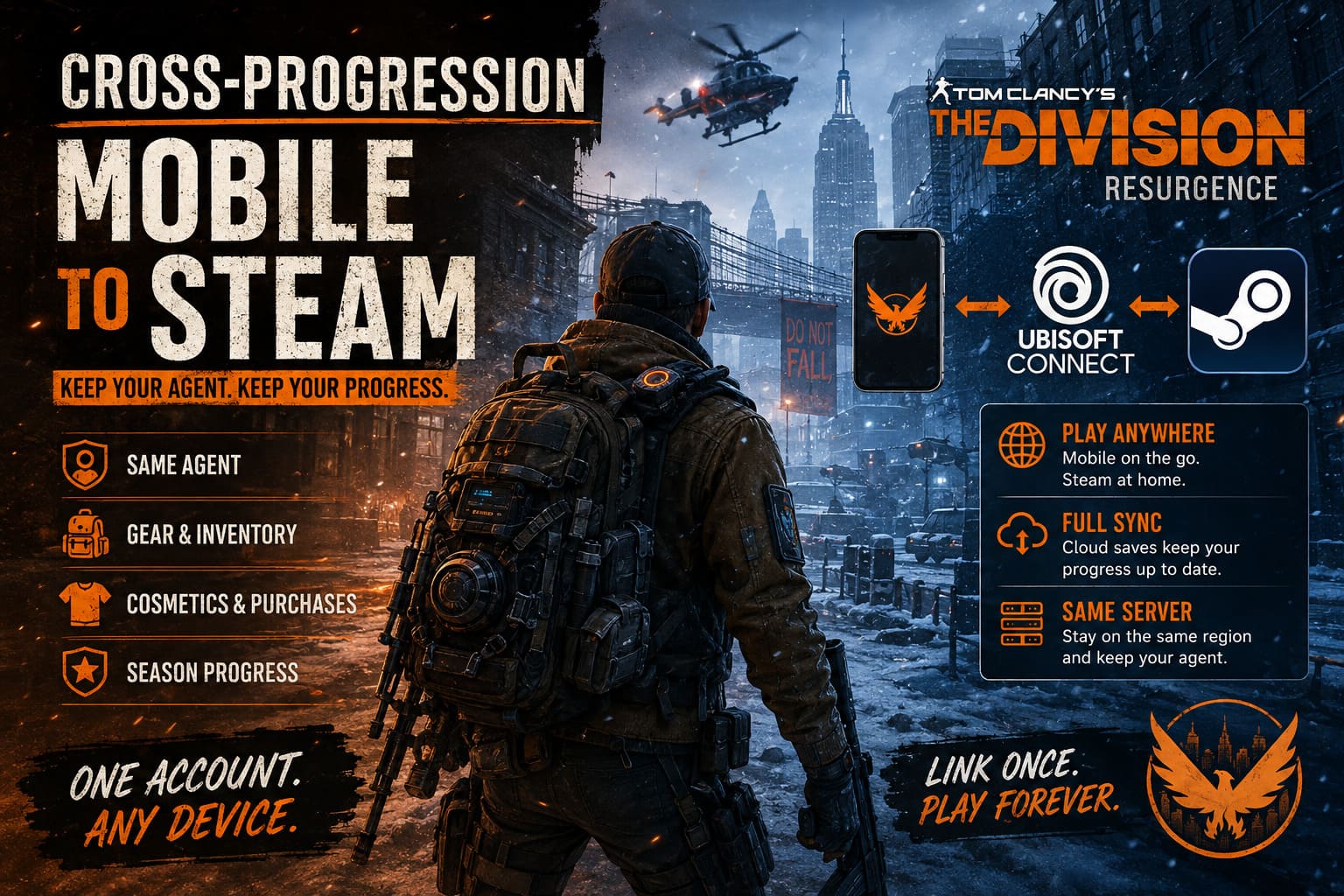
Many players assume that Steam directly connects with the mobile version of the game, but that is not how the system works. Steam acts as another way to launch the game, while Ubisoft Connect works as the central account system that stores and synchronizes your progress.
The connection process depends on three important parts working together. Your mobile account needs to be linked with Ubisoft Connect, and your Steam profile must connect to that exact same Ubisoft account. If one of these steps is completed incorrectly, the game will load a fresh profile instead of your existing character.
| Platform | Purpose |
|---|---|
| Mobile Version | Your original agent and saved progress |
| Ubisoft Connect | Main cloud account that stores progression |
| Steam | PC launcher connected to your Ubisoft profile |
The most important rule is simple: always use the same Ubisoft account on every platform. Creating a new account during Steam setup is the fastest way to lose access to your existing character.
Step One: Secure Your Mobile Account Before Moving to Steam
Before installing the Steam version, make sure your mobile progress is safely connected. This step is especially important for players who started the game using a guest account, because guest data can remain tied only to the original device.
If your phone is damaged, the application is deleted, or you switch devices before creating a proper cloud connection, recovering your agent can become extremely difficult.
How to Link Your Mobile Account to Ubisoft Connect
- Launch The Division Resurgence on your iOS or Android device.
- Open the main menu from the game interface.
- Enter the Settings section.
- Find the Account or Connections menu.
- Select the option to link Ubisoft Connect.
- Sign in using your existing Ubisoft email and password.
- Complete any security verification steps.
- Wait until the game confirms that your account has been connected successfully.
I have seen many players make the same mistake in online games: they assume their progress is automatically saved forever. Cloud systems are convenient, but only after the account is properly connected. Spending a few minutes securing your profile is much better than losing weeks of progress.
Check Your Server Region Before Switching Platforms
Another detail that can confuse players is the server region. Even with cross-progression enabled, your agent is associated with the regional server where you originally played.
If your mobile account uses one region and your Steam version starts in another, your character may not appear. Before thinking your save file is missing, always confirm that both versions are connected to the same server environment.
How to Link Steam With Your Ubisoft Account
Once your mobile account is protected, moving to Steam is much easier. The PC version uses Ubisoft Connect during the first launch, allowing the game to find your existing cloud data.
Steam Account Linking Steps
- Open Steam and download The Division Resurgence.
- Launch the game for the first time.
- Accept the Ubisoft account connection prompt.
- Your browser will open the official Ubisoft login page.
- Enter the same Ubisoft account used on mobile.
- Confirm the Steam and Ubisoft connection.
- Return to Steam and launch the game.
If everything is connected correctly, your existing agent should appear on the character selection screen. Seeing your fully upgraded character return instead of starting from the beginning is one of the best moments during a platform switch.
Alternative Method: Link Steam Through Ubisoft Account Settings
Sometimes the built-in account window can fail because of browser problems, server traffic, or authentication errors. If that happens, you can manually connect Steam through your Ubisoft account settings.
| Step | Action |
|---|---|
| 1 | Sign in to Ubisoft account management |
| 2 | Open account information settings |
| 3 | Find the linked accounts section |
| 4 | Select Steam |
| 5 | Authorize the connection |
After completing these steps, restart the game through Steam. The system should automatically detect your linked Ubisoft profile and load your existing progression.
Common Problems When Linking Accounts
Using the Wrong Ubisoft Account
This is the most common issue players experience. Many Ubisoft users have multiple accounts created over the years while playing different franchises. It is easy to forget which email was connected to a specific game.
If your Steam version shows an empty character list, check your Ubisoft account details first. Make sure the same email address is connected to your mobile progress and Steam connection.
Creating a New Ubisoft Profile by Accident
During the first Steam launch, some players quickly create a new account without realizing what happened. The result is an empty profile with no agent, no equipment, and no saved progression.
Always log in with your existing Ubisoft credentials instead of registering a fresh account.
Deleting Guest Data Before Linking
Players who started with guest accounts should be especially careful. Never uninstall the mobile application or clear game data before connecting Ubisoft Connect.
A guest account without a cloud backup can disappear permanently if the local save is removed.
Browser Errors and Overlay Conflicts
If the linking screen freezes or refuses to load, try disabling third-party overlays. Applications like Discord Overlay, graphics software overlays, and performance monitoring tools can sometimes interfere with authentication windows.
Updating your default browser can also fix login problems during the account verification process.
Can You Change Linked Steam Accounts Later?
Ubisoft protects account connections to prevent fraud, account selling, and unauthorized transfers. While unlinking options exist, you cannot freely move your character between different Steam profiles whenever you want.
If you connect the wrong Steam account, fixing the situation may require contacting Ubisoft Support. Because of these restrictions, double-check everything before confirming the link.
Final Thoughts on The Division Resurgence Cross-Progression
After playing countless online games, I appreciate when developers allow players to keep their progress wherever they choose to play. The Division Resurgence benefits greatly from this approach because the game works naturally on both mobile devices and PC.
The mobile version is perfect for quick missions, inventory management, and checking daily activities. Meanwhile, Steam offers better controls, a larger display, and a more traditional tactical shooter experience.
The entire process comes down to one simple idea: connect everything to the correct Ubisoft account before making the jump. Verify your login details, check your server region, and avoid creating unnecessary accounts. Once everything is configured properly, your agent will always be ready to return to the streets of New York, no matter which platform you choose.