Graveyard Keeper 2 Zombie Guide: How to Automate Your Graveyard and Production Chains Efficiently
Graveyard Keeper 2 takes the wonderfully strange idea of managing a cemetery and pushes it much further. What starts as a grim little job involving corpses, graves, and questionable experiments gradually turns into something that looks suspiciously like a medieval industrial simulator. You are not just taking care of the dead anymore. You are rebuilding a Town, expanding production, managing resources, dealing with environmental problems, and trying to make enough money to keep the whole ridiculous operation moving.
And honestly, this is where the zombie system becomes one of the most important mechanics in the entire game. During the early hours, doing everything yourself feels manageable. You chop wood, mine stone, process iron, move materials, craft components, and run back and forth between workstations while wondering where all your energy disappeared. Then the production requirements start getting bigger, and suddenly that same manual workflow becomes painfully slow.
That is the moment when Graveyard Keeper 2 zombie automation stops being a fun side feature and becomes something you really need to understand. A properly organized zombie workforce can turn a collection of annoying chores into a production machine that keeps working while you are somewhere else. In my experience with management-heavy games, this is exactly the kind of system that rewards planning early, because a few good automation decisions can save an absurd amount of time later.
The Witcher 3 Next-Gen Console Commands List: PC Cheat Guide (2026 Update)
How to Get Your First Zombie in Graveyard Keeper 2
You cannot simply throw a corpse into a machine and expect it to become your newest employee. Getting the first zombie requires access to the appropriate technology and the construction of a Resurrection Table. From there, the game starts asking you to think about corpses in a completely different way.
Normally, you look at a corpse and immediately think about its burial quality. With zombies, that mindset needs to change. You are basically looking at potential workers and asking yourself whether a particular body is worth spending your valuable resurrection resources on. That makes corpse preparation a surprisingly important part of your long-term production strategy.
For resurrection, you need an appropriate human corpse with the necessary organs intact, a clean extraction process, a suitable Zombie Collar, and the required reanimation resources. Depending on your setup and progression, that can include Reanimation Liquid, Faith, and advanced alchemical materials. You also need to make sure the required resources are available in the relevant workshop or laboratory storage area.
My biggest advice here is simple: do not resurrect every corpse just because you can. Early automation resources are limited, and filling your workplace with mediocre zombies can create more organizational problems than it solves. It is much better to think about your workforce as an investment and choose bodies that will actually contribute to the production chain you are building.
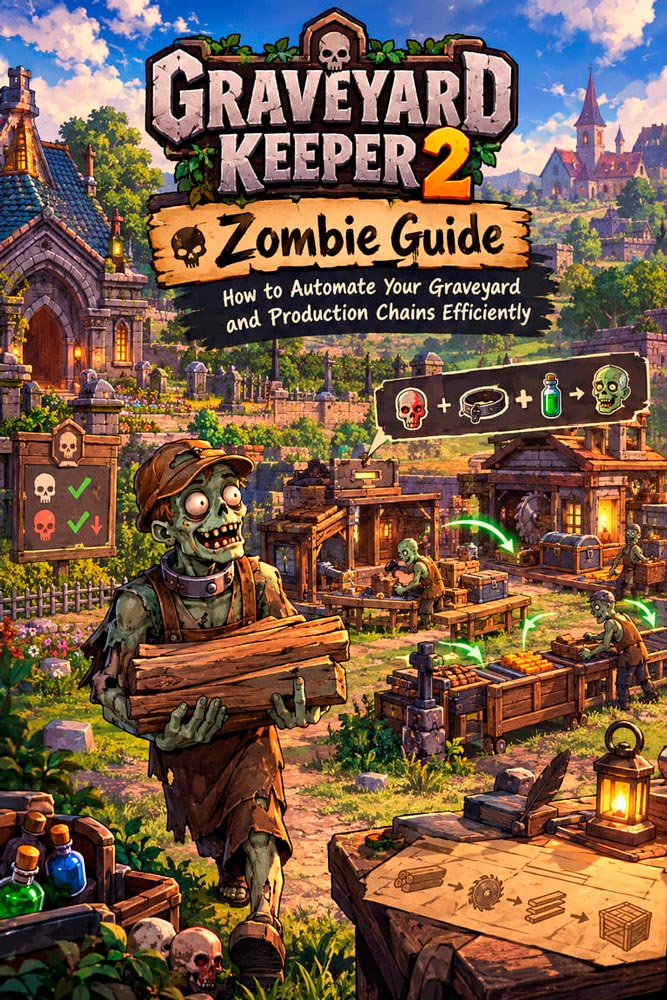
Zombie Skulls Explained: Why Red Skulls Matter
This is probably the part of the zombie system that causes the most confusion, especially if you already understand how corpse quality works for normal graves. For regular burial plots, white skulls are extremely valuable because they contribute toward the quality of the grave. Red skulls, on the other hand, are generally something you want to avoid when your goal is creating an impressive cemetery.
Zombies flip that logic around.
White skulls do not provide the same direct value to an automated worker that they provide to a buried corpse. A body with a pile of white skulls is not automatically going to become a vastly superior production zombie. Those high-quality bodies are usually better reserved for your cemetery if you are trying to maximize grave ratings.
Red skulls are much more interesting when you are building a zombie workforce. They function as an important part of the worker’s development potential and can determine how much room you have for zombie talents and mastery-related progression. In other words, a corpse that looks terrible from a cemetery perspective can potentially be much more attractive from an industrial perspective.
It is one of those wonderfully backwards systems that fits Graveyard Keeper perfectly. The corpse you would proudly put in your best grave may be less interesting to your factory than the one that looks like it should never have made it past the morgue.
| Corpse Stat | Best Use | Why It Matters |
|---|---|---|
| White Skulls | High-quality graves | Important for cemetery rating and burial quality |
| Red Skulls | Zombie workforce | Important for zombie development and talent potential |
| High-quality corpse | Burial | Usually better saved for maximizing graveyard quality |
| Suitable zombie corpse | Automation | Can become part of your long-term production network |
Zombie Technology: What Should You Unlock First?
The zombie technology path is not something I would approach randomly. The complete branch requires a significant investment of technology points, including 85 Red Points, 195 Green Points, and 45 Blue Points. It covers seven technologies, eleven recipes, a specialized station, and several major forms of automated production.
The exact route matters because some of the more exciting automation options are buried deeper in the tree. If you spend your points without thinking about the production chain you actually want, you can end up waiting longer than necessary for the upgrades that would have made your daily workload dramatically easier.
1. Zombie Logistics
Zombie Logistics is the foundation of the entire system. It requires the appropriate prerequisite, including Second Chance, and costs 10 Red Points and 10 Green Points at its base level. The major reward is the Porter Station, which becomes one of the most useful pieces of infrastructure once your production network starts expanding.
If you ask me, logistics deserves attention early because producing items is only half the problem. You also need to move them. A factory that produces twenty different resources but leaves everything sitting inside workbench output slots is not exactly automated.
2. Zombie Mining
Next comes Zombie Mining, which requires The Concept of Stone and Mining-related progression. The technology opens Zombie Ore Mines on both sides and gives you access to a much more reliable automated source of metal ores.
This is where the system starts feeling genuinely useful. Mining manually is fine when you need a handful of resources, but large construction and crafting projects can consume materials at a ridiculous rate. Having zombies handle the repetitive extraction work means you can spend your own time on exploration, quests, upgrades, and everything else the game throws at you.
3. Zombie Gardening
Zombie Gardening expands automation into farming. It sits behind technologies such as Garden Beds, Improvement, and Gardening, and requires 20 Green Points and 5 Blue Points at its base cost.
Farming automation might not sound as exciting as mining or quarrying, but it is exactly the kind of upgrade that quietly saves hours. Once several resource chains are operating at once, removing repetitive farming tasks from your personal schedule becomes extremely valuable.
4. Zombie Quarrying I
Zombie Quarrying I adds automated stone production through the Zombie Stone Quarry structures. The required progression includes The Concept of Stone and Stoneworking or Stone Carving.
Stone is one of those resources that seems plentiful until you start building seriously. Then suddenly every new structure wants another stack of it. Automated quarrying keeps that problem from constantly landing back on your personal to-do list.
5. Zombie Vineyard
The Zombie Vineyard is a more specialized branch, requiring Gathering, Transplanting, and Grape Farming progression. Its investment is considerably larger, but it opens automated vineyard and winemaking operations.
This is a good example of why I would not blindly chase every zombie upgrade in the order listed. Your priorities should reflect what you are actually building. If your current bottleneck is construction materials, production logistics may be more valuable than immediately investing heavily into specialized winemaking.
6. Zombie Quarrying II
Zombie Quarrying II takes the stone-production system further and unlocks automated marble quarrying. It sits deeper in the technology tree and requires considerably more investment than the earlier automation options.
Marble becomes increasingly important as your construction ambitions grow, so this upgrade makes more sense later when your settlement is already operating at a larger scale. It is not something I would rush simply because the technology exists.
7. Zombie Woodcutting
Finally, Zombie Woodcutting opens the route toward the Sawmill and automated timber processing. It requires technologies including The Concept of Wood, Sawing, and Firewood.
Wood is one of the resources that constantly disappears in management games. You build something, repair something, craft something else, and suddenly your entire stockpile is gone. Automating wood production is therefore one of those upgrades that looks boring on paper but becomes incredibly satisfying once it is running.
Which Materials Should You Automate First?
Once your zombie workforce starts functioning, you should concentrate on materials that appear repeatedly throughout your crafting chains. The Big Tree Sawmill is particularly useful for heavy timber processing and can become an important part of a larger automated production network.
Flitch, Nails, and Clean Paper are especially useful examples. Flitch appears across a huge number of crafting recipes, while Nails are needed for everything from construction to furniture and repairs. Clean Paper also becomes important for church-related progression, study, writing, and other systems.
| Material | Why Automate It? | Typical Role |
|---|---|---|
| Flitch | Used in a huge number of recipes | Construction and general crafting |
| Nails | Constantly consumed during building | Construction, repairs, furniture |
| Clean Paper | Important for several progression systems | Church, study, writing and related crafting |
The important lesson is that automation should follow demand. There is little value in producing enormous quantities of something you barely use while constantly running out of a basic component required by half your crafting recipes.
How Zombie Supplier Stations Keep Production Running
This is where basic zombie automation becomes a real production chain. Putting a zombie next to a workstation does not magically create a fully autonomous factory. You still have to think about inputs, outputs, storage, and transportation.
For example, a production zombie may happily craft items until the required materials run out. If you are still manually carrying every ingredient to the workstation, you have automated the crafting step but not the actual workload. That is why Zombie Supplier Stations and storage infrastructure are so important.
A practical setup looks something like this:
- Store the basic raw materials in regional storage chests.
- Assign production zombies to the appropriate workstations.
- Set the recipes you want them to produce continuously.
- Assign another zombie to a Supplier Station so missing ingredients are delivered automatically.
- Use a Porter Station to remove finished products from the workstations.
- Send those finished products toward centralized storage where they can be accessed later.
The Porter Station is particularly important because production can stop when output storage fills up. That is one of the easiest mistakes to make when setting up an automated factory. You might think your zombie worker is broken when the real problem is simply that nobody is clearing the finished products from the workstation.
Think of Your Zombies as a Supply Chain
The best way to understand the system is to stop thinking of individual zombies as workers and start thinking of them as parts of a supply chain. One zombie extracts the resource, another transports it, another processes it, and another moves the finished product into storage. Once those pieces are connected properly, the whole thing starts behaving like a little undead factory.
This also changes how I would approach base design. Instead of scattering workstations wherever there happens to be empty space, it makes sense to build production areas around storage and transportation routes. Shorter logistics paths mean fewer opportunities for your production chain to stall, and a clean layout makes it much easier to understand what each zombie is actually doing.
My Advice for Building a Better Zombie Workforce
If you are just starting with Graveyard Keeper 2 zombie automation, resist the urge to unlock everything at once. Build around your current bottleneck. If you constantly run out of stone, prioritize quarrying. If construction is eating all your wood, invest in woodcutting. If your workshops are always waiting for ingredients, logistics and supplier stations deserve your attention.
Also, keep your best cemetery corpses and your best zombie corpses mentally separated. They are not necessarily the same thing. A beautiful high-white-skull body can be worth far more as a burial than as a factory worker, while an ugly corpse with useful red-skull potential may become one of the most productive members of your entire undead workforce.
Finally, do not underestimate transportation. Production without logistics is only half an automation system. The moment you have suppliers feeding workstations and porters clearing completed goods, the difference becomes obvious. Your character stops being the person constantly carrying twenty kilograms of random medieval junk between buildings and starts feeling like the manager of an actual operation.
Final Thoughts
The zombie system is one of the mechanics that gives Graveyard Keeper 2 its own personality. Plenty of management games let you automate production, but there is something particularly entertaining about building an efficient industrial empire out of resurrected corpses while still pretending that your main occupation is running a respectable graveyard.
The trick is to approach automation as a connected system rather than a collection of individual upgrades. Choose useful corpses, understand the difference between white and red skulls, unlock the technology branches that solve your current problems, and build proper input and output logistics around every important workstation.
Once mining, quarrying, farming, woodcutting, crafting, and transportation are all working together, the game changes pace. Instead of spending every morning doing the same exhausting chores, you can finally let your undead employees handle the boring stuff while you focus on exploration, story progression, construction, and the stranger mysteries hiding around the world.
And that is probably the most satisfying part of the whole system. You are not simply making zombies work for you; you are designing a machine that keeps working when you walk away from it. When the production lines finally run smoothly, the graveyard stops feeling like a tiny medieval business and starts looking like the headquarters of an absolutely ridiculous undead corporation.