Essential Blood of Dawnwalker Mods 2026: Camera Fixes, Graphics Overhauls & QoL Tweaks
If there’s one thing I’ve learned after years of bouncing between big RPGs—from The Witcher 3 to Red Dead Redemption 2 and every modded fantasy sandbox in between—it’s that camera perspective can make or break immersion.
And with The Blood of Dawnwalker, Rebel Wolves’ upcoming dark medieval RPG, that lesson feels especially relevant.
The game looks absolutely stunning in terms of atmosphere and world design, but I can’t ignore one recurring feeling I had (and clearly many others did too): the default camera is just too tight.
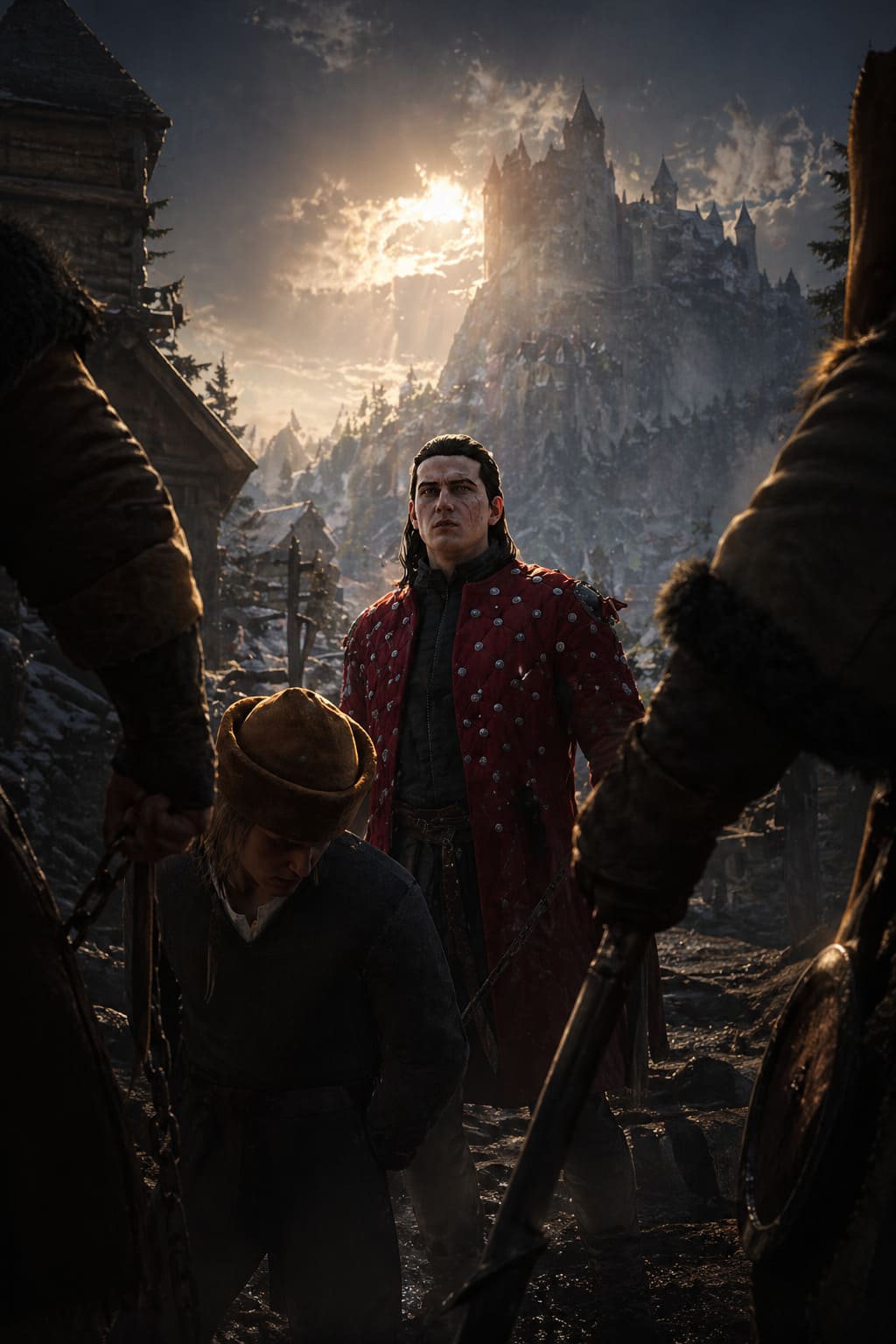
It’s that classic over-the-shoulder “cinematic” view that looks great in trailers but starts feeling a bit suffocating when combat gets chaotic or when you just want to take in the world instead of staring at Coen’s back armor texture.
So I wanted to break down how the community and developers have tackled this issue—and also share my own thoughts on what actually works best in practice.
Windrose Advanced Alchemy Guide 2026: Every Recipe, Ingredient, and Table Upgrade
Why the Default Camera Feels So Restrictive
Let’s be honest: there’s a fine line between immersive and claustrophobic.
In Blood of Dawnwalker, the default camera leans heavily into intimacy. You’re close to Coen, close to the action, and close to everything happening on screen. That’s great for storytelling moments—but less great when you’re fighting multiple enemies at once, navigating tight spaces, or trying to understand what’s happening around you during fast combat.
What stood out to me most is how often I found myself manually adjusting my view just to “breathe” a little visually. That’s usually a sign the camera is doing too much cinematics and not enough gameplay clarity.
What the Developers Actually Improved
Credit where it’s due: Rebel Wolves didn’t ignore the feedback.
They introduced several meaningful options that already improve the situation without requiring mods.
- Far Camera Mode: A secondary preset that pulls the camera further back from Coen.
- FOV Slider: Lets you widen the field of view, though within limits.
- Dynamic vs Fixed Camera Toggle: Switch between adaptive and static camera behavior.
The Far Camera is probably the most noticeable improvement. It doesn’t fully solve the issue, but it makes combat feel significantly less cramped.
Still, if you’re the kind of player who spends dozens or hundreds of hours in RPGs, you’ll likely still feel that something is missing.
Why Players Still Turn to Mods
Even with official settings, modding communities always push things further.
The reason camera mods are so popular isn’t just preference—it’s control. Different players experience games differently: some want cinematic closeness, others want tactical awareness, and some simply need a wider FOV for comfort.
That’s where community tools like Enhanced Vision and Camera Expansion mods come in. They typically unlock deeper customization such as:
- Camera distance beyond default limits
- Expanded FOV scaling
- Removal or adjustment of dynamic zoom behavior
- More consistent third-person framing
Once you experience a properly tuned camera, going back to restrictive defaults feels like playing with blinders on.
Installing a Camera Mod (Practical Overview)
If you’re considering modding, the process is usually straightforward but still requires care.
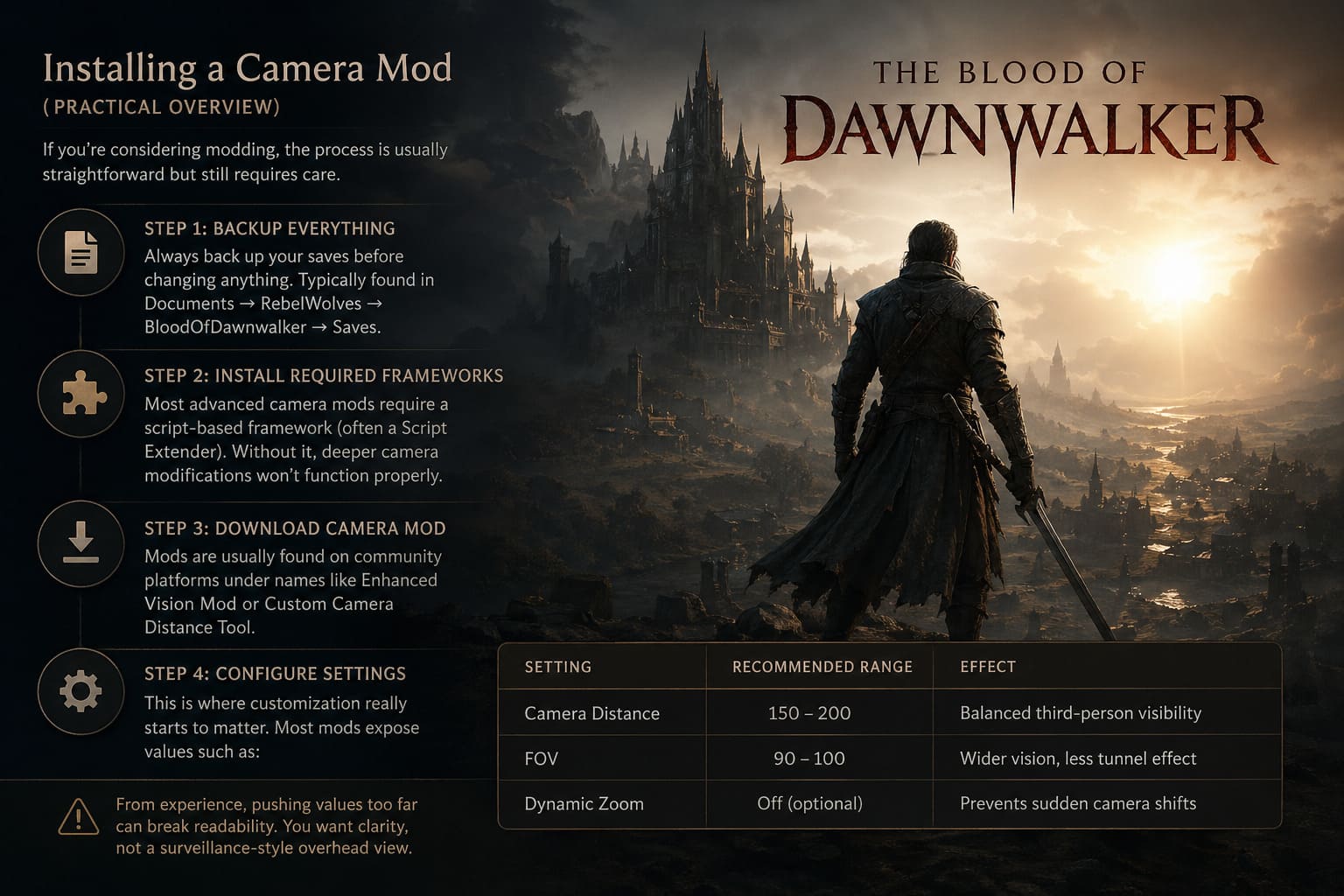
Step 1: Backup Everything
Always back up your saves before changing anything. Typically found in Documents → RebelWolves → BloodOfDawnwalker → Saves.
Step 2: Install Required Frameworks
Most advanced camera mods require a script-based framework (often a Script Extender). Without it, deeper camera modifications won’t function properly.
Step 3: Download Camera Mod
Mods are usually found on community platforms under names like Enhanced Vision Mod or Custom Camera Distance Tool.
Step 4: Configure Settings
This is where customization really starts to matter. Most mods expose values such as:
| Setting | Recommended Range | Effect |
|---|---|---|
| Camera Distance | 150–200 | Balanced third-person visibility |
| FOV | 90–100 | Wider vision, less tunnel effect |
| Dynamic Zoom | Off (optional) | Prevents sudden camera shifts |
From experience, pushing values too far can break readability. You want clarity, not a surveillance-style overhead view.
My Personal Sweet Spot Setup
After testing different configurations, I ended up with a balanced setup that feels natural without overcorrecting the design.
- Medium-Far camera preset
- FOV around 95
- Reduced motion blur
- Mostly disabled dynamic camera
This setup keeps immersion intact while improving awareness in combat and exploration. The world also feels noticeably bigger and more readable.
Common Issues and Fixes
Even good mods can introduce quirks. Here are the most common problems and how players usually deal with them:
Camera Resetting
Sometimes the camera snaps back to default distance.
Fix: Disable overlapping dynamic camera settings in-game.
Performance Drops
Higher FOV and draw distance can impact performance.
Fix: Reduce shadows or texture settings instead of lowering FOV first.
Wall Clipping
Overextended camera distance can clip through environments.
Fix: Slightly reduce max camera distance or enable collision options if available.
Why Camera Settings Matter More Than People Think
Camera perspective affects almost everything in an RPG: combat readability, exploration enjoyment, emotional immersion, and even how large the world feels.
A tighter camera creates intimacy but limits awareness. A wider camera improves gameplay clarity but slightly reduces cinematic tension. The ideal setup depends entirely on how you want to experience the game.
Blood of Dawnwalker 2026 PC Modding Guide: Performance Boosts, Graphics Overhauls & Essential QoL Mods
Blood of Dawnwalker 2026 Modding Roadmap: A Living PC Enhancement Guide from a Longtime RPG Fan
I’ll be honest—whenever a new dark fantasy RPG drops with big ambition and Unreal Engine 5 under the hood, I immediately expect two things: jaw-dropping atmosphere and at least a few performance headaches on PC. Blood of Dawnwalker is exactly that kind of game.
It’s bold, gritty, and visually striking, but also demanding enough that most players will eventually start looking toward mods—not just for convenience, but for control over their experience.
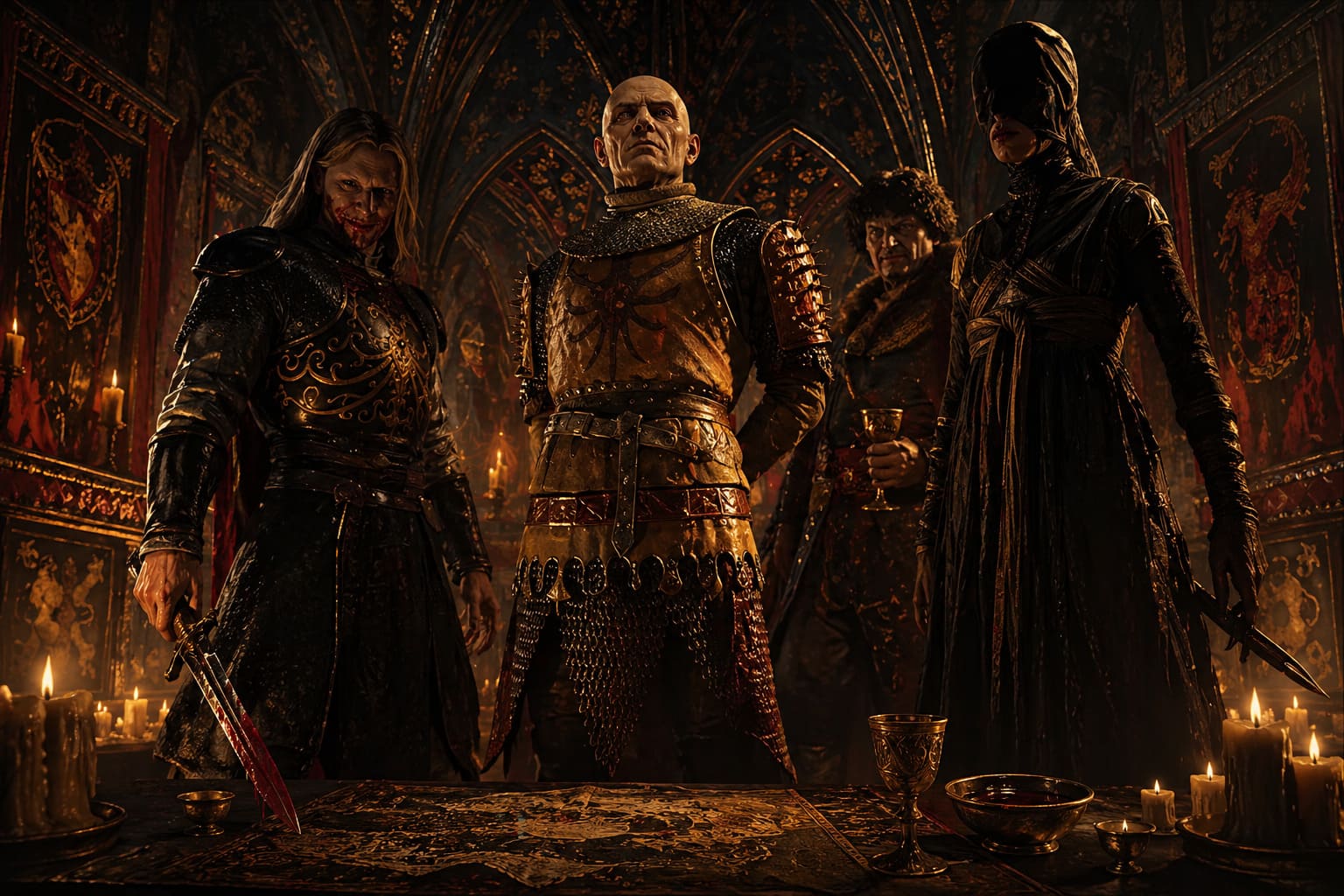
This isn’t just a list of tools. Think of this as a practical, slightly opinionated roadmap from someone who actually enjoys tweaking games until they feel “right.” Some mods here are essential fixes, others are pure indulgence, and a few are for people who treat screenshots like a second hobby.
First Things First: Stabilize Your Game
Before touching anything visual or experimental, you want the game to behave properly. Skipping this step usually leads to crashes mid-playthrough or inconsistent behavior after updates.
Essential foundation mods include script extender tools that unlock deeper engine-level modification and ensure compatibility between systems. Without them, most advanced tweaks simply won’t function correctly and save stability becomes questionable.
Camera and FOV unlock tools are also critical. The default perspective is immersive but slightly restrictive. Once adjusted, exploration and combat feel significantly more natural, especially in large open environments or mounted traversal.
A UI stability patch is another must-have. It smooths out minor interface delays, inventory glitches, and occasional menu freezing that can disrupt immersion during longer sessions.
Performance Mods: Making UE5 Behave
Performance is where most players first start modding. Blood of Dawnwalker is visually impressive but heavily demanding, especially in fog-dense forests, cities, and large-scale combat encounters.
Frame generation fix packs are among the most impactful upgrades. They reduce ghosting issues during motion-heavy scenes and improve clarity in fast combat sequences. When properly configured, movement feels sharper and more responsive.
Low-end optimization configurations reduce unnecessary volumetric effects and optimize shadow rendering distance. The result is a noticeable FPS increase with minimal visual compromise on mid-range systems.
CPU threading tweaks improve how the engine distributes workload, particularly in populated areas. This reduces stuttering and creates more stable performance during transitions between zones.
VRAM optimization texture swaps are also valuable for players with limited graphics memory. They compress ultra textures intelligently while preserving core visual quality.
Visual Overhauls: When Good Enough Isn’t Enough
Visual modding is where personal preference truly takes over. The base game already has a strong artistic identity, but mods push it into near-photorealistic territory or entirely new stylistic directions.
Cinematic reshade presets enhance contrast, improve torchlight warmth, and subtly adjust color grading for more atmospheric storytelling. These changes are especially noticeable in interior spaces and nighttime exploration.
4K armor and weapon texture packs dramatically improve detail fidelity. Scratches, wear, and material depth become far more visible, adding weight and realism to equipment.
Enhanced weather system mods expand environmental variation with heavier storms, denser fog layers, and improved puddle reflections. Weather becomes a gameplay and mood-shaping system rather than background decoration.
Quality of Life Improvements
Not every mod needs to overhaul visuals or performance. Some of the most valuable improvements simply remove friction from gameplay systems.
Fast travel from anywhere is one of the most debated but widely used mods. It removes travel restrictions and significantly speeds up exploration, especially in large open regions.
Unlimited carry weight transforms the game into a pure exploration and loot experience. It eliminates inventory management pressure entirely.
Minimal HUD configurations strip away most interface elements for a more cinematic experience. Health bars, markers, and minimaps are reduced or removed entirely.
Auto-interaction improvements smooth out climbing, object handling, and traversal interactions. These small changes significantly improve gameplay flow.
Advanced Tweaks for Enthusiasts
For players who enjoy fine-tuning systems beyond standard modding, advanced adjustments offer deeper customization. These include dynamic FOV scaling during combat, animation blending improvements, AI behavior tuning, and inventory logic refinements.
While individually subtle, these changes collectively make the game feel significantly more polished and responsive, especially during extended play sessions.
Safe Modding Practices
Stable modding requires discipline. Even experienced players can break their setups by rushing installations or ignoring compatibility requirements.
Using a mod manager is essential for handling load order and dependency tracking. Maintaining separate profiles for testing prevents corruption of main save files.
It is also important to verify compatibility between lighting, weather, and shader mods, as these often conflict when modifying the same engine systems.
Disabling automatic updates can prevent unexpected mod breaks. Game patches frequently disrupt mod dependencies, so controlled updating is recommended.
Where Modding Is Heading Next
The modding scene around Blood of Dawnwalker is still evolving, but early signals suggest long-term expansion potential. Community projects are already exploring new regions, quest systems, and expanded gameplay frameworks.
Experimental tools are being used for AI-driven dialogue variation, expanded weather simulation systems, and even large-scale fan expansions that aim to extend the game world beyond its original boundaries.
Final Thoughts
What makes Blood of Dawnwalker interesting isn’t just its base design, but how adaptable it is. The game supports multiple interpretations depending on how far players are willing to push customization.
Some will prioritize maximum performance and smooth combat. Others will chase cinematic realism with reshades and texture overhauls. A few will strip everything down for a minimal, immersive survival-like experience.
That flexibility is what keeps PC modding relevant. It transforms a finished game into a constantly evolving personal version of itself, shaped entirely by player preference and experimentation.