How to Fix Forza Horizon 6 Crash on Launch on Xbox Series X
The launch of Forza Horizon 6 was supposed to be one of those rare gaming moments where everything just clicks. Huge open-world Japan, insane weather effects, neon highways through Tokyo, mountain drift routes at midnight — honestly, Playground Games absolutely nailed the atmosphere this time.
But instead of spending launch week tuning Skylines and hunting down hidden roads, thousands of Xbox players ended up staring at the dashboard after the game crashed before even loading properly.
And yeah… I was one of them.
On my Xbox Series X, the game either froze on the startup screen or instantly kicked me back to Home right after the intro logos. After digging through Reddit threads, Xbox forums, YouTube fixes, and testing basically everything myself, I finally got the game stable again.
So this article isn’t just another robotic troubleshooting list. This is the real stuff that actually helped — mixed with some honest thoughts from someone who genuinely loves the Horizon series.
Why Forza Horizon 6 Is Crashing So Much on Xbox Series X
I honestly think the biggest issue is how ambitious this game is technically. Playground Games pushed the Xbox Series X hardware harder than almost any previous Horizon title.
The game loads enormous amounts of data immediately on startup:
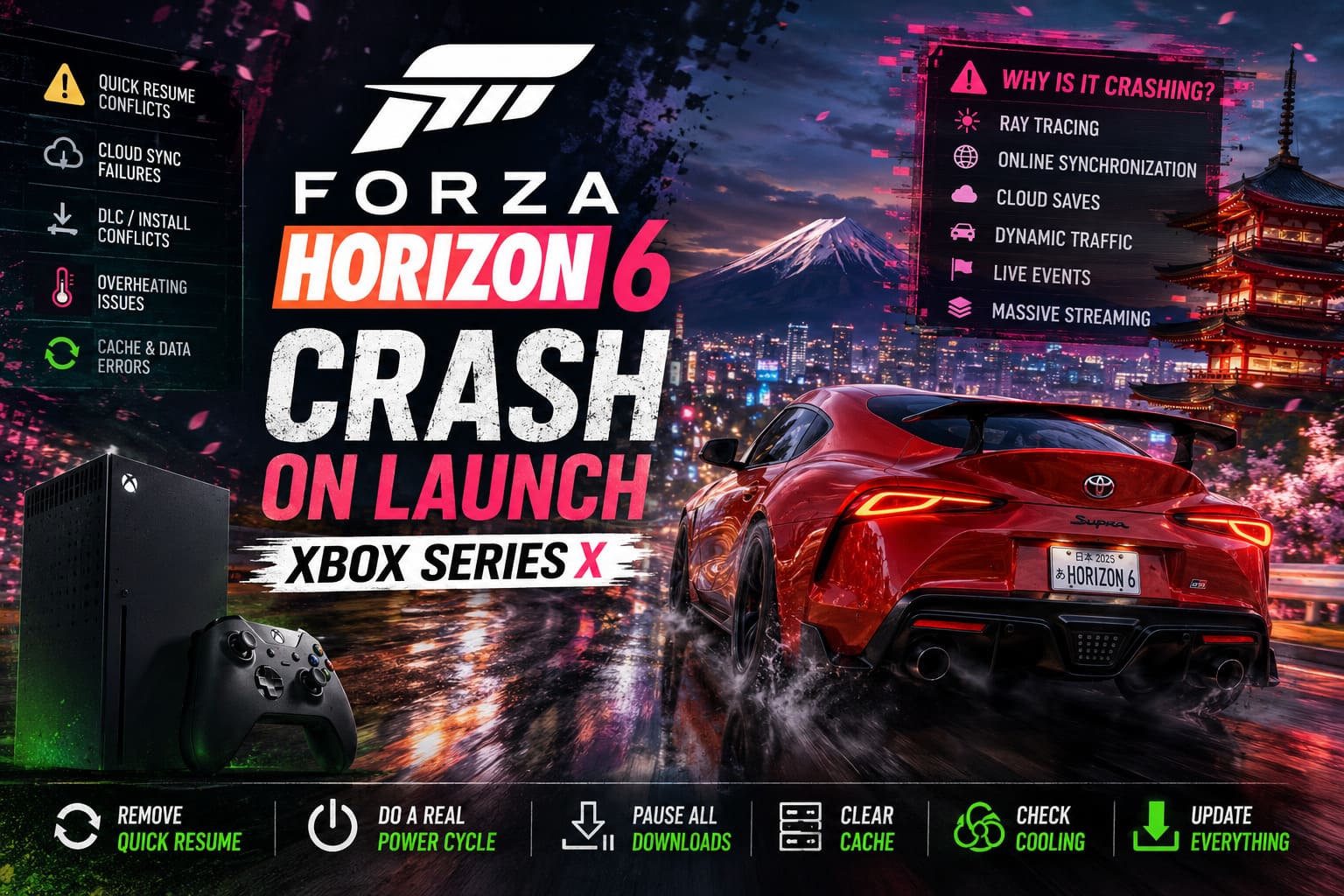
- Ray tracing
- Online synchronization
- Cloud saves
- Dynamic traffic systems
- Live events
- Massive texture streaming
And when even one thing conflicts — especially Quick Resume or incomplete DLC downloads — the whole startup sequence can completely fail.
From what I’ve seen, the most common causes are:
| Problem | How Serious It Is | Common Symptoms |
|---|---|---|
| Quick Resume corruption | Very Common | Instant dashboard crash |
| DLC/install conflicts | Common | Infinite loading screen |
| Broken cache files | Common | Startup freeze |
| Xbox firmware mismatch | Moderate | Random crashes |
| Overheating issues | Less common but real | Sudden shutdowns |
| Cloud sync failures | Common after launch week | Stuck syncing data |
The good news? Most of these are actually fixable in under 15 minutes.
The First Fix You Should Try (Seriously)
Remove Quick Resume Immediately
This was the fix that worked for me personally.
Quick Resume is awesome for smaller games, but with huge always-online titles like Forza Horizon 6, it can become a disaster. Especially after launch-day patches.
Here’s what to do:
- Press the Xbox button
- Open My Games & Apps
- Find the Quick Resume section
- Highlight Forza Horizon 6
- Press the Menu button
- Select Remove From Quick Resume
That’s it.
After doing this, my game suddenly booted normally.
I honestly think Quick Resume is responsible for at least half of the launch crashes people are reporting right now.
Do a REAL Power Cycle — Not a Normal Restart

A regular restart doesn’t fully clear the Xbox memory cache.
You need a proper cold boot.
Here’s the correct way:
- Hold the physical Xbox power button for about 10 seconds
- Wait until the console fully powers off
- Unplug the power cable
- Leave it disconnected for 60 seconds
- Plug everything back in
- Turn the console on again
It sounds simple, but this clears corrupted temporary system data that can absolutely break game launches.
And honestly? Xbox consoles still benefit massively from occasional hard resets, especially after huge game installs.
Pause Every Download Before Launching the Game
This one surprised me.
I noticed my Premium Edition content was still downloading in the background while trying to launch the game. Apparently that can completely destabilize the startup process.
Check these things:
- Car packs
- VIP content
- Expansion placeholders
- Texture packs
- Game Pass updates
- Unrelated game updates
Go to:
My Games & Apps → Manage → Queue
Then temporarily pause everything.
After that, launch only the base game first.
Once the game works normally, resume your downloads.
This seems especially important for players who bought the Ultimate or Premium Edition bundles.
Clear Xbox Persistent Storage Cache
This fix feels random, but it actually helped a lot of players online.
Steps:
- Open Settings
- Go to Devices & Connections
- Select Blu-ray
- Open Persistent Storage
- Press Clear Persistent Storage
This doesn’t delete your saves or games.
It simply removes cached installation data and temporary package files that sometimes become corrupted after updates.
Honestly, Xbox hides this setting way too deep for how useful it is.
Make Sure Your Xbox Isn’t Cooking Itself
This part gets ignored constantly.
Forza Horizon 6 is one of the most demanding console racers I’ve ever played. The Japan map is absurdly detailed, especially at night.
My Series X fan got noticeably louder compared to most games.
If your console has poor airflow, the system may kill the game before temperatures get dangerous.
Check these things:
- Is the top vent blocked?
- Is the console inside a cabinet?
- Is dust visible near the vents?
- Is the Xbox sitting on carpet?
- Does the fan sound weak or inconsistent?
I cleaned mine with compressed air and the console actually ran quieter afterward.
Not every crash is software-related.
Sometimes the hardware is literally overheating during shader loading.
Update EVERYTHING

This sounds obvious, but you’d be shocked how many people skip it.
Make sure both are fully updated:
| What Needs Updating | Why It Matters |
|---|---|
| Xbox System Firmware | Prevents API conflicts |
| Forza Horizon 6 Version | Fixes launch bugs and sync issues |
Launch-week hotfixes are happening constantly right now.
If your game version is even slightly behind, online verification can fail instantly.
Forza Horizon 6 JDM Car List: All Launch Day Cars & Hidden Gems Confirmed
The Nuclear Option: Reset Xbox Without Deleting Games
If nothing else works, this is the strongest fix before reinstalling the game.
And surprisingly, it’s safer than people think.
Go here:
Settings → System → Console Info → Reset Console
Then choose:
Reset And Keep My Games & Apps
This refreshes the Xbox operating system without deleting your installed titles.
Several players online reported this completely fixed corrupted profile and startup issues.
It takes some time, but it’s still faster than reinstalling a 150GB game.
Should You Reinstall Forza Horizon 6 Completely?
Honestly… only as a last resort.
But yes, sometimes the installation itself gets corrupted.
Especially if:
- Your internet dropped during download
- The console entered sleep mode mid-install
- DLC packages failed
- Cloud synchronization broke
If you reinstall:
- Delete the entire game
- Restart the Xbox
- Re-download everything fresh
- Let cloud sync finish completely on first launch
And seriously — don’t interrupt the syncing process.
That’s how save corruption nightmares begin.
Forza Horizon 6 Credit Guide: Fastest Way to Earn Credits Without Wheelspins
My Personal Take on the Situation
As frustrating as these crashes are, I don’t think the game itself is “broken.”
I think this is mostly a combination of:
- Overloaded launch servers
- Quick Resume conflicts
- Massive day-one patches
- Synchronization bugs
- Xbox cache issues
Underneath all that chaos, Forza Horizon 6 is honestly incredible.
The Japanese setting feels like something fans wanted for over a decade, and Playground Games clearly poured insane effort into the world design.
Once the crashing stopped for me, I ended up playing for almost six straight hours.
That’s the annoying part — because when the game actually works, it’s probably the best Horizon game yet.
Final Fix Checklist
If you just want the fastest possible troubleshooting order, do this:
- Remove Quick Resume
- Hard power cycle the Xbox
- Pause all downloads
- Clear persistent storage cache
- Update Xbox firmware
- Check console airflow
- Reset Xbox while keeping games
- Reinstall the game only if necessary
That order seems to solve the issue for most players right now.
Final Thoughts
Launch-week problems are unfortunately becoming normal for massive online games, even on consoles. But in the case of Forza Horizon 6, most Xbox Series X crashes seem tied to system conflicts rather than permanent hardware problems.
If you’re still stuck at the loading screen, don’t panic yet. In most cases, the fix is surprisingly simple once you isolate the real cause.
And once you finally hear that engine roar through the streets of Tokyo without crashing back to the dashboard… trust me, it feels worth the headache.