Timberborn Low FPS Fix 2026: Guide to Optimizing Water, Waterfalls, and High-Pop Colonies
Timberborn is one of those games that pulls you in with its stunningly unique concept — a beaver-powered city builder set in a post-human world. But if you’ve sunk hours into creating your perfect colony, you’ve probably experienced the inevitable slowdown as your colony grows. By 2026, despite all the updates and optimizations, Timberborn remains one of the most CPU-intensive city builders. The culprit? Its groundbreaking, real-time water physics engine. If you’re struggling with lag during endgame, particularly in large colonies with water features like waterfalls, you’re not alone. Fortunately, there are ways to make your game run smoother. Here’s how you can fix low FPS and optimize Timberborn for smoother gameplay.
Why Timberborn Lags: The Water Problem
The main performance bottleneck in Timberborn is its water simulation. Unlike many city builders where water is a mere texture, Timberborn’s water is a living, breathing entity. Each tile of water has its own simulated properties, including volume, pressure, and flow. When you start manipulating large amounts of water with pumps, dams, and waterfalls, the game’s CPU has to calculate every drop’s movement in real-time. And trust me, that’s a lot of calculations happening constantly — especially with hundreds of beavers running around, each one thinking about its next move.
So, why does this lead to low FPS? Well, Timberborn relies heavily on single-core CPU performance. While some tasks are multi-threaded, water simulation and beaver pathfinding are often limited to a single core. When you hit a certain colony size or add complex features like waterfalls, that one core gets overloaded, and you’re stuck with a slideshow of beavers.
Fixing FPS Drop: Waterfall & Water Physics Optimization
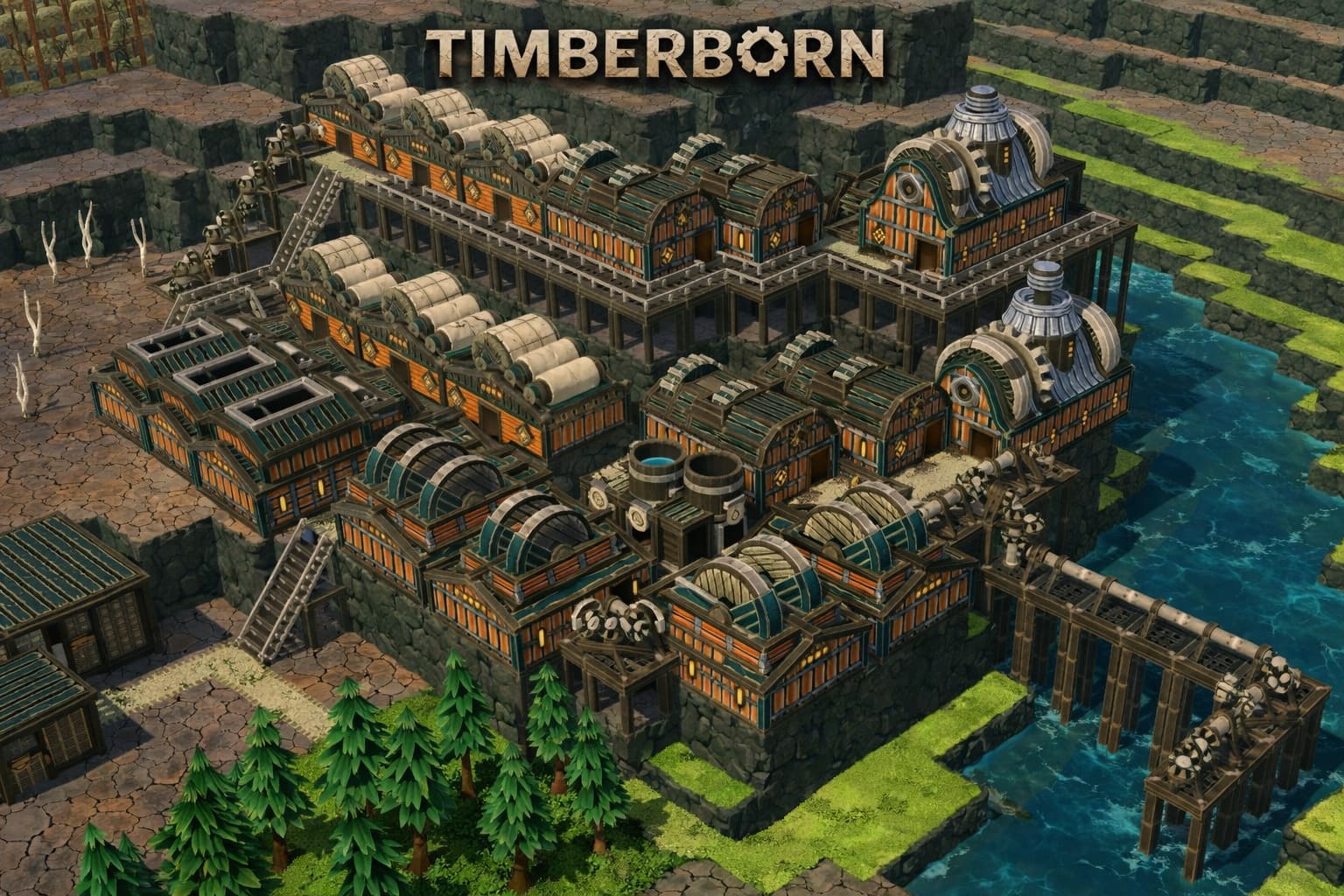
If you’ve ever created a massive waterfall or a complicated irrigation system, you’ve probably noticed the FPS dip. Waterfalls are hands down the most demanding feature in the game. A single 10-tile high waterfall can cause more stress on your system than a full industrial district.
1. Break the Fall (Terracing)
Waterfalls are most demanding when water falls from extreme heights. The game calculates the velocity and splash physics for each tile individually, which can be a huge CPU drain. Here’s the fix: Instead of letting water plummet from a height, use levees or platforms to create terraced waterfalls. By breaking the fall into several steps, the game has to recalculate the velocity much less frequently, which greatly improves performance.
2. Eliminate Infinite Water Loops
It’s tempting to create infinite water loops, especially for aesthetic purposes. These loops continuously circulate water between two points, causing constant recalculations of the water’s movement. The best fix here is simple: avoid using infinite water loops in your designs. If you really want a waterfall to look nice, make sure it’s small and isolated from your main reservoir system.
3. Adjust Fluid Simulation Quality
In the 2026 update, Timberborn added an option to adjust fluid simulation frequency. Lowering this setting won’t affect the visuals but will significantly improve FPS. Set it to Low or Balanced in the graphics settings menu. For 90% of players, the visual difference is minimal, but you’ll see a 15-20% boost in performance during late-game.
Pathfinding: The Silent FPS Killer
Beavers are constantly moving around your colony, finding paths to food, water, and shelter. But when your colony grows too large, the pathfinding AI starts to struggle, causing more lag. Each beaver has to calculate its path to a destination, which can get computationally expensive as the colony size grows.
1. Use Districts Wisely
Don’t try to run a colony with 500 beavers in a single district. Instead, break your colony into smaller districts, each with a maximum of 70-100 beavers. This reduces the area the game has to calculate paths for. District crossings can act as a “reset” point, forcing the pathfinding system to restart when beavers move between districts.
2. Simplify Roads and Paths
If your beavers have to navigate a maze of complex roads or uneven terrain, it’s going to require more computational power to check if each path is valid. You can fix this by guiding beavers with fences and restricting their movement options. The fewer choices they have, the less the game has to calculate.
Hardware Tweaks for Better FPS
Even with a top-tier GPU like the RTX 40 or 50 series, Timberborn is still CPU-bound. This means that no matter how powerful your graphics card is, if your CPU is struggling, your game will lag.
1. Set CPU Priority to High
If you’re running Windows, you can use a tool like Process Lasso to prioritize Timberborn’s CPU usage. Set Timberborn.exe to High priority to give it more CPU resources. Also, disable hyper-threading (SMT), as Timberborn tends to run better on physical cores than on logical ones.
2. RAM Latency Over Speed
When building a PC for simulation games like Timberborn, it’s more important to focus on low-latency RAM (CL) than sheer speed (MHz). Timberborn is constantly sending small bits of data back and forth between the CPU and RAM. If your RAM has high latency, it can cause micro-stutters that ruin your experience.
Best Graphics Settings for Performance
While Timberborn is visually impressive, some settings offer little to no visual benefit but take a big hit on performance. Here’s how to optimize them:
1. Shadows: Set to Medium
High-resolution shadows can be a major drain on performance, especially when you have 500 beavers moving around. Set the shadow quality to Medium to strike a balance between visuals and performance.
2. Ambient Occlusion: Turn it OFF
In a top-down city builder like Timberborn, depth shading doesn’t add much, and it costs you precious FPS. Disable ambient occlusion to improve performance.
3. V-Sync: Turn it OFF
V-Sync can cause your GPU to overwork, especially during moments when your game’s visuals aren’t changing much. Disable V-Sync and use the Nvidia or AMD Control Panel to cap the frame rate at 60 FPS for better control over performance.
4. LOD Distance: Set to 60%
The Level of Detail (LOD) setting controls how much detail the game renders for distant objects. Reducing this to 60% prevents Timberborn from rendering highly detailed models for beavers far across the map, freeing up CPU and GPU resources.
Essential Performance Mods for 2026
Timberborn’s modding community is incredibly active, and there are some amazing mods that can help you boost performance even further.
1. “Performance Fix” Mod
This mod optimizes how idle beavers are handled. Normally, each idle beaver checks for work every few frames, which can bog down performance. The “Performance Fix” mod increases the interval between these checks, reducing unnecessary CPU load.
2. “Simple Water” Mod
For players with low-end PCs, this mod replaces Timberborn’s 3D water physics with a simpler 2D flow model. This can effectively double your FPS in large maps with complex water systems.
3. “Clean-Up Tool”
Over time, your colony will accumulate rubble and stumps. These objects take up memory and slow down the game. The Clean-Up Tool allows you to delete them all at once, improving performance.
Map Management Tips
Managing your map effectively can also have a big impact on performance. Here are some tips to keep things running smoothly:
1. Drain Unused Water Sources
If you have an old reservoir or a Badwater source that you no longer use, make sure to drain it. Water is one of the most CPU-intensive elements in the game, so if you don’t need it, get rid of it.
2. Limit Job Searching
If you have a lot of unfilled jobs, beavers will constantly check if they can fill them. This can lead to unnecessary performance hits. Either fill the jobs or pause the buildings to stop the constant job search.
Final Thoughts: Achieving 60+ FPS in Timberborn
To keep your game running smoothly at 60 FPS or higher, you’ll need to do some serious optimization. From simplifying your water features to streamlining your beaver paths, every little change can add up. Timberborn is a beautiful game, but its deep simulation can strain your CPU if you’re not careful. By following these tips, you’ll be able to enjoy your beaver utopia without the constant frustration of lag.