Sephiria Multiplayer Guide: How to Invite Friends for Online Co-Op (Version 1.0)
If there is one thing I’ve learned after spending years playing roguelites and cooperative dungeon crawlers, it’s that not every game becomes better just because it adds multiplayer. Some titles feel like solo experiences with an extra player awkwardly attached. Sephiria, however, surprised me in the best possible way. TEAM HORAY didn’t simply introduce online co-op as an afterthought—they built a system where teamwork genuinely changes the experience without making anyone feel like a secondary player.
Since the official Version 1.0 release, thousands of players have returned to Bunnyville to conquer the mysterious tower once again. While the pixel-art visuals may initially suggest a relaxed indie adventure, anyone who has fought through later chapters knows the game can become incredibly punishing. Playing with friends doesn’t make everything easier—it simply makes every victory far more satisfying.
If you’re wondering how to invite friends and start an online multiplayer session in Sephiria, here’s everything you need to know, along with some personal tips that made my own co-op runs far smoother.
Sephiria 1.0 Steam Deck Optimization Guide Best Settings for 60FPS Performance
Why Sephiria’s Multiplayer Actually Feels Worth Playing
One of my biggest concerns before jumping into multiplayer was progression. Many roguelites let guest players participate without earning permanent rewards, making cooperative sessions feel temporary. Thankfully, Sephiria avoids this common mistake.
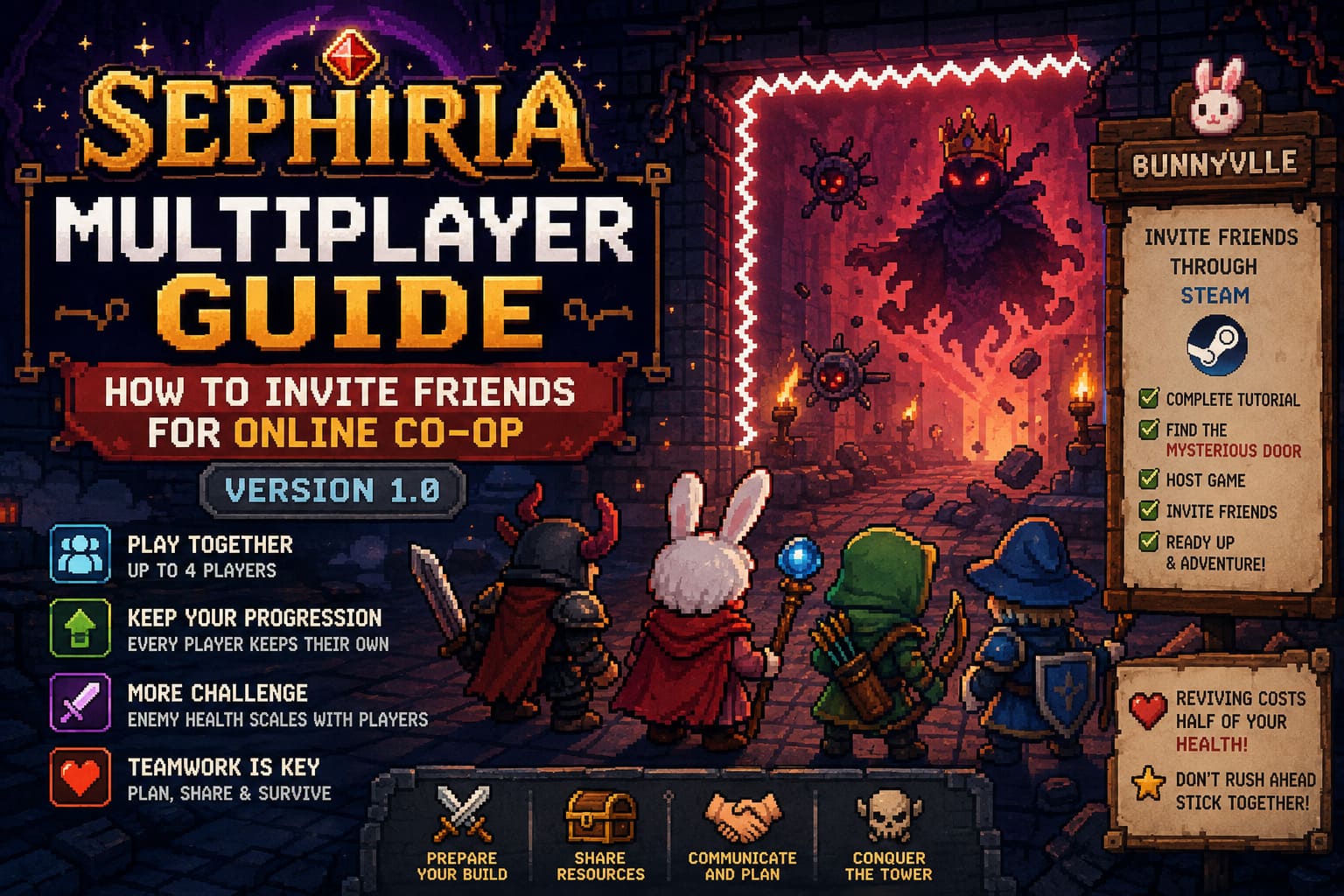
Every player keeps their own progression, unlocks, talents, upgrades, and collected resources. Whether you’re hosting or joining someone else’s lobby, your account continues to grow naturally. That immediately makes multiplayer feel rewarding instead of feeling like you’re sacrificing progress just to help a friend.
Of course, the game doesn’t simply hand out free victories. Enemy health scales depending on the number of players, meaning every additional teammate also increases the challenge. In practice, I found this to be a smart decision. Boss fights become longer and require more coordination instead of turning into effortless damage races.
Communication quickly becomes one of the most valuable resources your team has. Shops contain limited items, healing isn’t unlimited, and artifacts often benefit one specific build more than another. Sharing resources wisely usually determines whether a run reaches the later floors or ends in disaster.
How to Unlock Online Co-Op
Fortunately, accessing multiplayer doesn’t require dozens of hours of progression.
When starting Sephiria for the very first time, you’ll need to complete the opening tutorial. The game introduces combat basics, weapon swapping, dodging, and several core mechanics before allowing online play. While experienced players might be tempted to rush through it, the tutorial is fairly short and does a decent job explaining the essentials.
Once the introduction ends, you’ll arrive in Bunnyville, which serves as the central hub throughout your adventure. This is where multiplayer becomes available.
How to Invite Friends in Sephiria Version 1.0
Setting up an online session is surprisingly straightforward because Sephiria uses Steam’s built-in networking system.
Simply follow these steps:
- Finish the opening tutorial.
- Enter Bunnyville.
- Find the Mysterious Door.
- Interact with it to open the multiplayer menu.
- Select Host Game.
- Choose either Friends Only or Private if you’re playing with people you know.
- Open the Steam Overlay using Shift + Tab.
- Invite friends directly through your Steam Friends List or use the in-game invite buttons.
- Wait for everyone to join the lobby.
- Select your equipment, ready up, and begin the adventure.
Once your friends accept the invitation, they’ll automatically enter your multiplayer lobby. If they already have the game running, joining usually takes only a few seconds. If the game isn’t open yet, Steam will launch Sephiria and connect them automatically.
The maximum party size is four players, which I personally think is the sweet spot. It keeps combat busy without turning every room into complete visual chaos.
Preparing Before Starting a Run
Something I appreciated during my multiplayer sessions was the opportunity to organize everything before entering the tower.
Instead of immediately throwing players into combat, Sephiria gives everyone time to prepare.
- Choose starting weapons.
- Equip preferred costumes.
- Review builds.
- Discuss team strategy.
- Make sure everyone is actually ready.
It sounds like a small feature, but after playing countless online games where one impatient player instantly starts the mission, this preparation phase feels refreshing.
If you’re playing with friends over voice chat, spend an extra minute deciding who wants to focus on melee combat, ranged damage, or crowd control. That simple discussion can save an entire run later.
Common Multiplayer Problems and How to Fix Them
Although Version 1.0 is much more polished than the Early Access builds, multiplayer isn’t completely free from technical issues.
The first thing to check is whether everyone is running exactly the same game version. TEAM HORAY has already released several updates after launch, and even one outdated client can prevent players from joining the same lobby.
If someone previously participated in experimental builds, make sure they have opted out of every beta branch. Older test versions aren’t compatible with the current multiplayer release.
Firewall permissions can also interfere with connections. If players become stuck while loading into the Mysterious Door or endlessly attempt to connect, verifying Windows Defender or third-party antivirus permissions is usually worth the effort.
Another limitation worth remembering is host stability. Unlike some modern multiplayer games, Sephiria currently doesn’t support seamless host migration. If the host crashes or disconnects, the ongoing run ends for everyone. Because of this, it’s usually best to let whoever has the most stable internet connection host the session.
Quick Troubleshooting Table
| Problem | Possible Cause | Recommended Fix |
|---|---|---|
| Cannot join lobby | Different game versions | Update Sephiria through Steam |
| Invite does nothing | Beta branch enabled | Switch Betas to ‘None’ |
| Infinite loading | Firewall or antivirus | Allow Sephiria through network permissions |
| Session ends unexpectedly | Host disconnected | Restart the lobby with a stable host |
Teamwork Matters More Than Raw Damage
After several multiplayer runs, one thing became obvious to me: four strong individual players don’t necessarily create a strong team.
The best groups coordinate.
For example, if one player specializes in heavy melee attacks while another focuses on long-range magic, combat naturally becomes more controlled. Frontline characters can keep dangerous enemies occupied while ranged teammates safely eliminate threats from behind.
Likewise, artifact management becomes increasingly important as the difficulty rises. Rather than grabbing every upgrade for yourself, it’s often smarter to hand an item to the teammate whose build benefits from it the most.
That level of cooperation is one of the reasons I kept coming back to Sephiria’s multiplayer. Instead of competing against each other for loot, successful teams gradually become specialized machines where every player fills a useful role.
Avoid One Mistake Almost Every New Group Makes
If I could give only one piece of advice to new multiplayer players, it would be this:
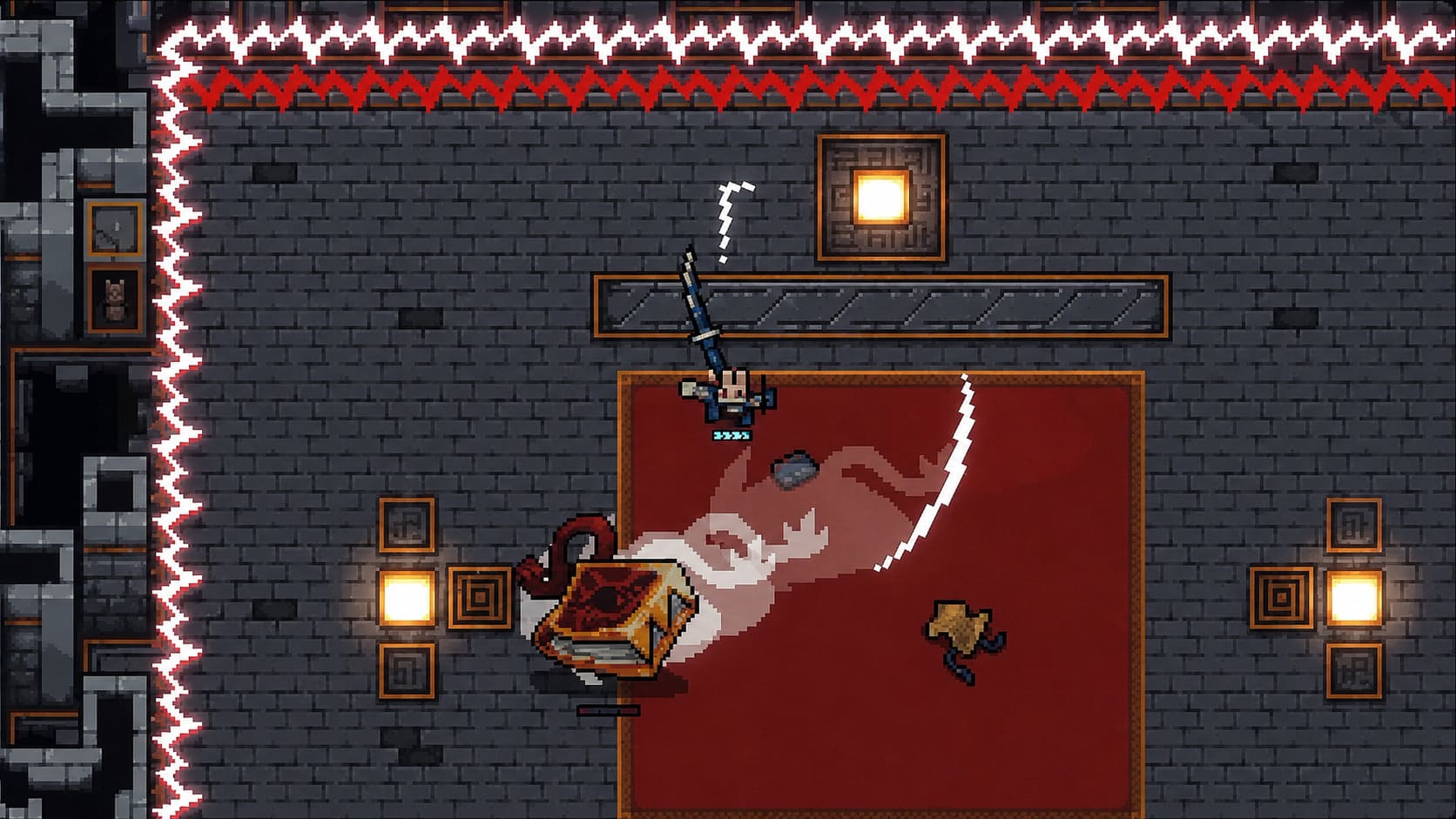
Don’t sprint ahead alone.
I’ve seen this happen in almost every cooperative roguelite. One player rushes into the next room while everyone else is still sorting inventory or comparing equipment. The result is predictable—combat begins immediately, teammates miss rewards, and the isolated player often gets overwhelmed.
Sephiria rewards groups that move together.
Waiting just a few extra seconds before entering the next combat zone keeps everyone synchronized, ensures nobody misses experience or treasure, and dramatically reduces unnecessary deaths.
Reviving Teammates Isn’t Always the Right Decision
One mechanic that caught me off guard during my first multiplayer sessions was reviving.
Helping a fallen teammate isn’t free. Reviving someone costs half of your current health, which can easily put both players in danger if enemies are still attacking nearby.
Because of that, I learned to clear immediate threats before attempting a rescue whenever possible. A rushed revive often creates two downed teammates instead of one.
Sometimes patience is the smartest play.
Final Thoughts
Sephiria’s official Version 1.0 demonstrates how cooperative roguelites should handle multiplayer. Every participant earns meaningful progression, the Steam integration keeps invitations simple, and the increased enemy scaling encourages genuine teamwork rather than mindless damage stacking.
After spending considerable time with the game, I honestly believe the multiplayer mode elevates the overall experience. Exploring the tower alone is enjoyable, but coordinating builds, rescuing teammates during desperate boss fights, and celebrating narrowly earned victories with friends creates the kinds of moments that keep players coming back for ‘just one more run.’
If you’re planning to dive into Sephiria with friends, take a few minutes to prepare your builds, communicate before each floor, and resist the temptation to rush ahead. Those small habits make a surprisingly big difference, especially once the tower begins throwing its toughest challenges at your party.