Can I Play Kingdom Rush 6 Genesis Offline on PC? Full Guide
If you have played enough strategy games, you probably know the particular annoyance of buying a single-player title only to discover that it wants an internet connection every time you launch it. Thankfully, Kingdom Rush 6: Genesis TD takes a much more traditional approach. After spending time with different tower defense games over the years, I still think this genre works best when the game gets out of your way and lets you focus on the battlefield rather than account checks, matchmaking, or online services.
Genesis is especially interesting because it goes back to the origins of Linirea and explores a period before Vez’nan became the threat players know from the earlier games. That gives the campaign a fun sense of history, but the gameplay remains firmly rooted in what makes Kingdom Rush so addictive: clever tower placement, enemy waves that punish lazy decisions, heroes with different strengths, and those satisfying moments when a carefully prepared chokepoint completely destroys an incoming horde.
There is, however, one practical question worth answering before you take the game on a trip: can Kingdom Rush 6: Genesis TD actually be played offline on PC? If you’re thinking about playing on a laptop, Steam Deck, during a flight, or somewhere with unreliable internet, here’s everything you need to know.
Kingdom Rush 6 Genesis TD Release Date: Everything We Know About Ironhide’s Next Masterpiece
So, Can Kingdom Rush 6: Genesis TD Be Played Offline?
Yes. Kingdom Rush 6: Genesis TD can be played offline on PC.
The important thing is to prepare the game and Steam client before disconnecting from the internet. Once everything has been installed and the initial setup has been completed, the actual tower defense experience doesn’t need a constant connection.
That is exactly how I want a single-player strategy game to behave. There is no reason for a traditional campaign to stop working simply because the Wi-Fi disappears. Genesis isn’t designed around persistent multiplayer servers or a live-service structure, so its core gameplay is stored and processed locally on your machine.
For players who regularly travel, this is particularly useful. You can install the game at home, make sure Steam is ready for offline use, close the laptop, and continue your campaign later without needing to hunt down a reliable connection.
Why Offline Play Matters More Than It Sounds
At first glance, offline functionality might seem like a minor feature. In practice, it can completely change how convenient a game is to play.
Think about the situations where you might want a game like Kingdom Rush Genesis:
- On a long flight with no internet.
- During a train journey with unreliable Wi-Fi.
- At a hotel with poor connectivity.
- On a gaming laptop away from home.
- On a Steam Deck during travel.
- At home when your internet connection suddenly decides to disappear.
Tower defense games are particularly well suited to this kind of gaming because they don’t demand enormous online worlds or constant communication with other players. You’re building defenses, studying enemy routes and reacting to waves, not waiting for a server to tell you whether you’re allowed to play.
I’ve played plenty of games where an internet requirement felt completely unnecessary. Kingdom Rush Genesis avoiding that approach is a big positive for the overall PC experience.
How to Prepare Kingdom Rush Genesis for Offline Play on Steam
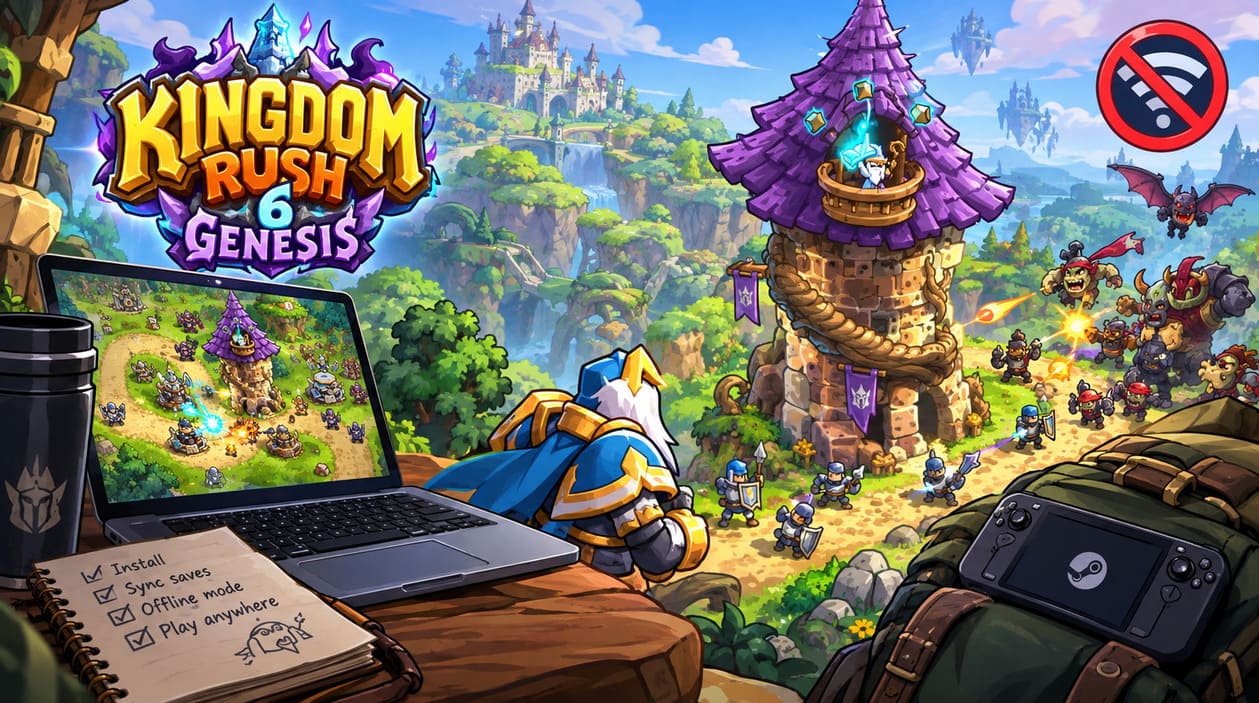
There is one important distinction here: the game can be played offline, but Steam itself needs to be prepared for offline operation.
If you simply disconnect your computer from the internet without preparing Steam, you can potentially run into authentication or client-related problems. The safest approach is to set everything up while you’re still online.
Step 1: Install the Game While Connected
First, download and install Kingdom Rush 6: Genesis TD through Steam while you have a working internet connection.
After installation, launch the game at least once.
This initial launch is important because it gives Steam an opportunity to complete its setup and establish the local files and configuration the game needs. I always recommend doing this before a trip rather than assuming everything will magically work after you’ve already boarded a plane.
Step 2: Make Sure Your Save Is Synced
If you’re using Steam Cloud, check that your latest progress has synchronized successfully before going offline.
This is especially important if you have recently played on another computer. You don’t want to discover halfway through a trip that your newest campaign progress never made it onto the machine you’re carrying with you.
A simple rule is worth remembering:
Play online → save → allow Steam Cloud to synchronize → then switch to offline mode.
That removes most of the unnecessary uncertainty.
Step 3: Switch Steam to Offline Mode
With the game installed and your saves synchronized, open Steam and use the client’s offline-mode option.
Steam will explain that certain online features won’t be available. That’s completely normal. You’re essentially telling the client that you don’t currently have internet access and want to continue using games that support offline operation.
Once Steam restarts in Offline Mode, you should be able to access your installed games locally.
Step 4: Launch Kingdom Rush 6: Genesis TD
Now simply open your Steam Library and start Genesis.
If you’ve completed the previous steps, the game should load its locally stored files and save data without needing to contact an external server.
This is also why I strongly recommend testing offline mode before traveling. Disconnect your Wi-Fi while you’re still at home and launch the game. If everything works, you know your setup is ready.
What Can You Actually Do Offline?
This is where Genesis becomes particularly attractive. Offline mode doesn’t turn the game into some stripped-down demo.
The main experience remains available locally, including the campaign and its strategic systems.
| Feature | Offline Availability |
|---|---|
| Main Campaign | Yes |
| Tower Upgrades | Yes |
| Heroes | Yes |
| Hero Abilities | Yes |
| Spells | Yes |
| Difficulty Modes | Yes |
| Iron Challenges | Yes |
| Local Progress | Yes |
| Core Enemy Encounters | Yes |
| Boss Battles | Yes |
| Steam Cloud Synchronization | No, until you’re online |
| Online Steam Features | No |
The important distinction is that gameplay features and online Steam services aren’t the same thing. You can continue playing the actual game while services that obviously require an internet connection remain unavailable.
The Campaign Still Has Plenty to Keep You Busy
One of the biggest reasons I wouldn’t hesitate to recommend Genesis as an offline travel game is the amount of content built around its campaign.
The adventure takes players into the early history of Linirea, giving the setting a different flavor from simply repeating the same fantasy-war scenario. The campaign reportedly spans 18 stages across three major environments, giving you plenty of opportunities to experiment with defensive setups.
And that’s exactly where Kingdom Rush games tend to shine.
A good tower defense campaign isn’t really about memorizing one perfect build. It’s about understanding what the current map is asking from you. Sometimes you need overwhelming damage, sometimes you need crowd control, and sometimes the supposedly boring defensive tower suddenly becomes the most important unit on the map.
That constant decision-making is what keeps me coming back to the genre.
Towers, Heroes and Battlefield Experimentation
Genesis also offers a substantial selection of towers and heroes, which is particularly useful when playing offline because there’s no pressure to rush through content or participate in online events.
The game features 15 distinct tower types and 12 heroes, with the dual-hero system allowing two heroes to participate simultaneously.
That second hero changes the way you approach certain encounters. Instead of relying on one character to cover every weakness, you can create combinations where one hero handles enemies in a specific area while another provides support somewhere else.
There are also nine spells available for those moments when a defensive line is about to collapse.
And if you’ve played Kingdom Rush before, you already know how satisfying it can be to hold onto a powerful ability for just a little too long, only to panic and activate everything at once when the screen fills with enemies.
Difficulty Is Where the Offline Experience Gets Interesting
Casual play is obviously a good option when you simply want to relax, but veteran players can push much harder.
The game includes different difficulty levels and Iron Challenge-style content, which gives the campaign more replay value than simply finishing each stage once.
For me, this is one of the strongest arguments for having Genesis available offline. A good tower defense game doesn’t become obsolete when you’ve completed its story. You can revisit stages, experiment with different towers, change hero combinations and try to improve your previous performance.
There is something wonderfully old-school about that.
No daily login requirement. No waiting for an event. No server countdown. Just another map asking you whether you can defend it more efficiently this time.
What About Steam Achievements?
Achievements are a slightly different story because Steam itself is an online platform.
The game can track your progress while you’re offline, but your Steam profile obviously can’t synchronize with the wider Steam service until you reconnect.
So if you unlock an achievement while disconnected, don’t panic if it doesn’t immediately appear on your public profile.
The sensible approach is simply to:
- Play normally while offline.
- Complete the achievement requirement.
- Reconnect to the internet later.
- Start Steam online.
- Allow the client to synchronize your progress.
This means achievements shouldn’t be a reason to avoid offline play. You just need to understand that the game can record progress locally while Steam’s online profile cannot update until you’re connected again.
Will Offline Play Damage Your Save?
No, offline play itself shouldn’t damage your local campaign progress.
The game can save locally to your PC, which means losing internet access doesn’t automatically mean losing the hours you’ve spent defending Linirea.
The bigger thing to watch is synchronization when moving between devices.
For example, if you play for several hours offline on your laptop and then immediately start the game on another computer before the laptop has synchronized its newest save, you could create confusion about which version is current.
My advice is simple: when you reconnect after an offline session, give Steam time to synchronize before switching to another device.
That’s good practice for practically any Steam game that uses cloud saves.
What About Steam Deck?
Kingdom Rush Genesis is also a natural fit for portable PC gaming.
The Steam Deck is arguably one of the most convenient places to play a tower defense game because the genre doesn’t require the kind of constant precision that some competitive PC games demand. You can sit back, build your defenses, watch the battlefield and make decisions at your own pace.
For offline Steam Deck gaming, the same basic preparation applies.
Download the game while connected, launch it once, make sure everything is ready, and then test it in offline mode before leaving home.
Never make your first offline test five minutes before boarding a flight. That’s how otherwise relaxing gaming plans turn into technical troubleshooting sessions.
PC System Requirements
According to the supplied specifications, Genesis is designed to be relatively accessible rather than requiring a high-end gaming PC.
Windows
| Requirement | Minimum |
|---|---|
| Operating System | Windows 10 64-bit |
| Processor | Quad-core CPU or equivalent |
| Memory | 8 GB RAM |
| Graphics | Intel UHD 600 or equivalent DirectX-compatible GPU |
| Storage | 3 GB |
macOS
| Requirement | Minimum |
|---|---|
| Operating System | macOS 10.13 or newer |
| Processor | Apple M1 or Intel Core M |
| Memory | 8 GB RAM |
| Graphics | OpenGL 3.0-compatible GPU with 1 GB VRAM |
| Storage | 3 GB |
These aren’t intimidating requirements, and that’s another reason the game makes sense as a portable offline title. You don’t need to carry a massive gaming desktop just to enjoy a tower defense campaign.
A Few Things I Would Check Before Going Offline
If you’re preparing for a trip, I’d spend five minutes doing the following rather than discovering problems later.
First, launch the game online. Make sure it starts normally and that your current save is present.
Second, check your Steam Cloud status. Give synchronization time to finish completely.
Third, switch Steam to Offline Mode while you’re still connected. This confirms the client has accepted the configuration.
Fourth, actually disconnect from the internet and launch Genesis. Don’t assume offline mode works just because you’ve enabled it.
Finally, play for a few minutes and make a save. If that works, you’re ready.
It sounds excessive for such a simple game, but I’ve learned from experience that five minutes of preparation is much better than an hour of troubleshooting when you’re somewhere with no Wi-Fi.
Is Kingdom Rush 6: Genesis TD a Good Offline Game?
From the perspective of someone who has played plenty of strategy and tower defense games, Genesis is almost tailor-made for offline gaming.
The formula doesn’t depend on multiplayer infrastructure. Its strongest qualities are the campaign, tactical decisions, tower combinations, hero abilities and increasingly difficult enemy waves. Those are exactly the things that should work regardless of whether your computer is connected to the internet.
I also appreciate that the game doesn’t need to manufacture engagement through constant online obligations. A great tower defense game can simply say, here’s a map, here’s your army, here’s a ridiculous number of enemies—good luck.
And honestly, sometimes that’s all I want.
Final Verdict
Yes, Kingdom Rush 6: Genesis TD can be played offline on PC, provided you’ve installed the game and prepared Steam for offline use beforehand.
The important parts of the experience remain available without an internet connection: the campaign, towers, heroes, abilities, spells, difficulty options and core gameplay. Steam-specific services such as cloud synchronization and online profile updates naturally require you to reconnect later.
For anyone looking for a single-player strategy game to play offline on a laptop or Steam Deck, Genesis fits the idea surprisingly well. It combines the familiar tower defense formula with a new look at Linirea’s past, while avoiding the online requirements that can make some modern games frustrating to take on the road.
So if you’re heading somewhere without reliable internet, don’t be afraid to pack Kingdom Rush 6: Genesis TD. Just do the setup at home first, test Steam Offline Mode once, and then you’re free to spend your journey doing what the game is actually about: building towers, managing heroes and desperately trying to stop the next wave from reaching the exit.