How Many Dudes Steam Deck Guide: Controller Support & Touchscreen Settings Explained
The indie gaming scene always has room for unexpected hits, and How Many Dudes? is one of those games that immediately stands out. While its humorous concept is based on an internet meme, the gameplay quickly proves there’s far more beneath the surface than simple comedy. Behind the ridiculous battles lies a surprisingly deep tactical autobattler packed with meaningful decisions, clever synergies, and endless experimentation.
Before installing the game on my Steam Deck, my biggest concern wasn’t performance—it was the controls. Strategy games built around mouse input often struggle on handheld devices, making menu navigation frustrating. Thankfully, after spending several hours testing different layouts and tweaking Steam Input settings, I came away with a much more positive impression than I expected.
If you’re planning to enjoy How Many Dudes? on Valve’s handheld, here’s everything worth knowing about controller support, touchscreen controls, Steam Deck optimization, and the settings that genuinely improve the experience.
Does How Many Dudes Support Controllers?
The answer is both yes and no.
The game doesn’t include a traditional console-style interface with dedicated controller navigation built directly into every menu. Instead, the developers rely on Steam Input, allowing the Steam Deck to translate controller buttons into mouse commands.
Although that might sound inconvenient on paper, the implementation works remarkably well during actual gameplay.
The official controller profile intelligently maps nearly every important action, making the game feel surprisingly comfortable despite its PC-focused interface.

Default Steam Deck Controls
| Steam Deck Control | Assigned Function |
|---|---|
| A Button | Primary Left Mouse Click |
| B Button | Back or Close Menus |
| Left Analog Stick | Move Cursor |
| Right Trackpad | High-Precision Mouse Control |
| Touchscreen | Direct Screen Interaction |
| Triggers | Secondary Mouse Functions |
Since the interface was originally designed for keyboard and mouse, you’ll continue seeing a visible cursor while playing. Fortunately, after a short session it becomes second nature, and you’ll hardly notice it’s there.
Steam Deck Verification Is a Huge Advantage
One reason the overall experience feels polished is that How Many Dudes? carries Steam Deck Verified status.
For a strategy-heavy title, that certification is genuinely meaningful because it confirms the game has been tested to provide a comfortable handheld experience.
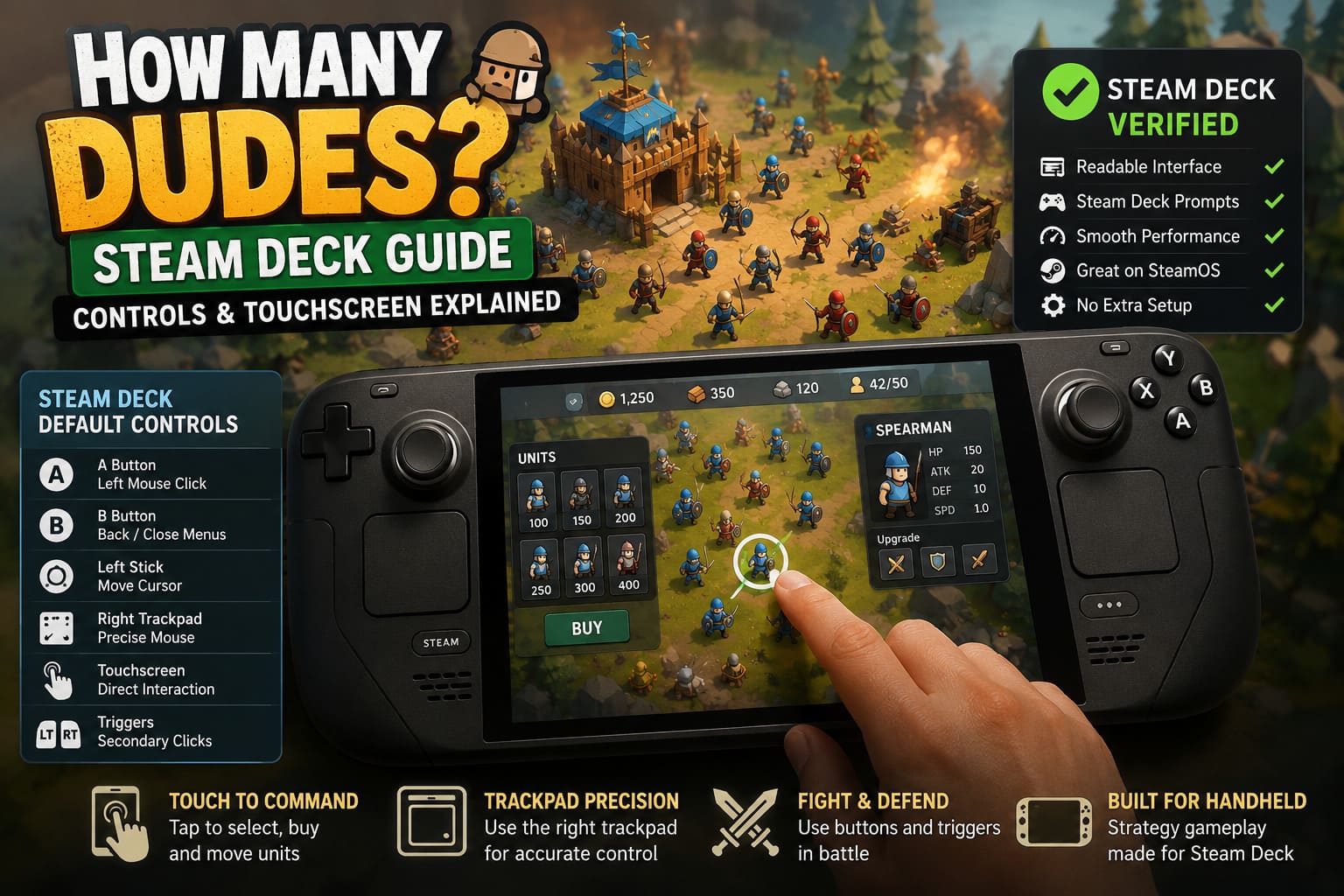
- Readable interface and menu text.
- Proper Steam Deck button prompts.
- Smooth gameplay with stable performance.
- Good compatibility with SteamOS.
- No major setup required before playing.
Games with dense interfaces often become difficult to read on smaller displays, but fortunately that’s not an issue here.
Why I Prefer Using the Touchscreen
After experimenting with multiple control methods, I eventually realized that my favorite way to play wasn’t using the analog sticks.
I actually preferred using the Steam Deck touchscreen.
Most of the gameplay revolves around selecting units, opening menus, reading detailed statistics, dragging items, and inspecting upgrades. Simply tapping the display feels quicker than constantly moving a virtual cursor around the screen.
It almost feels like playing a premium strategy game designed specifically for tablets.
My typical control setup eventually became:
- Touchscreen for purchasing and moving units.
- Right trackpad for precise hovering.
- Buttons during battles.
- Left stick only when necessary.
This combination felt considerably more natural than relying entirely on controller navigation.
Steam Input Settings Worth Changing
The default controller layout is already well-designed, but a few small adjustments noticeably improve comfort during longer sessions.
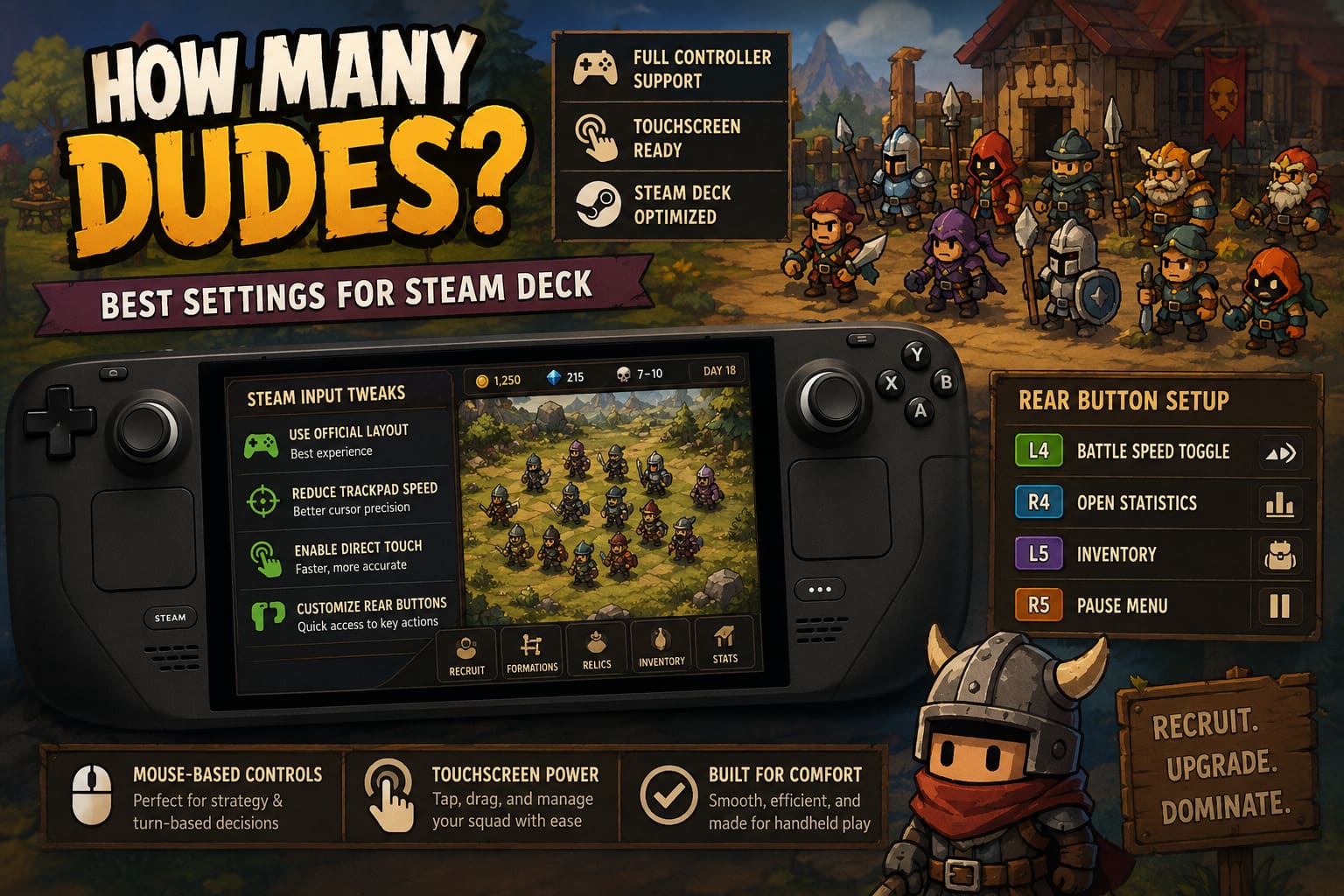
1. Keep the Official Steam Input Layout
Before changing anything else, make sure you’re using the official layout provided by the developers. It has clearly been designed specifically around the game’s interface and offers the smoothest experience.
2. Reduce Trackpad Cursor Speed
Late-game runs introduce dozens of tiny interface elements, relic descriptions, passive effects, and detailed statistics.
A slightly slower cursor makes hovering over smaller UI elements much more accurate.
3. Enable Direct Touch
Direct Touch allows your finger to become the cursor immediately instead of simulating relative mouse movement.
Buying new Dudes, dragging equipment, and reorganizing formations becomes significantly faster.
4. Customize the Rear Grip Buttons
The rear buttons are often overlooked but become incredibly useful once mapped to frequently used actions.
| Rear Button | Recommended Function |
|---|---|
| L4 | Battle Speed Toggle |
| R4 | Open Statistics |
| L5 | Inventory |
| R5 | Pause Menu |
These shortcuts reduce unnecessary menu navigation and make repeated actions much quicker.
Why Mouse-Based Controls Actually Work
Normally I’m not a fan of controller-to-mouse conversions because they often feel sluggish in games originally designed for PC.
Fortunately, How Many Dudes? avoids that problem thanks to its gameplay structure.
Most important decisions happen between combat rounds rather than during frantic real-time action.
You’ll spend the majority of your time:
- Recruiting new Dudes.
- Comparing statistics.
- Reading Relic descriptions.
- Managing formations.
- Building powerful synergies.
Since there’s rarely any pressure to react instantly, the cursor-based controls never become frustrating.
The Touchscreen Becomes Surprisingly Addictive
One unexpected discovery was how often I stopped using the controller altogether.
Need to recruit another unit?
Just tap it.
Want to inspect a Relic?
Tap the icon.
Need to reposition a Dude?
Simply drag it into place.
The interface feels remarkably intuitive once you embrace the touchscreen rather than trying to force traditional controller navigation.
Steam Deck Performance
Performance has been another pleasant surprise.
The game’s lightweight visual style allows the Steam Deck to maintain smooth gameplay, even during battles filled with countless animated units.
During testing, I noticed several strengths:
- Consistent frame pacing.
- Quick loading times.
- Minimal fan noise.
- Excellent battery efficiency.
- Stable gameplay during lengthy sessions.
Considering the sheer number of units that can appear on screen simultaneously, the optimization deserves genuine praise.
More Strategy Than Comedy
Although the game initially attracts players with its absurd humor, it quickly reveals an impressive amount of strategic depth.
Every run revolves around discovering increasingly powerful combinations between different Dude families.
Some specialize in dealing damage.
Others generate income.
Some sacrifice themselves for larger bonuses.
Others exist purely to support your strongest units.
Experimenting with these interactions became my favorite part of the game, and every successful combination feels genuinely rewarding.
Handheld Tips That Improved My Runs
After multiple hours on Steam Deck, a few habits noticeably improved the overall experience.
- Increase battle speed. Faster combat makes early-game farming much less repetitive.
- Read every Relic carefully. Many powerful builds come from unexpected combinations.
- Take advantage of cloud saves. Seamlessly continue runs between desktop and Steam Deck.
- Enable Dark Mode. Long nighttime sessions become much easier on the eyes.
How Many Dudes Progression System Guide: Tutorial and Metaprogression Strategies (2026)
Is Steam Deck the Best Platform?
Desktop PCs still offer unmatched precision with a traditional mouse, especially for players chasing maximum efficiency.
However, after spending considerable time with both versions, I genuinely believe the Steam Deck is one of the best ways to enjoy How Many Dudes?.
The ability to instantly suspend your session, continue later, and comfortably play anywhere perfectly matches the roguelike structure.
Whether you’re relaxing on the couch, traveling, or simply enjoying a quick session before bed, the handheld experience feels incredibly natural.
How Many Dudes Strategy Guide: Best Combos, Synergies, and Roster Builds
Final Verdict
How Many Dudes? demonstrates that a PC-first strategy game doesn’t necessarily need fully native controller menus to shine on Steam Deck.
Thanks to an excellent Steam Input profile, responsive touchscreen controls, and strong overall optimization, the game feels far more comfortable than its mouse-focused design initially suggests.
Personally, my favorite setup combines the touchscreen for fast interactions, the right trackpad for precision hovering, and customized rear grip shortcuts for frequently used actions. After only a few sessions, the controls fade into the background entirely, allowing you to focus on experimenting with outrageous builds and discovering hilariously overpowered squad combinations.
If you’re planning to spend dozens of hours uncovering powerful synergies, testing new strategies, and watching complete battlefield chaos unfold, the Steam Deck delivers an excellent portable experience. While desktop remains the king of precision, Valve’s handheld proves that How Many Dudes? feels perfectly at home on the go.