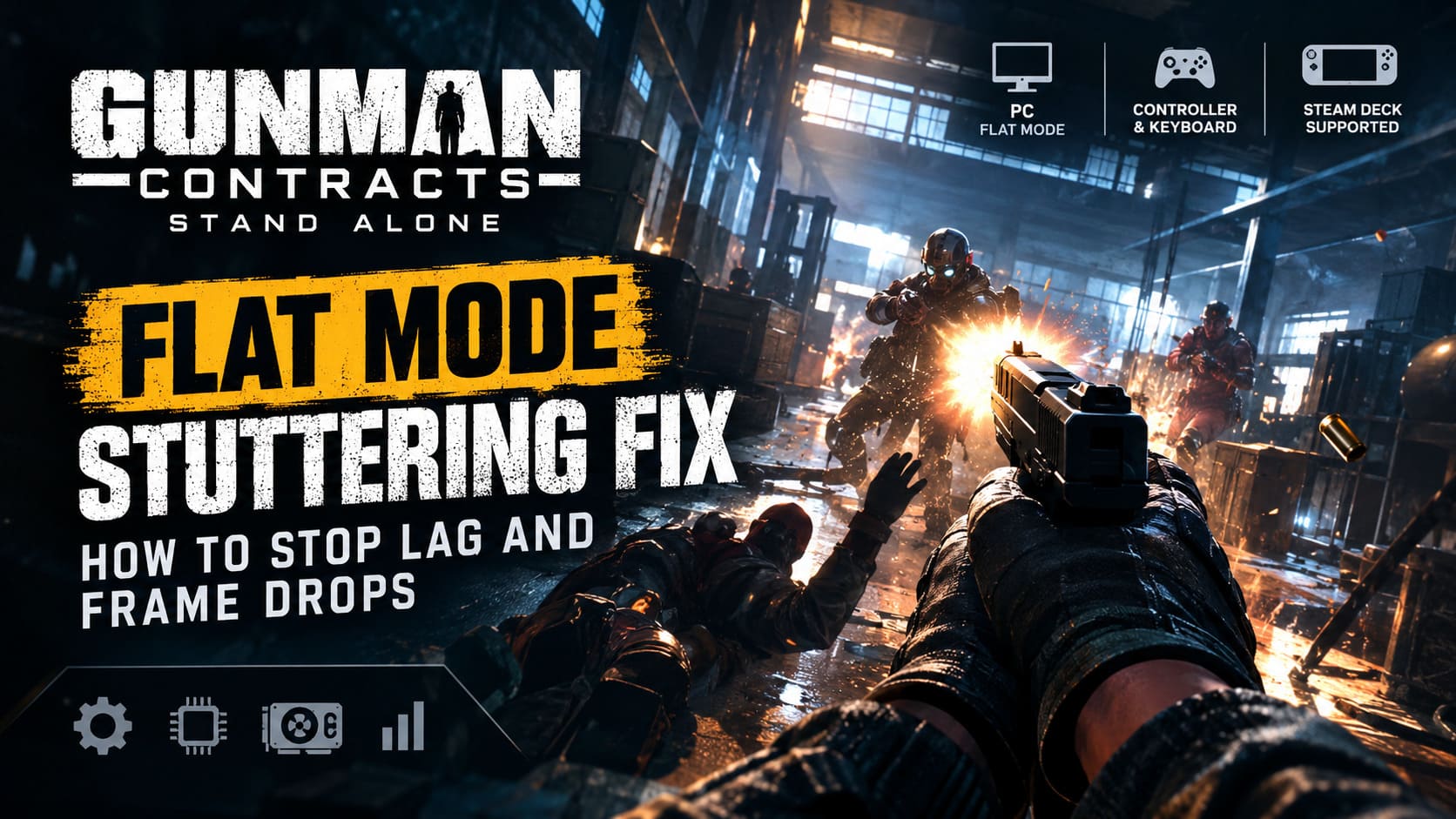
Gunman Contracts Stand Alone Flat Mode Stuttering Fix: How to Stop Lag and Frame Drops
Gunman Contracts – Stand Alone finally puts its brutal, John Wick-inspired gunplay into the hands of both VR and traditional PC players. Released on September 10, 2026, the standalone shooter takes everything that made the original Gunman Contracts mod for Half-Life: Alyx so damn satisfying and rebuilds it as a full game from ANB_Seth and 2080 Games.
There is a lot to love here. The weapon handling is aggressive, the physical interactions give firefights a fantastic sense of weight, and the contract missions can turn into absolute chaos in seconds. The big surprise is that you don’t actually need a VR headset to enjoy it. Flat Mode gives keyboard-and-mouse and controller players a proper desktop experience, while Steam Deck support makes the game considerably more accessible.
Unfortunately, there is a catch.
Some PC players are reporting flat mode stuttering, sudden lag spikes, frame drops, inconsistent frame pacing and poor 1% lows, even on systems that should have more than enough horsepower to run a shooter like this. The problem becomes especially obvious during hectic encounters where several enemies, physics interactions, particles and environmental effects are happening simultaneously.
If your otherwise smooth 60 FPS suddenly turns into a slideshow because you threw a weapon across a warehouse, kicked open a door or triggered a pile of ragdoll physics, you’re definitely not alone.
I’ve put together the fixes I’d try first. Some are simple Windows housekeeping, while others target the game’s VR roots and graphics pipeline directly.
Why Is Gunman Contracts – Stand Alone Stuttering in Flat Mode?
Before changing twenty different settings at random, it helps to understand what is actually causing the problem.
Gunman Contracts – Stand Alone isn’t a conventional flatscreen shooter. Its foundation is built around VR interaction and physical simulation. Flat Mode is an additional way of controlling that system rather than a completely separate game.
That distinction matters.
Heavy CPU Physics
The game’s physical interactions can be surprisingly demanding. Enemies aren’t just animated targets waiting to absorb bullets. Their bodies, weapons and interactions with the environment can generate a substantial amount of real-time physics work.
Throwing an enemy, ripping a weapon away, kicking someone, tossing knives or creating a chain reaction of objects can push the CPU much harder than simply shooting an enemy standing in place.
When the CPU becomes the bottleneck, your average FPS might still look acceptable while frametime consistency falls apart. That’s where those annoying micro-stutters come from.
VR Software Running in the Background
This is one of the first things I’d investigate if you’re playing exclusively in Flat Mode.
Because the game comes from a VR-first design, VR-related software can sometimes remain active even when you’re sitting at a normal monitor with a mouse in your hand.
SteamVR, Oculus/Meta software, OpenXR components and Virtual Desktop can potentially introduce additional overhead or interfere with how the game initializes.
You don’t necessarily need to uninstall anything. Just make sure unnecessary VR services aren’t running while you’re testing Flat Mode performance.
Shader Compilation and Asset Streaming
Some stuttering is simply the unpleasant reality of modern PC games.
When the game encounters a shader, weapon effect, particle effect or environmental asset that hasn’t been processed yet, it may need to compile or stream data in real time. That can produce a short hitch.
If the stutter happens consistently the first time you fire a weapon, enter a particular room or trigger a new enemy encounter, shader compilation or asset streaming should be high on your suspect list.
Expensive Screen-Space Effects
The industrial environments in Gunman Contracts can look fantastic, but reflections, shadows and ambient effects aren’t free.
Running at 1440p or 4K while keeping every visual option at Ultra can put unnecessary pressure on the GPU, particularly during firefights where muzzle flashes, enemies and dynamic lighting are all competing for resources.
Best Fixes for Gunman Contracts Flat Mode Stuttering
1. Close VR Software Before Launching the Game
This is the first fix I’d test because it’s quick, reversible and directly targets one of the game’s unusual technical characteristics.
Open Windows Task Manager with:
Ctrl + Shift + Esc
Look through the running processes and close VR software you don’t need for Flat Mode, including things related to:
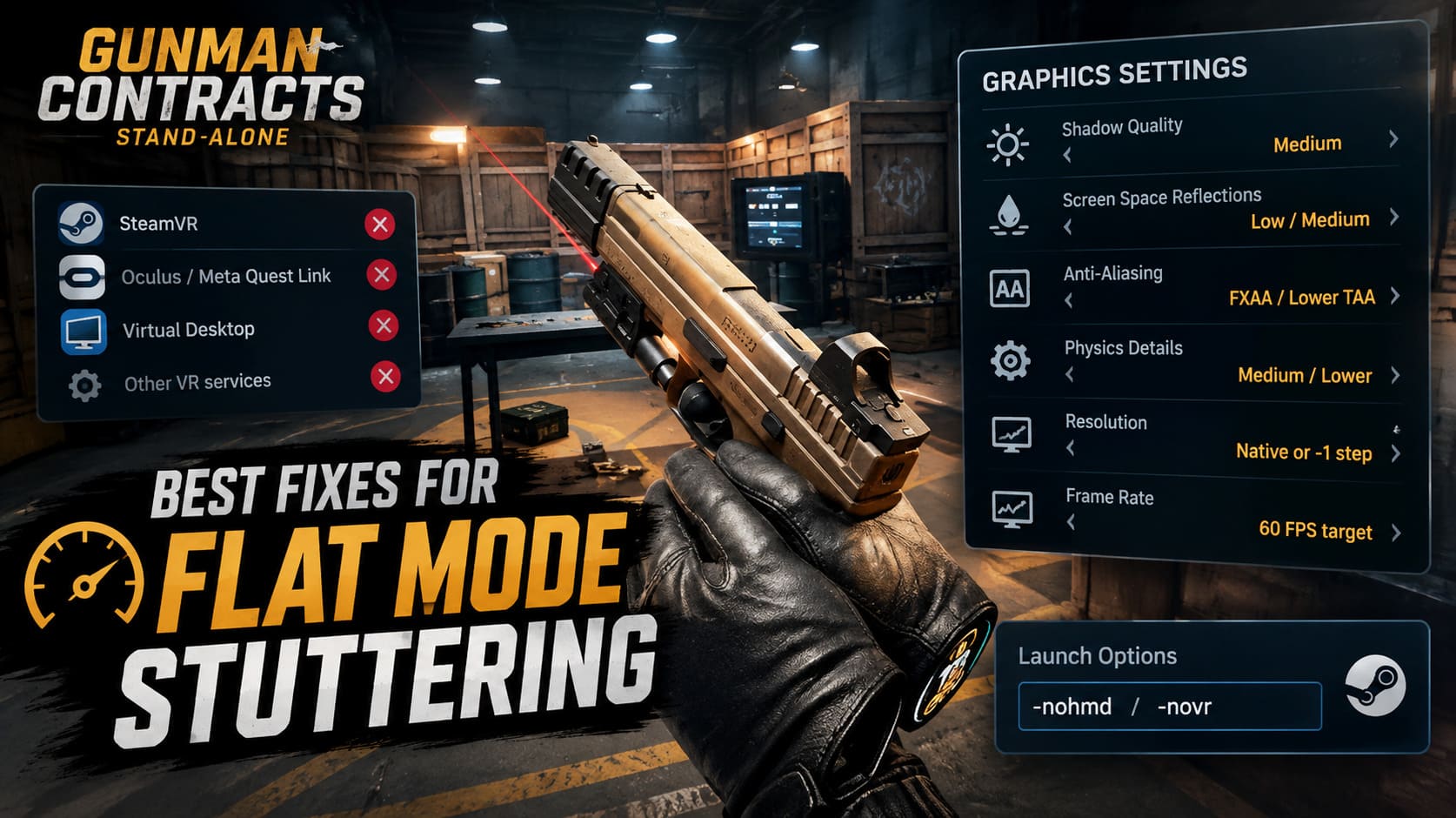
- SteamVR / VRServer
- Oculus or Meta Quest Link
- Virtual Desktop
- Other active VR runtime services
Don’t randomly terminate Windows processes. We’re specifically looking for VR applications that have no reason to be running while you’re playing on a monitor.
You can also experiment with Steam launch options.
Open your Steam Library, right-click Gunman Contracts – Stand Alone, choose Properties, and find the Launch Options field.
Try:
-nohmd
or:
-novr
The goal is to force the game away from unnecessary VR initialization when you’re deliberately playing the flat version.
If one of these commands causes the game not to launch correctly, remove it. Launch parameters can behave differently depending on the current build and runtime configuration.
2. Lower the Settings That Actually Affect Frame Pacing
Don’t make the classic mistake of dropping every graphical setting to Low.
That’s usually unnecessary.
The smarter approach is to target the settings that can create the biggest performance hit while keeping the game looking sharp.
Recommended Starting Point
| Setting | Recommended Flat Mode Value | Why |
|---|---|---|
| Shadow Quality | Medium | Reduces dynamic lighting and shadow workload |
| Screen Space Reflections | Low / Medium | Helps GPU performance in reflective environments |
| Anti-Aliasing | FXAA / Lower TAA | Reduces rendering cost |
| Physics Details | Medium / Lower | Helps CPU performance during chaotic fights |
| Resolution | Native or one step lower | Useful if GPU-bound |
| Frame Rate | 60 FPS target | Gives you a realistic baseline for testing |
Shadow Quality is the first setting I’d lower.
Gunfights can involve several enemies, muzzle flashes and moving light sources at the same time. Dynamic shadows can become surprisingly expensive.
Next, reduce Screen Space Reflections. The effect looks nice on metallic surfaces and wet floors, but I’d happily sacrifice some reflections if it means keeping the shooting smooth.
Anti-aliasing is another setting worth testing. If you’re using an expensive high-sample option and seeing inconsistent performance, try FXAA or a lighter TAA configuration.
If the game provides a separate option for physics persistence, debris or interaction detail, lower that as well. For this particular game, reducing physics workload can matter more than shaving a few pixels off texture quality.
3. Optimize Your GPU Driver Settings
Sometimes the game’s own graphics menu doesn’t give you enough control over frame pacing.
NVIDIA
Open NVIDIA Control Panel and go to:
Manage 3D Settings → Program Settings
Add the Gunman Contracts executable and test the following:
- Power Management Mode: Prefer Maximum Performance
- Low Latency Mode: Ultra
- Vertical Sync: Off or Fast, depending on your display setup
The idea is to prevent unnecessary GPU power-state changes and reduce latency between CPU and GPU processing.
If you’re using a G-SYNC-compatible monitor, I’d test your preferred G-SYNC configuration separately rather than blindly combining every synchronization feature.
Don’t expect the NVIDIA Control Panel to magically add 30 FPS. The main objective here is more consistent frame delivery.
AMD
For Radeon users, open AMD Software: Adrenalin Edition and select the game profile.
Test:
- AMD Anti-Lag: Enabled
- Radeon Image Sharpening: Optional
- Surface Format Optimization: Enabled
Image Sharpening is particularly useful if you’ve lowered resolution or anti-aliasing and the picture has become slightly soft.
4. Turn On Hardware-Accelerated GPU Scheduling
Windows 11 includes Hardware-Accelerated GPU Scheduling (HAGS), which can change how GPU scheduling and video memory management are handled.
It’s worth testing with Gunman Contracts, especially if you’re dealing with inconsistent frame pacing rather than simply low average FPS.
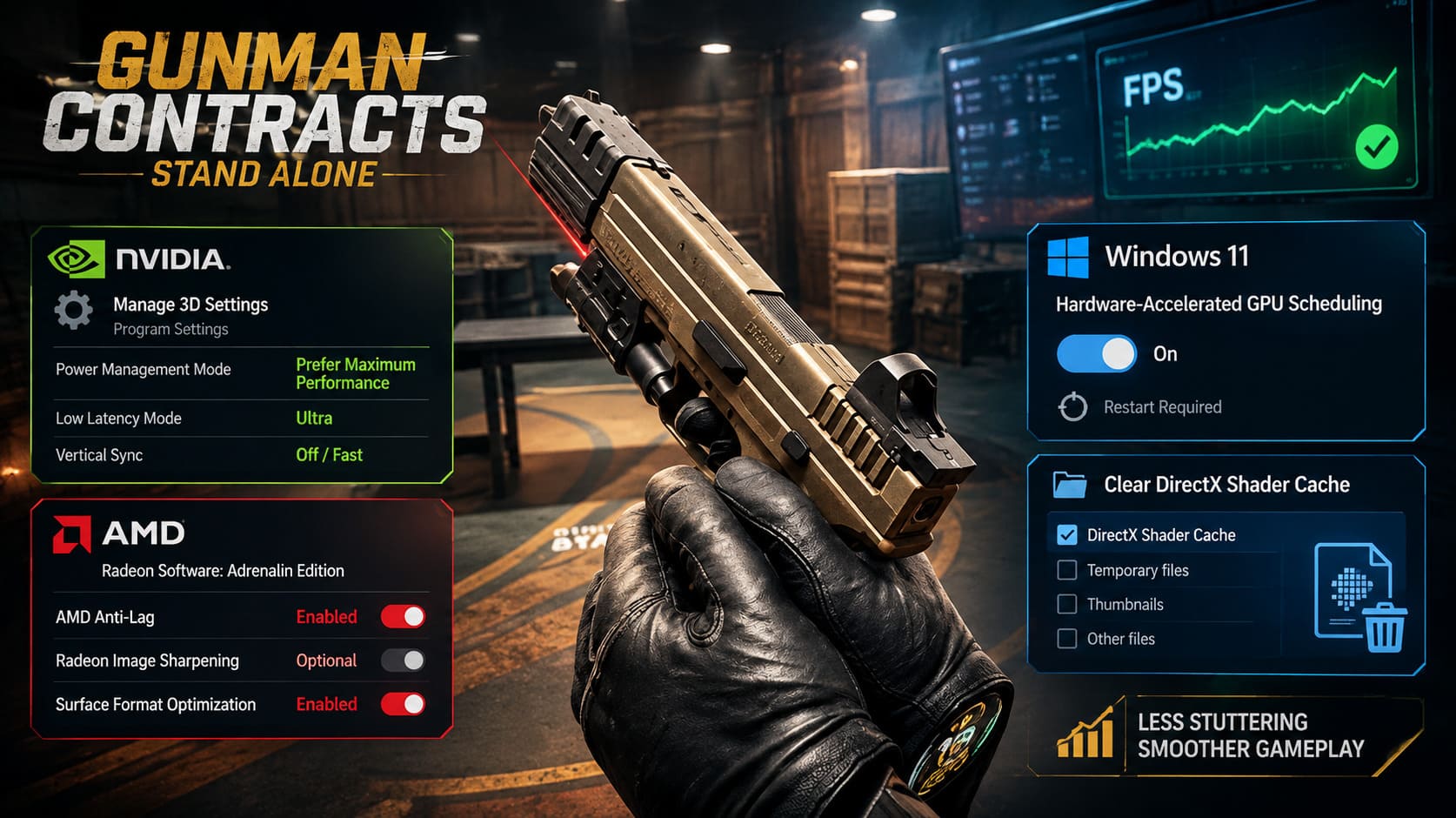
Go to:
Windows Settings → System → Display → Graphics → Default Graphics Settings
Find:
Hardware-Accelerated GPU Scheduling
Turn it On and restart the PC.
The reboot is important. Don’t just switch the setting and immediately launch the game expecting the change to apply without restarting Windows.
Also remember that HAGS isn’t universally beneficial on every system. If your stuttering becomes worse after enabling it, simply test with it disabled again. PC optimization is annoyingly hardware-dependent sometimes.
5. Clear the DirectX Shader Cache
If Gunman Contracts stutters during the first encounter with a weapon effect, room or visual effect, clearing the shader cache is a sensible troubleshooting step.
Press the Windows key and search for:
Disk Cleanup
Choose your main Windows drive, usually C:.
When the cleanup options appear, find:
DirectX Shader Cache
Select it and allow Windows to remove the cached files.
The next launch may actually stutter a little while the game rebuilds or recompiles required shaders. That’s normal.
Don’t judge the result during the first few seconds of the first launch. Give the game time to rebuild its cache, then test the same contract or encounter again.
If the stuttering was caused by stale or corrupted cached shader data, subsequent runs should be more consistent.
Gunman Contracts Flat Mode Performance on Steam Deck
Steam Deck owners have another balancing act.
The developers have included support for the handheld’s non-VR control scheme, which is great news, but the Deck doesn’t have the same CPU and GPU headroom as a modern desktop gaming PC.
And Gunman Contracts can get messy.
Once physics interactions, enemy AI, particles and environmental effects start piling up, maintaining a locked 60 FPS isn’t always the best target.
I’d start with a 40 FPS / 40 Hz configuration.
Open the Steam Deck Quick Access Menu using the three-dot button, then set the display refresh rate and frame limit to 40 Hz / 40 FPS.
The result is noticeably smoother than 30 FPS while avoiding the kind of power draw and thermal load you’d get from constantly chasing 60 FPS.
For the game itself, try:
- 1280×800 resolution
- AMD FSR / Spatial Upscaling
- FSR sharpness around 3–4
- Steam Deck TDP around 12W–15W
The TDP setting deserves some attention because this game isn’t purely GPU-limited. CPU-heavy physics interactions can become the real problem during large fights.
Giving the CPU enough power to process enemy takedowns, ragdolls and physical interactions can be more useful than simply pushing the GPU harder.
What If Gunman Contracts Still Stutters?
If you’ve applied all of these changes and the game still produces severe hitching, don’t immediately assume your PC is the problem.
Early builds can have genuine engine-side issues.
A game that combines VR interaction systems, physics simulation, AI, dynamic lighting, asset streaming and a separate Flat Mode control system has a lot of moving parts.
Pay attention to when the stutter happens.
If the game drops frames specifically when:
- multiple enemies enter combat,
- physics objects are thrown around,
- doors and environmental objects are destroyed,
- new areas load,
- specific visual effects appear,
- or slow-motion mechanics are triggered,
then you’re probably looking at a CPU, physics or streaming bottleneck rather than a simple GPU graphics setting problem.
That distinction is important because lowering texture quality won’t magically fix a CPU physics spike.
My Recommended Flat Mode Setup
If I were troubleshooting the game on my own PC, this would be my starting point:
| Category | Starting Configuration |
|---|---|
| VR Software | Closed while playing Flat Mode |
| Launch Option | Test -nohmd / -novr |
| Shadows | Medium |
| SSR | Low / Medium |
| Anti-Aliasing | FXAA / Lower TAA |
| Physics | Medium or Lower |
| HAGS | On, then compare against Off |
| Shader Cache | Clear if first-use stutters persist |
| Target FPS | Stable 60+ FPS on desktop |
| Steam Deck | 40 Hz / 40 FPS |
| Deck Resolution | 1280×800 |
| Deck FSR | Spatial Upscaling |
| Deck TDP | 12W–15W |
The important word here is stable.
I’d take a consistent 60 FPS over a benchmark screenshot showing 100 FPS that collapses to 45 whenever the action gets serious. In a game built around rapid shooting and physical interactions, bad 1% lows are far more noticeable than a slightly lower average frame rate.
Gunman Contracts Stand Alone Steam Deck: Best Settings Guide for 60 FPS & Battery Life
Final Thoughts
Gunman Contracts – Stand Alone is at its best when everything clicks. You kick through a door, grab a weapon, put down two targets, throw a knife and immediately find yourself in the middle of a ridiculous action-movie firefight. That’s exactly why stuttering is so frustrating here. A random hitch during a quiet corridor is annoying. A hitch while you’re throwing a weapon at an enemy with three guys shooting at you is enough to completely wreck the moment.
The good news is that Flat Mode stuttering doesn’t necessarily mean you need a new GPU.
Start with the VR software. Disable unnecessary SteamVR, Meta and Virtual Desktop processes, then test the -nohmd or -novr launch parameters. After that, attack the biggest performance offenders: shadows, reflections, anti-aliasing and physics-related settings.
On Windows, HAGS and a clean DirectX Shader Cache are also worth testing. NVIDIA and AMD users can then fine-tune their driver profiles for better frame pacing.
Gunman Contracts Stand Alone Non-VR Guide: How to Play in Flat Mode
Steam Deck players should stop chasing an unrealistic 60 FPS target and try 40 Hz / 40 FPS at 1280×800 with FSR instead. That setup makes much more sense for a physics-heavy shooter running on handheld hardware.
And honestly, this is one of those games where future patches could make a huge difference. If ANB_Seth and 2080 Games continue tuning CPU physics distribution, VR initialization and Flat Mode asset streaming, some of today’s worst stutters may disappear without players having to touch anything.
Until then, these are the settings I’d use to get the smoothest possible Gunman Contracts – Stand Alone Flat Mode experience. Get the frame pacing under control, keep the VR runtime out of the way, and then get back to doing what this game does best: turning every contract into a ridiculously violent action sequence.