EA Sports FC 27 Xbox Series S 60FPS Performance Fix: Stop Lag & Frame Drops
There is nothing more frustrating in EA Sports FC 27 than feeling like your Xbox Series S is fighting against you.
The match can look perfectly smooth one minute, and then a corner kick turns into a slideshow of tiny stutters. Menus start responding late. Player movement suddenly feels heavy. You press a button expecting an instant pass, but the game seems to think about it for a moment before responding.
And when you’re playing Ultimate Team, Clubs, or online Seasons, even a small performance problem can completely change how a match feels.
I’ve spent enough time troubleshooting games on the Series S to know that the console itself isn’t automatically the problem. The little Xbox can still deliver a surprisingly good experience when everything around the game is configured properly. EA Sports FC 27 is capable of running at a responsive 60FPS target on Series S, but several things can interfere with frame pacing, loading, and online responsiveness.
The good news is that you don’t need some mysterious “secret” performance setting.
In my experience, the biggest improvements come from cleaning up how the game launches, checking the Xbox display configuration, eliminating unnecessary storage and network problems, and making sure you’re not confusing connection issues with actual frame-rate drops.
Here’s what I’d check first.
Why EA Sports FC 27 Can Feel Worse Than It Looks
The Xbox Series S is a capable machine, but it isn’t a smaller Series X with exactly the same hardware.
It has less memory bandwidth and a smaller memory pool, which means developers have to make more compromises when pushing demanding visual features. A football game is also doing much more than simply drawing 22 players on a pitch.
During a match, the console is handling player animations, physics, lighting, stadium crowds, menus, replays, AI behavior, ball movement, and a huge amount of background game logic.
That becomes particularly noticeable during moments such as:
- Corner kicks and set pieces
- Fast transitions from defense to attack
- Replays and camera changes
- Crowded stadium scenes
- Online matches with unstable connections
- Rapid menu navigation
But there’s an important distinction here: not every “lag” problem is actually an FPS problem.
If the entire game looks like it is slowing down, you’re probably dealing with performance or frame pacing. If players suddenly stop responding correctly while the picture remains visually smooth, that’s much more likely to be a connection problem.
That distinction will save you a lot of wasted time.
My First Fix: Completely Quit FC 27 Instead of Using Quick Resume
If there’s one habit I’d recommend changing immediately, it’s this one.
Don’t leave EA Sports FC 27 suspended in Quick Resume.
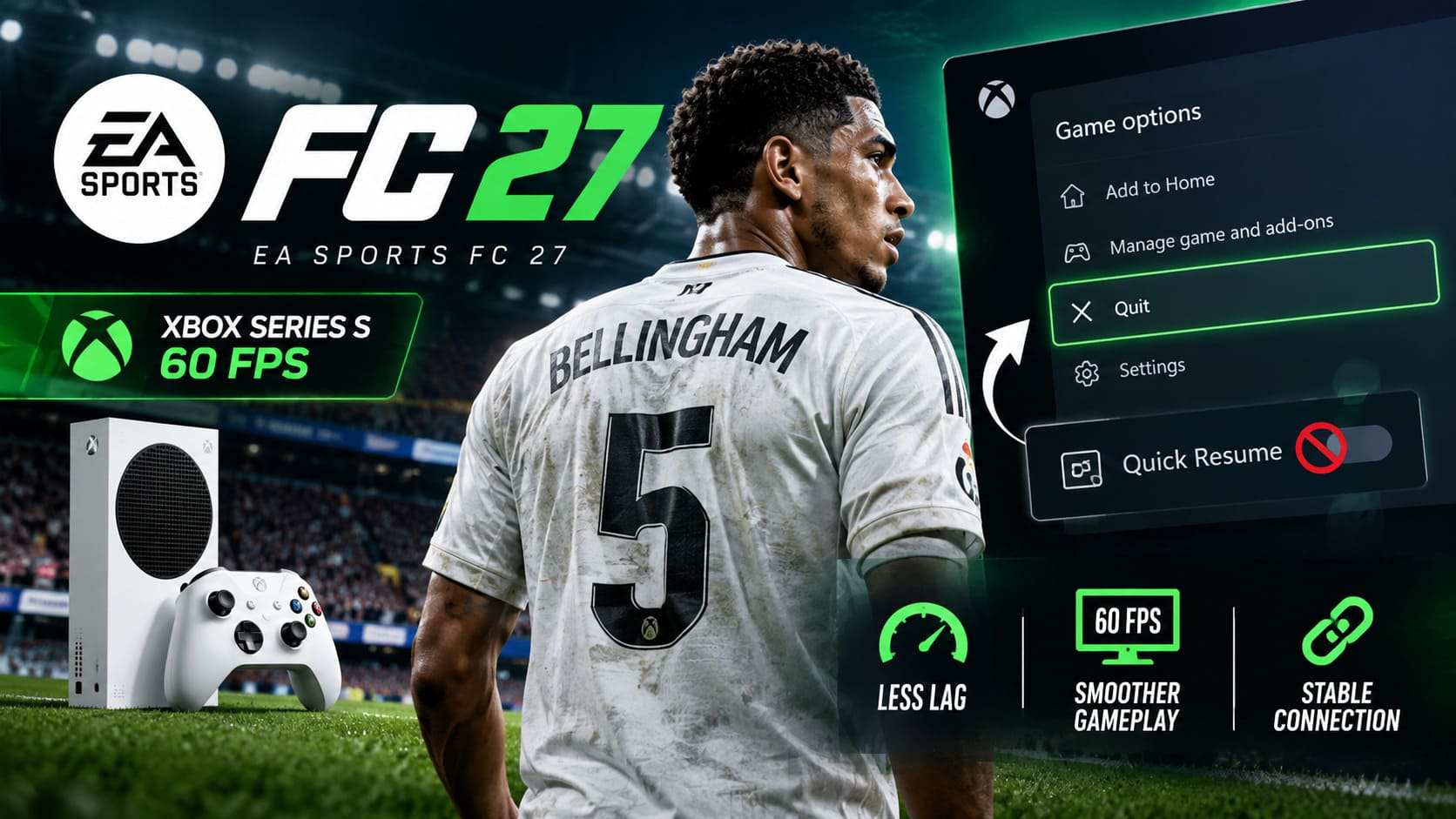
Quick Resume is fantastic for many offline games. Being able to jump back into a single-player title almost instantly is one of the Series consoles’ best features.
Live-service and constantly updated games are different.
FC 27 is constantly communicating with online services, updating information, syncing data, and maintaining a connection to EA’s infrastructure. Resuming an old suspended session can sometimes produce strange behavior that disappears after a proper restart.
If I’ve been playing for hours and the game starts behaving strangely, I don’t bother trying ten random settings first. I quit the game completely.
Go to the Xbox dashboard, highlight EA Sports FC 27, press the Menu button, and choose Quit. Then launch it again from scratch.
It sounds almost insultingly simple, but a clean launch is often the fastest way to eliminate temporary problems.
Quick Resume vs. Fresh Launch
| Situation | What I’d Do |
|---|---|
| Game runs perfectly | Keep playing |
| Menu becomes unusually slow | Fully quit FC 27 |
| Stutters appear after several sessions | Restart the game |
| Online connection feels strange | Quit and relaunch |
| Problems return every time | Continue with system troubleshooting |
Don’t underestimate the value of starting from a clean state.
Check Your Xbox Series S Display Settings
This is another area where people can accidentally make things more complicated than necessary.
Open Settings > General > TV & display options and look through your current output configuration.
If you’re using a 1080p television or monitor, there’s little reason to force the console into an unnecessarily complicated display configuration. Testing 1080p output can be a useful troubleshooting step if you’re experiencing persistent performance issues.
VRR is slightly more complicated.
If your TV or monitor properly supports Variable Refresh Rate, it can help smooth out small frame-pacing variations. That’s great when everything is working correctly.
But if VRR compatibility is questionable, the result can sometimes be the opposite of what you want: inconsistent frame pacing, flickering, or an odd feeling during camera movement.
So if FC 27 feels strangely uneven despite a seemingly stable frame rate, test the game with VRR enabled and disabled. Don’t assume that one setting is automatically better for every television.
The same applies to 4K-related options. If you’re playing on a native 1080p screen, simplify the output configuration rather than forcing the console to process capabilities your display isn’t actually using.
Give the Console a Proper Power Cycle
When a game has been updated repeatedly, played for long sessions, and suspended and resumed dozens of times, restarting the entire console can be worthwhile.
I’m not talking about simply returning to the dashboard.
Perform a full power cycle:
- Hold the physical Xbox power button until the console completely shuts down.
- Disconnect the power cable.
- Leave the console disconnected for a couple of minutes.
- Reconnect it and boot the Series S normally.
This won’t magically turn the Series S into a Series X, but it can eliminate temporary system-state problems that survive a normal game restart.
One correction I’d make to a lot of online troubleshooting guides, though: don’t blindly clear random system data just because someone claims it will increase FPS. A power cycle is a reasonable troubleshooting step; promises of dramatic performance gains from obscure cache-clearing rituals should be treated skeptically.
Your Internet Connection Can Look Like an FPS Problem
This is probably the most important distinction in the entire guide.
Imagine you’re playing an online match. Your player suddenly stops responding properly, movement feels delayed, and the action appears to hitch.
It is very tempting to blame the Xbox’s GPU.
But if the problem only happens during online play, your network deserves attention first.
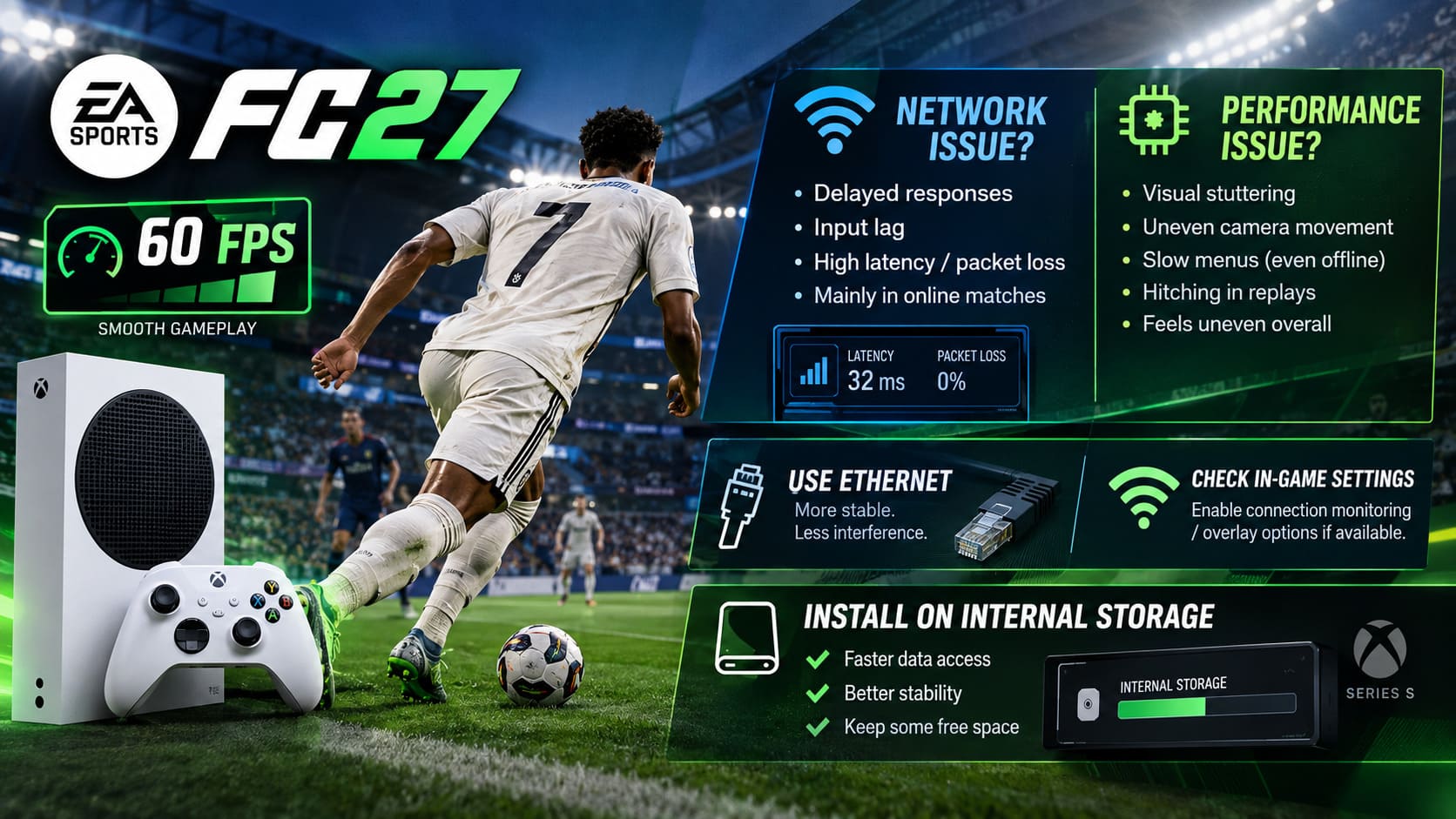
Wi-Fi can be perfectly usable for gaming, but Ethernet remains my preferred option whenever possible. A direct connection to your router removes a whole category of potential wireless interference.
If you can, connect the Series S with an Ethernet cable and compare the experience.
Also check FC 27’s connection-related settings and enable the Connection Monitoring/Overlay options if available. Watching latency and packet-loss information while you play can reveal something that the FPS counter won’t.
If your visual performance is stable but your connection indicators suddenly spike at the exact moment your controls feel delayed, you’ve probably found the real culprit.
Signs of a Network Problem
- Delayed player responses
- Sudden input delay
- Players appearing to react late
- Temporary connection warnings
- Problems that occur mainly in online matches
- Packet-loss or latency spikes
Signs of a Performance Problem
- Persistent visual stuttering
- Uneven camera movement
- Slow menus even offline
- Hitching during replays
- Problems occurring in offline modes
- The whole game feels visually uneven
That distinction is incredibly useful.
Install FC 27 on the Internal Storage
Storage location can also matter.
If your copy of FC 27 is running from an external drive, I’d move it to the internal storage and test the game again.
Modern games stream a huge amount of data while you’re playing. Football games may not look as technically demanding as enormous open-world titles, but the game is still loading textures, animations, stadium assets, player data, and other resources constantly.
The internal SSD is the safest place to run the game.
I’d also avoid filling the internal drive completely. You don’t need to obsess over an exact percentage, but keeping a reasonable amount of free space is sensible for general console operation and game updates.
Don’t Ignore Heat and Airflow
Here’s another simple thing that gets forgotten because it isn’t buried inside a settings menu.
Keep the Series S properly ventilated.
The console is compact, and compact hardware has less room for heat management than a large desktop PC. If your Series S is squeezed into a tiny cabinet, surrounded by other electronics, or sitting somewhere with restricted airflow, move it somewhere with plenty of open space.
Also pay attention to whether performance problems become noticeably worse after very long sessions.
I’m not saying every FC 27 stutter means your Xbox is thermal throttling. That’s far too simplistic. But maintaining good airflow is basic hardware hygiene, and there’s no reason to make the console’s job harder.
The Settings I Would Actually Test
Rather than changing twenty options simultaneously, I’d use a simple troubleshooting process.
| Area | Setting/Action | Why It Matters |
|---|---|---|
| Game Launch | Fully quit FC 27 | Removes suspended-session issues |
| Display | Test 1080p | Simplifies the output pipeline |
| VRR | Test ON/OFF | Identifies frame-pacing conflicts |
| Network | Ethernet | Reduces wireless instability |
| Connection | Monitor latency/packet loss | Separates network lag from FPS issues |
| Storage | Internal SSD | Improves asset access consistency |
| Console | Full power cycle | Clears temporary system states |
| Airflow | Keep vents unobstructed | Helps maintain normal temperatures |
The key is to change one thing at a time.
If you change your resolution, VRR, network, storage, and every in-game setting simultaneously, you won’t know which change actually helped.
EA FC 27 Career Mode Wonderkids: Best Elite Prospects & Cheap Bargains to Buy Early
What About Getting a Perfect Locked 60FPS?
This is where I’d keep expectations realistic.
The Xbox Series S is not a magical performance machine, and no settings guide can guarantee a perfectly locked frame rate in every situation.
What you can do is remove unnecessary variables.
A clean FC 27 launch, sensible display configuration, stable storage, good ventilation, and a reliable network connection create a much better foundation for consistent gameplay.
And honestly, that’s what matters most to me.
Football games are incredibly sensitive to frame pacing and input consistency. A game that technically averages around the target frame rate but constantly produces little hitches can feel worse than a game with a slightly lower but much more consistent performance profile.
That’s why I wouldn’t chase every obscure “FPS boost” trick you see online.
Final Thoughts
The Xbox Series S can still be a very good way to play EA Sports FC 27, especially if you’re looking for a cheaper current-generation console. But getting the best experience isn’t necessarily about finding one secret setting.
It’s about eliminating the little problems that pile up.
Start with a completely fresh launch instead of relying on Quick Resume. Check your display configuration and test VRR if necessary. Power-cycle the console when things become unusually unstable. Use Ethernet when possible. Keep FC 27 on internal storage and make sure the Series S has enough breathing room for cooling.
Most importantly, learn to recognize the difference between FPS drops and online latency.
Once you know what kind of problem you’re actually looking at, troubleshooting FC 27 becomes much less frustrating.
For me, that’s the real goal here: not some mythical “Ultra Performance Mode,” but a clean Xbox Series S setup that lets the game get out of its own way and gives you the responsive 60FPS-style experience you’re actually looking for when the match gets serious.