Conan Exiles Enhanced: The Best Cinematic ReShades for Your Unreal Engine 5 Adventure
I’ve played Conan Exiles on and off for years, and every time I return, I’m reminded of the same thing: the game has an incredible world, but the “feel” of that world depends heavily on how you tune the visuals.
With the 2026 UE5-enhanced version of Conan Exiles—complete with Lumen lighting and Nanite geometry—the base game finally looks modern.
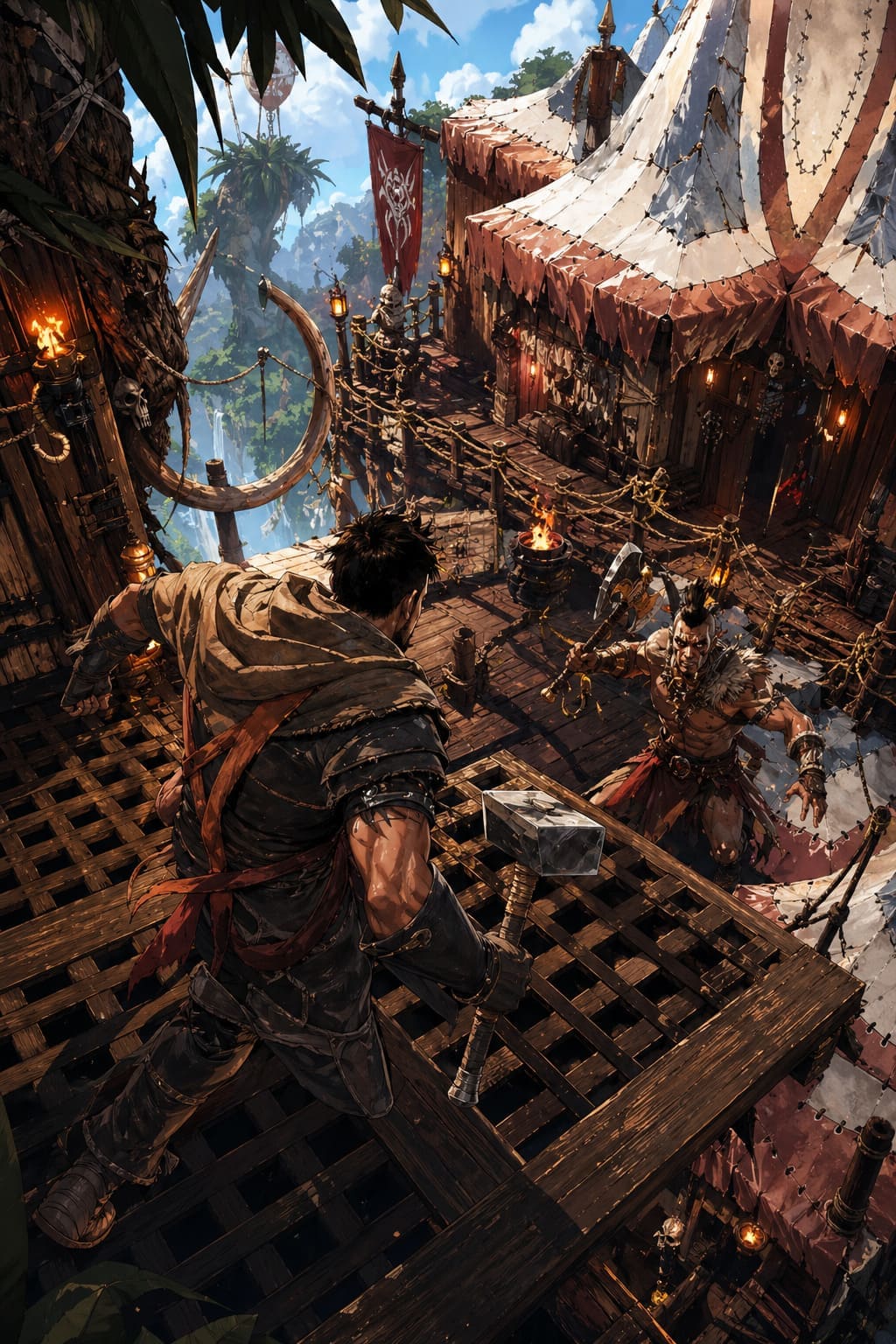
But “modern” doesn’t always mean “cinematic.” Sometimes it feels too clean, too bright, or just slightly off in tone, especially if you’re chasing that gritty sword-and-sand fantasy vibe.
That’s where ReShade still earns its place.
This isn’t a technical manual. It’s more like a field notebook from someone who actually spends way too much time wandering the Exiled Lands at sunset, tweaking visuals instead of progressing quests.
Sparking Zero Giant Tier List: The 2026 “Anti-Giant” Meta Strategy
Why I Still Use ReShade in 2026 (Even With UE5)
UE5 improved a lot of things—lighting, shadows, volumetrics—but it also introduced a certain “uniformity” to the world. Everything looks correct, but not always atmospheric.
ReShade helps bring back personality.
Here’s what I personally use it for:
- Mood control: making deserts feel harsher, nights more oppressive
- Color identity: separating biomes so they actually feel distinct
- Cinematic screenshots: because let’s be honest, half the game is photo mode now
- Fine-tuning contrast: UE5 sometimes softens edges too much for my taste
I don’t think ReShade is “necessary,” but for players who care about immersion, it’s still the final layer of polish.
My Top Cinematic ReShade Presets for Conan Exiles (2026 Edition)
After testing a lot of community builds, forums presets, and my own tweaks, these are the five setups I keep coming back to.
1. Hyboria Ultra Cinematic (My Personal Favorite)
This is the preset I use when I just want the game to feel real. It leans into realistic lighting without making everything look artificially dark or over-processed.
It works surprisingly well with Lumen, especially during sunrise and sunset cycles.
What it does well:
- Deep but natural shadows
- Clean highlights without bloom overload
- Slight filmic tone mapping
- Balanced contrast across all biomes
Best experience: solo exploration, immersion-heavy roleplay, long survival sessions.
Honestly, this preset makes even basic desert travel feel like a scene from a fantasy film.
2. The Grit & Ash Cinematic Pack
If Hyboria Ultra is “beautiful realism,” this one is “survival brutality.”
It pushes the world into a darker, more oppressive tone. Nights feel heavier, and caves become genuinely unsettling.
Key traits:
- Strong vignette and film grain
- Desaturated environment tones
- Crushed blacks for dramatic contrast
- Slight sepia undertones in desert zones
This is not a “pretty” preset. It’s a mood preset.
I use it when I want the game to feel like a harsh survival story rather than an open-world sandbox.
3. Vanilla+ Enhanced (Subtle But Smart)
Sometimes I don’t want transformation—I just want refinement.
This preset keeps the original UE5 look but tightens it up visually.
What it improves:
- Slight sharpening without halo effects
- Better edge definition on armor and buildings
- Mild vibrance correction (nothing extreme)
- Cleaner UI readability in bright areas
This is the preset I recommend to anyone who’s afraid ReShade will “ruin” the game’s visuals. It won’t. It just polishes them.
4. Savage Realms Vivid Edition
This one is basically the opposite of Grit & Ash.
It’s colorful, bold, and very streamer-friendly.
Biomes actually feel like different worlds:
- Jungles go deep emerald green
- Snow regions become almost glowing white
- Deserts get warm, cinematic gold tones
Highlights:
- Strong color separation between zones
- Enhanced sky saturation
- Light bloom for dramatic weather effects
It’s not subtle—but it’s extremely visually satisfying. I wouldn’t use it for long survival sessions, but for exploration or content creation, it’s fantastic.
5. Black Sand Minimalist Cinematic
This is inspired by modern MMO aesthetics—clean, sharp, almost UI-focused visuals.
It pairs especially well with modded UI setups.
What stands out:
- Reduced atmospheric haze
- High clarity textures
- Neutral color grading
- Crisp UI readability
It’s the “competitive clarity” preset of the bunch. If you care more about gameplay visibility than artistic tone, this one feels perfect.
Preset Comparison Table
| Preset Name | Visual Style | Best For | Performance Impact |
|---|---|---|---|
| Hyboria Ultra Cinematic | Balanced realism | Immersion & exploration | Medium |
| Grit & Ash Cinematic | Dark fantasy | Storytelling, screenshots | Low–Medium |
| Vanilla+ Enhanced | Minimal tuning | Gameplay clarity | Very Low |
| Savage Realms Vivid | High saturation | Streaming, visuals | Medium–High |
| Black Sand Minimalist | Clean modern look | Competitive play | Very Low |
How I Install ReShade in Conan Exiles (2026 Setup Notes)
The installation process hasn’t changed much, but UE5 compatibility does matter more now.
Here’s my simple workflow:
- Download the latest ReShade installer
- Select ConanSandbox.exe from the Steam directory
- Choose DirectX 12 (important for UE5 builds)
- Install standard effect packages (don’t overdo it)
- Drop your .ini preset into the game folder
- Open the overlay with Home key and select preset
One thing I learned the hard way: don’t install every effect pack available. It just bloats performance and rarely improves visuals.
Performance Tips I Actually Use
Over time, I’ve settled on a few tweaks that keep the game smooth while still looking great:
- Turn OFF in-game Ambient Occlusion if using ReShade AO
- Avoid stacking multiple sharpening effects (pick one)
- Limit depth of field unless you’re doing screenshots
- Use adaptive sharpening instead of aggressive LumaSharpen when possible
Surprisingly, ReShade can sometimes look better than native post-processing when configured lightly.
What I like most about ReShade in Conan Exiles is that it doesn’t try to replace the game—it reshapes how you perceive it.
UE5 made the world technically impressive. ReShade makes it emotionally interesting.
Sometimes I want Hyboria to feel like a myth. Other times I want it to feel like a brutal survival story with no mercy. And occasionally, I just want it clean and readable so I can focus on gameplay.
That flexibility is why I still use it in 2026.
If I had to recommend just one preset to start with, it would be Vanilla+ Enhanced. It’s safe, stable, and gives you room to decide how far you want to push the visuals later.
Conan Exiles Enhanced in 2026 — Why Unreal Engine 5 Changes Everything (and Why I’m Actually Excited Again)
I’ve played Conan Exiles on and off since its early survival sandbox days, mostly returning whenever new updates or mods made the experience feel fresh again. But over time it always drifted into something familiar.
Same landscapes, same inventory struggles, same base-building loops that eventually start to blur together.
That’s why the announcement of Conan Exiles Enhanced (2026) moving to Unreal Engine 5 actually caught my attention in a way most “next-gen upgrade” news usually doesn’t.
This doesn’t feel like a simple remaster or texture upgrade. It feels like a foundational rebuild of how the game actually works and presents itself.
And after digging into what’s changing, it looks like this could be the update that finally pushes Conan Exiles into a modern survival sandbox without losing its identity.
Unreal Engine 5: Not Just Better Graphics, But a Different Atmosphere
The biggest shift comes from the move to Unreal Engine 5, powered by systems like Lumen and Nanite. But what matters here isn’t just visual fidelity. It’s how the world behaves in real time.
Lumen introduces fully dynamic lighting, meaning environments react instantly to light sources. Torches don’t just “light up a radius” anymore—they bounce light off walls, shift shadows naturally, and change the mood of spaces dynamically. Walking into a cave or dense jungle feels more alive because the lighting isn’t static.
Nanite handles geometry in a way that removes traditional level-of-detail pop-in. Rocks, ruins, cliffs, and even vegetation maintain extreme detail regardless of distance. Instead of noticing textures “upgrading” as you approach, everything stays consistently high quality.
The result isn’t just prettier visuals. It’s a more immersive world where nothing feels like a backdrop anymore.
A Unified World: Exiled Lands Meets Isle of Siptah
One of the most interesting structural changes is the merging of the two major maps: Exiled Lands and Isle of Siptah.
Previously, these were separate experiences that required separate character progression paths. Now they exist within a unified world system.
This means players can move between regions using the same character, assuming they own the necessary DLC. Servers can also support both environments at once, effectively doubling the playable space within a single community ecosystem.
Instead of splitting players across different versions of the game world, this update brings everything together into one continuous survival sandbox.
Storage Optimization: Smaller Game, Surprisingly
One of the more unexpected improvements is the reduction in installation size. Typically, Unreal Engine 5 games tend to grow larger due to higher-quality assets, but Conan Exiles Enhanced goes in the opposite direction.
Thanks to improved compression techniques and asset restructuring, the game reportedly drops from around 120GB to approximately 40GB.
This is a major quality-of-life improvement, especially for players managing limited SSD storage or those using devices like the Steam Deck, where space efficiency matters significantly.
Crafting and UI Overhaul: Fixing Long-Standing Friction
One of the most consistent criticisms of Conan Exiles has always been its inventory and crafting system. It works, but it often feels unnecessarily slow and fragmented.
The new update addresses this directly with several major improvements:
– Automated pull-from-storage crafting that removes manual resource hauling
– A redesigned UI focused on clarity and faster navigation
– Improved inventory management for large clans and bases
The most impactful feature here is the automated crafting system. Instead of manually transporting materials between storage containers and crafting stations, the system now pulls resources automatically from nearby storage and follower inventories.
This alone changes how base-building feels. It reduces repetitive logistics work and allows players to focus more on designing and expanding their settlements rather than constantly managing weight limits and item transfers.
Performance and Combat Improvements
While visual upgrades often get most of the attention, performance improvements are equally important in a game like Conan Exiles, where large-scale base raids and multiplayer encounters can heavily strain systems.
The UE5 upgrade aims to stabilize performance across a wide range of hardware, targeting consistent 60+ FPS gameplay even during intense scenarios.
Physics systems have also been improved, making movement and combat interactions feel more responsive. Environmental elements like water and terrain now react more realistically, which adds subtle but noticeable depth to exploration and combat.
Combat still retains its weighty survival identity, but animations and responsiveness feel smoother and more grounded.
What This Upgrade Really Means
At its core, this isn’t just a graphical overhaul. It’s a structural modernization of the entire game.
Instead of simply improving visuals, Funcom is reworking systems that define how players interact with the world:
– Lighting and environment realism
– World structure and map integration
– Storage and crafting workflows
– Performance and optimization
This suggests a shift toward turning Conan Exiles into a more unified survival platform rather than a legacy sandbox built on older technical foundations.
My Personal Perspective as a Survival Game Player
Survival games often struggle with long-term evolution. Some lose their identity in the process of modernization, while others refuse to change enough to stay relevant. Conan Exiles has always sat somewhere in between.
This update feels like an attempt to solve that tension rather than ignore it.
There are still risks, of course. Engine transitions can introduce performance inconsistencies, and major UI overhauls can disrupt long-time players. System automation might also reduce some of the survival friction that defines the genre.
But the potential upside is significant. If stability holds and systems feel cohesive, this could be the update that finally brings Conan Exiles in line with modern survival expectations.
Final Thoughts
What makes Conan Exiles Enhanced interesting isn’t just that it looks better or runs on newer technology. It’s that it tries to rethink how the game actually functions at a systems level.
Better lighting, unified maps, streamlined crafting, reduced storage size, and improved performance all point toward one goal: making the game feel modern again without erasing what made it appealing in the first place.
For long-time players, it might feel like a second life for a familiar world. For returning players, it could finally be the version of Conan Exiles that feels complete rather than constantly evolving.
Either way, this isn’t just another update. It’s a reset point—and those are rare in long-running survival games.