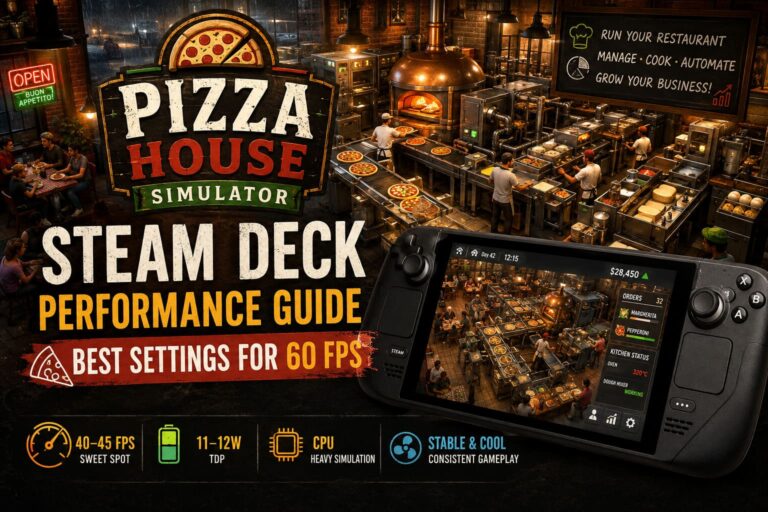
Big Ambitions on ASUS ROG Ally: Optimization Guide & Controller Fixes (2026)
There are games you play on a handheld because they were designed for it, and then there is Big Ambitions. Hovgaard Games’ business simulator was clearly born for a desk, a mouse, and a monitor large enough to keep half a dozen management windows open at once. Yet after spending time with it on the ASUS ROG Ally, I have to admit something: once you get the controls and performance tuned properly, this is one of those games that makes surprisingly good sense as a portable experience.
The catch is that you cannot simply install Big Ambitions, launch it, and expect everything to feel perfect. The Ally has more than enough horsepower, but the game’s interface is another story. Tiny buttons, spreadsheets, inventory screens, maps, menus, and mouse-heavy interactions can make the first hour feel like you are trying to run a desktop PC through a seven-inch touchscreen.
Fortunately, most of those problems are fixable. After tweaking the power profile, resolution, UI scaling, and controls, Big Ambitions becomes much more comfortable on ROG Ally than I initially expected. It is still a management game rather than a traditional gamepad title, but that is exactly why a little setup goes a long way.
Can Big Ambitions Actually Run Well on ROG Ally?
Absolutely. The ROG Ally is effectively a Windows gaming PC squeezed into a handheld shell, so compatibility is not really the concern here. Whether you have the original Z1 Extreme model, the standard Z1, or the newer ROG Ally X, Big Ambitions can run on the device.
What matters more is how much performance you want to sacrifice for battery life. Big Ambitions isn’t particularly frightening from a graphics perspective. The bigger challenge arrives later in a save when your little business turns into a sprawling operation with several stores, warehouses, employees, vehicles, and delivery routes.
That is when the CPU becomes much more important than raw GPU power. The city has more things to simulate, and you can start noticing dips that simply do not exist during the early game.
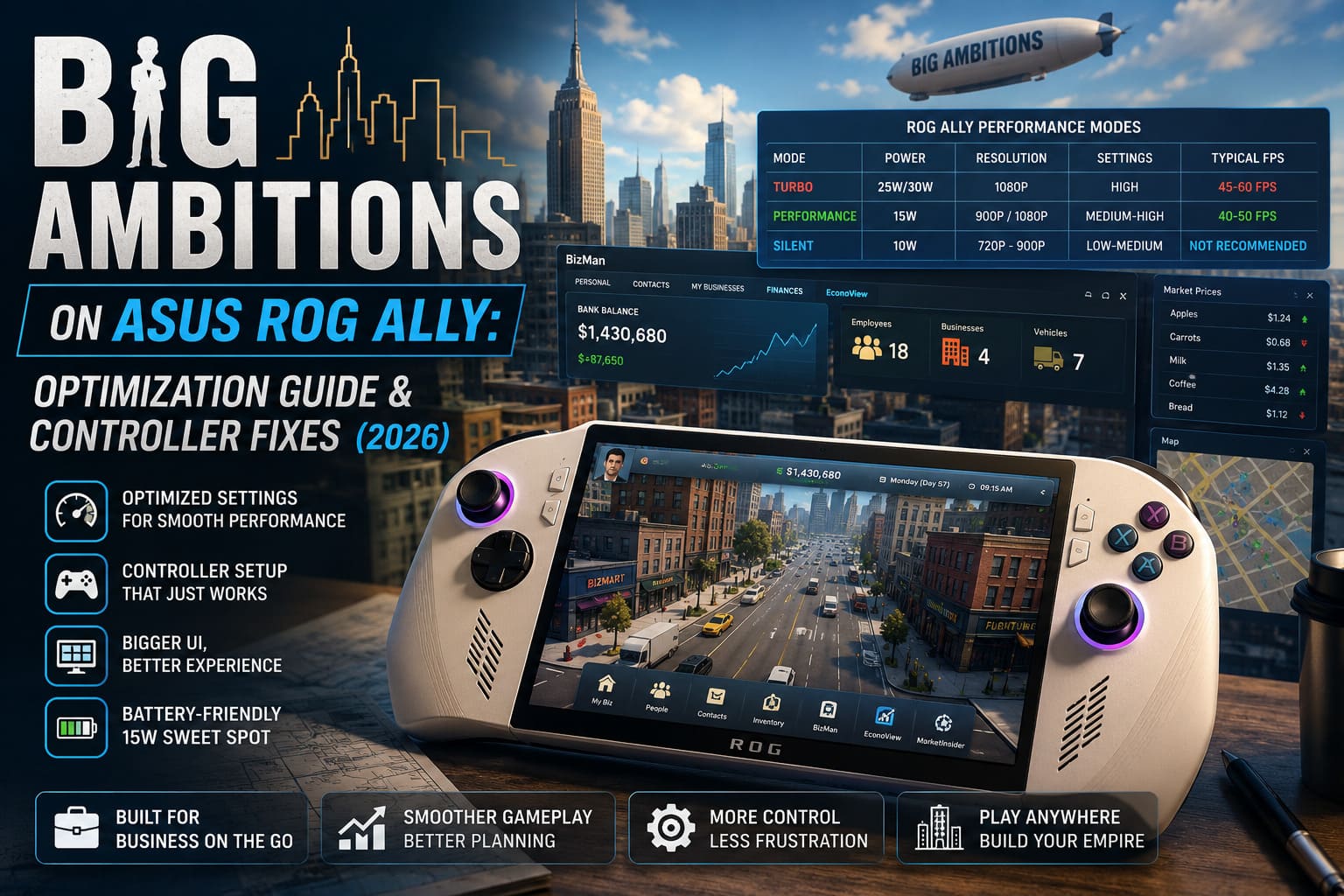
| ROG Ally Mode | Recommended Resolution | Settings | Typical Experience |
|---|---|---|---|
| Turbo 25W/30W | 1080p | High | About 45–60 FPS |
| Performance 15W | 900p / 1080p | Medium–High | About 40–50 FPS |
| Silent 10W | 720p–900p | Low–Medium | Not recommended for long saves |
My personal pick is 15W Performance mode. Turbo is great when you’re plugged into the wall, but I don’t think it is worth burning through the battery simply to chase a higher frame rate in a game where you spend a lot of time reading menus, checking prices, and planning your next business move.
15W Performance Mode Is the Sweet Spot
This is probably the first change I would make on a fresh ROG Ally installation.
At 15W, Big Ambitions still feels responsive while the Ally avoids turning into a tiny space heater. I found the combination of 900p and Medium/High settings particularly sensible for handheld play. You give up some pixel density compared with native 1080p, but the difference is much less noticeable than the improvement in overall efficiency.
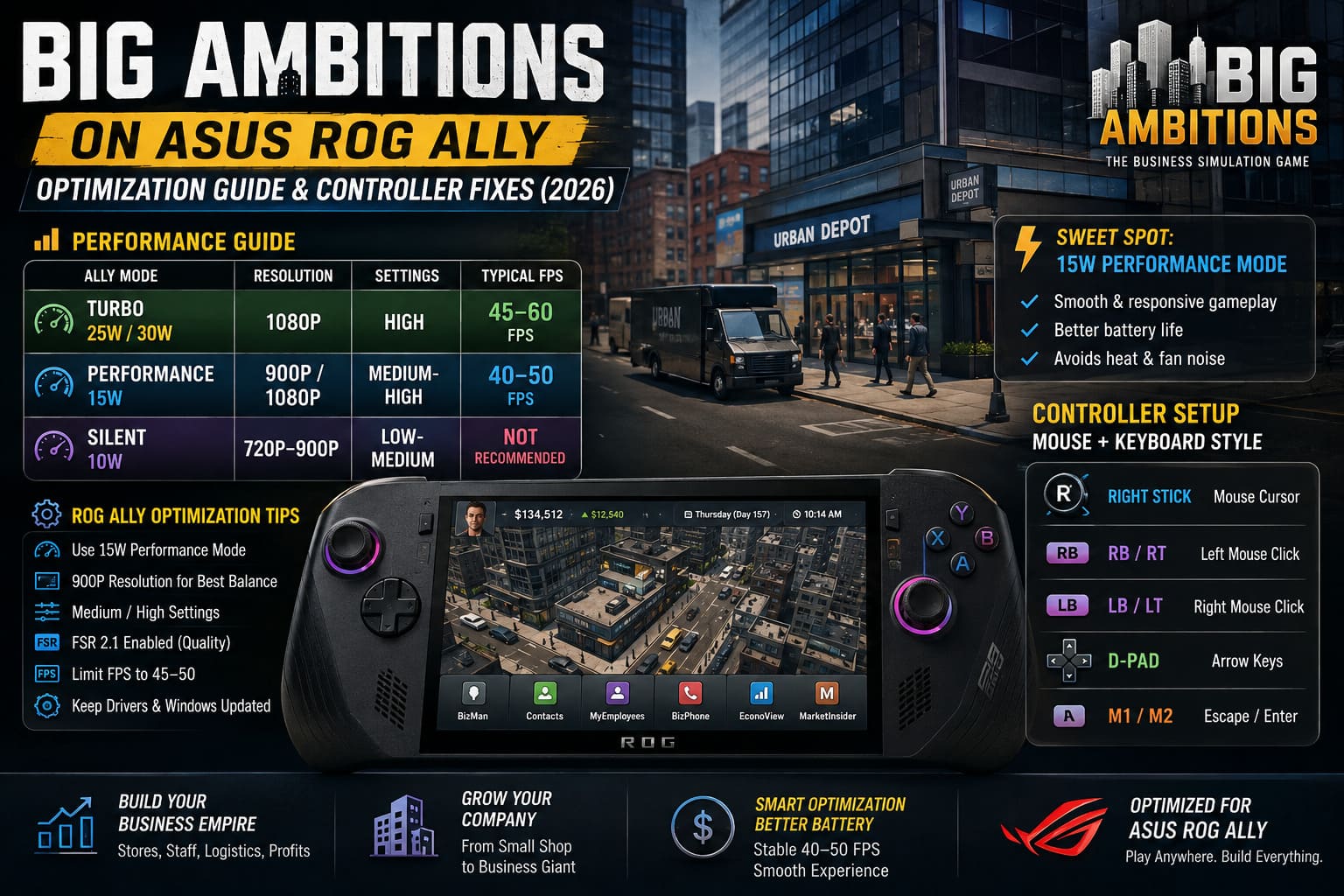
Turbo mode is still worth using if you’re playing near a charger. At 25W handheld or around 30W while plugged in, the extra headroom gives you a comfortable performance buffer and makes the city feel smoother during heavier scenes.
Silent mode, however, is where I would draw the line. It sounds attractive if your priority is battery life, but Big Ambitions is not simply rendering a static city. It is constantly calculating the behavior of your business empire. As your operation grows, that low-power profile becomes increasingly difficult to justify.
Don’t Chase 60 FPS at All Costs
This is one of those games where the obsession with a locked 60 FPS doesn’t make much sense to me.
Sure, 60 FPS feels nice when you’re walking or driving around New York. But the majority of your playtime is spent managing stores, looking at inventory, comparing prices, hiring staff, arranging logistics, or planning your next expansion.
A stable 40–50 FPS experience feels perfectly appropriate here. I’d much rather have that consistency and better battery life than a constantly fluctuating 55–60 FPS profile that pushes the Ally harder for very little practical benefit.
ROG Ally Controller Setup: The Real Problem
Here’s the part that took me longer to appreciate.
Big Ambitions is fundamentally a mouse-and-keyboard game. The problem isn’t that the ROG Ally lacks good controls. The problem is that the game expects you to have a mouse pointer available almost constantly.
Buying property, managing inventory, selecting individual items, navigating financial information, adjusting prices, and interacting with various management screens can become awkward if you try to force everything into a conventional Xbox-style gamepad layout.
The solution is not to fight the interface. Give the Ally a mouse.
My Preferred Armoury Crate Mapping
If you are using Armoury Crate SE, I recommend building a simple desktop-style profile rather than trying to make Big Ambitions behave like a normal controller game.
- Right Stick: Mouse cursor
- RB/RT: Left mouse click
- LB/LT: Right mouse click
- D-Pad: Arrow keys
- M1/M2: Escape and Enter
This immediately makes the game feel more natural. The right stick becomes your mouse, the triggers handle clicking, and the rear buttons give you quick access to common keyboard commands.
It isn’t glamorous, but it works. And honestly, after a couple of sessions, I stopped thinking about the controls altogether.
Steam Input Is Even Better If You Own the Steam Version
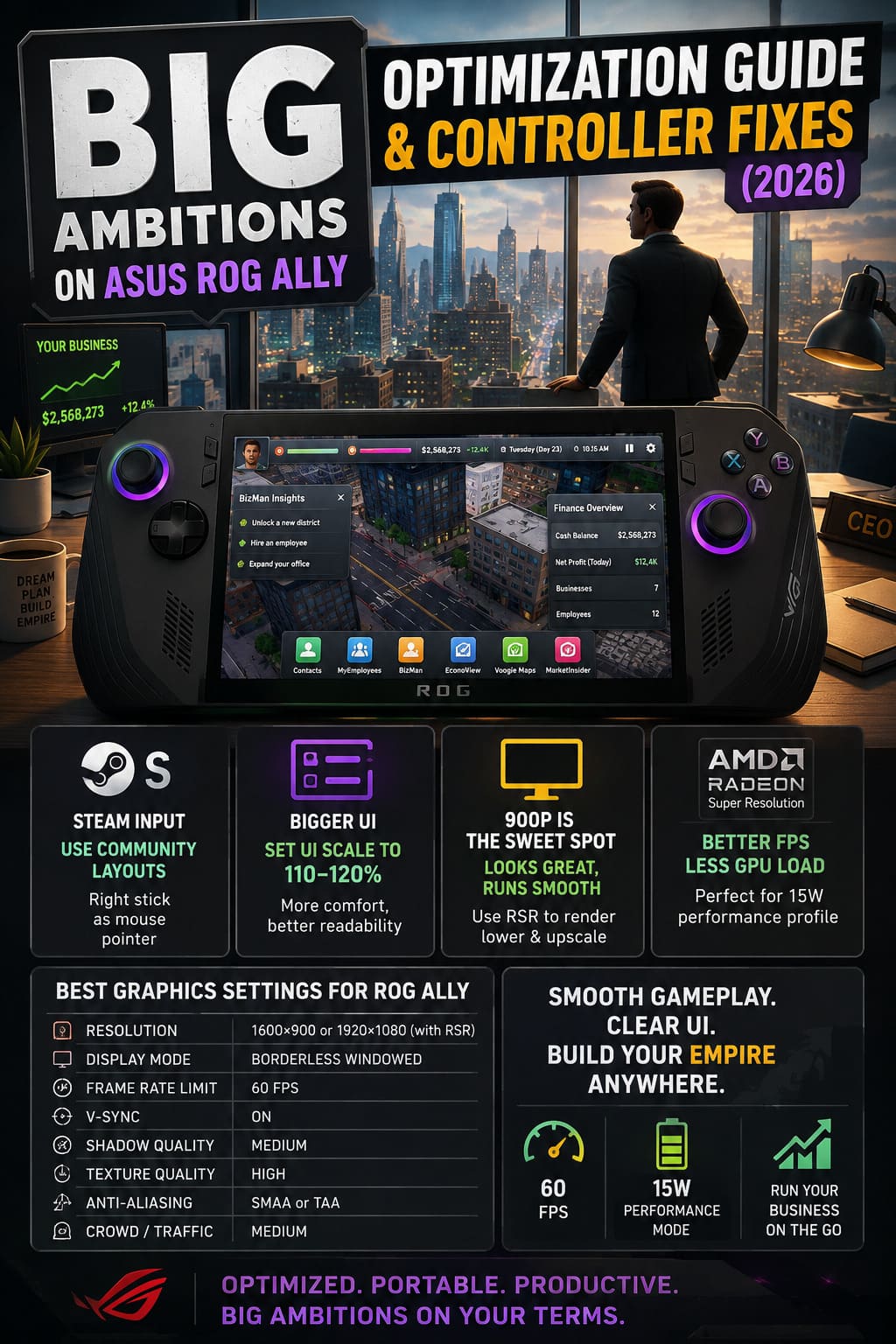
If you purchased Big Ambitions through Steam, Steam Input is worth experimenting with. Community layouts can save a lot of time because somebody has already gone through the annoying process of deciding which keyboard functions deserve controller buttons.
Put the Ally into Gamepad Mode, open Big Ambitions’ controller settings through Steam, and look through the available community configurations. Layouts designed for Steam Deck can often provide a useful starting point for the ROG Ally as well.
I would specifically look for a configuration that uses the right analog stick as a mouse pointer. That one feature makes the biggest difference.
Virtual menus can then be used for less common keyboard shortcuts, while the face buttons handle the actions you use repeatedly. Don’t be afraid to modify a community layout, either. Your ideal configuration depends heavily on which parts of the game you spend the most time managing.
Make the UI Bigger Before You Make the Graphics Prettier
This is another setting that handheld players often overlook.
Big Ambitions can throw an absurd amount of information at you. On a 27-inch monitor, tiny financial numbers and compact inventory panels are manageable. On a seven-inch screen, they can become genuinely exhausting.
Increase the UI scale to around 110–120%. For me, this is one of the most important ROG Ally adjustments because it improves comfort without requiring a huge performance sacrifice.
If something still looks too small, Windows’ magnification tools can be useful for occasional close inspection. I would not rely on magnification constantly, but having it assigned to an M-button is a surprisingly handy emergency option when you need to read a particularly tiny number.
900p vs 1080p: Which Resolution Should You Use?
Native 1080p looks excellent on the Ally’s display, but I don’t think it is automatically the best choice for Big Ambitions.
900p is my preferred compromise. It reduces the rendering workload while keeping the interface and city reasonably crisp. If you use AMD’s Radeon Super Resolution, you can also render at a lower internal resolution and let the system upscale the image.
That approach makes particularly good sense when you want to keep the 15W performance profile. You are effectively spending less GPU power on pixels that aren’t going to dramatically improve the actual management experience.
Best Big Ambitions Graphics Settings for ROG Ally
After all the experimenting, this is the configuration I would start with:
| Setting | Recommendation |
|---|---|
| Resolution | 1600×900 or 1920×1080 with RSR |
| Display Mode | Borderless Windowed |
| Frame Rate Limit | 60 FPS |
| V-Sync | On |
| Shadow Quality | Medium |
| Texture Quality | High |
| Anti-Aliasing | SMAA or TAA |
| Crowd/Traffic | Medium |
Notice that I am not recommending everything on Low. There is very little reason to make Big Ambitions look ugly when the Ally has enough power to maintain decent visual quality.
Keep textures High. Reduce shadows and crowd-related settings before you start destroying texture quality. The latter tends to provide a better visual experience for relatively little additional trouble.
Big Ambitions Best Starting Business Types: Early Game Guide (2026)
The Late-Game Test Is What Really Matters
One thing I would strongly recommend to anyone testing Big Ambitions on ROG Ally is not to judge performance from the opening hours.
The early game is deceptively easy to run. You have fewer employees, fewer vehicles, fewer stores, and much less happening across the city.
The real test begins when your company becomes complicated.
Once you have multiple businesses operating simultaneously and logistics running in the background, CPU utilization becomes more important. This is why I prefer a balanced 15W configuration instead of a profile designed purely around peak graphical FPS.
In other words, optimize for simulation stability, not benchmark numbers. That is the mindset that makes the biggest difference with this particular game.
Is Big Ambitions Worth Playing on ROG Ally?
After all the tweaking, my answer is a pretty enthusiastic yes.
Big Ambitions isn’t going to magically become a console game. The menus will always be mouse-heavy, and there will always be moments where you wish you had a proper keyboard sitting next to you. But once the right stick is functioning as a mouse and your most important keyboard commands are mapped to the buttons, the experience becomes much less awkward.
And there is something genuinely satisfying about playing a business simulator this way. You can sit on the couch, manage a delivery route, check your store’s finances, buy another property, reorganize a warehouse, and then put the Ally to sleep. Later, you can pick it back up and continue exactly where you left off.
For me, the winning formula is 15W Performance mode, 900p, a 40–50 FPS target, 110–120% UI scaling, and a mouse-focused controller layout. Turbo mode is there when you want extra headroom, but it isn’t necessary for the everyday experience.
The ROG Ally doesn’t eliminate Big Ambitions’ desktop DNA. Instead, it gives you enough flexibility to work around it. And once those few rough edges are dealt with, building a ridiculous business empire in New York from a handheld suddenly feels less like a compromise and more like exactly how I want to play it.