Aliens Fireteam Elite 2 Crossplay Voice Chat: Platforms and Communication Guide
If there is one thing I learned from spending far too many hours in cooperative shooters, it is that a good squad can make an average game feel fantastic, while poor communication can turn even a great mission into complete chaos. That is especially true in Aliens: Fireteam Elite 2, where Xenomorphs can appear from multiple directions and a single bad decision can wipe out an entire fireteam. Cold Iron Studios clearly understood that the sequel needed to make playing with friends easier, and the expanded multiplayer features are one of the biggest improvements over the original.
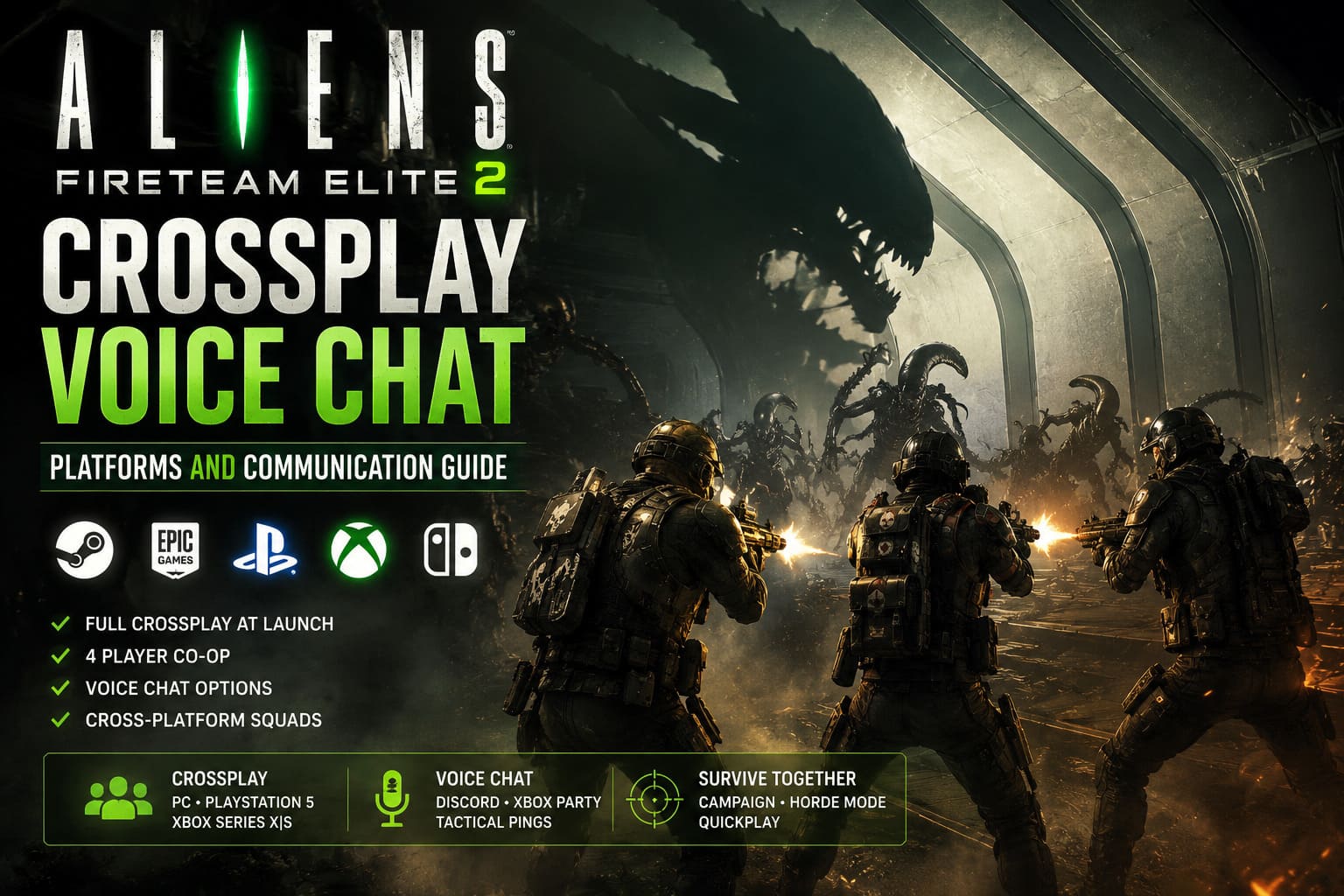
The most important change for people playing with friends is the introduction of full crossplay at launch. PC, PlayStation 5, and Xbox Series X/S players can join the same squads instead of being separated by platform. With a four-player team, tougher enemies, more demanding encounters, and Horde mode available from the start, having reliable communication is no longer just a nice bonus. It can genuinely make the difference between extracting successfully and watching your entire team get overwhelmed.
If you are wondering how Aliens: Fireteam Elite 2 crossplay works, which platforms are supported, and what options you have for voice communication, here is what you need to know before assembling your squad.
Aliens Fireteam Elite 2 Optimization Guide: Best FPS Settings for GTX 1080 and GTX 1660 Series
Aliens: Fireteam Elite 2 Supported Platforms
At launch, Aliens: Fireteam Elite 2 is available on the current generation of consoles and PC. The game is designed around modern hardware, so players on older PlayStation and Xbox systems should not expect a last-generation version.
The launch platforms are:
- PC via Steam
- PC via Epic Games Store
- PlayStation 5
- Xbox Series X
- Xbox Series S
A Nintendo Switch 2 version is also in development, with its release planned for later in autumn 2026. That version is particularly interesting because a portable system could make Fireteam Elite 2 a surprisingly good fit for short cooperative sessions, although performance will obviously be something worth watching once the port is available.
The important part for multiplayer fans is that the major platforms are connected through the same crossplay ecosystem. You do not have to convince everyone in your group to buy the game on the same system just to play together.
How Crossplay Works in Aliens: Fireteam Elite 2
The original Aliens: Fireteam Elite was noticeably behind other modern cooperative shooters when it came to cross-platform multiplayer. Crossplay was eventually added, but it was not there from the beginning, which made organizing a mixed-platform group more frustrating than it needed to be.
The sequel takes a much better approach. Crossplay is available from launch, and it is integrated into the game’s major multiplayer activities rather than being restricted to a specific mode.
That means a PC player can join a squad with someone on PS5 and another player on Xbox Series X/S without creating separate platform-specific groups. The same system is expected to extend to Nintendo Switch 2 players once that version arrives.
Crossplay Supports the Main Multiplayer Modes
The cross-platform matchmaking system covers the main cooperative experiences, including:
- Story and campaign missions
- Horde mode
- Quickplay matchmaking
- Other cooperative activities available through the multiplayer system
This is something I particularly appreciate because crossplay is much less useful when developers only support it in one or two modes. In Fireteam Elite 2, the whole idea is to keep the player pool together, which should help matchmaking remain healthier as the game ages.
Quickplay also benefits from this approach. Instead of sitting in a queue waiting for three players from your exact platform, the system can pull players from the wider crossplay population.
Does Aliens: Fireteam Elite 2 Have Crossplay Voice Chat?
This is where things get slightly more complicated.
The game provides improved communication tools compared with its predecessor, including tactical pings and text-based notifications. These systems are useful when you are playing with random teammates, especially if nobody wants to jump into a voice channel.
But if you are playing high difficulty missions or Horde mode, I would still recommend voice communication whenever possible.
There is simply too much happening on screen during a serious Xenomorph attack. You may need to tell a teammate that an Elite is approaching from behind, warn everyone that you are about to use an ability, call out a health station, or coordinate who is covering a particular entrance. Trying to communicate all of that through pings is possible, but it is nowhere near as fast as saying it.
The good news is that cross-platform players have several practical voice chat options.
Discord Is Probably the Best Crossplay Voice Chat Option
For a mixed PC, PlayStation, and Xbox squad, Discord is the option I would personally choose.
Discord has become much more convenient on consoles, and players no longer need to keep a phone beside them just to communicate with friends. Once accounts are linked and everything is configured, console players can join a Discord voice channel directly from their respective systems.
For PC players, the process is even simpler. You can keep Discord running in the background while playing and use your preferred microphone and headset.
The biggest advantage is consistency. If your four-player Fireteam Elite 2 group includes people on different platforms, everyone can remain in the same voice channel regardless of where they bought the game.
Xbox Discord Setup
Xbox players can access Discord through the console interface and join supported voice channels without relying on a separate mobile device.
This is especially useful if your squad frequently switches between games. Once the Discord setup is complete, you can keep using the same server and channels rather than creating a new party for every game.
PlayStation 5 Discord Setup
PS5 players can also connect their Discord account and access voice channels through the console’s Control Center.
Once configured, switching between Discord voice chat and normal console functions is relatively straightforward. For a group that mixes PlayStation and Xbox players, this is much easier than trying to maintain separate platform parties.
PC Discord Setup
PC players have the simplest setup. Install or open Discord, join the appropriate server or direct voice channel, select your headset and microphone, and launch the game.
One small recommendation: do not assume your microphone settings are perfect just because Discord detects your headset. Before starting a difficult mission, check input sensitivity, microphone volume, and output volume. There is nothing worse than discovering halfway through a Horde run that one teammate has been yelling into a microphone that nobody can actually hear.
Xbox Party Chat Is Good for Xbox-Centered Squads
If everyone in your group is playing on Xbox, the built-in Xbox Party Chat remains a perfectly reasonable solution.
Windows PC players can also participate through the Xbox ecosystem, making it useful for groups consisting of Xbox console players and PC users. The major limitation is obvious: this does not solve communication for a mixed group that includes PlayStation players.
For an Xbox-only squad, however, there is little reason to complicate things with additional software if everyone is already comfortable using Xbox Party Chat.

Do You Need Voice Chat for Random Players?
Not necessarily.
One of the improvements I like in Aliens: Fireteam Elite 2 is that the communication system does not force you to use a microphone. The tactical ping tools give players a basic language for pointing out threats and locations.
A good player can communicate surprisingly well without speaking. You can indicate an enemy, point toward an important location, warn about a threat, or draw attention to something your teammates might have missed.
Still, there is a huge difference between saying ‘Elite coming left’ and trying to communicate the same information with three separate pings while a swarm is eating your health bar.
For casual Quickplay, pings are enough. For the hardest content, I strongly prefer voice chat.
Crossplay Friend System and Adding Players
Playing with random people is fine, but Fireteam Elite 2 is at its best when you have a regular group.
The crossplay friend system allows players from different platforms to connect rather than relying on matchmaking every time. The basic process involves opening the team or social menu, finding the crossplay friend option, and using the provided invitation or friend code system.
Once your friends are added, organizing future missions becomes much easier.
I would recommend doing this early if you already know people on other platforms who own the game. It saves you from repeatedly searching for usernames or hoping that matchmaking puts everyone together.
How to Get Better Multiplayer Performance
Crossplay does not automatically guarantee a perfect connection. Fireteam Elite 2 still relies heavily on network conditions, so your squad’s setup can make a noticeable difference.
If possible, let the player with the most stable wired internet connection host the session. A fast download speed is useful, but stability and latency are often more important for cooperative gameplay.
The sequel also improves the experience with features designed to reduce the frustration caused by disconnects. Host migration can move the session to another player if the original host drops out, while a rejoin feature can allow disconnected players to return to an active match.
That is a major improvement from the old-school situation where one player’s connection problem could destroy an entire mission for everyone.
Best Audio Settings for Four-Player Squads
Once you start using Discord or another external voice service, spend a few minutes adjusting your audio mix.
Aliens: Fireteam Elite 2 is intentionally loud. Gunfire, Xenomorph screeches, explosions, abilities, and environmental effects can easily overpower a teammate’s voice during a big encounter.
I recommend lowering music and, depending on your headset, slightly reducing the loudest combat effects. You still want to hear the game because audio cues matter, but your teammates should not sound like they are whispering from another room while a Praetorian is smashing through your squad.
| Setting | Recommended Approach |
|---|---|
| Voice Chat | Discord Or Preferred Cross-Platform Service |
| Microphone | Headset Mic With Noise Suppression |
| Music Volume | Slightly Reduced |
| Effects Volume | High, But Not Overwhelming |
| Voice Output | Clear And Prominent |
| Network Connection | Wired Ethernet When Possible |
My Take on Aliens: Fireteam Elite 2 Crossplay
After playing plenty of cooperative shooters, I think crossplay should be treated as a standard feature rather than a luxury, and Fireteam Elite 2 finally approaches multiplayer with that mindset.
The move to four-player squads makes cross-platform support even more important. Your friends might be split between Steam, PS5, and Xbox, but that should not prevent everyone from jumping into the same mission. The combination of crossplay, improved matchmaking, host migration, and rejoin functionality makes the sequel much more comfortable for groups than the original game was at launch.
The only area where I would still be prepared to use an external solution is voice chat. The tactical ping system is useful and should not be ignored, especially with random teammates, but serious squads will get much more out of a dedicated voice channel.
For casual players, the experience is simple: enable crossplay, invite your friends, grab your preferred class, and start shooting Xenomorphs. For players pushing difficult missions and Horde mode, however, a stable connection and reliable voice communication can be the difference between a clean extraction and a spectacularly ugly team wipe.