City Car Driving 2.0 Penalty System Explained: Guide to Fines, Violations, and Driving Tests
If you’ve spent even a few hours in City Car Driving 2.0, you’ve probably had that moment where everything seems perfect. You’re following traffic, checking mirrors, signaling properly, and then suddenly—boom—a violation appears on your screen for something that feels completely ridiculous.
I’ve been playing driving simulators for years, and I can honestly say that City Car Driving 2.0 might have one of the strictest penalty systems I’ve ever seen. The first time I jumped into the career mode, I failed multiple exams before I even reached the second intersection. At first, I thought the system was bugged. After dozens of hours behind the virtual wheel, I realized the game isn’t broken—it simply expects near-perfect driving.
This guide explains how the penalty system actually works, why so many players struggle with it, and what you can do to dramatically improve your chances of passing driving exams without collecting a mountain of fines.
Why City Car Driving 2.0 Feels So Unforgiving
Unlike racing games, City Car Driving 2.0 isn’t interested in making you feel fast. Its entire design philosophy revolves around teaching proper driving habits.
Every movement of your vehicle is monitored.
Every lane position matters.

Every signal counts.
The game constantly tracks your behavior and compares it against a strict set of traffic regulations. There are very few forgiveness mechanics built into the system. Real-world police officers often ignore tiny mistakes. This simulator doesn’t.
A speed limit isn’t a suggestion.
A stop line isn’t a recommendation.
A turn signal isn’t optional.
The result is a driving experience that feels incredibly authentic but can also become frustrating if you’re approaching it like a traditional video game.
The Most Common Penalties Players Receive
After spending time in community forums, watching gameplay footage, and testing different scenarios myself, several violations appear far more frequently than others.
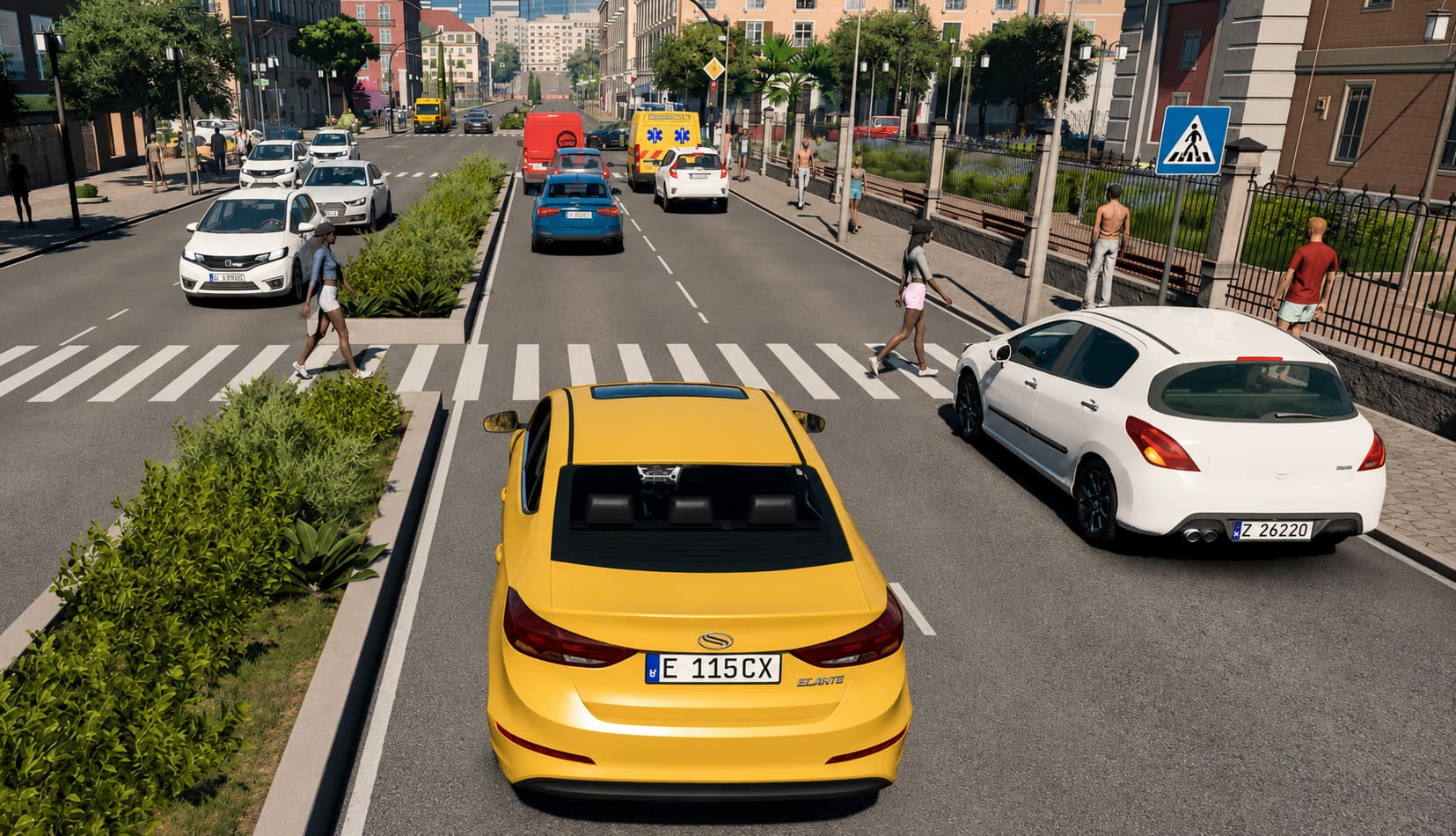
Speeding Violations
This is easily the number one reason players fail exams.
The game continuously checks your exact speed against the current speed limit zone. There is no hidden tolerance buffer.
If the speed limit says 50 km/h and your vehicle reaches 51 km/h, you’re already taking a risk.
Downhill roads are especially dangerous because your car can gain speed naturally even when you’re not pressing the accelerator.
Common speeding mistakes:
- Entering a lower speed zone too late
- Coasting downhill without monitoring speed
- Accelerating before completely passing an intersection
- Using cruise control incorrectly
My personal recommendation is simple: never drive exactly at the speed limit. Give yourself room for error.
Lane Discipline Errors
Lane violations are probably the most frustrating penalties in the entire game.
The detection system closely monitors your vehicle’s position relative to lane markings. Even minor contact with certain road markings can trigger an infraction.
Particularly dangerous situations include:
- Crossing solid white lines
- Touching double yellow lines
- Drifting wide during turns
- Entering incorrect turning lanes
Many players focus entirely on traffic signs while forgetting to watch lane positioning. In City Car Driving 2.0, staying centered is just as important as managing speed.
Signal and Indicator Violations
This category catches experienced drivers surprisingly often.
The game expects proper indicator usage before:
- Turning
- Merging
- Changing lanes
- Leaving parking spots
One of the biggest traps occurs during lane changes. Some steering wheel configurations automatically cancel turn signals earlier than expected. If the indicator shuts off before your vehicle fully completes the maneuver, the game may register a signaling violation.
Because of this, I strongly recommend manually verifying your indicator status throughout every lane change.
Right-of-Way Mistakes
Traffic interaction has become far more complex than in previous versions.
AI drivers now behave less predictably, which creates situations that feel remarkably close to real-world traffic.
Unfortunately, the penalty system doesn’t always care why something happened.
If another vehicle forces you into a difficult situation and you react incorrectly, the violation is still yours.
Particular attention should be paid to:
- Pedestrian crossings
- Roundabouts
- Uncontrolled intersections
- Busy urban junctions
Pedestrians deserve special mention because the game treats their safety as an absolute priority.
If someone appears even remotely ready to cross the road, stop and wait.
Trying to save a few seconds often ends with an immediate penalty.
Penalty Severity Overview
| Violation Type | Risk Level | Common Result |
|---|---|---|
| Minor Speeding | Medium | Warning or points deduction |
| Lane Line Contact | Medium | Immediate infraction |
| Failure to Signal | Medium | Exam score reduction |
| Running Red Light | High | Major penalty |
| Ignoring Pedestrians | High | Severe violation |
| Dangerous Lane Change | High | Potential test failure |
This isn’t an official chart, but it reflects what most players experience during practical examinations.
Why the System Sometimes Feels Unfair
Let’s be honest.
There are moments when City Car Driving 2.0 feels excessively strict.
The biggest issue isn’t necessarily the rules themselves. It’s the combination of strict rules with unpredictable environmental factors.
Weather Conditions
Rain and snow can dramatically affect vehicle handling.
Under slippery conditions, even careful drivers may experience slight drifting.
The problem is that the penalty logic rarely considers why the drift happened.
Touch a lane boundary because of reduced traction?
The system often records the violation anyway.
AI Traffic Behavior
AI drivers occasionally make questionable decisions.
I’ve personally witnessed vehicles:
- Brake suddenly without reason
- Hesitate during merges
- Stop awkwardly near intersections
- Create unnecessary traffic jams
While these situations are manageable, they increase the likelihood of mistakes from human players.
The safest strategy is treating every AI driver as if they’re about to do something unexpected.
Control Calibration Problems
A surprising number of failures originate from hardware settings rather than driving skill.
Poor pedal calibration can cause:
- Inconsistent braking
- Accidental acceleration
- Difficulty maintaining speed
Many newcomers never adjust their controller settings and unknowingly fight against their own hardware.
Spending ten minutes calibrating controls can save hours of frustration later.
Best Settings to Reduce Unnecessary Penalties
Before starting serious exam attempts, spend time optimizing your setup.
Adjust Deadzones
Increasing throttle and brake deadzones helps eliminate tiny accidental inputs.
This creates smoother acceleration and makes maintaining legal speeds significantly easier.
Fine-Tune Steering Sensitivity
Overly sensitive steering causes constant micro-corrections.
Those corrections can slowly push your vehicle toward lane boundaries.
A slightly calmer steering setup often improves consistency.
Choose Familiar Traffic Rules
The simulator supports different regional traffic systems.
If you’re more familiar with American road rules, use those settings.
If European regulations feel more natural, choose that configuration instead.
Familiarity reduces decision-making pressure during exams.
My Personal Strategy for Passing Driving Exams
After failing more tests than I’d like to admit, I eventually developed a routine that dramatically improved my success rate.
1. Complete Every Pre-Drive Check
Don’t rush.
Seatbelt.
Engine.
Mirrors.
Parking brake.
Indicators.
Everything.
The game pays attention to preparation procedures, and skipping basic steps can hurt your evaluation before you’ve even started moving.
2. Stay Below the Limit
Forget driving at maximum legal speed.
If the road allows 50 km/h, I usually cruise around 43–45 km/h.
That small buffer protects you from accidental speeding when descending hills or exiting corners.
3. Stop Earlier Than Necessary
Most failed stop-line checks happen because players attempt precision stops.
I do the opposite.
I stop well before the line, wait for a complete standstill, then move forward carefully if visibility requires it.
The system rewards caution.
4. Be Excessively Defensive
Assume every vehicle might cut you off.
Assume every pedestrian might cross.
Assume every intersection hides a potential mistake.
Driving defensively may feel slow, but it dramatically reduces penalties.
City Car Driving 2.0 Driving School Guide: Master Exams, Rules, and Controls
Final Thoughts
City Car Driving 2.0 isn’t trying to be an action game. It’s trying to simulate real driving responsibility with almost obsessive attention to detail. That design choice creates one of the most demanding driving exam systems currently available in gaming.
The penalty system can absolutely feel harsh, especially when weather, AI traffic, and strict rule enforcement collide. Yet once you understand how the simulator evaluates your actions, the experience becomes far less frustrating.
Drive slightly slower than necessary. Leave extra space everywhere. Signal every maneuver. Treat every intersection with caution.
Do that consistently, and you’ll discover something many frustrated players never realize: the penalty system isn’t your enemy. It’s simply testing whether you’re willing to drive like a professional instead of a gamer.