Anymaker PC Download Size, System Requirements, and Full Gameplay Guide (2026)
There are plenty of survival games where you collect wood, craft a workbench, slap together a shelter, and call it a day. Anymaker is clearly aiming at something much more complicated. Geometa’s new sandbox mixes open-world survival with serious vehicle engineering, and the result feels less like a conventional crafting game and more like someone dropped a mechanical engineering playground into a post-apocalyptic world.
Released into Steam Early Access on September 18, 2026, Anymaker puts you in a huge wilderness where almost everything useful has to be scavenged, built, repaired, or engineered yourself. The interesting part isn’t simply having a vehicle. It’s understanding how that vehicle actually works.
And yes, that also means your PC has some work to do.
Between physics calculations, large environments, modular vehicles, voxel construction, dynamic weather, AI threats, and multiplayer, Anymaker can become surprisingly demanding once your creations get complicated. So before downloading it, here’s what you need to know about the Anymaker PC download size, system requirements, gameplay mechanics, and survival systems.
What Is Anymaker?
At first glance, Anymaker might look like another vehicle-building sandbox. That’s only part of the story.
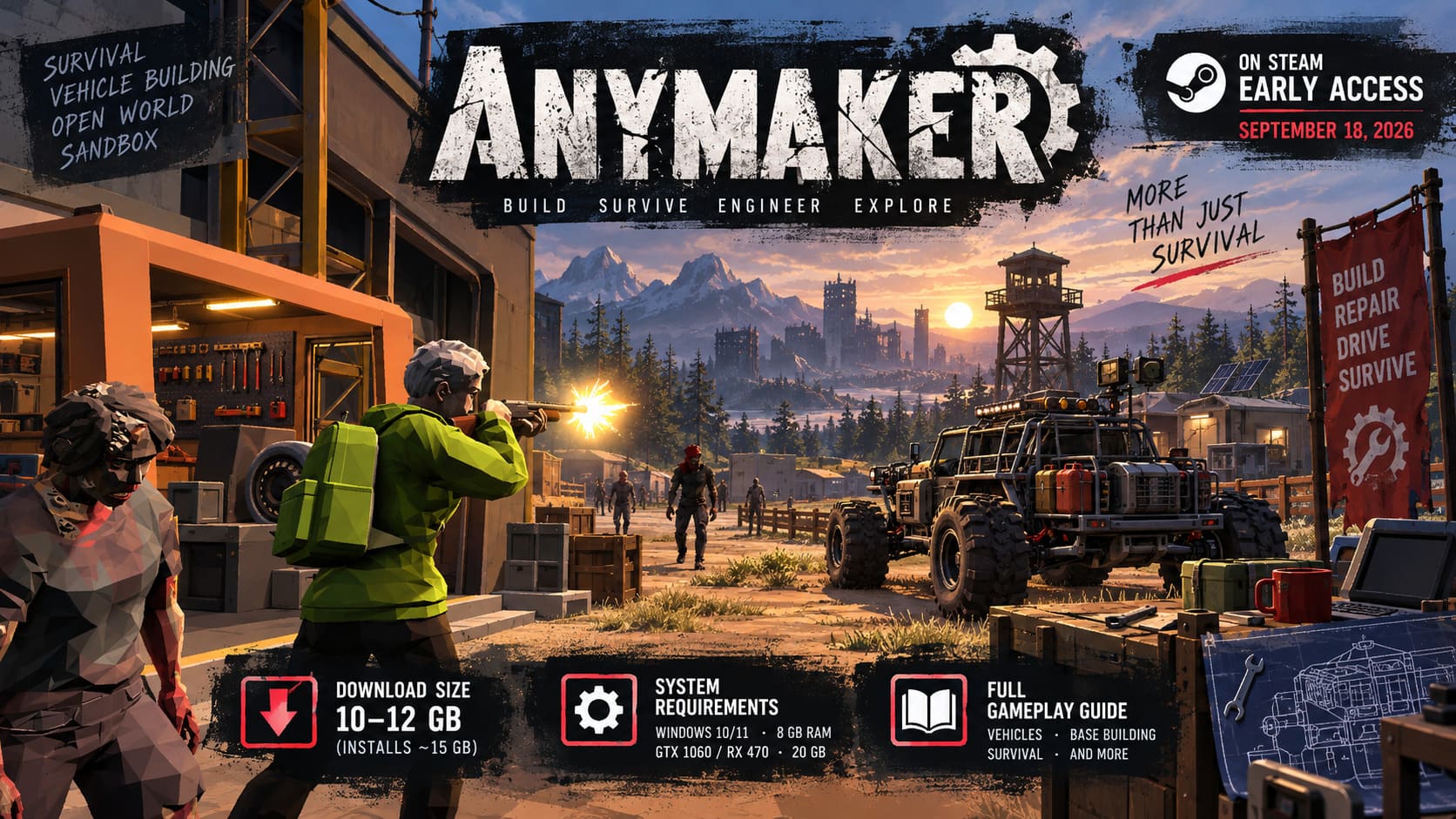
The game combines technical vehicle construction, open-world exploration, base building, scavenging, survival, and programmable machinery. Instead of building everything inside a separate editor, you work directly in the game world.
That distinction matters.
If your truck breaks down halfway through a dangerous expedition, you’re not simply opening a garage menu and clicking “repair.” You actually have to get out, inspect the machine, replace components, reconnect systems, and figure out what went wrong.
That’s the kind of design I personally find much more interesting than the usual survival-game crafting loop. Your vehicle isn’t just transportation. It’s another system you have to learn.
The major mechanics include:
- In-world vehicle construction and repairs
- An 8 cm voxel construction grid
- Modular engines and mechanical drivetrains
- Electrical wiring and fuel systems
- Programmable microcontrollers
- Open-world scavenging
- Base construction
- Dynamic weather and environmental threats
- Hostile wildlife, infected enemies, survivors, and military remnants
- Multiplayer and Steam Workshop support
The 8 cm voxel system is particularly important because it gives players a ridiculous amount of freedom when designing vehicles and structures. You’re not limited to a handful of predefined chassis options.
Anymaker PC Download Size: How Many GB Is It?
Storage requirements are fairly reasonable by modern PC standards, at least for the current Early Access version.
The official requirement is 20 GB of available storage space. That’s the number I’d actually pay attention to rather than trying to squeeze the game onto a drive with exactly 20 GB remaining.
The initial compressed download is reported to be around 10–12 GB, while the installed game can occupy roughly 15 GB. However, because Anymaker is an Early Access game, that number isn’t something I’d treat as permanent.
Updates, new mechanical components, optimization patches, Workshop content, and future world additions can all increase the installation size.
| Storage Detail | Approximate Size |
|---|---|
| Initial download | 10–12 GB |
| Installed game | ~15 GB |
| Official available-space requirement | 20 GB |
| Recommended free space | 20 GB+ |
| Preferred storage | NVMe SSD |
I’d also strongly recommend installing Anymaker on an SSD, preferably an NVMe drive.
The reason isn’t simply faster startup times. Anymaker has to stream terrain, voxel structures, physics data, and other world information while you’re moving around its open environments. A mechanical HDD may technically work, but this is exactly the kind of game where an SSD makes more sense.
Anymaker System Requirements
The official minimum requirements aren’t particularly terrifying, but there’s an important catch: Anymaker’s hardware demands can increase depending on what you’re building.
Here are the published minimum specifications:
| Component | Minimum Requirement |
|---|---|
| OS | Windows 10/11 64-bit |
| CPU | Intel Core i5-10400 / AMD Ryzen 5 3600 |
| RAM | 8 GB |
| GPU | GTX 970 / GTX 1060 / Radeon RX 470 |
| DirectX | Version 12 |
| Storage | 20 GB |
| Internet | Broadband connection |
A system around these specifications should be capable of running the game at 1080p with lower graphical settings, but I wouldn’t expect enormous performance headroom once the world gets busy.
That’s because Anymaker isn’t purely a GPU-heavy game.
Why Your CPU Matters So Much
This is probably the most important thing to understand before buying Anymaker.
Every complicated vehicle can become a physics problem.

Engines, wheels, suspension, moving parts, structural components, electrical systems, and other mechanical elements all have to interact. Build a basic off-road truck and the workload is manageable. Build a gigantic machine with multiple systems, then throw it into a crowded area with other vehicles and environmental objects, and suddenly your processor has a much bigger job.
That’s why CPUs such as the Ryzen 5 3600 and Core i5-10400 make sense as the minimum target.
For a more comfortable experience, I’d personally aim closer to something like a Ryzen 7 5800X or Core i7-12700K, paired with 16 GB of RAM.
A reasonable higher-end target looks like this:
- CPU: Core i7-12700K / Ryzen 7 5800X or better
- RAM: 16 GB
- GPU: RTX 3060 Ti / RTX 4060 / RX 6700 XT or better
- Storage: NVMe SSD
It’s not an official “recommended” specification in the same sense as the minimum list, but it represents a much more comfortable target for players who want higher settings and more complicated builds.
Building a Vehicle Is Basically Its Own Game
This is where Anymaker starts getting genuinely interesting.
You don’t simply place an engine and suddenly have a functioning car.
The mechanical systems are built piece by piece. Depending on the design, you can work with cylinders, crankshafts, flywheels, fuel pumps, air intakes, drivetrains, batteries, sensors, and other components.
The placement and configuration of those parts matter.
Want more power? Your engine design matters.
Want better fuel economy? Your configuration matters.
Want a vehicle that survives rough terrain? The drivetrain and suspension setup matter.
And if something goes wrong, you’ll need to figure out why rather than just pressing a repair button.
That gives Anymaker a very different gameplay loop from traditional survival games.
Wiring Can Become a Nightmare — In a Good Way
The electrical side is just as important.
You’ll need to connect batteries, starters, sensors, control systems, fuel components, dashboards, and other machinery. The game expects you to actually think about how these systems communicate.
This is the sort of mechanic that sounds intimidating until you successfully build something that works.
Then you immediately want to make it more complicated.
Anymaker also includes programmable microcontrollers, which opens the door to automated systems. Players can create logic for things such as automatic transmissions, engine cooling, stabilization systems, and other custom functions.
That’s where the game stops being merely a survival title and starts feeling like a genuine engineering sandbox.
Survival Still Matters
All this engineering would be pointless if the world were completely safe.
Fortunately, Anymaker isn’t giving you a peaceful playground.
The open world contains abandoned towns, military facilities, underground bunkers, forests, mountains, and other dangerous locations. Exploring these areas is how you find better components and resources.
And naturally, the best loot tends to be in places where something is trying to kill you.
You’ll encounter hostile wildlife, infected enemies, armed survivors, and remnants of military forces protecting valuable locations.
That creates a nice reason to keep upgrading your vehicles.
A lightly built exploration buggy might be perfect for scouting. A long-range expedition vehicle needs more protection. If you’re heading toward a heavily defended location, armor, reinforced components, and defensive equipment suddenly become much more important.
Base Building Gives You Somewhere to Actually Use All This Stuff
Your vehicle may be your most important machine, but eventually you’ll want a permanent base.
Anymaker allows players to establish bases in different parts of the world, from forests and mountains to coastal locations.
A good base can function as your:
- Resource storage
- Workshop
- Manufacturing area
- Food production location
- Battery charging station
- Vehicle maintenance area
- Defensive shelter
And this is another place where the game’s engineering focus becomes useful. You’re not just decorating a house because the game expects you to build one. Your base can become a functional part of your survival infrastructure.
Sandbox Mode or Career Mode?
If you’re new to Anymaker, Sandbox Mode sounds like the obvious place to start.
Sandbox gives you far more freedom to experiment with the building systems without worrying about resource scarcity or survival pressure. It’s a great way to understand how the mechanical systems work before throwing yourself into a hostile world.
Career Mode is where the systems start fighting back.
Resources matter. Damage matters. Exploration matters. Your decisions about what to build and where to travel can have much bigger consequences.
I’d recommend spending some time experimenting before committing to a serious survival run. Otherwise, there’s a good chance your first ambitious vehicle will become an extremely expensive pile of spare parts.
Aniimo Monetization & Cosmetics Review 2026: Pay-to-Win or Fair F2P?
Is Anymaker Worth Downloading?
The interesting thing about Anymaker isn’t simply how much you can build. It’s how much of your creation actually matters.
A vehicle isn’t just a cosmetic object. Its construction affects how it behaves. Wiring isn’t just decoration. Mechanical components aren’t simply another crafting ingredient.
Everything feeds back into the gameplay.
That’s a big reason why fans of Stormworks: Build and Rescue, Space Engineers, and Scrap Mechanic are likely to find plenty to enjoy here. Anymaker takes the familiar creativity of vehicle-building sandboxes and pushes it into a much harsher survival environment.
There are still plenty of unknowns because this is an Early Access release, and performance will naturally depend on how complicated your creations become. But the underlying idea is refreshingly ambitious.
If you enjoy building machines more than simply collecting them, Anymaker has a lot going for it.
Just make sure you have around 20 GB of free storage, preferably on an SSD, and don’t underestimate the importance of your CPU and RAM. The more ridiculous your machines become, the more work your PC will have to do.
And honestly, that’s probably part of the fun.