No Man’s Sky Crossplay Guide 2026: How to Play on PC, Xbox, and PlayStation
No Man’s Sky is at its best when the galaxy stops feeling like a lonely sandbox and turns into a playground for a group of friends. After years of updates and networking improvements, crossplay is no longer some experimental feature that occasionally works when the stars align. PC, Xbox, and PlayStation players can explore the same universe, join each other’s sessions, trade resources, visit bases, and tackle multiplayer activities together.
That sounds simple on paper. In practice, there are still a few rules that can trip you up.
I’ve spent enough time in No Man’s Sky to know that the game rarely explains its multiplayer systems as clearly as it should. The menus work, but some important options are buried behind several screens, and a tiny version mismatch can make a friend’s session completely disappear. Nothing is more annoying than spending ten minutes wondering whether your friend is invisible or whether the game has simply decided matchmaking is having a bad day.
The good news is that once you understand Friend Codes, game-mode compatibility, network permissions, and platform requirements, cross-platform multiplayer becomes remarkably painless.
This 2026 guide breaks down exactly how No Man’s Sky crossplay works, what each platform needs, how to play with friends, how cooperative bases function, and what to check when multiplayer refuses to cooperate.
Which Platforms Support No Man’s Sky Crossplay?
No Man’s Sky supports cross-platform multiplayer across a surprisingly broad range of hardware and storefronts. You aren’t locked into playing with people using the same ecosystem.
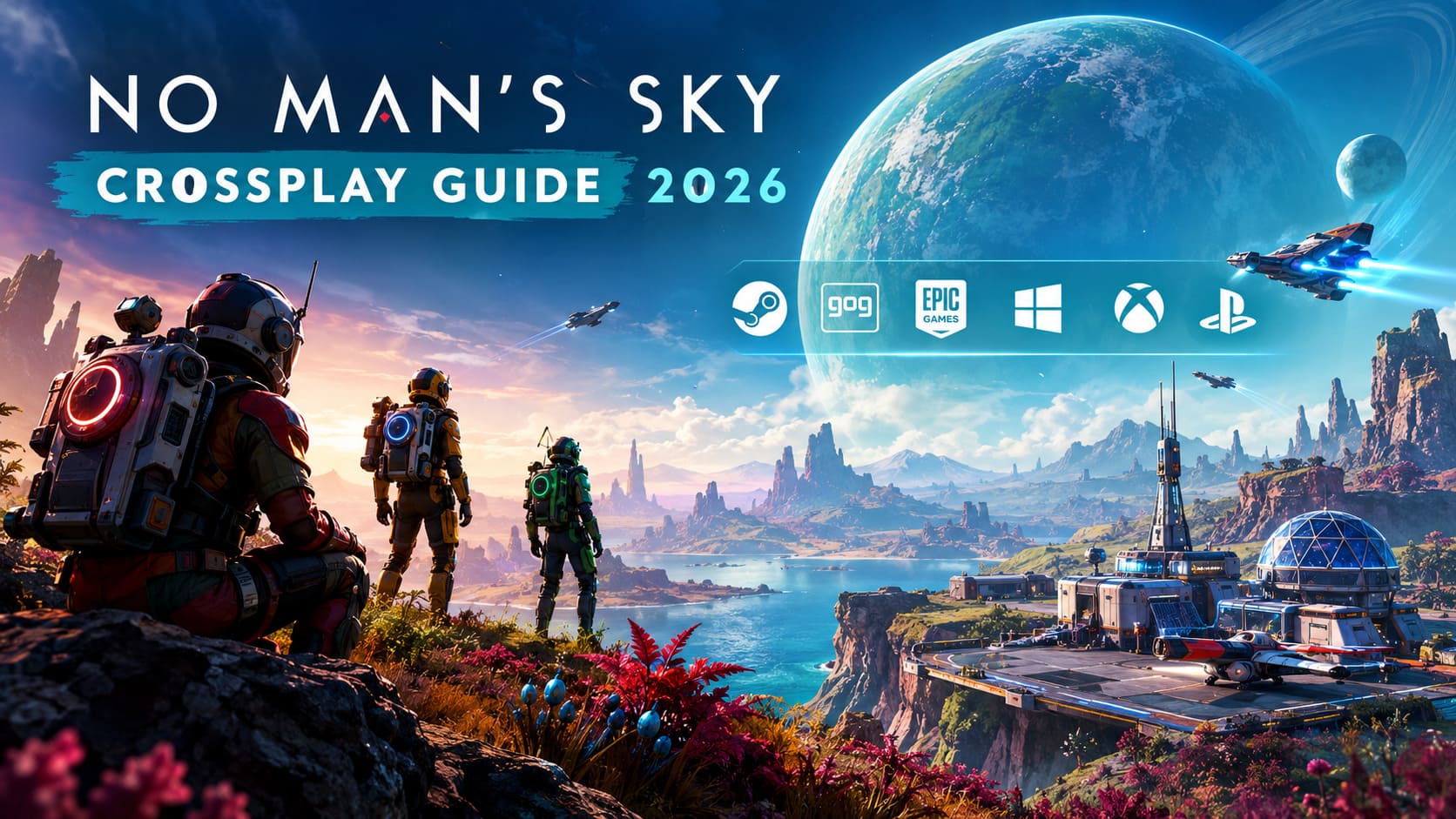
| Platform | Crossplay Support | Online Subscription |
|---|---|---|
| PC / Steam | Yes | None |
| PC / GOG | Yes | None |
| PC / Epic Games Store | Yes | None |
| Xbox App / PC | Yes | None |
| Steam Deck | Yes | None |
| PlayStation 4 | Yes | PlayStation Plus |
| PlayStation 5 | Yes | PlayStation Plus |
| Xbox One | Yes | Xbox Game Pass Core/Ultimate |
| Xbox Series X/S | Yes | Xbox Game Pass Core/Ultimate |
| PC VR / PlayStation VR | Yes | Depends on platform |
For PC players, there is no separate multiplayer subscription standing between you and the rest of the galaxy. Console players have the extra platform-level requirement to worry about.
PlayStation players need an active PlayStation Plus subscription for online multiplayer, while Xbox players need an appropriate Game Pass subscription that includes online console multiplayer. If the required subscription isn’t active, the game may effectively leave you stranded in a solo experience.
That’s an easy thing to overlook if you’ve just installed the game after a long break.
How to Add Cross-Platform Friends in No Man’s Sky
The most important tool for crossplay is the No Man’s Sky Friend Code. Forget trying to add someone through Xbox Live or PlayStation Network and hoping the game figures everything out. Cross-platform connections are handled through No Man’s Sky’s own social system.
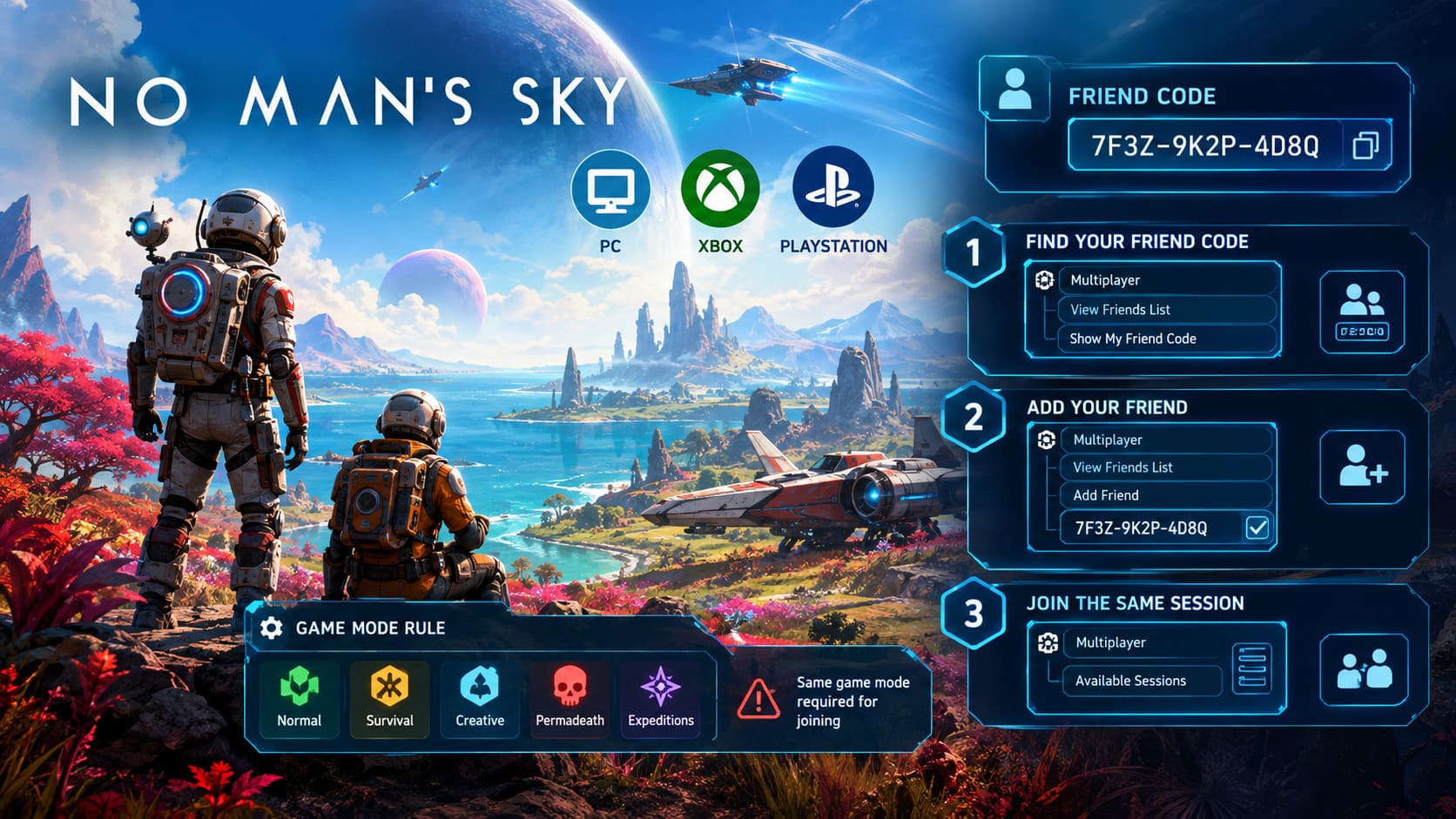
Step 1: Find Your Friend Code
Start No Man’s Sky and reach the main menu.
Choose Multiplayer, then open View No Man’s Sky Friends List. At the bottom of the next screen, look for Show My No Man’s Sky Friend Code.
You’ll receive a unique alphanumeric code, usually displayed in a hyphenated format.
Send that code to the person you want to play with.
Step 2: Add Your Friend
Your friend needs to open the same social menu.
Go to:
Multiplayer → View No Man’s Sky Friends List → Add No Man’s Sky Friend
Enter the supplied Friend Code carefully and confirm it.
If everything goes through correctly, that player should appear in your in-game friends list. This is the part that makes crossplay so useful: the game’s friend system doesn’t care whether the other player is sitting on a PC, Xbox, or PlayStation.
Step 3: Join the Same Session
Once you’re connected, one player needs to host.
The host can load an existing save or begin a new game. Once that player is actually inside the game world, the other player can open No Man’s Sky, select Multiplayer, and check the available sessions.
The host should eventually appear in the list. Select the session, choose the save you want to use, and the game should place you into the host’s current star system.
If the session doesn’t appear immediately, don’t panic. No Man’s Sky’s matchmaking can occasionally take a little time to catch up.
The Game Mode Rule That Can Break Your Entire Session
This is probably the biggest multiplayer gotcha.
Your save’s game mode matters.
No Man’s Sky has different gameplay rule sets, including:
- Normal
- Survival
- Creative
- Permadeath
- Expeditions during active events
You can’t simply assume that owning the same game and being friends is enough. If the host is playing a Permadeath save and you’re trying to enter with a Normal character you’ve spent hundreds of hours building, the session may not be available to you.
Your selected save needs to be compatible with the host’s game mode.
This is especially important when returning players jump into multiplayer after months away. You may have the correct Friend Code, the correct platform, and perfectly functioning internet connection — and still see nothing because the save you’re using doesn’t match the session rules.
Check the game mode before troubleshooting your router.
How Many Players Can Join a No Man’s Sky Session?
Normal planetary exploration is generally built around small multiplayer groups of up to four players. That’s the sweet spot for missions, exploration, combat, resource gathering, and cooperative base projects.
The Space Anomaly is a different beast.
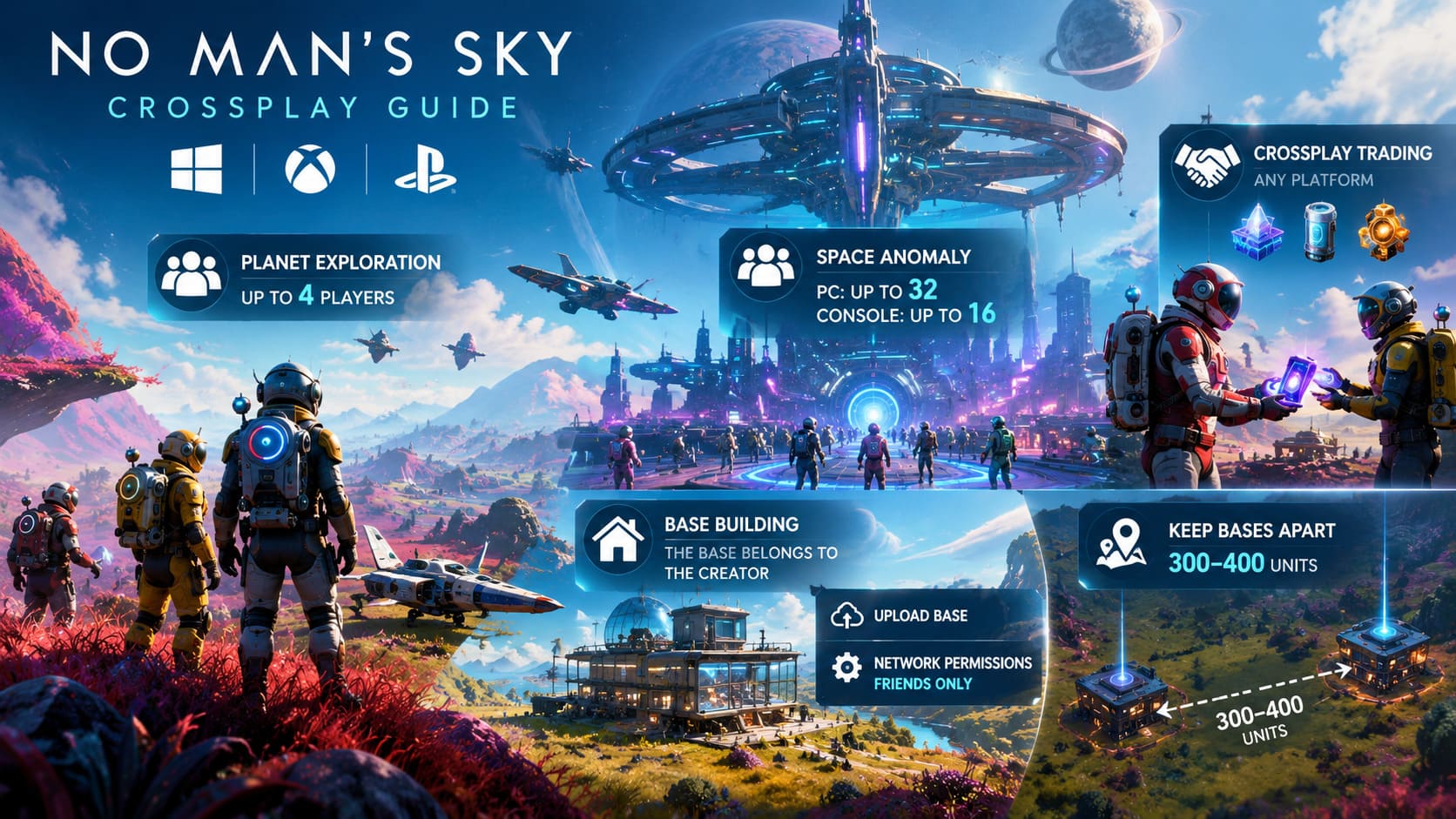
It acts as No Man’s Sky’s giant social hub, allowing substantially more players to exist within the same visual instance. On PC, instances can support up to 32 players, while console instances can support up to 16.
Don’t confuse that with party size, though. Nexus missions and structured cooperative activities still revolve around smaller teams, generally capped at four players.
That distinction matters because seeing a crowd inside the Anomaly doesn’t mean you can suddenly create a 20-player strike team.
Crossplay Base Building: What You Need to Know
Cooperative construction is one of the coolest parts of No Man’s Sky multiplayer. Building a ridiculous planetary headquarters with someone on another platform feels exactly like the kind of feature the game should have had from day one.
There is one important catch:
The base belongs to its creator.
If your friend owns the Base Computer, their account controls the base. Make sure the owner regularly selects Upload Base from the Base Computer interface so the structure is available through Hello Games’ servers.
You should also check your network permissions before starting a major construction project.
Open:
Options → Settings → Network
Then find the base editing permissions and switch them from No One to Friends Only if you want your friends to build alongside you.
That allows your group to place structures, connect technology, run power cables, and generally turn an empty planet into something that looks far too expensive for a game about intergalactic resource collection.
Keep Separate Bases Apart
If multiple players are creating separate bases in the same area, avoid cramming Base Computers directly next to each other.
Community testing has suggested that placing separate base computers extremely close together can create rendering problems and synchronization headaches. Keeping them roughly 300–400 units apart gives you considerably more breathing room.
You can still build outward and visually connect the projects.
The important thing is avoiding a pile of overlapping base boundaries that makes the game wonder which structure belongs where.
Trading Resources Across Platforms
Cross-platform trading is considerably less complicated.
If you’re standing next to another player, you can transfer resources and other useful items directly through the inventory interface. The fact that your friend is using Xbox while you’re on PC doesn’t create an artificial trading wall.
That means you can hand over valuable resources, upgrade modules, crafting materials, or expensive items such as Stasis Devices without worrying about which storefront either player uses.
This is particularly useful when one player has spent hours farming a resource while another is struggling to get their next ship upgrade.
No Man’s Sky Crossplay Troubleshooting
Even with the game’s mature multiplayer infrastructure, crossplay isn’t completely immune to bugs. Here are the problems most likely to waste your evening.
1. Version Mismatch
If your friend suddenly disappears from the multiplayer list after a new patch, check the game versions first.
Hello Games can release updates and hotfixes across platforms, but Steam, PlayStation, Xbox, and other storefronts don’t necessarily receive them at exactly the same moment.
One player running an older build can be enough to break multiplayer compatibility.
Make sure everyone has:
- Installed the latest update
- Restarted the game after updating
- Checked for pending console or storefront downloads
- Confirmed that all players are running the same game version
There isn’t a clever shortcut around a genuine version mismatch. Everyone needs to be on the compatible build.
2. Accidental PvP Damage
No Man’s Sky can get surprisingly chaotic when several players are fighting in the same area.
If you don’t want your buddy accidentally blasting you with a starship weapon or mining laser, check your PvP settings.
Open:
Pause Menu → Options → Network → Allowed PvP
Set the option to No One if you want to eliminate player-versus-player damage.
It’s one of those settings worth changing before a multiplayer expedition rather than after someone accidentally turns your expensive character into a very inconvenient respawn screen.
3. Your Friend’s Session Isn’t Appearing
Added the Friend Code but can’t see the session?
Start with the simple fixes.
Back completely out to the main title screen, wait a few seconds, and open Multiplayer again. This can force the game to refresh its matchmaking information.
If the session still doesn’t appear, ask the host to check:
Options → Network
Make sure multiplayer is enabled and that Group Visibility isn’t blocking incoming players. Settings such as Anyone or Friends Only are generally appropriate for private cooperative sessions.
If that still fails, work through the basics: restart the game, verify updates, confirm both players are using compatible save modes, and recheck the Friend Code.
No Man’s Sky Cosmos Update 7.0: Xbox Series X Performance Breakdown & Full Patch Analysis
The Best Way to Make No Man’s Sky Crossplay Actually Work
No Man’s Sky crossplay is much less complicated than it first looks. The game does most of the heavy lifting behind the scenes; players just need to understand where the important switches are.
The short version is simple:
- Add friends through the No Man’s Sky Friend Code system.
- Make sure everyone is running the same game version.
- Use compatible game modes and save files.
- Check PlayStation Plus or Xbox Game Pass requirements on consoles.
- Set multiplayer and group visibility correctly.
- Upload important bases through the Base Computer.
- Use Friends Only base permissions for cooperative construction.
- Disable PvP if you don’t want accidental friendly fire.
Once those boxes are checked, the platform you’re playing on becomes almost irrelevant.
That’s what makes No Man’s Sky’s multiplayer so satisfying in 2026. Your friend can be sitting on a PlayStation, another player can be using an Xbox, and you’re on a Steam Deck or gaming PC. You’re still looking at the same massive universe, chasing the same discoveries and jumping between the same stars.
And honestly, that’s exactly how crossplay should work: the hardware disappears, the galaxy remains, and the only real limitation is convincing your friends to stop arguing over where the base should be built.