Does Beast of Reincarnation Have Controller Support on Steam? Full Guide
When I first watched the combat footage for Beast of Reincarnation, one thing immediately stood out. This didn’t look like the kind of action RPG I’d want to play with a keyboard and mouse. Every dodge, parry, counter, and combo seemed designed around smooth analog movement rather than precise mouse aiming.
After digging into the game’s official information and comparing it with how modern action RPGs usually handle controllers, I think it’s safe to say that Beast of Reincarnation is clearly built with gamepads in mind. If you’re planning to buy the Steam version and wondering whether your controller will work properly, the answer is reassuring.
The game includes Full Controller Support on Steam, making it one of those PC releases where you can sit back, grab your favorite controller, and never touch the keyboard after launching the game.
Does Beast of Reincarnation Support Controllers on Steam?
Yes.
According to the Steam store information, Beast of Reincarnation offers Full Controller Support, meaning every part of the experience can be navigated with a controller—from the title screen to gameplay, menus, inventory management, and settings.
That’s a bigger deal than it might sound.
Many PC games advertise controller compatibility but still require a mouse for launchers, graphics options, or certain menus. Here, the developers specifically classify the game as fully playable with a controller, making it feel much closer to a console release.
Considering the game’s emphasis on timing-based combat, this decision makes perfect sense.
Why I Think a Controller Fits This Game Better
After watching several gameplay demonstrations, I honestly can’t imagine choosing keyboard and mouse as my first option.
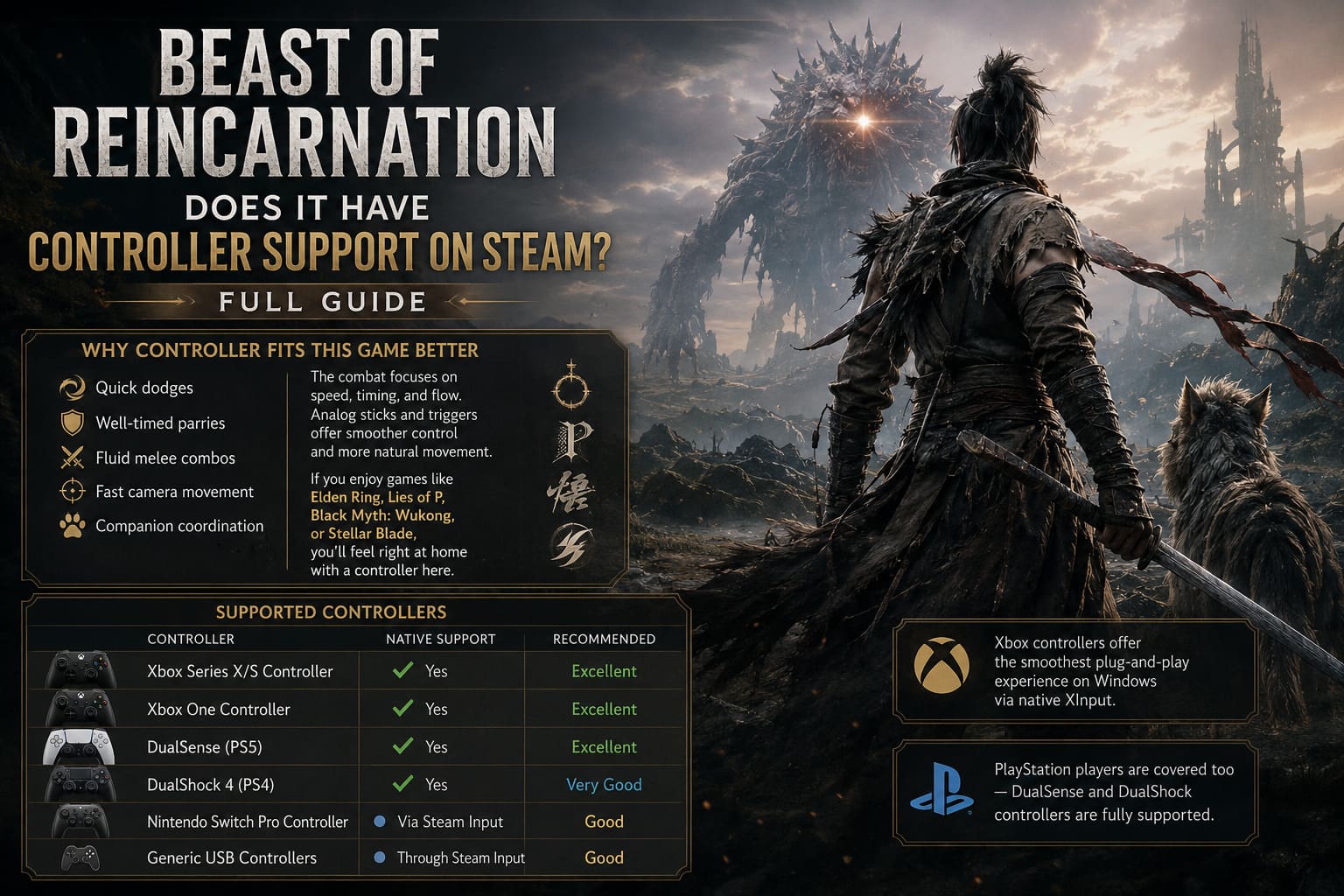
The combat revolves around:
- Quick dodges
- Well-timed parries
- Fluid melee combos
- Fast camera movement
- Companion coordination
Those mechanics usually feel more natural with analog sticks and triggers.
Games inspired by Soulslikes or stylish action titles tend to reward smooth movement over raw mouse precision, and Beast of Reincarnation appears to follow that philosophy.
If you’ve played games like:
- Elden Ring
- Lies of P
- Black Myth: Wukong
- Stellar Blade
Then you’ll probably feel right at home using a controller here.
Supported Controllers
| Controller | Native Support | Recommended |
|---|---|---|
| Xbox Series X/S Controller | ✅ Yes | ⭐ Excellent |
| Xbox One Controller | ✅ Yes | ⭐ Excellent |
| DualSense (PS5) | ✅ Yes | ⭐ Excellent |
| DualShock 4 | ✅ Yes | ⭐ Very Good |
| Nintendo Switch Pro Controller | ✅ Via Steam Input | ⭐ Good |
| Generic USB Controllers | ✅ Through Steam Input | ⭐ Good |
Xbox controllers should provide the smoothest plug-and-play experience thanks to Windows’ native XInput support.
PlayStation users aren’t left behind either, as both DualSense and DualShock controllers are officially supported.
DualSense Features
One feature I was especially happy to see mentioned is support for the DualSense controller.
When connected through USB, players can expect access to advanced controller features such as:
- Haptic feedback
- Adaptive trigger functionality
- Native PlayStation button prompts
Wireless Bluetooth connections should still work normally, although some advanced effects may depend on your Windows setup.
For players who already own a PS5 controller, this is probably one of the best ways to experience the game on PC.
Steam Input Makes Everything Better
Even though native controller support already exists, Steam Input gives players far more freedom to personalize their controls.
Some of the options worth adjusting include:
- Stick dead zones
- Camera sensitivity
- Trigger response
- Button remapping
- Community controller layouts
I almost always leave Steam Input enabled because it makes switching between controllers incredibly easy.
It’s also useful if you’re using third-party hardware or older controllers that don’t always behave correctly with newer games.
How to Enable Steam Input
If you want additional customization, the setup only takes a minute.
- Open your Steam Library.
- Right-click Beast of Reincarnation.
- Select Properties.
- Open the Controller tab.
- Choose whether to use the default layout or force Steam Input.
For most Xbox users, the default option will likely be enough.
PlayStation users may prefer enabling Steam Input to access custom community profiles and extra configuration options.
Fine-Tuning Analog Stick Dead Zones
One setting that often gets overlooked is the analog stick dead zone.
In games that rely heavily on defensive timing, even a slightly inaccurate stick can become frustrating.
I usually recommend:
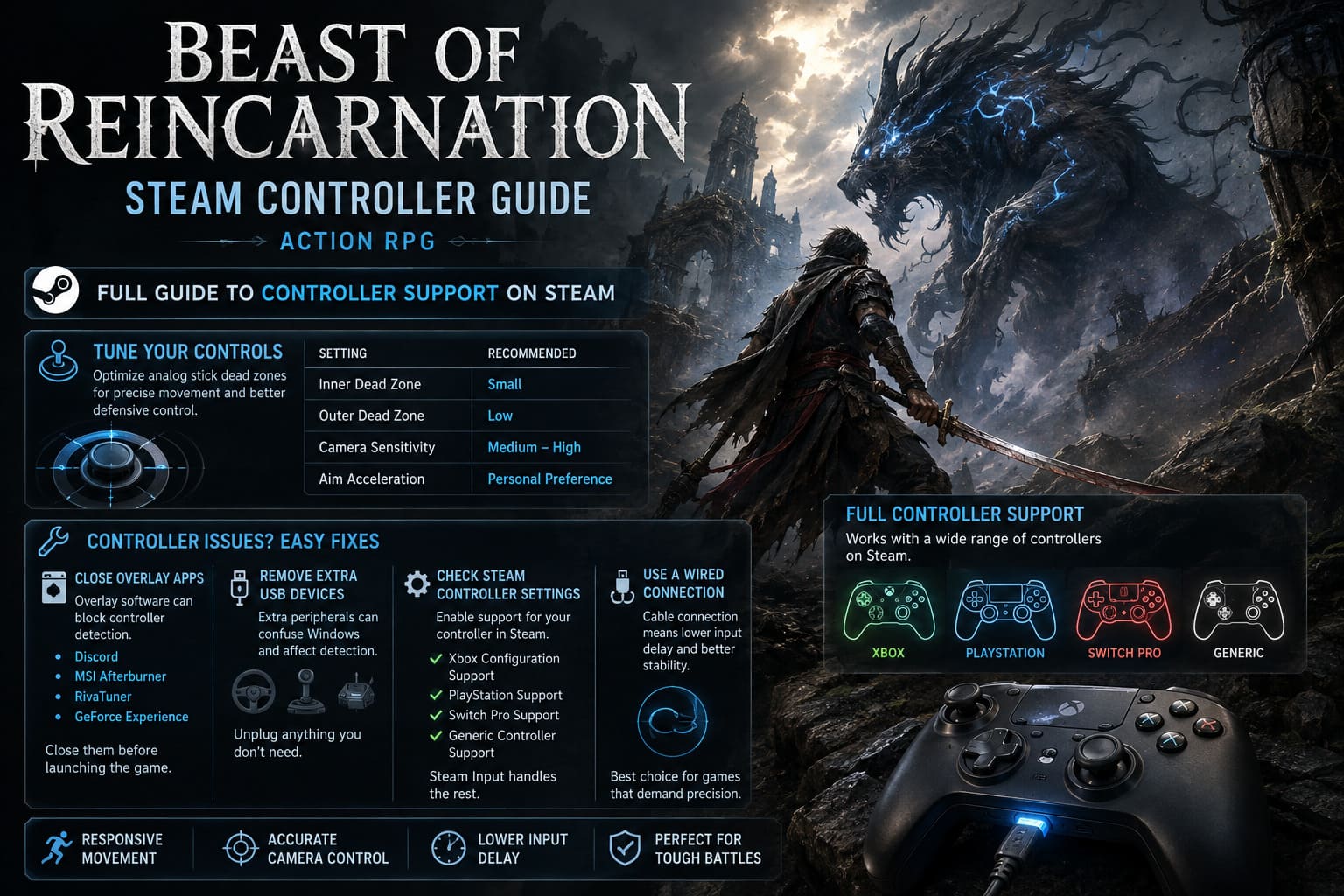
| Setting | Recommendation |
|---|---|
| Inner Dead Zone | Small |
| Outer Dead Zone | Low |
| Camera Sensitivity | Medium-High |
| Aim Acceleration | Personal Preference |
These adjustments help movement feel more responsive while avoiding unwanted character drift.
Common Controller Problems (and Simple Fixes)
Even games with excellent controller support can occasionally run into PC-specific issues.
If your controller isn’t detected immediately, try these solutions.
Close Overlay Software
Programs such as:
- Discord
- MSI Afterburner
- RivaTuner
- GeForce Experience
Can sometimes interfere with controller detection.
Closing them before launching the game often solves unexpected input problems.
Disconnect Extra USB Devices
Windows occasionally assigns racing wheels, flight sticks, or other peripherals as the primary controller.
If possible, unplug unnecessary USB devices before starting the game.
Verify Steam Controller Settings
Inside Steam Settings, make sure support is enabled for your controller type.
Depending on your hardware, enable:
- Xbox Configuration Support
- PlayStation Support
- Switch Pro Support
- Generic Controller Support
Steam Input usually handles the rest automatically.
Try a Wired Connection
Bluetooth is convenient, but if you notice input delay or random disconnects, switching to USB is still the most reliable solution.
Personally, I always use a cable for games that demand accurate timing.
The difference may be small, but every millisecond matters during difficult boss fights.
How Does It Play on Steam Deck?
This is one area where Beast of Reincarnation looks especially promising.
Since the game already supports controllers natively, Steam Deck owners shouldn’t need to create complicated layouts or community profiles just to start playing.
Everything maps naturally to the built-in controls.
The trackpads can also be customized for:
- Menu navigation
- Quick shortcuts
- Radial ability menus
For better battery life, many handheld players will probably prefer limiting performance to around 40 FPS, which often provides a nice balance between smooth gameplay and longer sessions away from the charger.
My Thoughts After Looking at the Controller Support
One thing I appreciate is when developers don’t treat controller support as an afterthought.
Nothing pulls me out of an action RPG faster than seeing keyboard prompts while I’m holding a controller or discovering that certain menus suddenly require a mouse.
Thankfully, Beast of Reincarnation doesn’t appear to suffer from those problems.
Everything about the game’s design—from its combat pacing to its movement system—suggests that controllers were considered during development rather than added at the last minute.
That’s exactly what I want from a modern action RPG.
Beast of Reincarnation Save File Location: Full PC Path Guide (Steam & Game Pass)
Quick Overview
| Feature | Status |
|---|---|
| Full Controller Support | ✅ Yes |
| Xbox Controllers | ✅ Native |
| DualSense | ✅ Native |
| DualShock 4 | ✅ Native |
| Switch Pro Controller | ✅ Steam Input |
| Steam Input Compatible | ✅ Yes |
| Steam Deck Friendly | ✅ Yes |
| Menu Navigation | ✅ Fully Supported |
| In-Game Button Prompts | ✅ Native |
| Keyboard Required During Gameplay | ❌ No |
Beast of Reincarnation Progression System Guide: Beginner Tutorial
Final Verdict
If controller support is one of the deciding factors before purchasing Beast of Reincarnation on Steam, I don’t think you have much to worry about.
Everything points toward a fully featured controller experience, complete with native support for Xbox and PlayStation gamepads, seamless Steam Input compatibility, and excellent handheld potential on the Steam Deck.
Personally, I wouldn’t even consider playing this game with a keyboard unless I had no other option. The combat looks built around fluid movement, carefully timed reactions, and comfortable analog control, all of which are simply more enjoyable with a quality gamepad in your hands.
For anyone planning to explore the ruined landscapes alongside Emma and Koo, using a controller feels less like an alternative control scheme and more like the way the game was meant to be played.