Hozy Beginners Guide: Essential Gameplay Tips and PC Controls
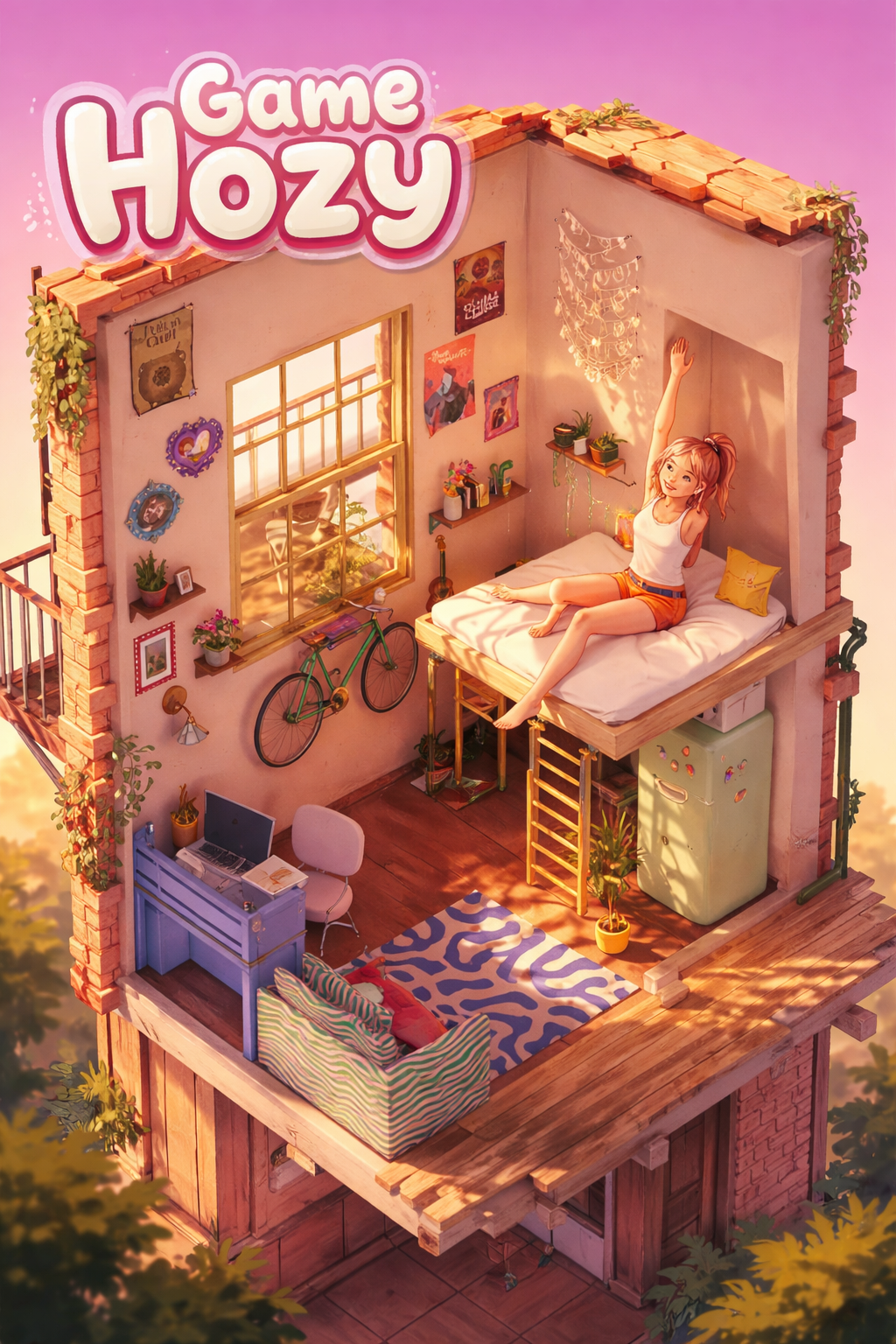
If you’ve ever loved games like House Flipper or Unpacking, then Hozy is a hidden gem waiting for you on Steam.
This cozy cleaning and restoration simulator isn’t about high scores or stressful timers—it’s about relaxing, restoring, and decorating your way through abandoned apartments in your hometown.
John Carpenter’s Toxic Commando Combo Attacks Guide: How to Parry and Defeat Sludge-Mutants
I’ve spent hours exploring Hozy’s demo and full release, and trust me, the satisfaction of seeing a dusty, neglected room transform into a warm, inviting space is something special.
Here’s my full beginner’s guide with tips, tricks, and personal observations to help you get the most out of the game.
Getting Started: Understanding Hozy’s Core Mechanics
Hozy prides itself on being a slow, soothing, and pressure-free experience. Unlike many simulators, there are no energy bars, no timed missions, and no penalties. You’re free to clean, repair, and decorate at your own pace.
Here’s a quick rundown of the mouse controls, which are surprisingly intuitive:
| Action | Mouse Input | Tip |
|---|---|---|
| Grab or use tools | Left Click | Hold to mop, paint, or collect trash |
| Camera control | Middle Click | Rotate, zoom, and find hidden spots |
| Interact / Deselect | Right Click | Open windows, switch objects |
The workflow is simple: Clean → Repair/Paint → Decorate. Following this flow makes the process feel natural and avoids clutter chaos.
Step 1: Mastering the Cleanup Phase
Cleaning is oddly satisfying in Hozy. The sound of a mop swishing or a window sparkling makes it a perfect stress-relief game. Here’s how to clean efficiently:
- Batch Trash Collection: Don’t waste time picking up each tiny item. Hold the left click to sweep multiple pieces of trash at once.
- Central Bin Strategy: Move your trash bin to the middle of the room to cut down walking time. It’s a small tip that makes a huge difference.
- Windows First: Open windows early. The light transformation alone is worth it. Use the window cleaner tool (hold + drag) to see the magic of a sunlit room.
- Spot the Last Bit: Tiny pieces of dust or trash hide in corners. Use middle-click zoom to hunt them down—trust me, it’s oddly satisfying to find every last speck.
Step 2: Restoration—Painting and Repairs
Once the clutter is gone, it’s time to restore the bones of the room. Here’s what I’ve learned:
- Paint Like a Pro: The roller moves up and down, so be methodical. Refresh your roller in the paint tray regularly to keep coverage smooth.
- Interactive Details Add Life: Some rooms have charming touches, like fireplaces or old radios you can activate. Small details make the space feel cozy and lived-in.
Step 3: Decorating Your Cozy Haven
Here’s where Hozy shines. After cleaning and restoring, furniture boxes arrive and it’s time to unleash your inner interior designer:
- Unpacking Strategy: Boxes have vague labels like “big stuff” or “small stuff.” Open one at a time to avoid cluttering your freshly cleaned floor.
- Spark Joy Philosophy: Not every item belongs. You can toss items into the void without guilt—it keeps the vibe uncluttered.
- Physics-Based Placement: Items interact naturally with each other. Stack pillows, lean lamps against walls, or arrange plants in ways that feel organic.
Step 4: Pro Tips to Maximize Fun
While Hozy is simple at first glance, there are tips to enhance the experience:
- Replay Rooms Differently: Each level can be decorated countless ways. Try different layouts or color schemes—you’ll be amazed at how much variety is possible.
- ASMR Heaven: Use headphones! Every swipe of a mop and every paint stroke is accompanied by soothing sounds, perfect for a relaxing gaming session.
- Progressive Challenge: Early rooms are simple, but later apartments are messier and more complex. Gradually, you’ll learn strategies to tackle bigger spaces efficiently.
Hozy on PC: Your Relaxing Guide to Mastering the Art of Cozy Renovation
If you’ve ever wanted a game that feels like a warm cup of tea on a rainy afternoon, Hozy might just be your perfect escape. Imagine returning to a quiet hometown and slowly restoring its charm, one dusty corner at a time.
Unlike high-pressure simulation games that make you race against the clock or stress over perfection, Hozy is all about flow—the satisfying rhythm of cleaning, decorating, and making a space truly yours.
As someone who’s played my fair share of both chaotic and meditative sims, I can honestly say Hozy hits a rare sweet spot: it’s relaxing but engaging. Here’s my take on navigating and mastering Hozy on PC, based on early playtests and community chatter.
First Things First: Moving Around
Hozy keeps things simple but intuitive. It follows classic first-person controls, so anyone familiar with PC games will feel at home immediately.
- Move Around: WASD keys. Nine distinct locations mean plenty of variety as you explore each room.
- Look Around: Move your mouse to scan the environment. I’ve lost hours just spotting little smudges or hidden trash!
- Zoom In/Out: Mouse scroll wheel. Perfect for those fine touches like placing a delicate vase or aligning books.
- Jump: Spacebar. Not for parkour stunts, but essential for hopping over clutter or reaching high shelves.
If you’re a stickler for precision, I’d also recommend lowering your mouse sensitivity in settings. It makes placing small objects feel so much more satisfying—no jerky movements ruining your Zen moment.
Cleaning and Renovation Made Simple
At its heart, Hozy is about bringing spaces back to life. Whether you’re wiping grime off old windows or giving a wall a fresh coat of paint, the controls are easy to pick up. Here’s a quick reference:
| Action | Control | Tip |
|---|---|---|
| Interact / Use Tool | Left Mouse Button | Spray water, mop, or apply paint. |
| Pick Up Trash / Objects | E or F | Move furniture or remove clutter. |
| Refill Tool | R | Keep your paint roller or spray gun full. |
| Cancel Action | Right Mouse Button | Stop an action if you change your mind. |
Personally, I love that Hozy lets you pause and appreciate every step. There’s no timer staring you down—every swipe of the mop feels rewarding, not rushed.
Interior Design: The Fun Part
Once the cleaning is done, the game shifts gears into decorating. And this is where Hozy truly shines: it gives you tools to express your personal style without feeling overwhelming.
- Rotate Objects: Q and E keys (or Mouse Wheel). I spent a good 20 minutes just fiddling with the angle of a small lamp—I know, I’m that person.
- Toggle Lights/Candles: Adds atmosphere instantly. Lighting changes really bring a room to life.
- Open Windows: Click to let in a breeze, watching plants and wind chimes sway—it’s the little touches that sell the cozy vibe.
- Discard Items: If a piece of furniture “doesn’t spark joy,” toss it in the void. I appreciate the nod to Marie Kondo—it’s oddly satisfying.
Pro Tip: Try completing rooms in one sitting. There’s something magical about immersing yourself fully and seeing a space evolve from chaos to serenity.

Extra Tips for a Seamless Experience
While Hozy is inherently relaxing, a few tweaks can make your experience even more enjoyable:
- Lower Sensitivity for Precision: Perfect for those moments when you’re lining up a tiny ornament.
- Toggle Sprint: Hold Left Shift to move slightly faster. Handy when moving between larger areas.
- Single-Sitting Play: Full immersion helps you truly enjoy the “satisfying flow” the developers aimed for.
Even as a casual gamer, I found myself sinking into Hozy for hours. There’s no pressure, just the steady, rewarding loop of cleaning, decorating, and breathing life back into abandoned spaces.
Why Hozy Stands Out
In a world full of high-octane, stressful games, Hozy is a breath of fresh air. Its playful yet thoughtful mechanics create a perfect balance: engaging enough to feel accomplished but calm enough to leave stress at the door. Whether it’s the tactile satisfaction of moving objects or the peaceful animations of curtains swaying in the breeze, it’s a game that invites mindfulness.
For anyone who enjoys cozy sims, interior design, or stress-free gameplay, Hozy on PC is a must-try. The early playtest is on Steam, completely free, and it’s a wonderful preview of what’s coming in the 2026 release.
In short: if you want a game that makes you feel productive, creative, and zen all at once, Hozy is worth your time. Trust me—you’ll leave your virtual hometown looking better than ever, and you’ll feel surprisingly proud of every little broomstroke.