How to Fix Halloween The Game Matchmaking Issues and Long Queue Times (2026 Guide)
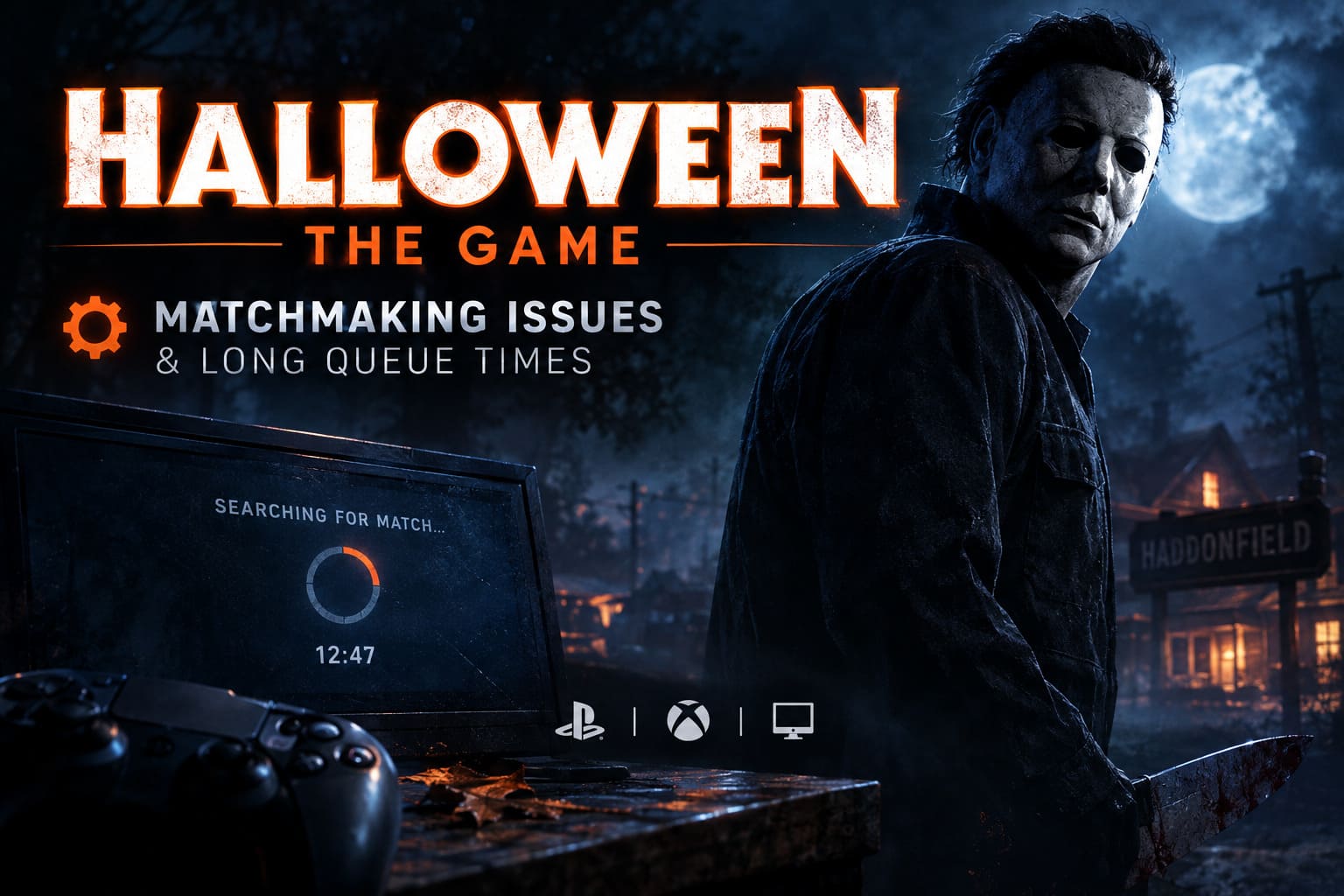
There is nothing quite as annoying as booting up a new horror game, getting ready to spend the evening in Haddonfield, and then watching a matchmaking timer climb higher and higher. You are ready to run from Michael Myers. Your friends are already in voice chat. And the game is basically telling you to wait.
That has been the reality for a lot of players jumping into Halloween: The Game during its Early Access period. IllFonic’s asymmetrical horror game entered Early Access on September 4, 2026, ahead of the full launch on September 8, and the early days have brought the usual launch-week problems: long queues, failed lobbies, login delays, and crossplay headaches.
I’ve played enough online games at launch to know that not every matchmaking problem needs some complicated technical solution. Sometimes the servers are simply getting hammered. Other times, the matchmaking system has trouble finding the right combination of players. Halloween has another problem on top of that: everyone wants to be Michael Myers.
So, if you are stuck in a 15-minute queue, getting thrown back to the menu, or failing to join friends on another platform, here are the things I’d try first.
Why Is Halloween: The Game Matchmaking Taking So Long?
The first thing to understand is that long matchmaking times do not necessarily mean your internet connection is broken. In a game like Halloween, the matchmaking system has to build a very specific type of lobby. One player takes the role of the killer while several other players fill the civilian side.
That creates a pretty obvious imbalance.
Everyone Wants to Play Michael Myers
Let’s be honest. Michael Myers is the main attraction. A lot of players launching the game for the first time immediately want to put on the mask and start hunting. I can’t blame them either. Playing the killer is one of the biggest reasons to jump into a Halloween game in the first place.
The problem is that the game needs several civilians for every killer. If hundreds of players are sitting in the killer queue while civilian slots are empty, the matchmaking system has nowhere to put those extra killers.
That is when queues start getting ugly.
Crossplay Can Make Things Worse
Halloween: The Game is designed around cross-platform play between PC, PlayStation 5, and Xbox Series X/S. That’s great when everything works. During launch week, however, some mixed-platform groups have reported failed matchmaking attempts, lobby disconnections, and parties being returned to the main menu after a match is found.
This is especially frustrating because you can sometimes get through the entire search process only to lose the lobby at the final step.
Launch Traffic Is Another Factor
Early Access naturally creates a huge spike in traffic. Thousands of players are trying to log in, authenticate, form parties, and start matches at roughly the same time. That can produce problems before matchmaking even begins.
If you see a Queued for Login message, don’t immediately assume your game is frozen. It may simply be struggling under the launch-day load. Of course, a genuinely stuck queue can happen too, which is where restarting becomes useful.
Quick Halloween: The Game Matchmaking Fixes
| Problem | What To Try First | Best Option |
|---|---|---|
| Long Killer Queue | Use No Preference | Queue As Civilian |
| Crossplay Lobby Error | Restart Crossplay | Change Party Host |
| Stuck Login Queue | Restart The Game | Reconnect To Services |
| Repeated Lobby Failure | Check Network | Try DNS Reset |
| Peak-Time Queues | Play Off-Peak | Use A Private Lobby |
1. Stop Queuing Exclusively for Michael Myers
This is the simplest thing I’d recommend, and honestly, it is the one that makes the most sense. If you only select Killer, you are voluntarily entering the most competitive queue in the game.
Try selecting No Preference instead.
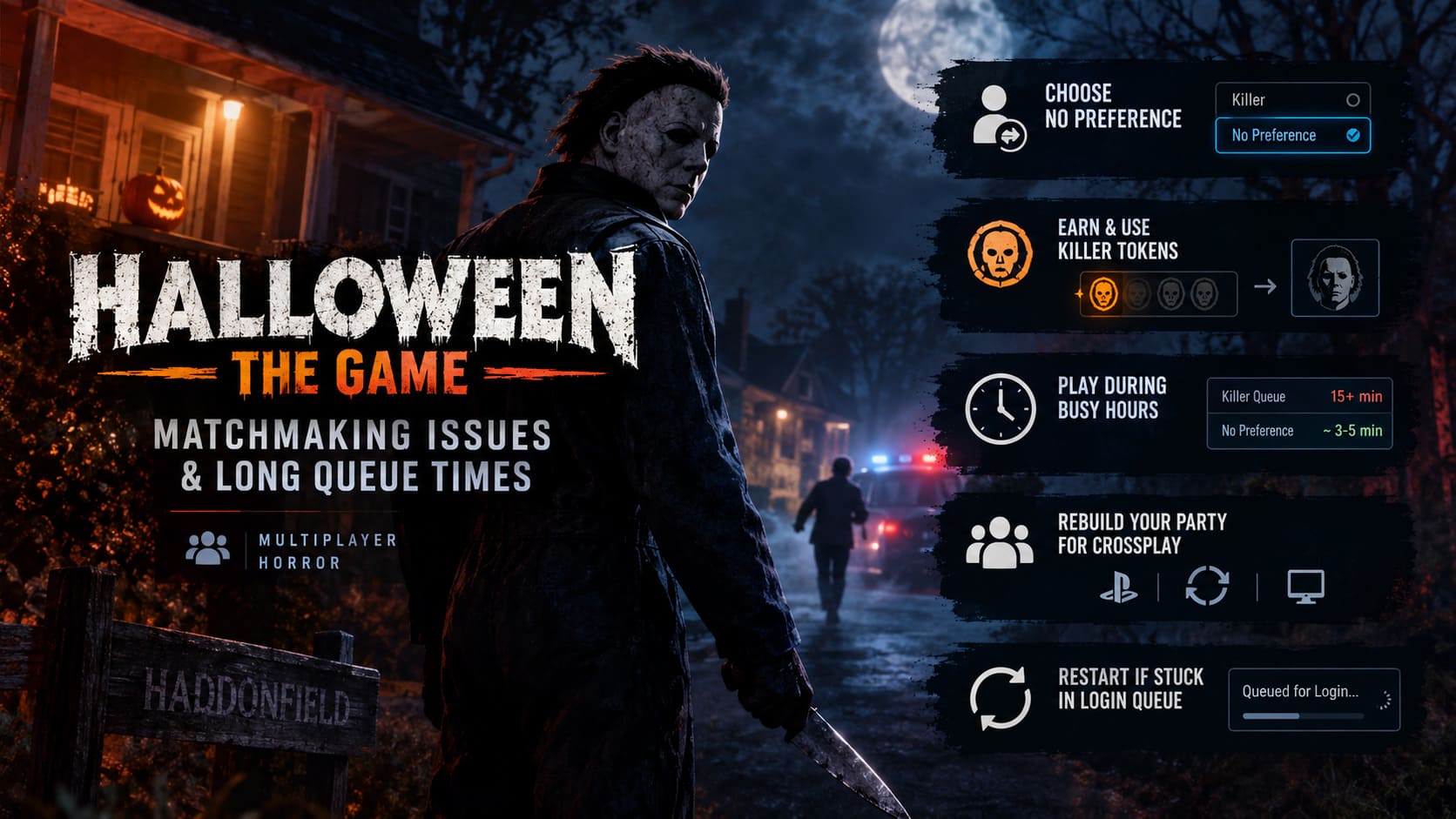
The matchmaking system can then place you into whichever role is currently needed. In practice, that usually means you have a much better chance of getting into a civilian match because the system needs several civilians to create a single killer lobby.
Yes, I know. You bought the game because you wanted to play Michael.
But if your alternative is staring at a matchmaking timer for 20 minutes, spending one or two matches as a civilian isn’t exactly the end of the world. In fact, it can be a good way to learn the maps, objectives, escape routes, and general pacing before you start hunting other players.
2. Make Use of the Killer Token System
If your goal really is to play Michael Myers, the Killer Token system is something you should pay attention to.
Killer Tokens are earned by completing matches as a civilian and can then be used to gain priority when looking for a killer match. This is one of the game’s ways of dealing with the inevitable demand for Michael.
The important part is to actually finish your civilian matches.
- Complete the match whenever possible.
- Avoid leaving early just because you were eliminated.
- Build your token progression before repeatedly entering the killer queue.
Getting killed early is obviously frustrating, especially when Michael finds you before you’ve really done anything. Still, quitting immediately can work against you. If you’re trying to build priority for future killer games, finishing the match is the smarter play.
Personally, I’d treat civilian matches as an investment. You’re not just waiting for Michael. You’re working toward your next game as him.
3. Use the No Preference Queue During Busy Hours
If matchmaking is particularly bad during the evening, No Preference becomes even more useful.
Community reports have suggested a major difference between dedicated killer queues and flexible matchmaking during busy periods. Killer searches can stretch well beyond 15 minutes, while flexible queues can often find a lobby considerably faster.
Those numbers obviously aren’t guaranteed. Player populations change throughout the day, and server conditions can change quickly. Still, the basic idea is sound: give matchmaking more options and it has an easier job finding you a lobby.
It’s the same principle I’ve seen in countless multiplayer games. The more specific your requirements, the smaller your matchmaking pool becomes.
4. Fix Crossplay Problems by Rebuilding the Party
Crossplay is one of the more frustrating parts of the current launch experience. If you’re playing on PS5 while your friends are on PC or Xbox Series X/S and the lobby keeps failing, don’t spend half an hour repeatedly pressing the matchmaking button.
Try rebuilding the party instead.
Start by completely disbanding the current in-game group. Have everyone close or restart the game if necessary. Then check the crossplay setting on each platform and make sure it is enabled consistently.
After that, create a new party and try changing the host.
For example, if the PS5 player was previously hosting, let the PC or Xbox player create the lobby. This is not a guaranteed fix, but changing the host can sometimes get around a session that has become stuck or improperly synchronized.
If your party successfully finds a match after doing this, you have probably saved yourself a lot of unnecessary frustration.
5. Restart If You Are Stuck in the Login Queue
Seeing Queued for Login for several minutes is never a good feeling. Before assuming the entire game is down, give the login process a reasonable amount of time.
If the queue has been sitting there for more than five minutes without making any visible progress, I’d restart the game.
A full restart forces the game to establish a fresh connection with the relevant online services. Depending on your platform, that can include Steam, Epic-related authentication services, PlayStation Network, or Xbox network services.
It sounds almost too simple, but launch-week connection problems often behave strangely after a failed handshake. Restarting can clear the session and put you back into the login process cleanly.
Just don’t repeatedly restart every 30 seconds. If the servers are genuinely overloaded, doing that won’t magically create capacity.
6. Try a Basic DNS and Network Reset on PC
If matchmaking fails repeatedly while other online games work normally, it is worth checking your local network configuration.
On Windows, you can flush your DNS cache and reset the Winsock catalog. These commands are quick and are useful when your system has picked up a bad or outdated network state.
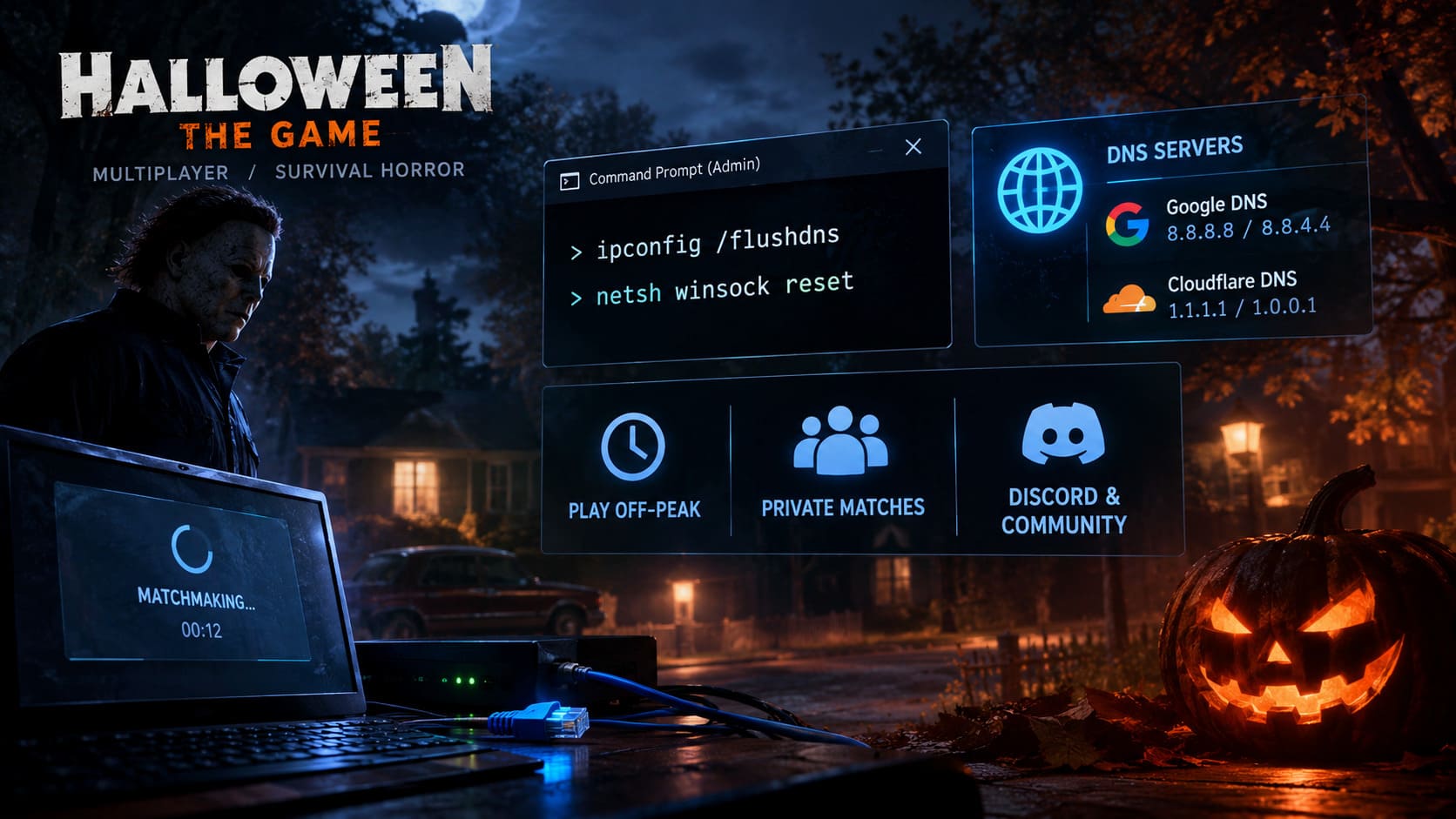
Open Command Prompt as Administrator and run:
ipconfig /flushdnsThen run:
netsh winsock resetRestart Windows afterward and try Halloween: The Game again.
This isn’t a magic “fix every server problem” button. If IllFonic’s matchmaking servers are having trouble, resetting your DNS won’t repair their infrastructure. But if your own PC has a local networking issue, it is a sensible troubleshooting step.
7. Consider Changing Your DNS Server
If your ISP’s DNS routing is behaving badly, switching to a public DNS provider can sometimes improve connection consistency.
Common options include:
- Google DNS: 8.8.8.8 and 8.8.4.4
- Cloudflare DNS: 1.1.1.1 and 1.0.0.1
You can change these through the IPv4 properties of your active network adapter in Windows.
I’d treat this as a secondary troubleshooting step, though. Don’t start changing five different Windows networking settings at once. Make one change, test the game, and see whether anything actually improves.
Some players have also experimented with disabling IPv6 when dealing with unusual lobby connection problems. If you test that, remember that it is better treated as a temporary troubleshooting measure rather than a permanent recommendation.
8. Play Outside Peak Hours
This might be the least exciting solution, but it can also be one of the most effective during launch week.
If you’re playing at the busiest time of the evening in your region, you’re competing with a huge number of other players for the same matchmaking resources. Try logging in earlier in the day or later at night.
There is another advantage to this: player-role distribution can become more balanced when the overall population changes. A queue that feels completely broken at 8 PM might be perfectly reasonable at another time.
And if you are playing with friends, coordinate your sessions instead of repeatedly abandoning failed public lobbies.
9. Use Private Matches When You Just Want to Play
Sometimes you don’t care about matchmaking theory. You just want to play Halloween.
That’s where private matches can be useful.
Private lobbies allow groups of players to organize a game themselves instead of relying entirely on public matchmaking. If you’ve got enough friends online, this can eliminate one of the biggest sources of frustration during launch week.
It also gives you a chance to experiment with maps and roles without constantly fighting the public queue.
If your friend group is too small, community spaces such as the official IllFonic Discord and Steam community discussions can be useful places to find other players looking for a private session.
What About Halloween: The Game Server Problems?
This is the part where I think players need to have a little patience.
Early Access started on September 4, with the full release arriving on September 8. That’s exactly the period when developers are collecting real-world information from a much larger audience than internal testing can provide.
Matchmaking telemetry can reveal problems that simply don’t appear until thousands of people are simultaneously logging in and searching for matches.
IllFonic has been tracking launch issues, including problems involving crossplay parties and deployment stability. That means some connection problems may not have a permanent player-side fix yet.
If the developers push a hotfix, server-side adjustment, or matchmaking update, install it before doing anything else. There’s no point spending an hour changing your network settings if the actual solution is already being deployed by the developer.
Halloween The Game 2026: How to Call Police Patrols and Escape Haddonfield
My Recommended Order of Fixes
If I were sitting in front of Halloween: The Game right now and couldn’t find a match, I wouldn’t immediately start messing with Windows settings. I’d go from the easy solutions to the more technical ones.
- Switch from Killer to No Preference.
- Restart the game if the login queue appears stuck.
- Rebuild your party if crossplay is failing.
- Try another party host.
- Check for game updates and hotfixes.
- Try playing outside peak hours.
- Use a private lobby if you have enough players.
- Only then move on to DNS and Windows network troubleshooting.
That’s the order I’d use because it avoids turning a server-side launch problem into a local PC configuration problem.
Final Thoughts
Halloween: The Game matchmaking problems are frustrating, but they don’t necessarily mean something is wrong with your setup. Launch week is always messy, and an asymmetrical horror game has an extra challenge because the player base naturally gravitates toward one role.
If you’re desperate to play Michael Myers, work toward your Killer Tokens instead of sitting in the killer queue forever. If you simply want to get into a match, select No Preference. If your friends are on different platforms, rebuild the crossplay party and try switching hosts. And if the game is stuck before you even reach the main menu, a full restart is often worth trying.
The biggest piece of advice I’d give is simple: don’t assume every long queue is an internet problem. Sometimes the matchmaking pool is the problem. Sometimes it’s the server load. Sometimes it’s a broken party session.
And sometimes the best solution is to stop staring at the timer, grab a drink, come back ten minutes later, and try again.
Once the September 8 global launch arrives and the early-access population settles into a more predictable rhythm, matchmaking should become easier to judge. Until then, use the flexible queues, keep the game updated, and don’t be afraid to step away from the Killer queue when it starts getting ridiculous.