Beastfolk Barber System Requirements: Can Your PC Handle the 2026 Indie Sensation?
After spending years testing everything from massive AAA releases to small experimental indie projects, I have learned one important thing: a game does not need ultra-realistic graphics or a huge budget to create a memorable experience. Sometimes the most interesting titles are the ones that focus on atmosphere, characters, and small details. Beastfolk Barber looks like one of those games. This charming narrative simulation has already attracted attention from cozy game fans, and many PC players are asking the same question: can your current hardware handle it?
Developed by Safe Flight Games and GameWorks Ventures and published by SIGONO INC., Beastfolk Barber is expected to become one of the more interesting indie releases of 2026. The project first appeared under the working title Project Salon before gaining wider attention through major gaming showcases, including Summer Game Fest and Wholesome Direct. After the Steam demo release, discussions about gameplay, story, and PC performance quickly spread across gaming communities.
Unlike many modern releases that demand expensive graphics cards, Beastfolk Barber seems designed around accessibility. The developers focus on artistic presentation, emotional storytelling, and character interaction instead of pushing hardware limits. Still, knowing the Beastfolk Barber system requirements before release is important, especially for players using older laptops or entry-level gaming PCs.
Pax Autocratica Console Commands List (2026): All Cheat Codes & How to Enable
What Makes Beastfolk Barber Different From Other Cozy Games?
Before looking at the hardware requirements, it is worth understanding why this game has generated so much interest. Beastfolk Barber places players in the role of Freddie, a barber working in a unique modern city where humans and anthropomorphic animals live together.
The main gameplay loop is not about combat, exploration, or collecting endless resources. Instead, it focuses on conversations and relationships. Every customer who enters the barber shop has a personal story, personality, and reason for needing a new look. Each haircut becomes a small moment where players learn more about the world and the people living inside it.
Fans of narrative-driven games like Coffee Talk or VA-11 Hall-A will probably feel familiar with the structure. The experience is built around dialogue, choices, and emotional connections rather than traditional gameplay challenges.
The story becomes even more unusual when a mysterious demon appears through Freddie’s mirror. This strange visitor offers a chance to fix an old regret, but there is a condition: Freddie must create the perfect haircut. The magical mirror allows players to preview different styles before making the final decision, adding a creative management element to the relaxing simulation formula.
You will manage customer satisfaction, follow city events, check social updates, and improve your reputation as a barber. Make the wrong decision, and some customers may not return.
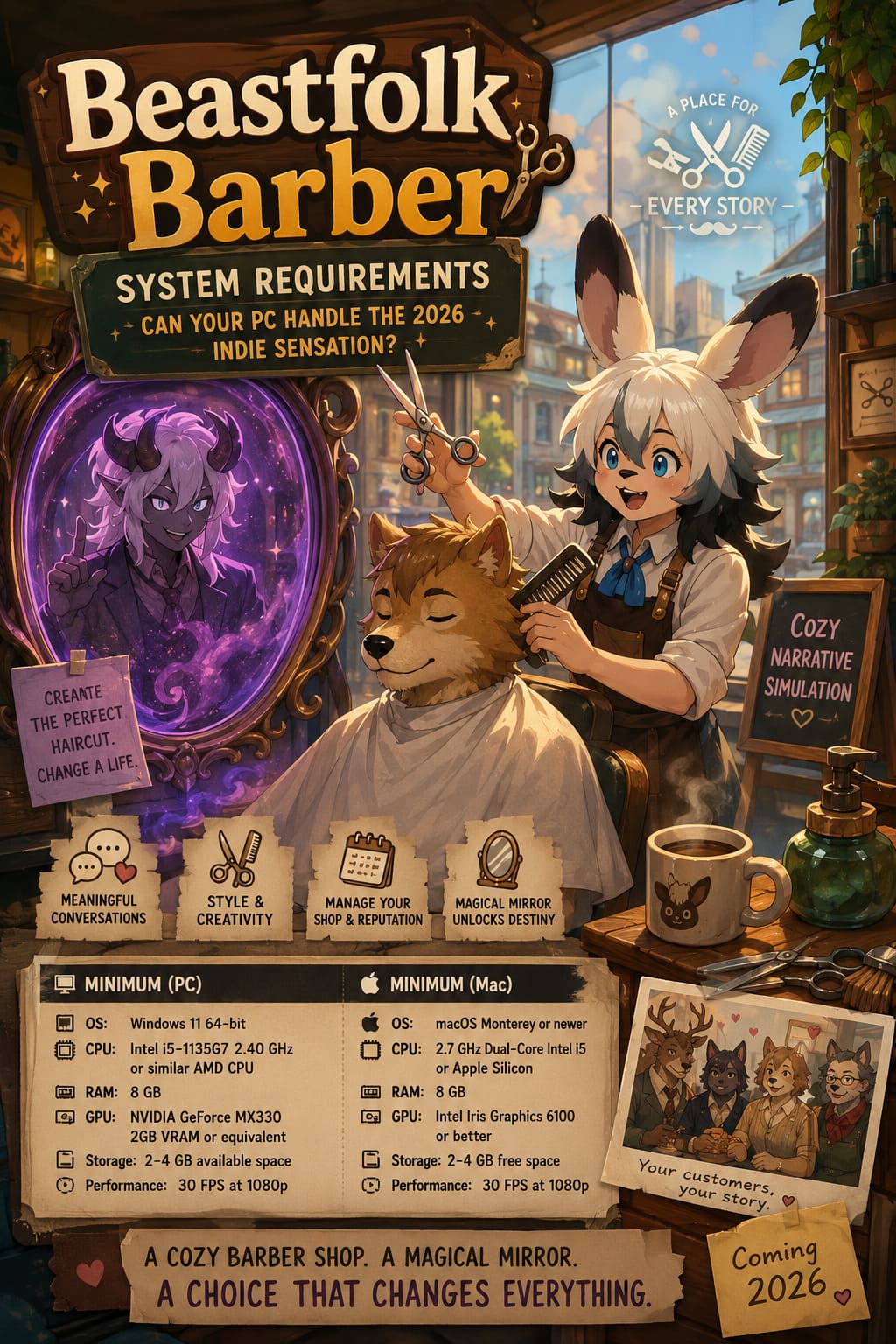
Beastfolk Barber Minimum System Requirements for PC
One of the biggest advantages of Beastfolk Barber is that it does not appear to be a hardware-heavy game. Based on the official specifications, the title should be playable on many modern budget computers.
| Component | Minimum Requirement |
|---|---|
| Operating System | Windows 11 64-bit |
| Processor | Intel Core i5-1135G7 2.40 GHz or similar AMD CPU |
| Memory | 8 GB RAM |
| Graphics Card | NVIDIA GeForce MX330 2GB VRAM or equivalent integrated graphics |
| DirectX | Version 11 compatible |
| Storage | Around 2-4 GB available space |
| Expected Performance | 30 FPS at 1920×1080 resolution |
Looking at these specifications, Beastfolk Barber should run comfortably on most recent office laptops and entry-level gaming machines. The NVIDIA MX330 is not a powerful graphics card by modern standards, but it is enough for a stylized indie title focused on 2D visuals, character animations, and detailed environments.
From my experience with similar indie games, these minimum requirements usually mean developers are aiming for stability rather than maximum visual quality. You should expect the game to work, but players who want smoother animations and faster transitions will likely benefit from stronger hardware.
Beastfolk Barber Mac System Requirements
Mac users are also included from launch, which is becoming increasingly common among narrative indie developers. Since these games usually rely more on artistic direction than demanding graphics technology, macOS support makes perfect sense.
| Component | Minimum Requirement |
|---|---|
| Operating System | macOS Monterey or newer |
| Processor | 2.7 GHz Dual-Core Intel Core i5 or Apple Silicon |
| Memory | 8 GB RAM |
| Graphics | Intel Iris Graphics 6100 or better |
| Storage | 2-4 GB free space |
| Performance Target | 30 FPS at 1080p |
Players using Apple Silicon devices such as M1, M2, or M3-based Macs should have little trouble running the game. These systems generally handle lightweight indie experiences very efficiently and are well suited for games that prioritize storytelling over technical complexity.
Real-World Performance Expectations From the Gaming Community
Official requirements only tell part of the story. The real test comes when players start running the game on different machines with different hardware configurations.
Based on early community discussions, the general reaction has been positive. Many players report that the demo performs well because Beastfolk Barber avoids the demanding features that often hurt performance in modern games. There is no focus on realistic physics, massive open worlds, or advanced ray-traced lighting.
Instead, the game relies on:
- Detailed character illustrations
- Smooth 2D animations
- Colorful environments
- Dialogue-heavy scenes
- Stylish visual effects
This design choice helps keep hardware demands low. However, if you are someone who prefers playing at 60 FPS with the smoothest possible animations, the minimum requirements are probably not the ideal target. A slightly newer desktop or gaming laptop will provide a much better experience.
Recommended Specifications for the Best Experience
Although the minimum requirements are enough to play, I would personally aim a little higher. Modern operating systems already consume a noticeable amount of memory, and having extra resources always helps when multitasking or running additional applications.
| Component | Recommended Specification |
|---|---|
| Operating System | Windows 11 64-bit |
| Processor | Intel Core i5-7400 / AMD Ryzen 5 1600 or better |
| Memory | 16 GB RAM |
| Graphics Card | NVIDIA GTX 1060 3GB/6GB or AMD Radeon RX 570 |
| DirectX | Version 12 |
| Storage | SSD with at least 4 GB free space |
This is not a demanding configuration by 2026 standards. Many players who upgraded their computers several years ago should already meet or exceed these recommended specifications.

Why SSD Storage and RAM Still Matter
Some gamers underestimate storage speed because Beastfolk Barber only requires a few gigabytes of space. However, installing the game on an SSD is still highly recommended.
The game constantly moves between conversations, customer models, locations, and different interface elements. A faster drive can reduce loading delays and make the entire experience feel more responsive.
RAM is also important. While 8 GB is officially enough, 16 GB is a much more comfortable amount for modern gaming. If you usually keep a browser with many tabs, Discord, music apps, or recording software open, extra memory will prevent unnecessary slowdowns.
How To Improve Beastfolk Barber Performance on Older PCs
If your computer is close to the minimum requirements, a few simple changes can make a noticeable difference.
1. Update Your Graphics Drivers
Before launching the game, install the latest drivers from NVIDIA, AMD, or Intel. Updated drivers often improve compatibility and fix small performance problems.
2. Close Unnecessary Background Programs
Web browsers, editing applications, and other launchers can consume a surprising amount of memory. Closing them before playing gives Beastfolk Barber more resources.
3. Adjust Resolution Settings
If you notice frame drops, reducing the resolution from 1080p to 720p can improve performance significantly while keeping the charming art style intact.
4. Install the Game on an SSD
Even a budget SSD can make loading faster and create a smoother overall experience during gameplay sessions.
Final Thoughts: Is Your PC Ready for Beastfolk Barber?
After looking at the requirements and comparing them with similar indie releases, Beastfolk Barber appears to be one of the more accessible games arriving in 2026. You do not need a premium gaming computer or a powerful RTX graphics card to enjoy Freddie’s barber shop adventure.
A basic modern laptop with 8 GB of RAM, a 64-bit operating system, and integrated graphics should be enough to start playing. Players with stronger systems will simply enjoy smoother animations, faster loading, and better multitasking performance.
What makes Beastfolk Barber interesting is not its technical ambition but its personality. It is a game built around conversations, creativity, and memorable characters. If the final release maintains the quality shown in the demo, this could become one of those cozy indie games that players remember long after finishing it.
Before launch, checking your PC specifications and trying the free demo is the easiest way to know how your system performs. For most players, the answer will probably be simple: yes, your PC is ready for the barber chair.