Metal Gear Solid Peace Walker HD Online Co-Op Setup Guide: How to Play 6-Player Game in 2026
There are a lot of older multiplayer games that I remember fondly, but Metal Gear Solid: Peace Walker is one of the few that still makes me want to call up friends and say, “Okay, we’re doing this tonight.”
Peace Walker was built around teamwork in a way that feels surprisingly modern. You aren’t simply putting four players into the same mission and letting everyone shoot at everything. The game actually gives cooperation a purpose. One player can carry equipment, another can provide support, someone can heal a teammate, and the whole squad can work together to handle enemies that would be much more annoying alone.
The confusing part is getting everyone connected in 2026.
Peace Walker has lived through the PSP era, HD re-releases, changing online infrastructure and a growing emulation scene. Depending on which version you’re playing, the process can be completely different. And if you’re specifically chasing the famous six-player Peace Walker multiplayer experience, there’s one important detail to understand before doing anything else.
Six players is for Versus Ops, not the regular cooperative campaign.
That distinction saves a lot of frustration.
Peace Walker Multiplayer Player Limits Explained
Let’s get the numbers out of the way first.
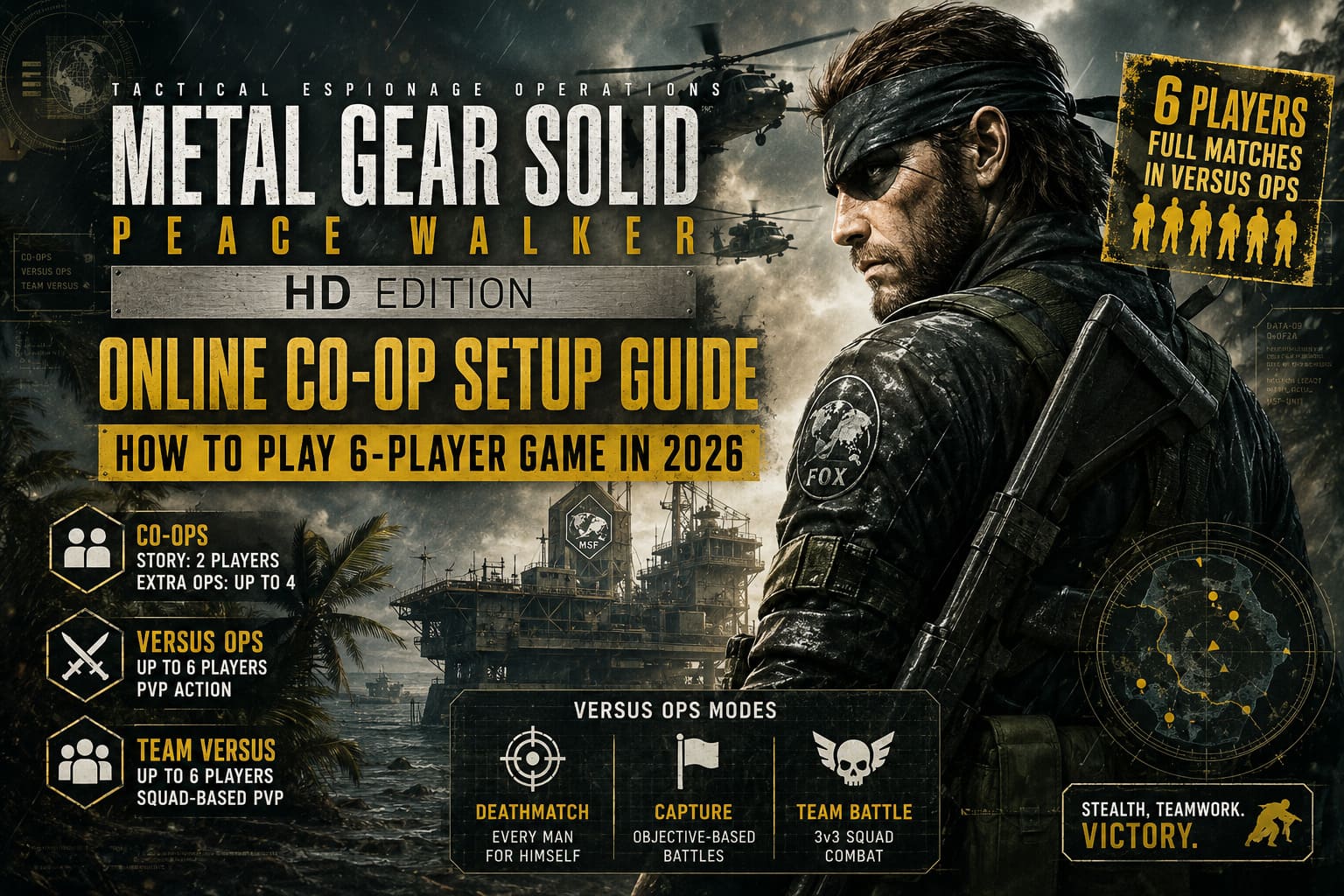
| Mode | Maximum Players | What You Actually Do |
|---|---|---|
| Story CO-OPS | 2 | Cooperative story missions |
| Extra Ops CO-OPS | Up to 4 | Bosses, vehicles and difficult missions |
| Versus Ops | Up to 6 | Competitive multiplayer |
| Team Versus Ops | Up to 6 | Squad-based PvP |
If your goal is to replay missions with friends, CO-OPS is what you want. The standard story missions can support two players, while certain Extra Ops missions expand the action to four.
But if your group has six people and everybody wants to play together, forget about squeezing six soldiers into a story mission.
Versus Ops is the answer.
That’s where Peace Walker gets wonderfully chaotic. Six players can turn what is normally a methodical stealth game into a much more unpredictable multiplayer battle. Deathmatch, team-based modes and objective-focused matches give everyone something different to do.
And honestly, this is one of those cases where the game’s age becomes part of the charm.
The Easiest Option: Play the Modern HD Version
If you’re starting from scratch, I’d always recommend getting the official HD version available for your platform before messing around with emulators and network tunneling.
The exact online features can depend on the release you’re using, so don’t assume that every modern Metal Gear collection automatically provides identical multiplayer functionality.
The basic setup, however, is straightforward when online functionality is supported:
- Finish the opening section of the game. Multiplayer options aren’t necessarily available immediately on a completely fresh save.
- Reach Mother Base and progress far enough for the multiplayer-related menus to become available.
- Open the relevant multiplayer or mission-selection menu.
- Choose CO-OPS if you’re playing cooperatively or Versus Ops for competitive multiplayer.
- Create a room and configure the available restrictions or password.
- Have your friends search for the room or use the platform’s available invitation features.
My biggest piece of advice here is simple: don’t start troubleshooting your router before checking the game mode and platform compatibility.
I’ve seen people spend an hour changing network settings when the actual problem was that one player was on a different release or everyone was trying to use a feature their particular version didn’t support.
Start with the boring stuff.
It usually works.
What About Six-Player Games?
This is where a lot of Peace Walker guides get confusing.
If you’ve got six friends ready to play, you need to create a Versus Ops session. Don’t select a normal cooperative mission and expect the game to magically expand the player count.
A six-player Versus Ops lobby is fundamentally a PvP setup. Depending on the mode, players can fight individually or divide into teams.
For a group of six, three-versus-three matches are particularly fun because they give everyone enough room to maneuver without making the battlefield feel empty.
And Peace Walker’s stealth mechanics make these matches more interesting than a basic shooter deathmatch.
You can hide.
You can flank.
You can play aggressively.
Or you can spend several minutes stalking someone through the map before the entire plan collapses because another player walks directly into you.
That’s Peace Walker multiplayer at its best.
PC Players: The RPCS3 Route
If you’re playing the PS3 HD Edition through RPCS3, things get more technical.
RPCS3 uses its own online networking framework, RPCN, for supported multiplayer functionality. This is considerably different from simply launching the emulator and expecting PlayStation Network matchmaking to work exactly like it did on original hardware.
Before setting up a session, make sure everyone in your group is using compatible game builds and a properly configured RPCS3 installation.
The general process looks like this:
- Open RPCS3’s Network configuration.
- Configure the network connection for RPCN.
- Create or sign into an RPCN account where required.
- Add your friends through the RPCN friend system.
- Launch Peace Walker and progress far enough to unlock multiplayer.
- One player creates the multiplayer room.
- Everyone else searches for and joins that room.
The important thing is that everyone needs to be on the same page technically.
If one person has a different game revision, a mismatched configuration or an emulator build behaving differently, multiplayer troubleshooting becomes much harder.
For a group that already knows RPCS3, this route can be excellent. For somebody who has never touched emulation networking before, though, I wouldn’t make it the first choice.
PPSSPP: Still One of the Most Interesting Ways to Play
Then there’s the original PSP version through PPSSPP.
This is probably the route that interests me most from a tinkering perspective. Peace Walker was originally designed for PSP, and PPSSPP makes it possible to experience the game on PC, Steam Deck and mobile hardware while experimenting with local or virtual LAN networking.
The important setting is the game’s ad-hoc networking.
A typical setup involves:
- Install PPSSPP on every player’s device.
- Connect everyone through the same local network or a compatible virtual LAN solution.
- Open PPSSPP’s networking settings.
- Enable WLAN/networking functionality.
- Configure the PRO ad-hoc server appropriately.
- Designate one player as the host.
- Enter the host’s reachable local or virtual network address on the other machines.
- Start Peace Walker and enter the multiplayer area.
- Create or join the appropriate Versus Ops room.
The host configuration is particularly important.
Don’t have everybody run their own ad-hoc server. One machine should normally take the hosting role while the others connect to it.
If you’re playing remotely, a virtual LAN tool can make the devices behave more like they’re connected to the same local network. But compatibility can vary, so this is definitely the method where a little experimentation may be necessary.
Don’t Ignore NAT and Router Problems
When everything looks correct but players still can’t connect, the network itself becomes the obvious suspect.
For normal online play, NAT restrictions can interfere with peer-to-peer connections. A strict NAT configuration may prevent certain players from joining sessions or cause connections to drop.
Before doing complicated manual port forwarding, I’d try these in order:
- Enable UPnP on the router if appropriate.
- Restart the router and gaming device.
- Temporarily remove unnecessary VPN connections.
- Check whether all players can connect to other online games.
- Test with a different host.
- If possible, use a wired connection for the host.
Don’t immediately start forwarding random ports you found in an old forum post.
That advice ages badly.
And because Peace Walker has passed through multiple releases and networking implementations, an old port-forwarding guide isn’t automatically relevant to the version you’re playing in 2026.
Emulator Performance Matters More Than You’d Think
There’s another issue that can ruin multiplayer: inconsistent emulator settings.
If one player is running the game at its normal frame rate while another has applied an aggressive performance patch, multiplayer can become unstable.
This is especially relevant when experimenting with PPSSPP or RPCS3.
For a multiplayer session, I’d keep things conservative:
- Use the same game version across the group.
- Keep frame-rate settings consistent.
- Avoid experimental gameplay patches.
- Don’t add random cheats or speed hacks.
- Make sure everyone is using reasonably stable emulator builds.
You don’t need to squeeze every possible frame out of Peace Walker.
It’s an older game.
Stability beats a flashy FPS number.
The Save File Requirement Is Easy to Forget
Another classic mistake is launching the game with a brand-new save and immediately looking for multiplayer.
Peace Walker doesn’t throw every system at you from the first minute. You need to progress through the opening section and establish the game’s basic Mother Base systems.
So if a friend tells you, “I don’t have the multiplayer menu,” don’t immediately assume the servers are broken.
Ask them one question first:
“How far are you in the game?”
If they’re still working through the introduction, the solution might simply be to keep playing.
My Recommended Peace Walker Multiplayer Setup
If I were organizing a session with friends today, this is the order I’d use:
| Priority | What I’d Check |
|---|---|
| 1 | Everyone owns the same compatible version |
| 2 | Everyone has completed the required opening progression |
| 3 | Decide between CO-OPS and Versus Ops |
| 4 | Test a two-player connection first |
| 5 | Add the rest of the group |
| 6 | Only troubleshoot router/emulator settings if necessary |
Testing with two players first is a huge time saver.
If two people can’t connect, there’s no reason to invite four more friends and turn the problem into a six-person detective investigation.
Get one connection working.
Then expand the lobby.
Metal Gear Solid Master Collection Vol 2: Storage Specs, Total Playtime, and PC Performance Guide
Is Peace Walker Multiplayer Worth Setting Up in 2026?
Absolutely — with one qualification.
If you’re expecting the effortless matchmaking experience of a brand-new multiplayer shooter, you’re going to have a bad time. Peace Walker is an older game with a multiplayer ecosystem that requires more awareness of the version you’re using and how that particular release handles networking.
But once you actually get everyone into the same session?
It’s still ridiculously fun.
The cooperative missions are probably the best reason to revisit Peace Walker. The way players coordinate equipment, revive one another and approach enemies together feels surprisingly thoughtful for a game that originally came from a handheld.
And the six-player Versus Ops matches are a completely different beast.
They’re messy.
They’re unpredictable.
They’re old-school.
That’s exactly why I like them.
Peace Walker doesn’t need modern matchmaking, battle passes or a mountain of progression systems to make a multiplayer session memorable. Give six people a battlefield, a handful of weapons and enough space to start making terrible tactical decisions, and you’ve already got the ingredients for a great evening.
So if you’re planning a Metal Gear Solid: Peace Walker HD online co-op session in 2026, don’t get hung up on the six-player number. Remember what the game actually supports.
Two players for many story missions. Up to four for supported CO-OPS missions. Six players for Versus Ops.
Get that part right first.
Then choose your platform, keep everyone’s versions and settings consistent, test a small connection, and only start messing with advanced networking when there’s an actual problem.
That’s the least painful way to get Big Boss and the gang back into multiplayer action.