Chill Electronics Repairs & Steam Deals 2026: Where to Download Full Games Safely
For years, I was the kind of PC gamer who chased every bargain I could find. If someone on Reddit mentioned an obscure website offering a “better” download or a cheaper key, I probably checked it out. Sometimes I got lucky. Other times… not so much.
One bad installer years ago left me spending an entire weekend reinstalling Windows instead of playing games with friends. Since then, I’ve become a lot more careful about where my games come from, and surprisingly, I’ve also realized that software isn’t the only thing that matters. Your gaming hardware deserves just as much attention.
Today’s AAA games regularly push past 150GB, ray tracing has become almost standard, and GPUs are working harder than ever. Even the cleanest game library won’t help if your PC sounds like a jet engine every time you launch something demanding.
Here’s the approach I’ve settled on after years of building PCs, watching hardware channels, reading way too many Reddit discussions, and making more than a few expensive mistakes.
Download Games From Places You Actually Trust
This sounds obvious, but it’s still surprising how many people ask where they can download full PC games safely.
My answer hasn’t changed in years.
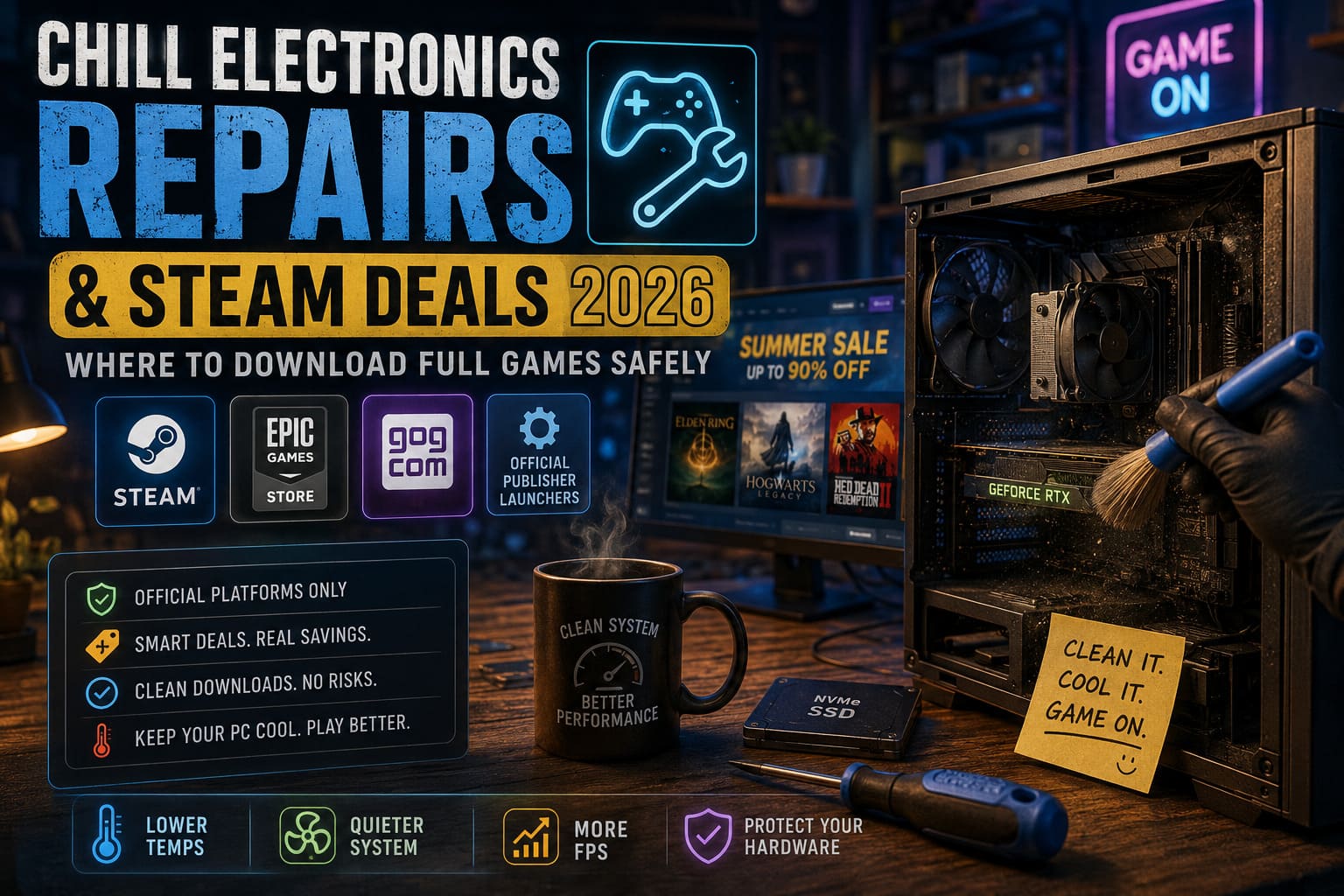
Stick with official platforms.
That means services like:
- Steam
- Epic Games Store
- GOG
- Official publisher launchers
Sure, random download sites often promise “faster downloads,” “special editions,” or unbelievable discounts.
They also have a reputation for bundling installers with malware, fake launchers, browser hijackers, or crypto miners.
Saving a few dollars isn’t worth risking:
- Your Steam account
- Personal files
- Windows installation
- Gaming performance
I’d rather wait for a legitimate sale than spend hours removing malware.
Steam Sales Are Still the Best Time to Buy
If you’re patient, there’s almost no reason to pay full price anymore.
One thing I’ve learned is that Steam discounts are surprisingly predictable.
Every year I build a wishlist instead of buying games immediately.
Eventually almost everything gets discounted.
The Sales I Always Watch
| Sale | Typical Discounts | Worth Waiting? |
|---|---|---|
| Spring Sale | 20–80% | Yes |
| Summer Sale | Up to 90% | Absolutely |
| Autumn Sale | 25–85% | Yes |
| Winter Sale | Up to 90% | Definitely |
The biggest mistake I used to make was buying games because everyone else was playing them.
Now I simply add them to my wishlist.
When the notification appears a few months later, I usually save enough money to buy two or three additional games.
That’s much more satisfying.
Wishlist Everything
This sounds simple, but it’s probably the easiest money-saving tip available.
Whenever a game interests me—even if I don’t plan on buying it—I immediately add it to my Steam wishlist.
Later Steam sends notifications when prices drop.
No searching.
No checking every week.
Just wait.
Most games eventually reach a discount that’s hard to ignore.
Price History Matters More Than Current Discounts
One thing experienced PC gamers often recommend is checking historical pricing before buying anything.
Sometimes a game advertises a 50% discount, but that same title was 75% off only a few months earlier.
That’s why I always compare previous sale prices before purchasing.
Waiting another month can sometimes save enough money to grab another indie game during the same sale.
Patience pays off.
Hardware Gets Ignored Way Too Often
Here’s something I don’t think enough people talk about.
Gamers love upgrading GPUs.
They love buying faster SSDs.
But many people completely ignore maintenance.
I’ve opened PCs belonging to friends that looked like someone had stored them inside a vacuum cleaner.
Dust everywhere.
Blocked heatsinks.
Fans barely spinning.
Then they wonder why frame rates suddenly dropped.
Heat Is Quietly Killing Performance
Modern CPUs and graphics cards generate an incredible amount of heat.
That heat has to go somewhere.
If airflow becomes restricted, temperatures climb surprisingly fast.
Eventually your hardware protects itself.
Instead of running at maximum performance, it starts slowing itself down.
That’s thermal throttling.
The symptoms usually include:
- Random FPS drops
- Stuttering
- Loud fans
- Long loading times
- Unexpected shutdowns
Many people blame Windows.
Others blame game updates.
Sometimes the real culprit is simply poor cooling.
Cleaning Your PC Makes a Bigger Difference Than Many Upgrades
Every six months I open my case.
Nothing complicated.
Just careful cleaning.
Dust removal alone often lowers temperatures several degrees.
That’s free performance.
If your PC is several years old, replacing thermal paste can improve cooling even more.
It’s amazing how often dried factory paste becomes the bottleneck.
Console Owners Aren’t Safe Either
People sometimes assume PlayStation or Xbox owners don’t need maintenance.
That’s simply not true.
Consoles collect dust just like gaming PCs.
Eventually airflow becomes restricted.
Fans become louder.
Temperatures increase.
Games may still run, but the system works much harder than necessary.
Professional cleaning can restore cooling performance surprisingly well.
DIY Isn’t Always Worth the Risk
I enjoy building PCs.
I’ve replaced CPUs.
Installed GPUs.
Built entire systems from scratch.
Even so, there are repairs I leave to professionals.
Why?
Because modern hardware isn’t forgiving.
Inside today’s gaming systems you’ll find:
- Tiny ribbon cables
- Delicate plastic clips
- Fragile motherboard connectors
- Sensitive electronic components
One careless mistake can become extremely expensive.
Liquid metal deserves special mention.
It performs incredibly well when applied correctly.
Applied incorrectly?
It can permanently destroy expensive hardware.
That’s not something I’d recommend learning through trial and error.
Professional Maintenance Can Extend Hardware Life
One thing I’ve noticed after talking with repair technicians is that many systems don’t actually need replacement parts.
They simply need proper maintenance.
Professional servicing often includes:
| Service | Benefit |
|---|---|
| Internal Cleaning | Better Airflow |
| Thermal Paste Replacement | Lower CPU and GPU Temperatures |
| Thermal Pad Replacement | Cooler VRAM and Power Components |
| Fan Replacement | Reduced Noise and Improved Cooling |
| Port Repairs | Restores Damaged HDMI or USB Connections |
Preventive maintenance is almost always cheaper than replacing an overheating graphics card.
Small Habits That Keep Your System Healthy
You don’t need expensive accessories to improve cooling.
Simple habits make a noticeable difference.
I always try to remember these:
- Never place a PC directly on thick carpet.
- Leave space behind exhaust vents.
- Clean dust filters regularly.
- Limit FPS when extra frames provide no visual benefit.
- Keep your room reasonably cool during long gaming sessions.
These aren’t exciting upgrades.
They’re just habits that help hardware last longer.
Software and Hardware Go Hand in Hand
I’ve seen people obsess over downloading games safely while completely ignoring the condition of their PC.
I’ve also seen beautifully maintained gaming rigs infected by sketchy software downloaded from unofficial sources.
The truth is that both matter.
Safe downloads protect your operating system.
Clean hardware protects your performance.
Ignoring either one eventually creates problems.
Final Thoughts
If someone asked me today for the single best piece of gaming advice, it wouldn’t be “buy a faster GPU.”
It would be this:
Take better care of the hardware you already own, and only download games from sources you completely trust.
Official platforms have never offered more frequent discounts, making it easier than ever to build an incredible game library legally without overspending. At the same time, regular maintenance keeps your system performing the way it was designed to.
I’ve learned that chasing shortcuts—whether that’s suspicious download websites or skipping hardware maintenance—usually costs more in the long run.
A clean PC, sensible buying habits, and a little patience during Steam sales have saved me far more money than any flashy upgrade ever has.
Sometimes the smartest gaming investment isn’t buying new hardware at all.
It’s simply looking after the one already sitting under your desk.