Timberborn Automation Guide 2026: 1.0 Survival Manual
When I first started playing Timberborn years ago, survival was mostly about one thing: build a big dam and pray the drought doesn’t last too long. You spent half your playtime pausing the game, clicking floodgates, and desperately trying to keep your colony alive.
Fast-forward to the 1.0 era in 2026, and the game feels completely different. The introduction of logic signals, sensors, and automated infrastructure has quietly transformed Timberborn from a relaxing city builder into something closer to a lumberpunk automation sandbox.
If you’ve been struggling with Hardcore+, Toxic Tides, or large colonies, here’s the reality: manual management is no longer the meta. The best players today build systems, not just structures.
Below is my personal take on the automation strategies that actually matter in Timberborn 1.0—the same setups dominating Reddit threads, YouTube playthroughs, and Discord discussions this year.
The Automation Revolution in Timberborn
The biggest shift in version 1.0 is the Signal & Trigger system. Instead of micromanaging everything yourself, the game now allows your colony to react automatically to environmental changes.
Think of it like a simplified factory automation system.
Three core components drive every automated setup:
| Component | What It Does | Typical Use |
|---|---|---|
| Sensors | Detect conditions in the environment | Water contamination, reservoir levels |
| Logic Gates | Process signals and conditions | AND / OR logic decisions |
| Actuators | Execute the action | Floodgates, sluices, power switches |
In practice, this means your settlement can respond instantly to droughts, toxic water, or power shortages without you lifting a finger.
Pro tip: always name your signal channels clearly. “Reservoir Low Warning” is much easier to debug than “Signal 02”.
Badtide Management: The System Every Colony Needs
If there’s one mechanic that still wipes out settlements in 2026, it’s contaminated water during Badtides.
New players often try to handle this manually. That works early on, but once your colony scales past 100 beavers, it’s a disaster waiting to happen.
The best solution right now is what many players call the Safe-Stream system.
John Carpenter’s Toxic Commando Nightmare Difficulty Rewards Guide (2026)
How the Safe-Stream Setup Works
- Place a Contamination Sensor where water first enters the map.
- Connect it to an Automated Sluice or floodgate system.
- Add a bypass channel that redirects toxic water away from your reservoir.
When contamination exceeds a certain level, the system automatically closes the reservoir intake, opens the diversion gates, and flushes polluted water off the map.
The result? Your colony stays green while the toxic water simply flows past your settlement.
This setup alone can turn an unstable colony into a long-term survival machine.
John Carpenter’s Toxic Commando Review 2026: Lore & Collectibles Map Guide
The 2026 Power Meta: Smart Energy Grids
Power management also changed dramatically in 1.0.
Gravity batteries now lose efficiency if they’re poorly managed, which means blindly stacking energy storage isn’t optimal anymore.
Instead, experienced players are building hybrid automated power grids.
The basic idea
Use a Power Meter to monitor stored energy and automatically control secondary generators.
A simple rule works well:
If stored energy drops below 20%, activate backup power.
Backup options depend on your faction:
- Folktails: wind turbines and water wheels
- Iron Teeth: engines running on wood or Badwater fuel
When wind or water production is strong enough, your engines automatically shut down, saving resources.
Many players report this setup reducing fuel consumption by roughly 30% over long runs.
Late Game Automation: Managing 500+ Beavers
Once your colony grows large, automation stops being just a convenience.
It becomes a performance tool.
Large settlements often run into two major problems: logistics overload and population imbalance.
Automation solves both.
Smart Resource Distribution Between Districts
The Smart Distribution Post introduced in 1.0 is honestly one of the most underrated buildings in the game.
You can now connect warehouse resource levels to district priorities.
Example system:
| Condition | Action |
|---|---|
| District B Food < 200 | Prioritize food deliveries |
| District B Food ≥ 200 | Resume normal shipments |
| Planks low | Redirect haulers to plank transport |
This prevents what many players call the Starvation Loop, where haulers waste time transporting luxury items while another district literally runs out of food.
Population Control (Iron Teeth Strategy)
Iron Teeth colonies especially benefit from automated population management.
Breeding pods can now be linked to population sensors.
A common setup:
- If Adult Population > 150 → Pause Breeding Pods
- If Adult Population < 130 → Resume Breeding
This keeps your workforce stable without triggering the dreaded food collapse caused by uncontrolled population growth.
Buildings That Practically Require Automation
Some of the new high-tier structures in Timberborn 1.0 are incredibly powerful—but only if automated correctly.
| Building | Why Automation Matters |
|---|---|
| Atmospheric Condenser | Massive power usage |
| Deep Drill | Produces metal faster than you can store |
| Automated Tree Planter | Needs dynamic production logic |
For example, many players automate the Atmospheric Condenser so it only runs when battery charge exceeds 80%.
This prevents your entire power grid from collapsing during drought cycles.
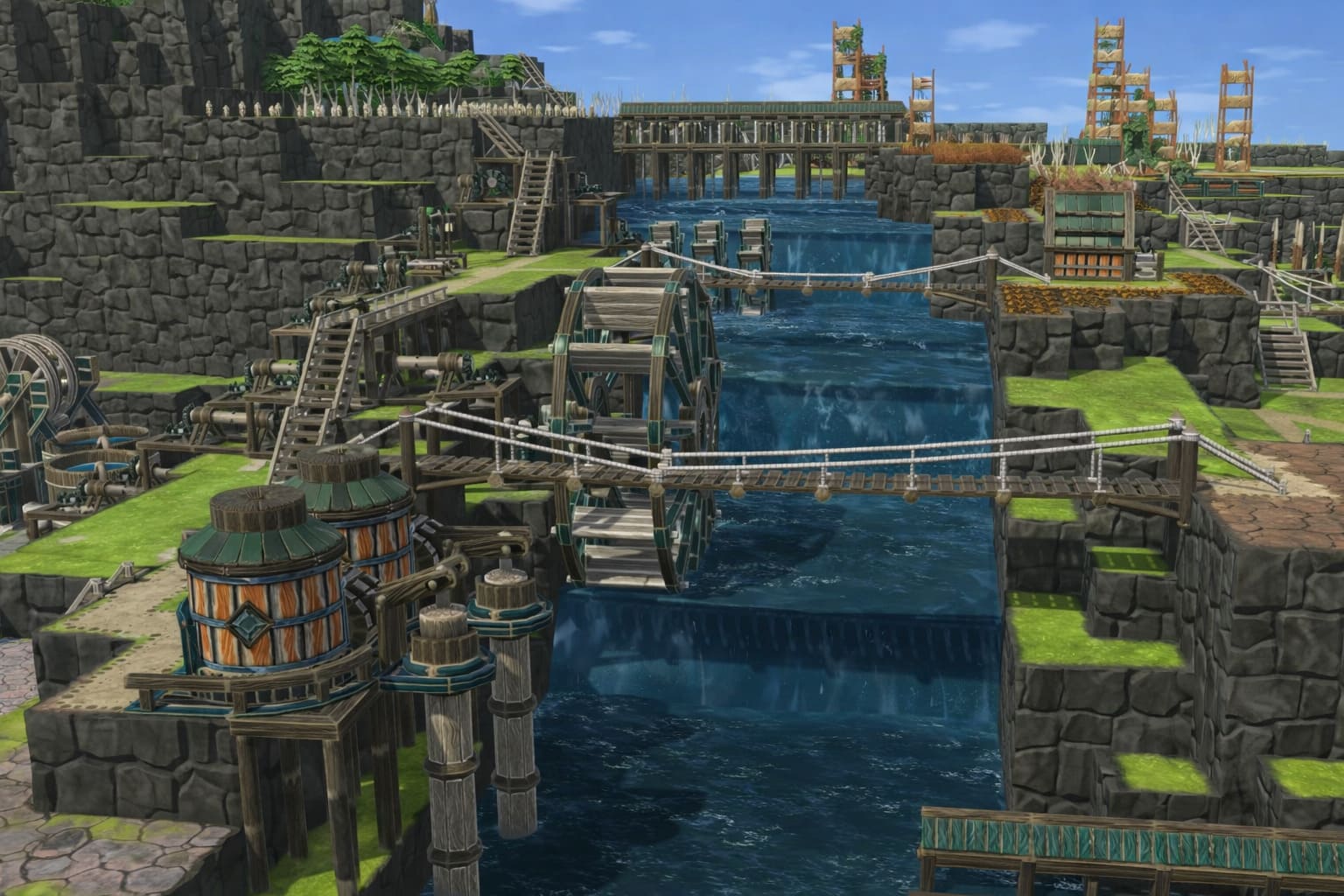
The Rise of Vertical Logic Towers
One interesting trend spreading through the community is the Vertical Logic Tower.
Instead of scattering sensors everywhere, advanced colonies build a centralized automation hub.
Picture a small tower containing signal repeaters, logic gates, timers, and control switches.
Think of it as the CPU of your colony.
Benefits include easier troubleshooting, cleaner signal networks, and better space efficiency.
When something breaks in your automation chain, you only need to check one location instead of your entire map.
Common Automation Problems (and How to Fix Them)
Even the best setups can fail if a few details are overlooked.
Here are the issues I see most often.
- Weak signal coverage: Large maps require signal repeaters to maintain connectivity.
- Nighttime logic errors: Solar-based sensors may stop working at night. Adding a chronometer override prevents unexpected gate closures.
- Water contamination lag: Sometimes polluted water takes time to clear a sensor. Using a delay timer of about 0.5 days ensures the system doesn’t reopen too early.
Why Automation Is the Real Endgame
After dozens of hours with Timberborn 1.0, one thing became clear to me: the best colonies aren’t defined by size.
They’re defined by intelligence.
A massive dam might look impressive, but a well-designed automated system can survive extreme drought cycles, prevent toxic water disasters, optimize energy production, and stabilize massive populations.
And the best part? Once everything works, your settlement keeps running even when you step away from the keyboard.
That’s when Timberborn feels less like a survival game and more like a living ecosystem of machines, water, and very clever beavers.