Xbox Series S Optimization Guide for Halloween: The Game (2026) – Resolution Scaling, Performance Fixes, and Best Settings
Halloween: The Game is finally bringing Michael Myers back to Haddonfield, and honestly, the Xbox Series S version is one of the most interesting versions to talk about. Not because it looks the best. It clearly doesn’t. But because the little white console has to wrestle with Unreal Engine 5, dynamic lighting, large outdoor areas, multiplayer chaos, fog, rain, and a constant need to keep the game responsive.
Halloween: The Game launches on September 8, 2026, and it is a technically ambitious survival horror experience. Developed by IllFonic in collaboration with Gun Interactive, the game takes the familiar 1v4 asymmetrical multiplayer formula and places it inside one of horror’s most recognizable locations: Haddonfield.
You can play as Michael Myers, quietly stalking the streets and houses, or join the Heroes of Haddonfield and try to survive the night.
The atmosphere is fantastic. The problem is that atmosphere costs performance.
And on the Xbox Series S, compromises are impossible to avoid.
After looking at the game’s technical approach, resolution scaling, performance targets, Unreal Engine 5 features, and the available console settings, my opinion is pretty straightforward: the Xbox Series S version is playable and enjoyable, but Performance Mode is absolutely the way I would play it.
Xbox Series S Performance Overview
The Xbox Series S is still a current-generation console, but it has always occupied an unusual position.
It offers modern CPU architecture, fast storage, and access to current-generation features, but developers have significantly less GPU horsepower and memory available compared to the Xbox Series X.
That difference becomes especially noticeable in Unreal Engine 5 games.
Halloween: The Game uses modern rendering technology to create its dark suburban environments. Haddonfield is filled with houses, vegetation, interior objects, shadows, lighting effects, rain, fog, and environmental details that constantly need to be streamed and rendered.
On more powerful consoles, the hardware has more room to push image quality.
The Series S has to make smarter compromises.
| Feature | Xbox Series S Experience |
|---|---|
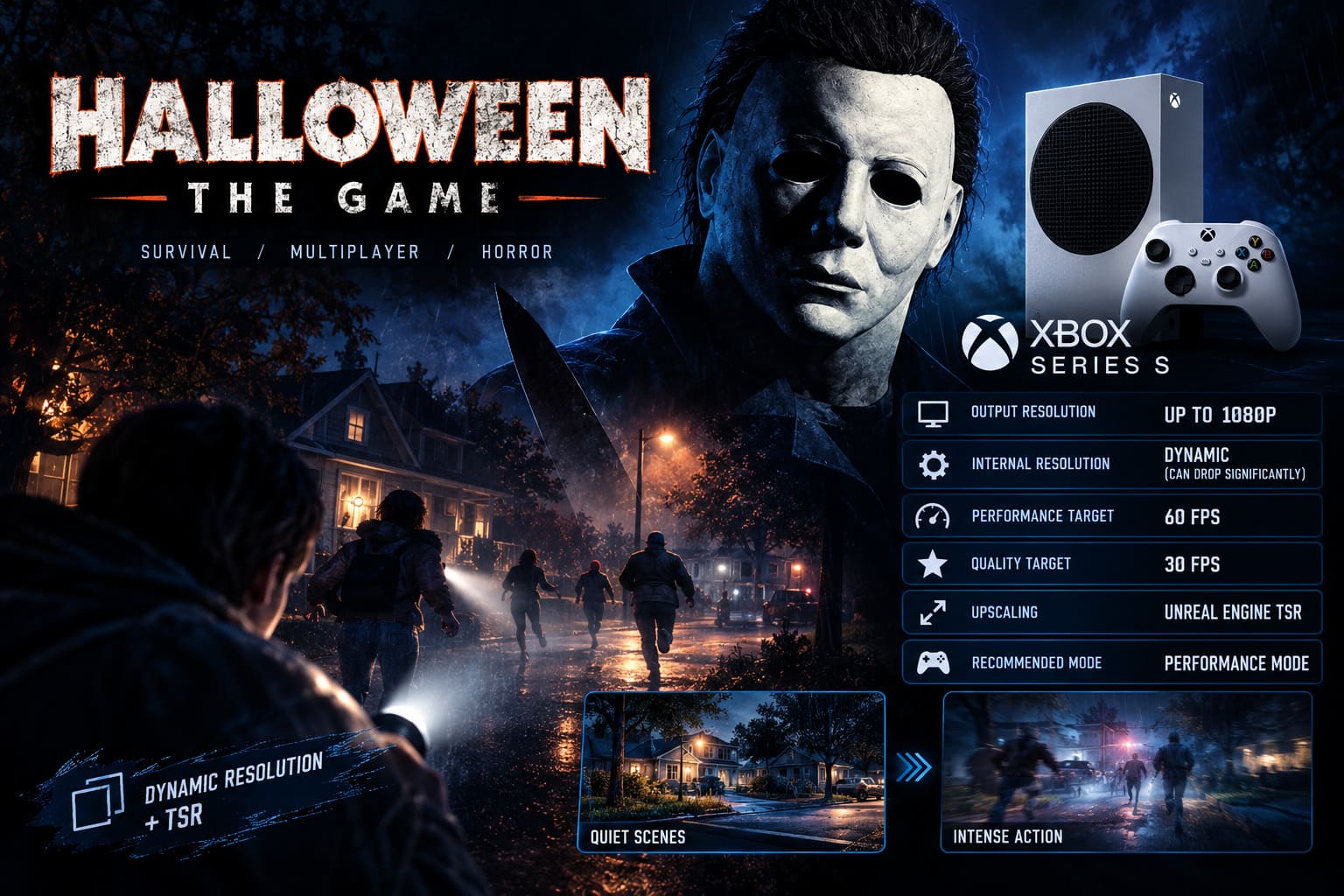
| Output Resolution | Up to 1080p |
| Internal Resolution | Dynamic, can drop significantly |
| Performance Target | 60 FPS |
| Quality Target | 30 FPS |
| Upscaling | Unreal Engine TSR |
| Recommended Mode | Performance Mode |
The biggest technical tool helping the Series S version is dynamic resolution scaling combined with Temporal Super Resolution, or TSR.
Dynamic Resolution Scaling Is Doing Most of the Heavy Lifting
Let’s be honest: if you are expecting a clean, native-looking 1080p image at a locked 60 FPS, you may be disappointed.
The Series S version relies heavily on dynamic resolution scaling.
During quiet scenes, the game can maintain a relatively respectable internal resolution. Exploring a house, standing still, or slowly walking through a dark environment can look surprisingly good.
Textures remain readable. Character models look solid. Lighting still creates the creepy atmosphere that makes Halloween work.
But everything changes when the action starts.
A frantic multiplayer chase is one of the most demanding situations for the game. Multiple players may be running through the same area while flashlights, shadows, rain, fog, particle effects, and environmental interactions appear simultaneously.
That’s when the internal resolution can drop aggressively.
The game may render well below native 1080p before reconstructing the image back to the final display resolution.
In the heaviest scenes, the visual compromise becomes obvious.
You may notice:
- Softer distant objects
- Reduced detail during fast movement
- Temporal ghosting around characters
- Slight image instability
- Blurry fences, vegetation, and small environmental objects
Personally, I can tolerate this.
Why? Because Halloween: The Game is not a slow cinematic adventure where I spend ten minutes admiring every wall texture. It is a multiplayer survival game. When Michael Myers suddenly appears around a corner, I care more about my response time than whether a tree in the background is rendered perfectly.
That is exactly why I recommend Performance Mode.
Performance Mode vs Quality Mode on Xbox Series S
Halloween: The Game offers different visual priorities for current-generation consoles.
On the Xbox Series S, the choice comes down to a familiar question.
Do you want a better image, or better responsiveness?
Quality Mode
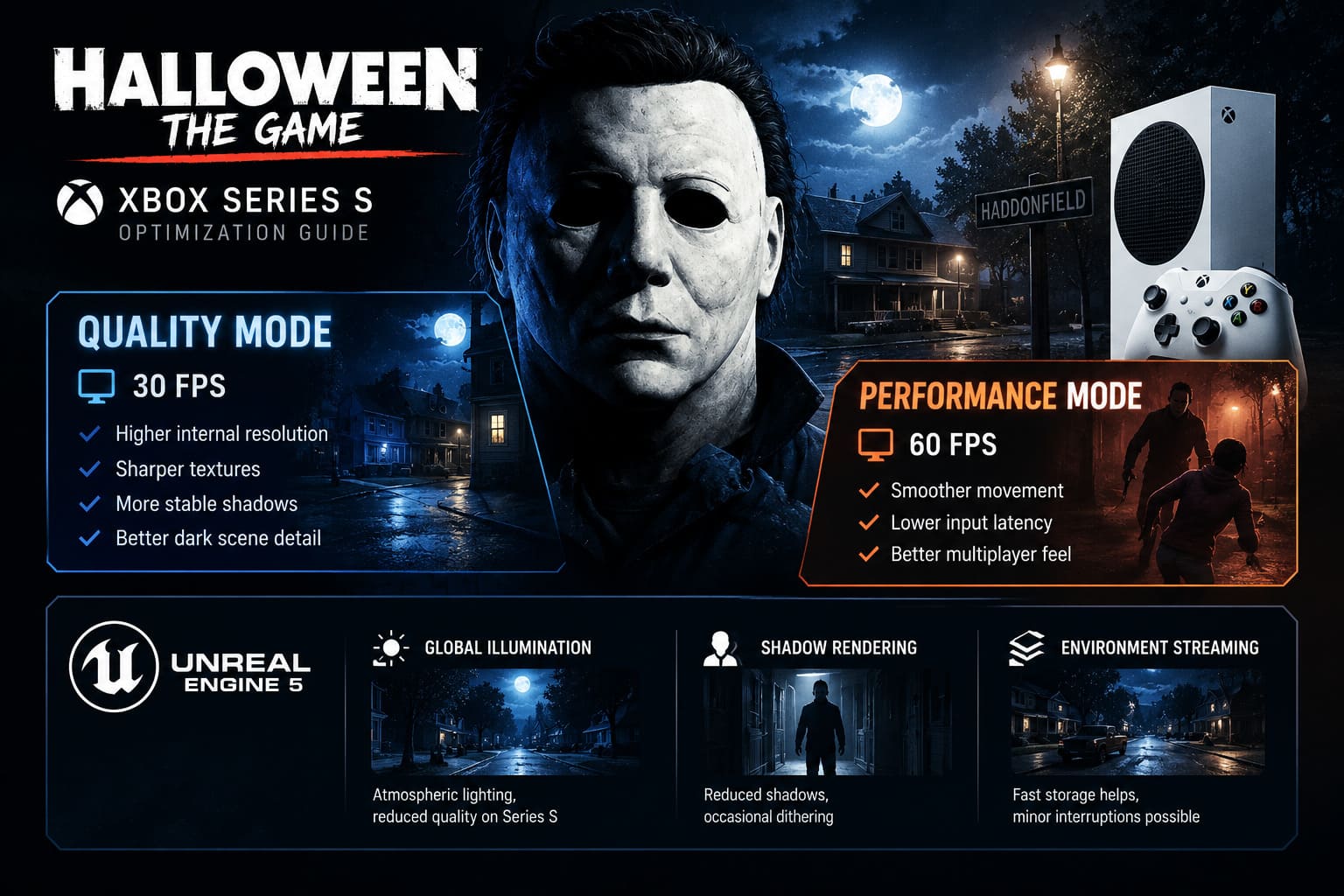
Quality Mode targets 30 FPS.
The lower frame rate gives the console more rendering time per frame, allowing the dynamic resolution system to maintain a higher internal resolution.
The results can look noticeably cleaner.
Textures appear sharper, shadows look more stable, and TSR has less reconstruction work to perform.
Dark environments also benefit from the improved image quality.
The problem is the 30 FPS cap.
For a single-player horror game, I would probably be more forgiving. Halloween: The Game, however, is built around asymmetrical multiplayer.
Reaction time matters.
Skill checks matter.
Camera movement matters.
And when you’re trying to escape Michael Myers, the difference between 30 and 60 FPS is immediately noticeable.
Performance Mode
Performance Mode targets 60 FPS.
This is the mode I recommend for almost every Xbox Series S player.
The console has to reduce internal resolution more aggressively, and image quality can suffer during demanding scenes.
However, the game feels considerably more responsive.
Camera movement is smoother. Input latency is reduced. Multiplayer chases feel better.
There can still be occasional frame drops, particularly when moving between complex sections of the map.
But overall, the 60 FPS target provides a much better experience.
My recommendation: Performance Mode wins easily unless you only care about cinematic visuals.
How Unreal Engine 5 Affects Xbox Series S Performance
Halloween: The Game is not a visually simple multiplayer title.
The game uses Unreal Engine 5 technology to create a more detailed and atmospheric version of Haddonfield.
Several graphical systems have a noticeable impact on performance.
Global Illumination
Lighting is essential to the Halloween experience.
Moonlight passing through trees, flickering lights inside houses, reflections on wet streets, and flashlight beams all help create tension.
The Series S uses a scaled-down implementation of modern global illumination techniques.
The result still looks atmospheric, but the lighting systems operate at reduced quality compared to more powerful hardware.
Shadow Rendering
Shadows are another major performance cost.
Michael Myers is a character who benefits enormously from good lighting and shadows. Half of the tension comes from seeing a silhouette standing somewhere it shouldn’t be.
On the Series S, shadows are reduced and filtered to prevent excessive memory usage.
You may occasionally notice dithering or less stable shadow detail in complicated scenes.
Environment Streaming
Haddonfield contains houses, streets, vegetation, props, and interior environments that need to load efficiently.
The Xbox Series S has fast storage, which helps with asset streaming.
Still, moving between more complex sections of the map can occasionally create small performance interruptions.
These are not necessarily game-breaking, but they are noticeable.
The TSR Problem: Why Fast Movement Can Look Blurry
Temporal Super Resolution is extremely important for the Xbox Series S version.
TSR reconstructs the final image using information from multiple frames.
When you are standing still, this works quite well.
But fast movement can expose the weaknesses of temporal reconstruction.
Rapid camera movement can produce ghosting and trailing artifacts.
Character outlines may become unstable.
Thin objects can look particularly messy.
Chain-link fences, branches, grass, and other fine environmental details are usually the first things to suffer.
This is one of the reasons I strongly recommend disabling Motion Blur.
The game already uses aggressive temporal reconstruction.
Adding artificial blur on top of that can make the image unnecessarily soft.
Turning it off improves visual clarity during chases.
Best Halloween: The Game Settings for Xbox Series S
Here is the configuration I would personally use.
| Setting | Recommended Option |
|---|---|
| Graphics Mode | Performance Mode |
| Frame Rate Target | 60 FPS |
| Motion Blur | Off |
| Film Grain | 20–30% |
| HDR | Calibrated |
| Brightness | Adjust for dark detail |
Performance Mode: On
This should be your first choice.
Yes, the image can look softer.
Yes, the internal resolution can drop.
But the improvement in responsiveness is worth it.
Motion Blur: Off
I would disable Motion Blur completely.
The Series S already relies heavily on TSR.
When fast movement introduces temporal artifacts, adding Motion Blur only makes the problem worse.
Turning it off improves visual clarity during chases.
Film Grain: 20–30%
This setting is more interesting than it first appears.
The game uses film grain to create a visual style inspired by classic horror cinema.
But there is another side effect.
A moderate amount of film grain can hide some of the visual imperfections caused by aggressive upscaling.
If you turn Film Grain completely off, the image may look cleaner at first.
However, you might also notice more obvious softness, dithering, and reconstruction artifacts.
I personally wouldn’t leave it at maximum.
Around 20–30% is a good compromise.
HDR: Calibrate It Properly
HDR can dramatically improve Halloween: The Game, but incorrect settings can also make the game harder to play.
This is especially important because the game uses extremely dark environments.
If the black levels are crushed, Michael Myers can become almost impossible to see.
Before adjusting the game’s HDR settings, use the Xbox HDR Calibration Tool.
After that, adjust the in-game brightness until dark corners remain dark but still contain visible detail.
You want darkness.
You don’t want a completely black screen.
Known Xbox Series S Performance Problems
The launch version of Halloween: The Game has generated discussion about technical stability.
Players have reported issues such as temporary freezes, menu problems, crashes, and occasional severe frame drops.
Some of these issues appear to be related to the general launch build rather than the Xbox Series S specifically.
Still, the Series S has less performance headroom.
That means optimization problems can become more visible on this console.
The most noticeable situations include:
- Heavy multiplayer chases
- Rain and fog effects
- Complex outdoor environments
- Map sector transitions
- Multiple players using visual effects simultaneously
My biggest hope for post-launch updates is not a massive visual upgrade.
I don’t think that’s realistic.
Instead, I want better frame-time consistency.
A stable 60 FPS experience with occasional resolution drops is perfectly acceptable.
A game constantly jumping between smooth gameplay and noticeable stuttering is much more frustrating.
Xbox Series S Maintenance Tips
Console optimization isn’t only about in-game settings.
A few basic maintenance steps can help if you experience crashes or unusual performance problems.
Make sure your Xbox Series S has proper ventilation.
Unreal Engine 5 games can put considerable pressure on the system.
Also make sure Halloween: The Game and your Xbox system software are fully updated.
If you experience repeated crashes after a hotfix, restarting the console and clearing temporary cached data can sometimes help.
And, of course, don’t immediately assume every problem is caused by your hardware.
Launch-week multiplayer games are famous for receiving patches.
Sometimes the best optimization setting is simply waiting for the developers to fix something.
Halloween The Game 2026: Guide to Escaping the Myers House Secret Crawlspaces
Is Halloween: The Game Good on Xbox Series S?
Yes.
But you need to understand what you’re getting.
The Xbox Series S version is not going to compete visually with a powerful PC running an RTX 4090 or RTX 5090.
It isn’t going to match the cleanest presentation available on the Xbox Series X.
And during intense gameplay, aggressive dynamic resolution scaling can make the image noticeably softer.
Still, the game remains impressive.
The atmosphere survives the graphical compromises.
Haddonfield still feels dark and threatening. The lighting remains effective. Michael Myers still looks terrifying when he appears unexpectedly at the edge of your screen.
And most importantly, Performance Mode gives Xbox Series S players a 60 FPS-focused experience that feels appropriate for competitive multiplayer gameplay.
That matters.
I would rather play at a softer resolution with smoother controls than stare at a sharper 30 FPS image while struggling to react during a chase.
Halloween The Game 2026: Full Single Player Campaign Walkthrough & Guide
Final Verdict
Halloween: The Game on Xbox Series S is a good example of modern console compromise.
The hardware can run this ambitious Unreal Engine 5 horror experience, but it needs aggressive dynamic resolution scaling and TSR reconstruction to maintain acceptable performance.
Quality Mode offers a cleaner image, but the 30 FPS limit makes it difficult for me to recommend in multiplayer.
Performance Mode is the better option.
You’ll see softer visuals, occasional temporal artifacts, and some resolution instability during demanding scenes. But you also get smoother gameplay and reduced input latency.
For me, that is the correct trade-off.
My recommended Xbox Series S setup is simple:
Performance Mode, Motion Blur Off, Film Grain around 20–30%, and properly calibrated HDR.
The game may still need additional optimization patches throughout 2026, especially when it comes to frame-time stability and launch-related bugs. But if IllFonic continues improving the technical performance, the Xbox Series S version could become significantly smoother over time.
For now, don’t chase screenshot-quality visuals on the Series S. Chase responsiveness.
Because when Michael Myers is walking toward you in the middle of a dark Haddonfield street, you won’t be thinking about pixel count.
You’ll be thinking about getting out alive.