The Last Disease Z Private Server Settings: Ultimate Guide to Configuration and Optimization
After spending a lot of time with survival games, I’ve learned that the default server settings are rarely perfect for everyone. The Last Disease Z is a good example. Its mix of zombies, hostile survivors, scavenging, exploration, and base building can be genuinely tense, but the experience changes a lot depending on how quickly resources appear and how much pressure the world puts on you. A private server gives you the freedom to shape those systems instead of simply accepting whatever the default rules throw at your group.
That is probably the biggest reason I like the idea of running a private server in The Last Disease Z. You can create a brutal survival world where every bullet matters, or go in the opposite direction and build a relaxed PvE playground for friends. The important part is understanding which settings actually affect the gameplay loop and which changes can accidentally make the game either boring or unnecessarily frustrating. This guide focuses on practical The Last Disease Z private server settings, performance, loot, enemy populations, and day/night configuration.
Last Z Faction Guide: How to Join and Master Factions in 2026
Why I Prefer Private Servers for The Last Disease Z
Public servers can be fun, especially when you want unpredictable encounters, but they also introduce problems that have nothing to do with the survival mechanics themselves. You might spend an hour collecting materials only to have another player wipe out your supplies or attack your base while you are offline. For a small group of friends, that kind of PvP pressure isn’t always what you want from a zombie survival game.
A private server gives you much more control over the experience. You decide who joins, how generous the economy should be, how dangerous the world becomes, and how quickly your group progresses. In my experience with survival games, that control makes a surprisingly big difference because a server can be tuned around the actual people playing on it rather than some generic audience.
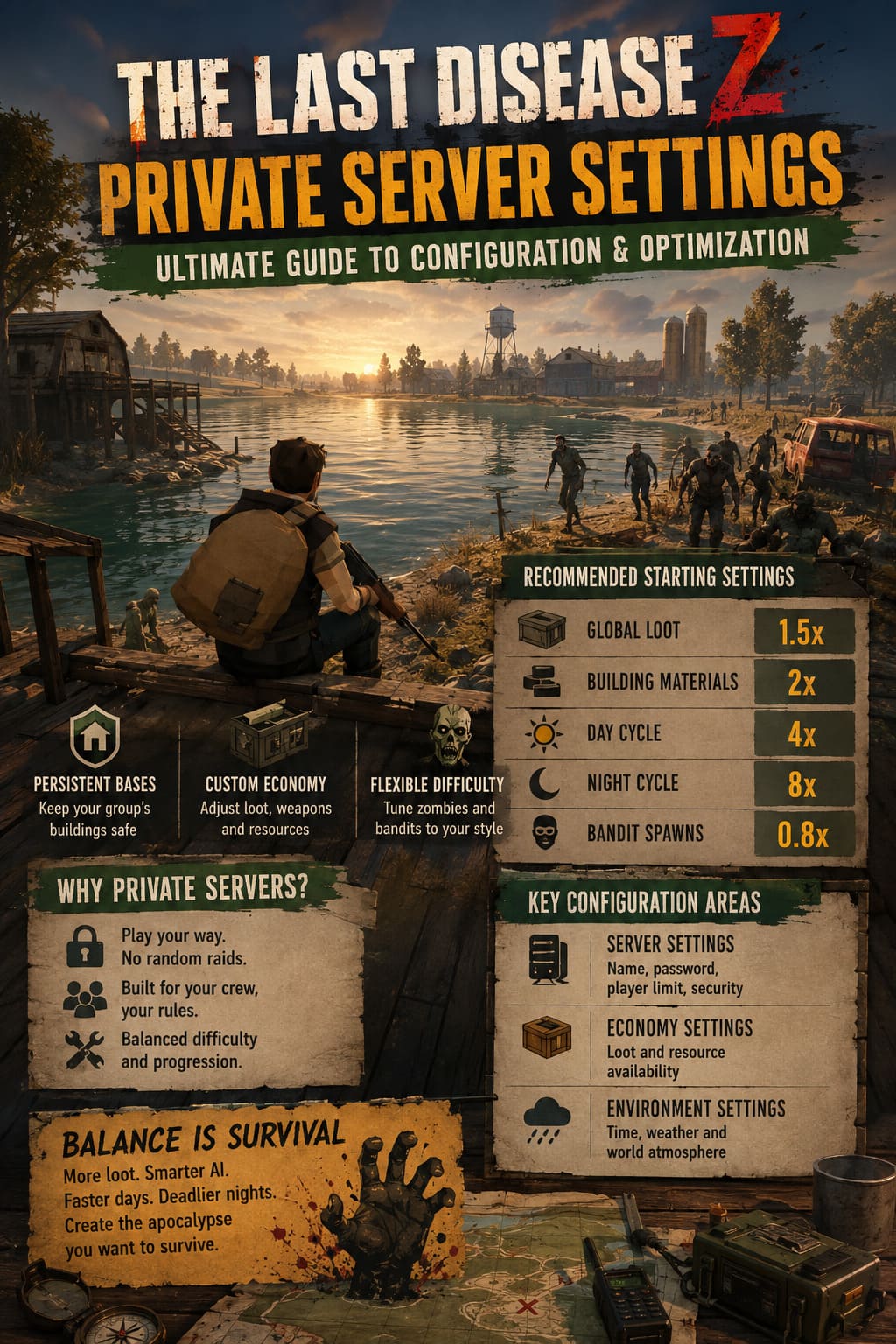
- Persistent bases: Keep your group’s buildings and storage protected from random offline attacks.
- Custom economy: Adjust resources, weapons, medical items, and construction materials.
- Flexible difficulty: Increase or reduce zombies and hostile AI depending on your group.
- Administrative control: Remove disruptive players and recover from configuration problems quickly.
Finding the Right Configuration Files
Before changing anything, make a complete backup of your server configuration folder. This sounds obvious, but it is one of those lessons you learn the hard way after a single bad value prevents a server from starting. Depending on the hosting method and current game build, configuration filenames and available parameters can differ, so I would always check the files actually supplied by your server installation rather than blindly creating missing files from an internet guide.
The main configuration areas described for a setup like this are the server’s general settings, economy configuration, and environmental settings. A file such as ServerSettings.json may contain basic server and networking options, while an economy file can control how frequently resources appear. Environmental configuration is where you would normally look for things such as time progression and weather behavior.
| Configuration Area | What It Controls | Why It Matters |
|---|---|---|
| Server Settings | Name, password, player limit, security | Controls access and basic server behavior |
| Economy Settings | Loot and resource availability | Shapes progression and scavenging |
| Environment Settings | Time, weather, world atmosphere | Changes exploration and survival pressure |
Network and Security Settings
The first settings I would touch are the basic server options. Your server name should immediately tell players what kind of experience they are joining. Something like [PvE] Friendly Co-op or [Hardcore] Survival is much more useful than a random server name because nobody has to guess what the rules are.
Password protection is especially useful for a private group. If the server is intended only for friends, there is little reason to leave it openly accessible. The player limit is another setting worth considering carefully. More players can create a livelier world, but every additional player also means more activity for the server to process, particularly during large fights and busy base-building sessions.
Security or signature verification options should generally be left enabled where supported. The exact syntax can vary between builds, so treat example values as starting points rather than universal commands. Always compare your configuration options with the files shipped with your current version of The Last Disease Z.
Day and Night Cycle: One of the Best Settings to Change
The day/night cycle can completely change the rhythm of a survival game. Personally, I don’t enjoy servers where nighttime becomes so long that everyone simply hides inside a base waiting for sunrise. Darkness should create tension, not turn into forced downtime.
For a cooperative server, accelerating nighttime more aggressively than daytime can work very well. A setup using something similar to a 4x daytime multiplier and 8x nighttime multiplier gives players meaningful darkness without letting it dominate an entire session. Persistent time is also important if your configuration supports it, because repeatedly resetting the world to morning can make the survival cycle feel artificial.
There isn’t one perfect value here. If your group enjoys sneaking through dark cities with limited visibility, keep nights longer. If everyone complains about spending too much time indoors, shorten them. The best setting is the one that creates tension without interrupting the gameplay loop.
How I Would Tune the Loot Economy
Loot is where private server configuration can easily go wrong. Give players too little and the game becomes a tedious scavenger hunt. Give them too much and the survival mechanics disappear because everyone has piles of ammunition, weapons, medicine, and construction materials within a few hours.
For a casual cooperative server, I like a moderate increase rather than an enormous loot multiplier. Something around 1.5x global item availability can make exploration feel more rewarding while still forcing players to make decisions about what they carry. Building materials can receive a larger boost if your group enjoys constructing elaborate bases, since spending half a session searching for basic construction components isn’t necessarily interesting.
Weapon condition deserves attention too. If rare firearms constantly appear in terrible condition, finding them stops feeling exciting. A reasonable minimum condition value can make high-tier loot more useful without flooding the world with powerful weapons.
Zombie and Bandit Population Settings
This is probably the most sensitive part of the configuration. More enemies don’t automatically mean a better survival experience. If the server constantly throws hundreds of enemies at players, performance can suffer while exploration turns into one endless combat encounter.
A high global infected limit can create spectacular moments around cities and bases, but I’d start conservatively and increase it only if the server handles the additional AI comfortably. A modest increase to horde events is usually more interesting than simply filling every street with zombies. You want players to have moments where they think, ‘We really shouldn’t have made that much noise.’
Bandit AI should be balanced separately. If hostile human enemies spawn too frequently, they can make ordinary scavenging feel exhausting, particularly for solo players. I would rather have fewer, more meaningful encounters than constant interruptions every time I leave a safe location.
Recommended Starting Configuration
| Setting | Suggested Starting Point | My Take |
|---|---|---|
| Global Loot | 1.5x | Good for casual co-op |
| Building Materials | 2x | Useful for serious base builders |
| Day Cycle | 4x | Keeps the world moving |
| Night Cycle | 8x | Prevents excessively long nights |
| Bandit Spawns | 0.8x | More manageable for smaller groups |
These values shouldn’t be treated as official recommendations or guaranteed commands for every version. Think of them as a practical starting philosophy: slightly more loot, faster world progression, controlled enemy pressure, and enough danger to keep exploration interesting. After a few sessions, you’ll know which values need adjustment based on how your group actually plays.
Server Hardware and Performance
Server performance becomes increasingly important as the number of players and active AI increases. Zombies, NPC pathfinding, physics, world saves, and player construction can all create additional server workload. An SSD should be considered a basic requirement for a serious setup because slow storage can make loading and saving noticeably less responsive.
For a small group of roughly four to eight players, a modern quad-core CPU, around 12 GB of RAM, and SSD storage can provide a reasonable starting point for this type of workload. Larger groups in the 16-to-32-player range deserve considerably more headroom, with an 8-core high-frequency processor, around 32 GB of RAM, and fast NVMe storage being a much safer target.
That doesn’t mean throwing expensive hardware at the problem automatically fixes everything. Server configuration matters just as much as raw specifications. If your zombie population is unnecessarily high, reducing AI counts may improve the experience more than upgrading hardware.
How to Set Up Your Private Server
Start by making a complete copy of the configuration files. Then open the main server configuration using a proper text editor and change only a few parameters at a time. Save the file, start the server, and check the startup logs before changing anything else.
- Back up the complete server configuration directory.
- Open the main server settings file in a text editor.
- Set the server name, password, player limit, and available security options.
- Adjust loot and construction settings in the relevant economy configuration.
- Configure time progression and environmental settings if supported.
- Check firewall and port-forwarding requirements for your hosting environment.
- Start the server and inspect the logs for configuration errors.
- Join with a test account before inviting the entire group.
One thing I strongly recommend is changing values gradually. If you alter twenty settings at once and the server suddenly refuses to launch, figuring out which parameter caused the problem becomes unnecessarily painful. Make a small change, test it, play for a while, then move to the next adjustment.
My Ideal Private Server Setup
If I were setting up The Last Disease Z for a regular group of friends, I’d aim for a middle ground rather than an ultra-hardcore or completely boosted server. I’d increase basic loot and construction materials enough to reduce unnecessary grinding, accelerate the night, and keep zombie numbers high enough to make cities dangerous without turning every street into a slideshow.
I’d also keep PvE as the main focus unless everyone specifically wanted competitive play. The strongest part of a private server, in my opinion, is being able to create stories with your group: finding an abandoned building, getting surprised by a horde, barely making it home, and then spending the next evening expanding the base. When settings support those moments instead of constantly interrupting them, the game becomes much more enjoyable.
Final Thoughts
The best The Last Disease Z private server settings aren’t necessarily the most extreme ones. The goal is to remove the boring friction while preserving the uncertainty that makes survival games addictive in the first place. A little extra loot can save players from unnecessary grinding, while carefully tuned enemy populations can keep exploration dangerous without destroying server performance.
Most importantly, treat your configuration as something you can evolve. Your first setup probably won’t be perfect, and that’s completely fine. Play for several sessions, listen to what your group complains about, watch server performance during large encounters, and adjust from there. That trial-and-error process is exactly what makes private servers so appealing: you aren’t just playing someone else’s version of the apocalypse; you’re building your own.