2026 Valheim 10+ Player Server Guide: How to Fix Desync and Lag
There is a point in every large Valheim server where the game suddenly stops feeling like the peaceful Viking survival adventure you signed up for.
You are standing inside your beautiful longhouse with nine or ten friends. Someone is cooking, somebody is repairing armor, two players are sorting chests, and another group has just returned from a boss fight.
Then it happens.
A chest refuses to open.
A wolf runs in place.
An enemy takes damage three seconds after you hit it.
Someone walks backward across the floor.
You throw an item on the ground, it disappears, and then magically reappears somewhere else.
And, of course, somebody says:
“The server is dying.”
I’ve played enough survival games to know that this is usually where people start blaming the hosting company. They upgrade the RAM, rent a more expensive server, restart everything twice and hope for the best.
Unfortunately, Valheim multiplayer lag isn’t always a simple hardware problem.
When you push a Valheim world beyond the comfortable 2–6 player range and start running a serious 10+ player community, several different problems can stack together: networking, world complexity, player connections, huge bases, active creatures and the way Valheim distributes simulation work.
So, if I were setting up a large Valheim server in 2026, this is how I’d approach it.
Why Does Valheim Start Desyncing With 10+ Players?
The first thing to understand is that Valheim isn’t built like a traditional competitive multiplayer game where a powerful central server handles absolutely everything.
Its multiplayer architecture is more complicated.
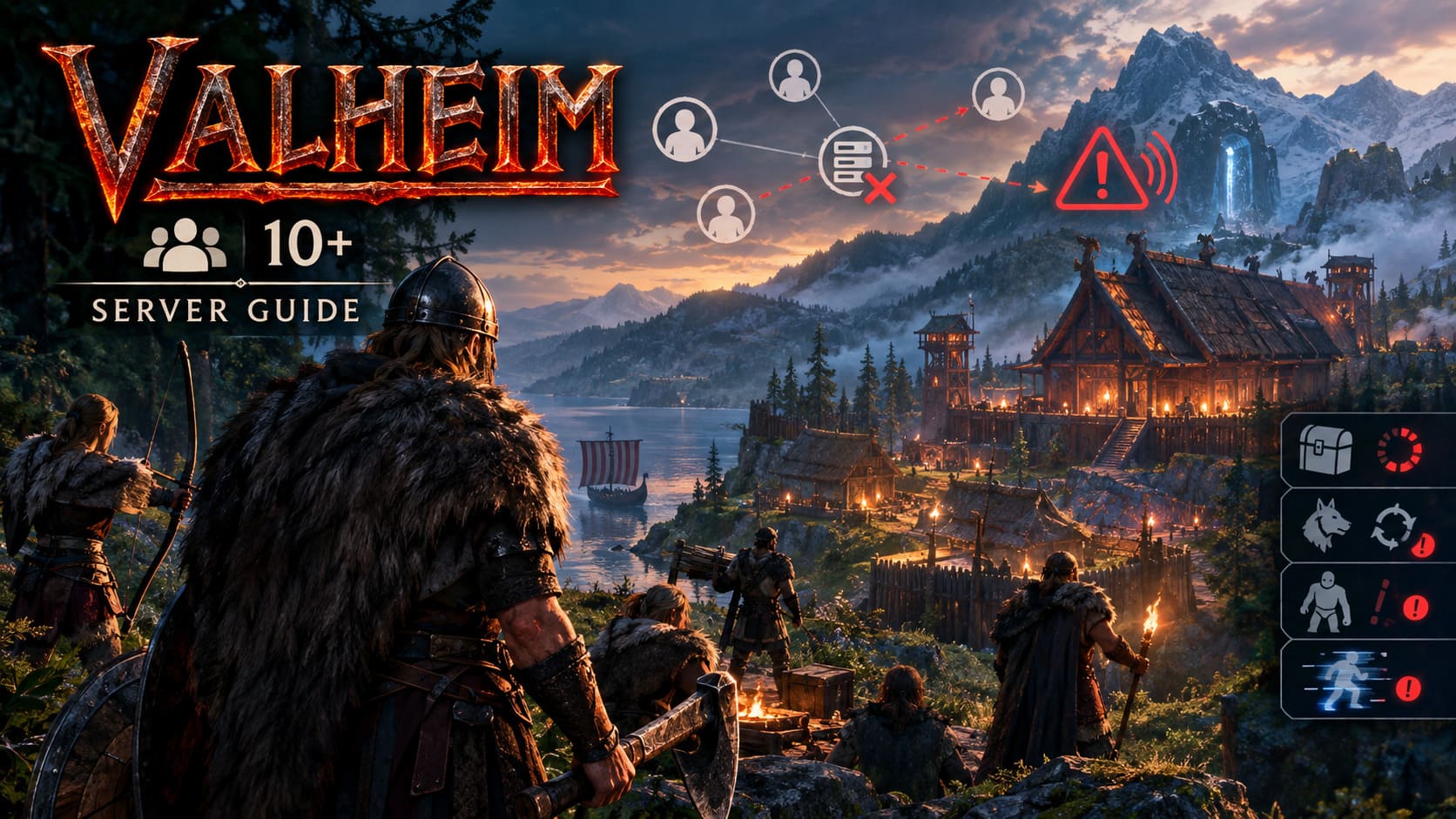
The dedicated server is important, but simulation responsibility can also be distributed around connected players and the areas they’re currently occupying. This becomes especially noticeable when multiple players are active in the same region or when the world is full of complicated constructions, creatures and interactive objects.
That is why simply saying “buy a better CPU” doesn’t always solve the problem.
A server can have plenty of RAM and a modern processor while players are still complaining about:
- Rubber-banding
- Delayed interactions
- Frozen enemies
- Chests taking several seconds to respond
- Players appearing to teleport
- Items disappearing temporarily
- Buildings or terrain updating late
In my experience, the worst scenario is usually a large group concentrated in one heavily developed location.
A ten-player expedition spread across the wilderness can actually behave better than ten players standing inside a gigantic mega-base packed with buildings, storage, farms and animals.
The Real Enemy: Too Much Data at Once
One of the most important things to remember about Valheim is that multiplayer traffic isn’t just about player movement.
Every active area can contain an enormous amount of information.
Think about a typical late-game community base:
hundreds or thousands of building pieces, portals, chests, crafting stations, fires, crops, tamed animals, dropped items, terrain modifications and other interactive objects.
Now put ten players inside it.
The amount of information that needs to be synchronized can become surprisingly large.
This is where network limitations become much more noticeable.
Instead of seeing an obvious disconnect, you may get something much more annoying: partial desync.
The server is still technically running. Everyone is still connected. Discord is still full of people complaining.
But the world doesn’t agree with itself.
That’s the kind of problem that makes Valheim multiplayer particularly frustrating.
My First Rule: Don’t Cheap Out on the Server
If you’re serious about running a 10+ player Valheim server, I’d rather spend money on good CPU performance and a reliable network connection than buy a ridiculous amount of RAM.
RAM matters, but Valheim isn’t a game where throwing 64 GB of memory at the server automatically makes everything smooth.
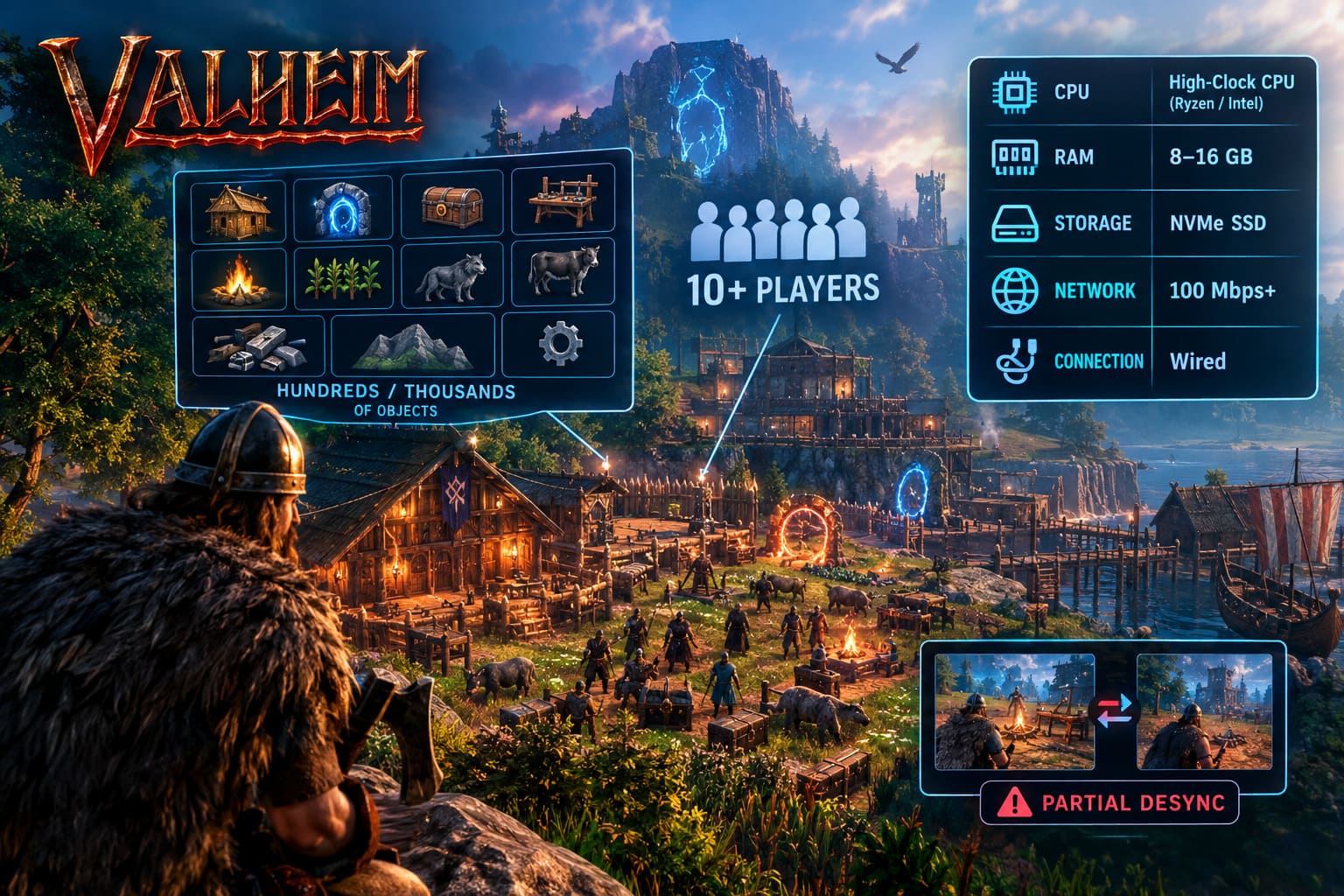
What I’d Look for in 2026
| Component | My Recommendation | Why It Matters |
|---|---|---|
| CPU | Modern high-clock CPU | Strong single-thread performance |
| RAM | 8–16 GB | Comfortable headroom for a larger world |
| Storage | NVMe SSD | Faster world saves and loading |
| Network | 100 Mbps+ | Plenty of bandwidth headroom |
| Connection | Wired | More stability and lower packet loss |
The important part is consistent performance, not just impressive specifications on a hosting company’s sales page.
A modern high-clock Ryzen or Intel processor is a much more attractive option to me than an old server CPU with a huge number of cores but weak single-thread performance.
And yes, I’d absolutely use an NVMe SSD.
Valheim worlds are constantly being saved and updated. Slow storage can turn otherwise minor operations into noticeable stutters.
Don’t Ignore the Network
Here’s where many server owners make a mistake.
They look at their internet connection and think:
“I have gigabit internet. There’s no way networking is the problem.”
Bandwidth isn’t everything.
Latency, packet loss, routing and connection stability matter just as much.
A player with unstable Wi-Fi can create a surprisingly bad experience even if everyone else has an excellent connection.
If someone is constantly losing packets, experiencing huge latency spikes or dropping in and out of connectivity, don’t immediately blame the server.
Have that player test their connection.
A simple ping test can reveal whether the problem is happening outside Valheim.
For example, on Windows you can run:
ping 8.8.8.8 -n 100You aren’t looking for a magical Valheim-specific number here. You’re simply checking whether the connection is stable.
If one player has regular packet loss while everybody else is fine, that player deserves investigation before you start rebuilding the entire server.
Crossplay: Useful, But Not Always Ideal
Crossplay is fantastic when your group actually needs it.
If you’re playing with friends across PC, Xbox and other supported platforms, disabling crossplay isn’t necessarily an option.
But if everyone is playing on the same PC platform and you don’t need cross-platform compatibility, I personally prefer keeping the networking setup as simple as possible.
The fewer layers between players and the server, the better.
Crossplay can introduce relay infrastructure into the connection path. Depending on the players and their geographic locations, that can mean additional latency or less predictable routing.
So if your entire Viking clan is playing on PC, I’d test the server without the crossplay option and compare the results.
Don’t assume it’s automatically the cause of your lag, though.
This is important.
If disabling crossplay makes no measurable difference, don’t waste your time chasing it. Measure first, change second.
The Mega-Base Problem Nobody Wants to Talk About
This is probably my biggest practical recommendation.
Stop trying to build one gigantic city for everyone.
I love massive Valheim bases. They’re one of the best parts of the game.
A huge Viking capital with docks, warehouses, farms, workshops and dozens of buildings looks incredible.
But technically?
It can become a nightmare.
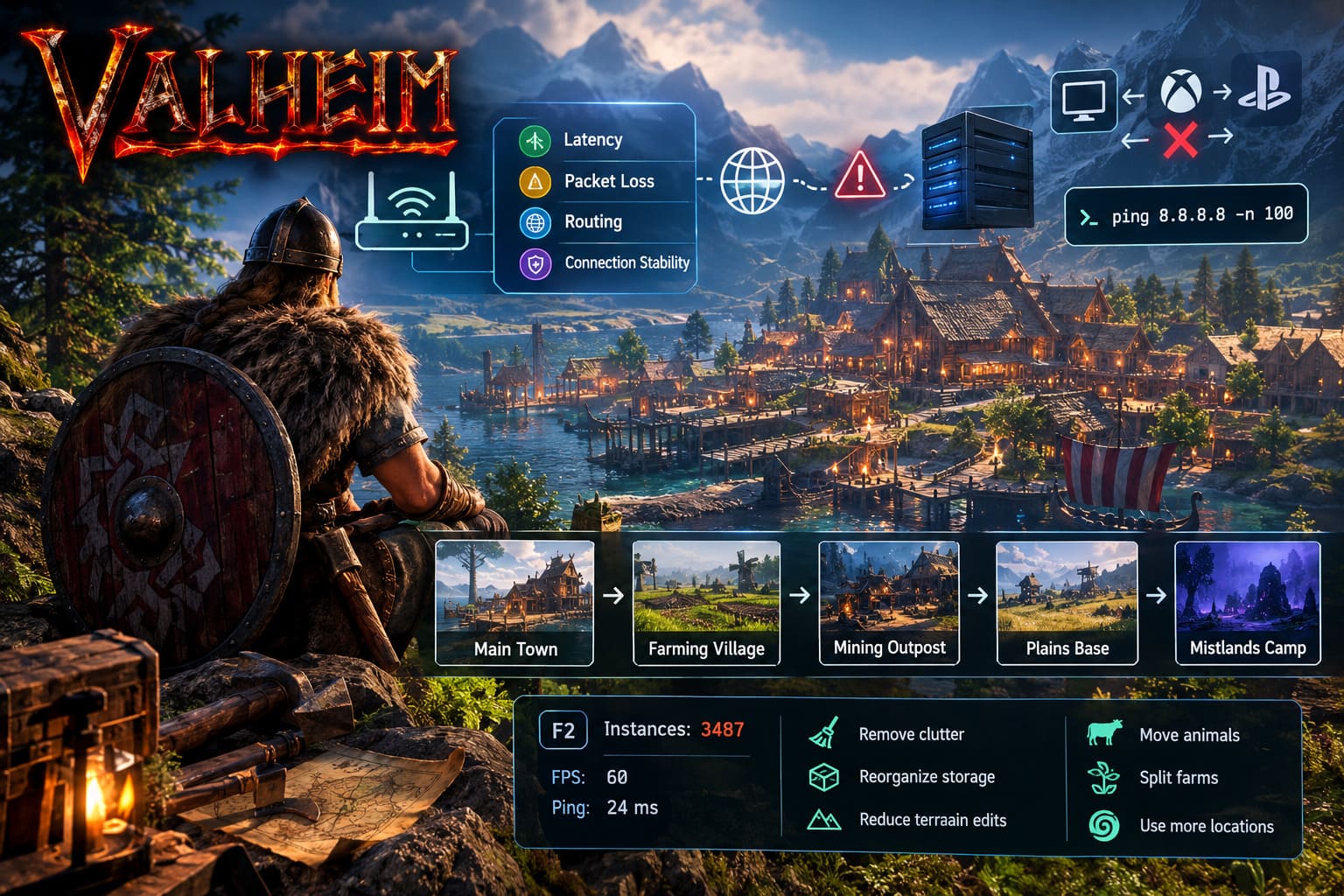
The more complicated the area becomes, the more work the game has to do when players are nearby.
And this gets particularly ugly when you combine:
- Massive building projects
- Heavy terrain modification
- Large numbers of creatures
- Farms
- Storage rooms
- Decorative objects
- Portals
- Fires and crafting stations
- Multiple players fighting or interacting simultaneously
Instead of putting everything in one location, I’d divide the community infrastructure.
Build a main settlement, then create smaller specialized outposts.
For example, your server could have:
Main Town → Farming Village → Mining Outpost → Plains Base → Mistlands Expedition Camp
This isn’t just good for performance.
It also makes the world feel more like an actual Viking civilization.
And honestly, that’s much more fun.
Keep an Eye on Instance Counts
Valheim’s F2 performance/debug information can be extremely useful when troubleshooting a problematic area.
If you walk into your main base and suddenly see an enormous instance count, that’s a warning sign.
There isn’t a universal number where the game suddenly becomes unusable, because performance depends on the situation and the hardware involved. However, a very high instance count is a good reason to investigate the area instead of blindly upgrading your server.
If one location consistently performs much worse than the rest of the world, you’ve probably found your problem.
Start cleaning.
Remove unnecessary decorations.
Move some storage.
Reduce excessive terrain modifications.
Move animals somewhere else.
Split farms between different settlements.
You don’t have to turn your beautiful Viking city into a boring empty box. You just need to avoid making one location responsible for everything.
What About the Network Data Limit?
This is where things get more technical.
Valheim’s networking has historically included limits that can become noticeable on larger or heavily populated servers. That’s why the community has experimented with networking modifications and configuration tweaks designed to improve how much data can be transmitted and queued.
One popular approach has been using BepInEx-based networking modifications.
If you’re comfortable running a modded server, this can be worth investigating.
However, there’s one thing I’d strongly recommend:
Don’t blindly install an old networking mod just because a 2023 guide says it’s the ultimate fix.
Valheim has changed significantly over time.
A mod that was essential for an older version may be unnecessary, incompatible or actively problematic after a major game update.
Before installing anything, check:
- Whether the mod supports your current Valheim version.
- Whether the server and clients need the same mod.
- When the mod was last updated.
- Whether other players report problems with the current build.
- Whether your server backup works before you start modifying files.
For a community server, stability is more important than squeezing out the last possible percentage of network performance.
I Would Avoid Hex Editing the Game Unless Absolutely Necessary
Manual modification of game DLLs can work, but it’s not my preferred solution.
Editing files such as assembly_valheim.dll means you’re modifying the game’s internals directly.
That creates several headaches.
A future update can overwrite your changes.
A bad edit can prevent the server from starting.
Troubleshooting becomes harder because you’re no longer dealing with a standard installation.
And when something breaks six months later, you may spend an evening asking yourself:
“What did I change again?”
If you’re running a hobby server for friends and enjoy experimenting, fine.
But if you’re running a persistent community server, I’d rather use a maintained configuration or modding solution than rely on a manual binary patch.
Backups are mandatory either way.
Don’t Forget the Players
This is the part server administrators often overlook.
You can have a fantastic dedicated machine sitting in a professional data center, and one player’s terrible connection can still create problems in their immediate area.
Ask players to check:
- Wi-Fi stability
- Packet loss
- Ping spikes
- Background downloads
- VPN usage
- Network congestion
- Outdated game versions
If one particular player consistently causes problems whenever they enter a region, test the area without them.
That sounds harsh, but troubleshooting requires isolating variables.
If the problem disappears immediately, you’ve learned something useful.
Likewise, if the problem remains, you know the player wasn’t the culprit.
Don’t turn server troubleshooting into a witch hunt. Test things systematically.
Keep the Server Updated
This sounds boring, but it’s one of the easiest fixes.
Make sure the dedicated server and clients are running compatible versions.
If you’re using SteamCMD, you can automate updates instead of manually checking the installation every time.
A typical update command looks like this:
steamcmd +force_install_dir "C:\ValheimServer" +login anonymous +app_update 896660 validate +exitJust remember that validate can take time and may overwrite modified files, so don’t treat your customized server installation as disposable.
Keep backups of the world.
That should be rule number one for every serious Valheim administrator.
Valheim End-Game Meta 2026: Lightning vs Frost Damage Analysis
My Ideal Setup for a 10+ Player Valheim Server
If I were starting a large Viking server today, I wouldn’t chase one magical setting that supposedly fixes everything.
I’d build the server around several smaller improvements.
| Priority | What I’d Do | Importance |
|---|---|---|
| 1 | Use a modern high-clock CPU | Critical |
| 2 | Install the server on NVMe | High |
| 3 | Use a stable wired network | Critical |
| 4 | Keep huge bases under control | Critical |
| 5 | Monitor problematic areas | High |
| 6 | Test crossplay only if necessary | Medium |
| 7 | Consider maintained networking mods | Situational |
| 8 | Keep frequent world backups | Critical |
The biggest lesson is that Valheim server performance is a system problem.
You can’t always solve it by throwing more hardware at the machine.
Valheim Deep North Crossbow Build: 1.0 Endgame Stealth Guide
Final Thoughts: Build Smaller, Play Bigger
The funny thing about fixing a large Valheim server is that the solution isn’t always more technology.
Sometimes it’s better server architecture.
Sometimes it’s moving your pig farm 300 meters away.
Sometimes it’s replacing unstable Wi-Fi.
Sometimes it’s removing a ridiculous number of decorative objects from a warehouse that nobody actually needs.
And sometimes the server really does need better hardware.
Personally, I think the best approach is to start with the basics before touching advanced modifications.
Get a fast CPU. Use an SSD. Keep the network stable. Update everything. Monitor the problem area. Reduce unnecessary world complexity. Then investigate networking tweaks if the problem still exists.
Most importantly, don’t destroy the character of your world just to chase perfect performance.
A Valheim server should still feel like a living Viking world.
Build the giant hall.
Raise the walls.
Create the ridiculous harbor.
Just don’t put every player, every animal, every farm, every chest and every portal you’ve ever built inside the same 200-meter circle and then wonder why your Vikings are teleporting through the floor.
That’s not a server problem.
That’s a Viking city-planning problem.