Marvel Tokon Fighting Souls Beta Key Guide: How to Download & Play (2026)
If you’ve been searching Google for a Marvel Tokon beta key, you’ve probably noticed one thing—there’s an absolute mess of outdated videos, fake download links, and people trying to sell access codes that haven’t worked for a very long time.
I’ve spent countless hours following fighting game launches over the years, and this situation honestly reminds me of almost every major beta release that suddenly explodes in popularity. The moment people hear the words “closed beta,” scammers appear out of nowhere, old guides resurface, and misinformation spreads faster than actual news.
Here’s the good part: you don’t need a closed beta key anymore.
The current version of Marvel Tokon: Fighting Souls is completely different from the invitation-only testing period that happened months ago. If your goal is simply to download the game and jump into matches, the process is much easier than many websites make it sound.
This guide explains exactly what happened to the original beta keys, how to install the active version on every platform, what’s available inside the latest build, and whether your PC is actually ready to run one of Arc System Works’ biggest projects yet.
The Biggest Myth: Closed Beta Keys Are Dead
One thing needs to be cleared up immediately.
Back in September 2025, Marvel Tokon held its first Closed Beta Test. Access wasn’t public. Players had to register through Sony’s PlayStation Beta program, wait for selection, and eventually receive a personal redemption code through email.
Those codes served one purpose.
That testing period.
Nothing else.
Once the beta finished, every single code became invalid.
Yet somehow, even in 2026, Reddit threads, Discord servers, YouTube comments, and suspicious websites still claim they’re selling “working” Marvel Tokon beta keys.
Don’t waste your money.
There isn’t some hidden collection of active codes floating around online.
If someone promises instant access after payment, you’re almost certainly looking at a scam.
You Can Play Right Now—Without Any Code
This is where many outdated guides completely fall apart.
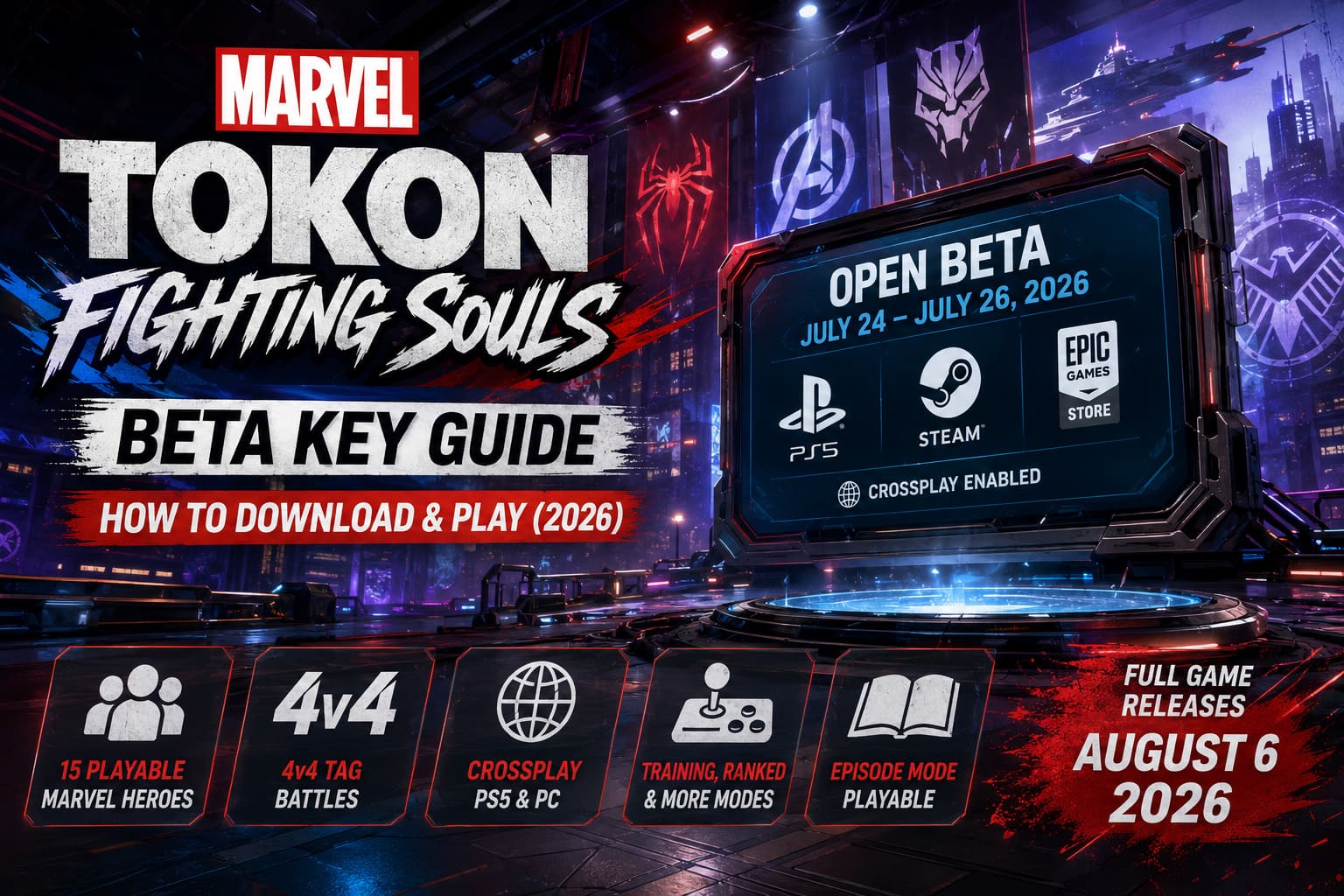
Arc System Works has officially opened the 2026 Open Beta, running from July 24 through July 26.
Unlike the original invitation-only test, this version is available to everyone.
You don’t need:
- beta invitations
- redemption vouchers
- preorder bonuses
- lucky email selections
- special community access
If your platform supports the beta, you’re free to download it immediately.
Even better, the latest build expands beyond PlayStation. PC players finally get to join the party with full online support.
Downloading Marvel Tokon on PlayStation 5
Installing the beta on PS5 only takes a few minutes.
Simply:
- Sign into your PlayStation Network account.
- Open the PlayStation Store.
- Search for Marvel Tokon: Fighting Souls Open Beta.
- Open the beta page.
- Select Download.
After installation finishes, you’re ready to launch the game.
There’s no complicated activation process hiding behind the scenes.
Installing the Open Beta Through Steam
PC players finally get their turn.
Using Steam is straightforward:
- Launch Steam.
- Open the Store.
- Search for MARVEL Tokon: Fighting Souls.
- Visit the game’s official page.
- Scroll until you find the Open Beta download section.
- Start the installation.
Steam automatically places the beta inside your library once downloading begins.
Epic Games Store Installation
Epic users follow nearly the same process.
Open the launcher, search for the game, claim the free Open Beta version, and install it into your library.
No separate launcher downloads.
No external activation keys.
Everything is handled directly through Epic Games Store.
One Important Requirement Everyone Should Know
There is one step that catches some PC players by surprise.
Although the game is available through Steam and Epic, Sony still requires every player to connect a PlayStation Network account before entering online matches.
Thankfully, creating a PSN account is completely free.
The game simply asks you to sign in the first time you launch it.
After linking accounts once, you’re ready to play.
What’s Actually Included in the Open Beta?
Calling this build a simple demo would honestly undersell it.
Arc System Works packed a surprising amount of content into this beta, making it feel much closer to a nearly finished release than an early technical test.
Compared to the tiny 2025 Closed Beta, the difference is massive.
Playable Character Roster
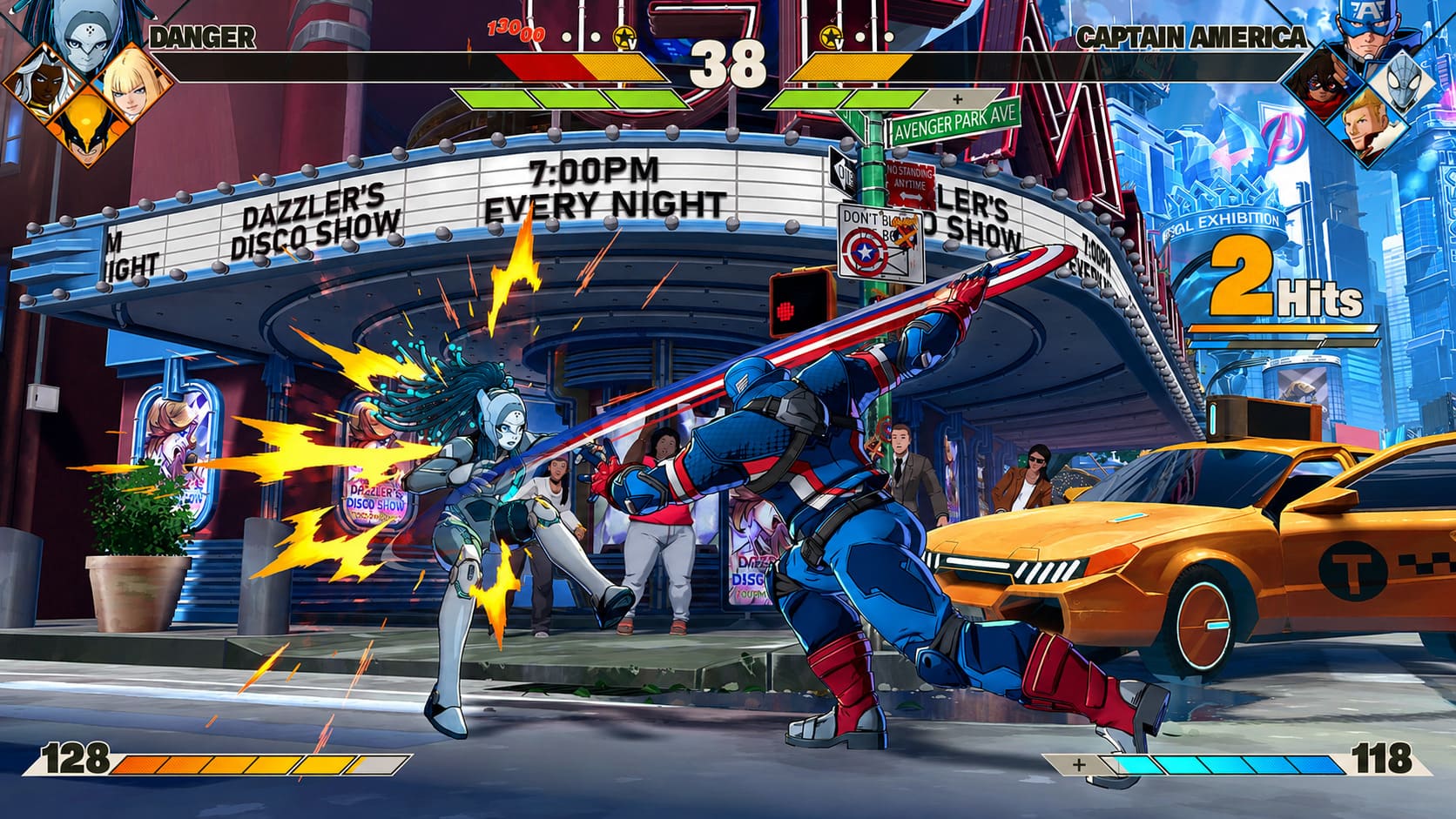
Fifteen Marvel icons are already available, giving players plenty of room to experiment with team compositions.
Current fighters include:
- Spider-Man
- Wolverine
- Iron Man
- Captain America
- Black Panther
- Storm
- Magneto
- Doctor Doom
- Magik
- Rogue
- Star-Lord
- Ms. Marvel
- Ghost Rider
- Peni Parker
- Blade
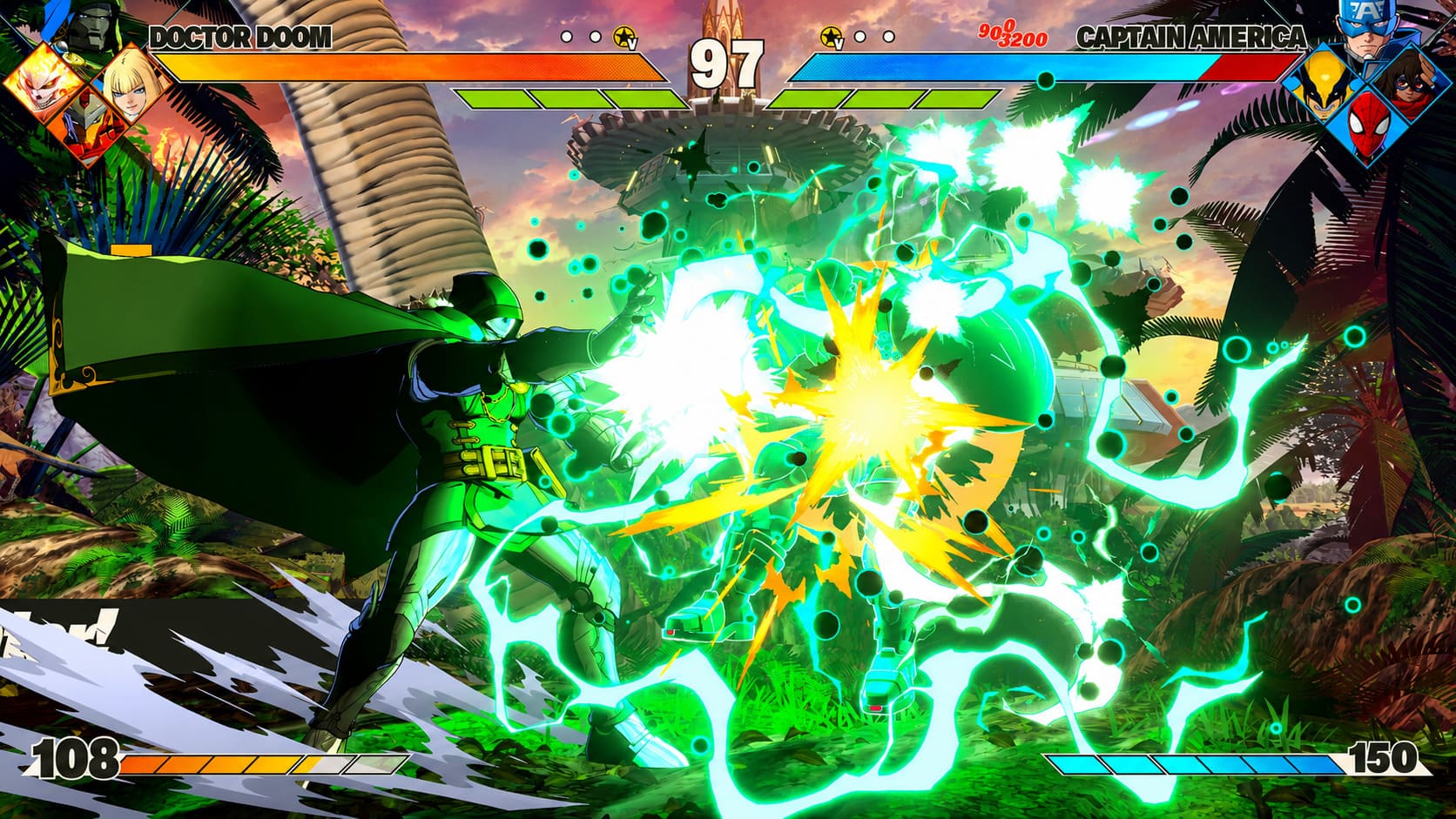
The game revolves around 4v4 tag battles, and that’s where Marvel Tokon starts showing its personality.
Instead of relying on a single main character, you’re constantly switching teammates, extending combos, calling assists, and creating ridiculous offensive pressure.
Some team combinations already look incredibly strong, while others seem built purely for flashy combo videos—and honestly, both are fun.
Gorgeous Unreal Engine 5 Battle Arenas
The stages aren’t just backgrounds.
Many feature cinematic transitions and dramatic environmental changes during fights.
Current locations include:
- Marvel’s New York (Day)
- Marvel’s New York (Night)
- Wakanda
- Asgard
- Savage Land
- Knowhere
Every arena feels designed to celebrate Marvel history while giving Arc System Works plenty of opportunities for over-the-top visual effects.
More Than Just Online Matches
The beta isn’t limited to ranked matchmaking.
| Game Mode | Description |
|---|---|
| Ranked Matches | Competitive cross-platform battles. |
| Casual Matches | Relaxed online games with friends or random opponents. |
| Social Lobbies | Massive 64-player gathering spaces using Chibi Marvel avatars. |
| Training Mode | Practice combos, frame data, and character mechanics. |
| Episode Mode | First three chapters of the story campaign. |
I especially like the inclusion of Training Mode this early.
For fighting game fans, frame data and combo practice aren’t optional—they’re practically mandatory.
Giving players access before launch helps build a healthier competitive community.
Crossplay Finally Arrives
One of the smartest decisions Sony and Arc System Works made was enabling crossplay.
Instead of splitting players between PlayStation and PC, everyone fights together.
That means:
- faster matchmaking
- healthier player population
- better ranked competition
- easier matches with friends
Considering Marvel Tokon is aiming for esports relevance, cross-platform support feels like the right move from day one.
PC System Requirements
Before downloading, make sure your hardware can handle the action.
| Specification | Minimum | Recommended |
|---|---|---|
| Operating System | Windows 10 64-bit | Windows 11 64-bit |
| CPU | Intel Core i5-8400 / Ryzen 5 2600 | Intel Core i7-8700 / Ryzen 5 3600X |
| RAM | 8 GB | 16 GB |
| Graphics | GTX 1060 6GB / RX 580 | RTX 3070 / RX 7600 XT |
| DirectX | Version 12 | Version 12 |
| Internet | Broadband | Broadband |
Considering the visual quality powered by Unreal Engine 5, the recommended specifications are surprisingly reasonable.
Players running mid-range gaming PCs from the last several years shouldn’t have major issues.
Why the Open Beta Feels Different
I’ve covered plenty of fighting game betas over the years.
Most of them feel unfinished.
Missing menus.
Tiny character rosters.
Barebones matchmaking.
Marvel Tokon doesn’t give off that impression.
This feels like developers genuinely want players stress-testing the servers while also experiencing what the final product is supposed to become.
The roster is large enough to encourage experimentation.
The social features already feel polished.
Even Episode Mode gives fans something meaningful outside competitive matches.
That’s a much stronger first impression than many recent fighting games managed before launch.
Official Release Date
The Open Beta is only temporary.
Testing concludes on July 26, 2026, after which the servers will shut down.
The complete version launches globally on:
August 6, 2026
The game releases simultaneously for:
- PlayStation 5
- PC
Players who preorder receive several exclusive cosmetic rewards, including themed lobby customization items that won’t affect gameplay but certainly add some extra personality while hanging out in online hubs.
How to Fix Halo: Campaign Evolved Low Video Memory Error on PC
Don’t Forget This Before Launch
One mistake plenty of players make after open betas is assuming the installed client automatically becomes the retail game.
That won’t happen here.
Once the beta ends, you’ll want to remove the beta installation from your storage.
When Marvel Tokon officially launches in August, you’ll need to download the complete retail version separately.
It only takes a few minutes, but clearing out the old beta prevents unnecessary confusion and saves storage space.
Final Thoughts
Marvel Tokon: Fighting Souls already feels like one of the most exciting fighting games heading into 2026. Arc System Works has taken Marvel’s legendary roster and wrapped it around the fast, stylish combat the studio is famous for, creating something that feels fresh instead of simply copying existing tag fighters.
If you’ve been wasting time hunting for a Marvel Tokon beta key, stop. Those invitation-only codes belong to the 2025 Closed Beta and have no value today. The current Open Beta is free to download, requires no redemption code, and lets PlayStation 5 and PC players battle together through full crossplay.
Whether you’re planning to grind Ranked, spend hours in Training Mode perfecting combos, or just want to see Wolverine and Doctor Doom throw down in gorgeous Unreal Engine 5 arenas, this beta offers a surprisingly complete slice of what the final release promises. For longtime fighting game fans and Marvel newcomers alike, it’s easily worth downloading before the servers close and the countdown to the August launch truly begins.